
Decorating your tablet with stickers is a wonderful way to personalize your digital journaling setup, but choosing the wrong adhesive can damage your device’s premium finish. The most suitable tablet stickers for journaling are made from low-tack, removable materials like high-quality washi paper or static-cling vinyl, which leave no sticky residue and do not strip away delicate oleophobic or anti-glare screen coatings. In tropical climates like the Philippines, where high humidity and ambient heat can cause standard adhesives to melt and bond aggressively to metal and glass, selecting the correct material is even more critical. By understanding how different sticker backings interact with aluminum chassis, glass screens, and plastic cases, you can safely customize your device without compromising its resale value or aesthetic integrity.
Whether you prefer to stick designs directly onto the tablet back, apply them to a protective clear case, or use them to coordinate your physical planner with your digital setup, material safety should always come first. A single mistake with high-tack industrial adhesives can lead to hours of scraping, scratched surfaces, or chemical damage from harsh cleaning solvents. Fortunately, a systematic approach to selecting, testing, and applying stickers allows you to enjoy both a highly personalized, creative device and a pristine, undamaged surface underneath.
Understanding Material and Adhesive Standards for Device Safety
To protect your tablet, you must first understand the physical and chemical properties of different sticker materials and how they interact with your device’s surfaces. Tablets are typically constructed with anodized aluminum, glass, or specialized matte plastic finishes, each of which reacts differently to adhesives. The primary goal is to select stickers that rely on low-tack, pressure-sensitive adhesives or static cling rather than permanent, solvent-based glues.
Products mentioned in this guide
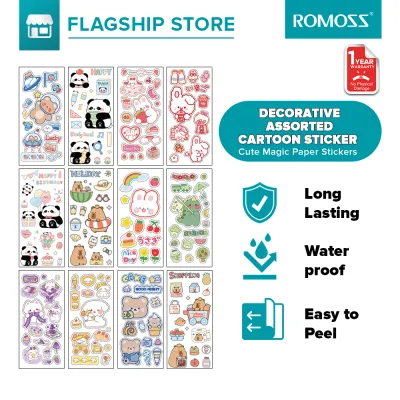
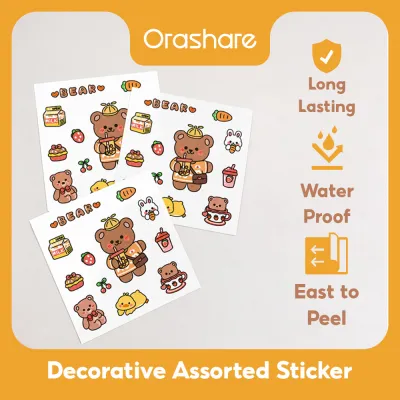
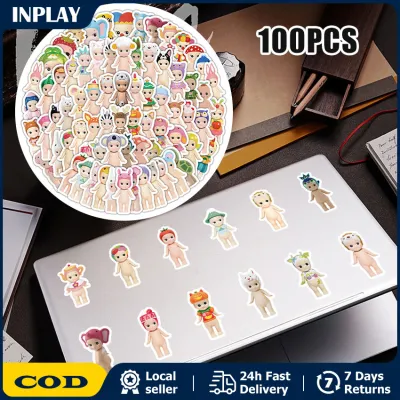
Prices are valid at publication and may change. Please refer to the product page for the latest price.
Washi paper is widely considered among the safest and most versatile options for tablet decoration. Made from traditional Japanese fibers, washi stickers are inherently lightweight, breathable, and coated with a mild, water-based acrylic adhesive designed for clean removal. This low-tack adhesive allows you to reposition the sticker multiple times during application without losing its grip or leaving a gummy film behind. In humid environments, the breathability of washi paper prevents moisture from trapping beneath the sticker, which can otherwise accelerate adhesive degradation.
Polyethylene Terephthalate (PET) stickers offer a highly durable, water-resistant alternative that is excellent for high-touch areas like the back of a tablet or the edges of a stylus. PET is a stable, inert plastic that does not degrade easily under heat, making it highly suitable for devices that warm up during intensive digital illustration or gaming sessions. Most decorative PET stickers designed for journaling utilize a medium-tack removable adhesive that peels off in one clean piece, preventing the tearing associated with cheap paper labels.
Polyvinyl Chloride (PVC) stickers, often referred to as vinyl decals, are incredibly common but require careful scrutiny. While high-quality, removable vinyl is highly compatible with tablet backplates, cheap or industrial-grade PVC stickers often utilize high-tack solvent adhesives designed for outdoor use or automotive applications. These strong adhesives can chemically bond with plastic tablet cases or leave a thick, stubborn residue on aluminum surfaces that is incredibly difficult to remove without using strong chemical solvents that damage the device.
When evaluating stickers, always look for explicit labels indicating ‘removable’, ‘low-tack’, ‘repositionable’, or ‘static cling’ properties. Avoid any products labeled as ‘permanent’, ‘heavy-duty’, ‘weatherproof’, or ‘industrial’, as these are formulated to create a permanent bond that resists peeling. If a product listing or packaging does not specify the adhesive type, it is safest to assume it uses a standard high-tack glue that is unsuitable for direct application on expensive electronics.
Safe Testing, Application, and Removal Techniques
Even when using stickers labeled as safe or removable, performing a controlled spot test is an essential precautionary step before fully decorating your tablet. Choose an inconspicuous area on your device, such as the lower inner edge of a protective case or a small corner of the tablet’s metal backplate. Apply a small piece of the sticker to this test area and leave it in place for at least forty-eight hours, allowing the adhesive to settle under normal operating temperatures.

During this test period, use your tablet as you normally would, allowing the device to generate its typical operational heat. After two days, gently peel the sticker off to observe how the adhesive behaves. If the sticker lifts away cleanly without tearing, leaving no sticky film or discoloration on the metal or plastic, the material is safe to use. If you notice any resistance, tearing, or oily residue, do not apply these stickers directly to your tablet’s primary surfaces.
Proper surface preparation is vital to help achieve a clean application and an easy removal process later. Before applying any sticker, clean the tablet surface using a dry, clean microfiber cloth to remove dust, fingerprints, and skin oils. Avoid using harsh household glass cleaners, dish soaps, or high-concentration isopropyl alcohol directly on the screen or coated surfaces, as these liquids can strip away the oleophobic coating that keeps your screen smudge-resistant. If a damp wipe is necessary, use a specialized electronic cleaning wipe or a microfiber cloth slightly moistened with water, and let the surface dry completely before proceeding.
When it is time to remove or rearrange your stickers, always use gentle physical peeling techniques rather than sharp tools or abrasive pads. Start at one corner of the sticker, using your fingernail or a soft plastic edge—like an old guitar pick or a plastic loyalty card—to lift the edge slowly. Peel the sticker back at a sharp angle, keeping it close to the surface of the tablet to minimize tension and prevent the material from tearing mid-peel.
If you encounter significant resistance or if the sticker begins to tear and leave backing material behind, stop immediately to avoid scratching the device. Do not use metal blades, steel wool, or harsh chemical solvents like acetone, which can permanently melt plastic components and strip anodized coatings off aluminum. Instead, consult your tablet manufacturer’s official cleaning guidelines or consider using a tiny drop of mild, surface-safe adhesive remover applied strictly to a microfiber cloth, ensuring no liquid enters the ports or speaker grilles.
Comparing Sticker Types for Journaling and Decoration
Choosing the right sticker type involves balancing aesthetic preferences with functional performance, especially when coordinating your digital tablet with physical paper planners. Washi stickers are highly prized in the journaling community for their beautiful translucency and soft, organic texture. Because they are semi-transparent, you can layer multiple washi stickers to create complex, collage-like designs on your tablet bezel or case without adding bulk. Furthermore, the matte surface of washi paper is highly receptive to various writing instruments, allowing you to write dates, notes, or small doodles directly on the stickers using gel pens or fine-liners.
PET stickers, on the other hand, provide a sleek, modern aesthetic with exceptional durability and vibrant color saturation. Because PET is highly water-resistant and resistant to oils from your hands, these stickers will not fade, smudge, or fray even after months of daily handling. This makes them ideal for decorating high-contact zones, such as the areas where your palms rest while writing with a stylus. Additionally, PET stickers feature incredibly precise die-cut edges, allowing intricate floral, celestial, or geometric designs to blend onto your tablet’s surface without unsightly white borders.
When planning your layout, it is crucial to check the physical dimensions of the stickers against your tablet’s layout, bezels, and accessories. Large, bulky stickers can interfere with the magnetic attachment points of your stylus or prevent your tablet from fitting snugly into its protective sleeve or keyboard dock. If you plan to decorate your stylus, choose ultra-thin, flexible washi strips that will not alter the grip diameter or interfere with wireless charging capabilities.
For those who love the look of stickers but dread the thought of applying adhesive directly to their expensive device, using a clear, hard-shell protective case is an excellent compromise. By applying your favorite stickers to the exterior of a clear case, you protect the tablet’s original finish entirely while still enjoying a customized look. Alternatively, you can place non-adhesive paper cutouts or stickers with their backing sheets still attached inside a clear case, holding them in place purely through the pressure of the case, allowing you to swap designs instantly without any adhesive cleanup.
Building Your Sticker Shortlist: Pre-Purchase Checks
Whether you are spending ₱150 on a small sheet of decorative decals or investing in a larger curated set, taking a few minutes to conduct thorough pre-purchase checks will save you from potential disappointment and device damage. Start by carefully reading the product descriptions on online store listings or physical packaging, looking for specific mentions of adhesive properties and surface compatibility. Reputable stationery brands will explicitly state if their products are designed for clean removal from plastic, glass, or metal surfaces.
Customer reviews and feedback sections are invaluable resources for uncovering the real-world performance of stickers. Search the reviews for specific keywords such as ‘residue’, ‘sticky’, ‘peel’, ‘torn’, or ‘damage’ to see if other buyers have experienced issues when removing the stickers from electronic devices or cases. Pay close attention to feedback from users living in hot, humid climates, as these conditions can cause low-quality adhesives to break down and become incredibly gummy over time.
Verify the physical specifications of the sticker sheets, including the exact dimensions of individual die-cut pieces and the total quantity included in the pack. This ensures that the designs you choose are appropriately scaled for your specific tablet model and will not overlap critical components like cameras, microphones, or ambient light sensors. If you are purchasing intricate PET or vinyl designs, consider adding a pair of fine-tip crafting tweezers to your cart, as these tools make it much easier to position small stickers precisely without touching the adhesive backing with your fingers.
By establishing a reliable shortlist of high-quality, low-tack stickers and utilizing safe application and removal practices, you can confidently personalize your journaling tablet. This careful approach ensures that your device remains a beautiful, functional tool for your creative expression, free from unsightly scratches, stubborn residue, or permanent surface damage.
Frequently Asked Questions (FAQ)
Can I use regular paper stickers on my tablet surface?
Using standard paper stickers directly on your tablet surface is highly discouraged because their adhesives are typically designed for permanent paper-to-paper bonding. Over time, the adhesive on standard paper stickers undergoes chemical changes, especially when exposed to the heat generated by your tablet during use, causing it to harden and bond aggressively to the device’s surface. When you attempt to remove a regular paper sticker, the paper face will almost certainly tear and split, leaving behind a stubborn layer of paper fibers and sticky, hardened glue that is exceptionally difficult to clean without risking damage to your tablet’s finish.
How do I remove sticky residue if a sticker leaves marks?
If a sticker leaves behind sticky residue, start by gently wiping the area with a clean, dry microfiber cloth, using light circular motions to ball up the loose adhesive. If the residue persists, slightly dampen the microfiber cloth with water or a mild, manufacturer-approved electronic cleaning solution, ensuring the cloth is not dripping wet. Gently rub the sticky spot, taking extreme care to keep all moisture away from the tablet’s ports, speakers, and buttons. If the residue remains stubborn, do not use abrasive pads, metal scrapers, or harsh chemicals like acetone; instead, consult your tablet’s official user manual or contact the manufacturer to identify safe, approved adhesive removers that will not void your warranty or damage the screen coatings.

Community discussion
Share your experience or ask a question. Comments are reviewed before publication.