
Printing high-quality photographs at home or in the office often results in frustrating smudges, dull colors, or paper jams when the paper does not match the printer’s specific ink system. The best glossy photo paper for your inkjet printer is one that matches your printer’s ink type (dye or pigment), falls within your device’s supported weight limits (measured in GSM), and features a coating (microporous or swellable) designed for your specific project needs. Selecting the wrong paper can lead to wasted ink, ruined sheets, and potential damage to your printer’s internal feed rollers. By understanding the relationship between paper chemistry and printer hardware, you can consistently produce vibrant, gallery-quality prints that resist fading and smudging over time.
What Makes Glossy Photo Paper Compatible With Your Inkjet Printer?
Glossy photo paper compatibility depends on matching the chemical formulation of your printer’s ink—either dye-based or pigment-based—with the specific receiving layer of the paper coating. Ensuring this alignment prevents ink pooling, slow drying times, and color shifting.
Understanding Dye-Based and Pigment-Based Inks
Dye-based inks consist of fully dissolved colorants in a liquid carrier, offering exceptional color vibrancy and smooth gradients. These liquid inks penetrate deep into the paper fibers or polymer layers, making them highly compatible with almost all glossy coatings. However, dye inks are susceptible to moisture damage and UV fading over time. Pigment inks contain tiny solid particles suspended in a liquid carrier. These particles sit on top of the paper surface to provide superior fade resistance and water resistance. Because pigment particles are physical solids, they require a paper coating with open pores to lock them in place; otherwise, they will remain loose on the surface and smudge easily.
Products mentioned in this guide
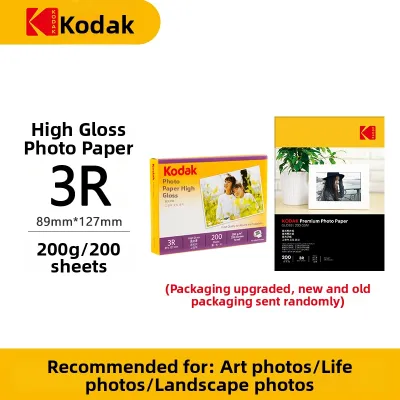
6 Lazada user ratings
The colors are very accurate and match the original image perfectly. I am really pleasantly surprised by the quality.
The colors in the printed photos are very accurate and true to life. I am really happy with the results!
The quality is great for what you get, and the value is excellent.
The product arrived in great condition and looks very neat.
It feels really handy and is easy to use.
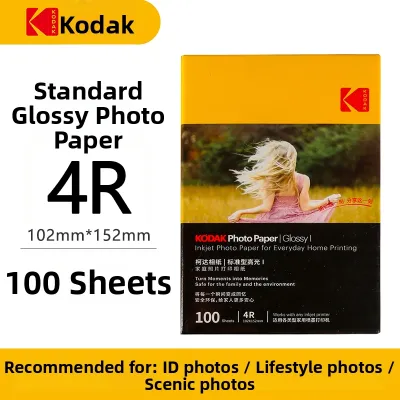
20 Lazada user ratings
The paper feels smooth and non-sticky to the touch. Unlike other photo papers that show marks from the printer nozzles, this one feeds throu…Read full reviewShow less
The paper feels smooth and non-sticky to the touch. Unlike other photo papers that show marks from the printer nozzles, this one feeds through perfectly without any issues. The print quality is really good.
The colors in the printed photos are very accurate and look exactly like the original images. The print quality is great. The paper is nice …Read full reviewShow less
The colors in the printed photos are very accurate and look exactly like the original images. The print quality is great. The paper is nice and thick. The color reproduction is spot on.
It's really good and the texture is great. You can definitely feel the quality difference compared to others. Recommended.
Authentic product. The photo quality is excellent; highly recommended.
A perfect shopping experience, the quality is really good.
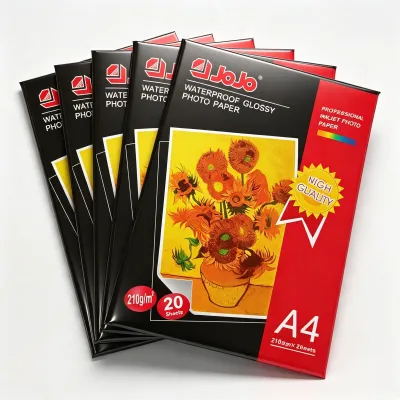
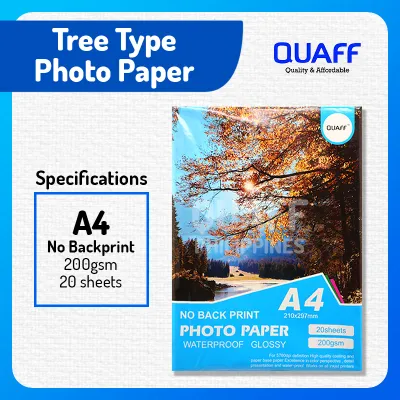
9,700 Lazada user ratings
100% Satisfied, Contented and Super Happy Customer here.. What you see is what you get.. This is what you called REAL BUSINESS.. No cheats a…Read full reviewShow less
100% Satisfied, Contented and Super Happy Customer here.. What you see is what you get.. This is what you called REAL BUSINESS.. No cheats and tricks.. Highly recommended the seller and their products.. Super faster delivery than what I expected.. Super worth the prices.. I am a super happy customer.. Thank You.. More Power and God Bless.. ☝️🙏🙏👉GOD👈🙏🙏👆 Perfect for printing professional photos, Eco-friendly with 100% recycled paper, Impressive print results, Prints come out sharp and clear, Great thickness for durability, Smooth texture for a premium feel, Ideal for framing and displaying, Excellent value for money,
what you see is what you get. I love the quality, size, design and the price as well. 💯 legit. What surprised me most is that you shipped it…Read full reviewShow less
what you see is what you get. I love the quality, size, design and the price as well. 💯 legit. What surprised me most is that you shipped it as what I requested. Surely I will order again in this store next time.
Excellent value for money, High-quality glossy finish, Impressive print results, Vibrant colors on this photo paper, Prints come out sharp a…Read full reviewShow less
Excellent value for money, High-quality glossy finish, Impressive print results, Vibrant colors on this photo paper, Prints come out sharp and clear, Perfect for printing professional photos,
All goods, no damage. Complete quantity. Fast shipping. Will order again. Thank you seller, lazada and delivery crew.
Quality:hh Ease of Use:hh Appearance:hh ok and quality lahat ng photo paper maganda po safe mabilis dumating
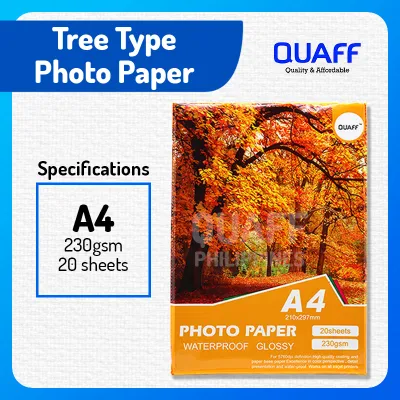
9,208 Lazada user ratings
Excellent value for money, Eco-friendly with 100% recycled paper, Impressive print results, Prints come out sharp and clear, Great thickness…Read full reviewShow less
Excellent value for money, Eco-friendly with 100% recycled paper, Impressive print results, Prints come out sharp and clear, Great thickness for durability, Vibrant colors on this photo paperDurable and long-lasting., Excellent value for money., Excellent value for money., Impressive print clarity., High-quality glossy finish., High-quality glossy finish., Professional-looking prints., Professional-looking prints., Great paper thickness., Ideal for framing memories.,
Smooth texture for easy handling., Great paper thickness., Price:Affordable price, Design:Elegant and simple,
Professional-looking prints., Durable and long-lasting., Great paper thickness., Perfect for photo albums.,
Smooth texture for easy handling., Great paper thickness., durable and a lot more affordable than mall
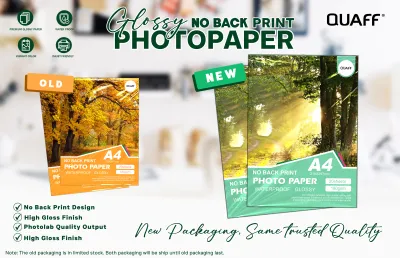
42 Lazada user ratings
High-quality glossy paper, Ideal for both personal and professional use, Eco-friendly recycled paper, Great value for money,
Perfect for photo printing, Versatile sizes for various needs, Vibrant colors on the prints, High-quality glossy paper,
Quality:good Size:verygood Design:fantastic Price:affordable
good quality photo paper
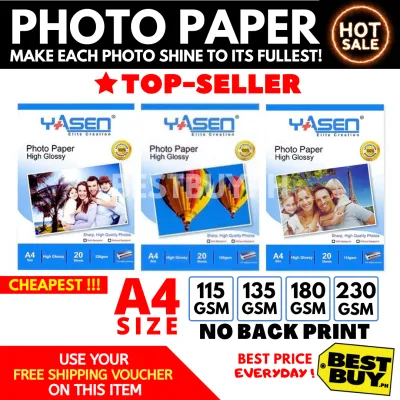
318 Lazada user ratings
second time to order in this shop maayos naman ang product. matagal lang dumating dahil siguro may bagyong carina at pasukan na sa school. b…Read full reviewShow less
second time to order in this shop maayos naman ang product. matagal lang dumating dahil siguro may bagyong carina at pasukan na sa school. but overall dumating pa rin ng matino. kinahon pa nila yung order ko kaya salamat hindi nabasa sa ulan yung photopaper.
Items were packed quickly, shipped out and arrived on time. Arrived in good condition well packed in carboard. Affordable price.
Items are well packed and received in good condition po☺️ thank you so much po seller.. will order po again..
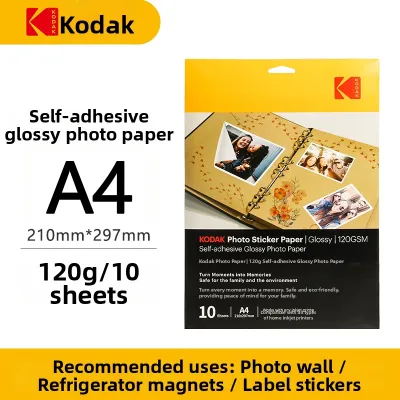
5 Lazada user ratings
Kodak is one of those brands I trust without question. This purchase confirmed why. Smooth transaction from start to finish.
Ordered on a whim and I'm so glad I did. Kodak quality speaks for itself. Already planning my next purchase!
Got this during a sale and it's such a steal! Premium quality at a great price. Thrilled!
Excellent quality and the delivery was quick. Couldn't be happier with this purchase!
Solid quality and it arrived earlier than expected. Very pleased with my order!
Prices are valid at publication and may change. Please refer to the product page for the latest price.
Cast-Coated versus Resin-Coated Bases
The base material of the paper also dictates how it handles different ink types. Cast-coated papers are budget-friendly options where a wet clay slurry is applied to a paper base and dried against a hot chrome drum. While they work well with dye inks, they can warp under heavy ink loads and offer limited water resistance. Resin-coated (RC) papers feature a high-quality paper core sealed between two layers of polyethylene plastic. This structure prevents water absorption, keeps the paper perfectly flat, and provides a professional feel. RC papers are highly recommended for both dye and pigment inks, especially when using microporous coatings.
Observable Compatibility Risks
Using incompatible paper leads to immediate, visible print defects. If you use pigment ink on a swellable polymer paper, the solid pigment particles cannot penetrate the sealed polymer layer. The ink will sit on the surface indefinitely, resulting in severe smudging, a metallic sheen known as bronzing, and poor color density. Conversely, dye inks on low-quality cast-coated papers can bleed laterally, causing blurry details and fuzzy edges. Always check your printer manufacturer’s specifications to confirm whether your device uses dye or pigment inks before purchasing paper.
Which Paper Weight and Thickness Should You Choose for Your Prints?
Choosing the right paper weight and thickness depends on whether you are printing casual proofs or professional-grade gallery prints, balanced against your printer’s maximum feed capacity. Standard prints typically require lighter weights around 150 to 200 GSM, while premium portfolio work demands heavier weights between 230 and 300 GSM.

Understanding GSM and Thickness Metrics
Grams per square meter (GSM) measures the density or weight of the paper sheet, while thickness is measured in mils (thousandths of an inch) or microns. While a higher GSM generally indicates a thicker, stiffer sheet, the density of the chemical coatings can cause two papers of the same weight to have slightly different physical thicknesses. When selecting photo paper, both metrics are important: GSM determines the physical heft and feel of the print, while thickness determines whether your printer’s feed rollers can successfully grip and transport the sheet.
Matching Paper Weight to Your Printer's Feed Path
Before purchasing heavyweight paper, consult your printer’s user manual to verify its maximum supported media weight. Many entry-level inkjet printers utilize a front-loading paper cassette that forces the paper to make a tight U-turn around the feed rollers. Attempting to feed a stiff, 300 GSM sheet through a U-turn path can cause the rollers to slip, resulting in paper jams, misaligned prints, or permanent damage to the feed mechanism. For heavy media, always utilize the printer’s rear-feed slot or manual bypass tray, which provides a straight paper path.
Weight Categories and Use Cases
Lightweight papers (120 to 180 GSM) are highly flexible and feed easily through almost any printer, making them ideal for high-volume drafts, school projects, or temporary flyers. However, they are prone to cockling (wrinkling) when saturated with heavy ink layers. Medium-weight papers (180 to 230 GSM) are the standard choice for family photo albums, holiday cards, and everyday prints, providing a satisfying physical stiffness without overloading standard printer feed mechanisms. Heavyweight papers (230 to 300+ GSM) are reserved for professional portfolios, gallery exhibitions, and fine art reproductions, offering a substantial feel and excellent resistance to bending.
How Do Different Glossy Finishes and Coatings Affect Your Photos?
Different glossy finishes and coatings alter how light reflects off your print and how quickly the ink dries, directly impacting color vibrancy and handling durability. High-gloss finishes maximize color pop but reflect harsh glare, while semi-gloss and micro-gloss options reduce reflections and resist fingerprints.
Comparing Glossy Finishes
High-gloss features an ultra-smooth, mirror-like surface that provides the highest possible D-max (maximum black density) and exceptionally vibrant color saturation. However, this surface reflects light directly, making it difficult to view the image from certain angles under bright overhead lighting. It also readily shows fingerprints, dust, and minor scratches. Semi-gloss, satin, and lustre finishes incorporate a subtle, textured surface (often resembling an orange peel or fine pebble texture) that diffuses reflected light. They offer a professional, gallery-like appearance, retaining rich color saturation while remaining highly resistant to fingerprints and glare. Micro-gloss or soft gloss provides a very gentle sheen that sits between matte and semi-gloss, offering a soft, elegant texture that is ideal for portraits and black-and-white photography.
Microporous versus Swellable Polymer Coatings
Microporous coatings consist of microscopic inorganic particles (such as silica or alumina) that create tiny cavities in the paper surface. When ink is applied, it is drawn instantly into these cavities via capillary action. As a result, microporous papers are dry to the touch almost immediately after printing, offer excellent water resistance, and are compatible with both dye and pigment inks. Swellable polymer coatings use a non-porous polymer layer that swells to absorb liquid dye ink, sealing the colorants beneath the surface as the moisture evaporates. While they offer superb protection against atmospheric gases (preventing ozone-induced fading), they dry very slowly, are highly sensitive to moisture before drying, and are completely incompatible with pigment inks.
Observable Quality Checks
To evaluate the quality of a glossy finish, hold an unprinted sheet at an angle under a single light source. A high-quality coating will show a uniform, smooth reflection without dull patches, pinholes, or surface texture variations. Run a dry finger across a test print to check for immediate drying and resistance to surface marking. If the ink rubs off or feels sticky after several minutes, the coating is likely incompatible with your ink type or is of low quality.
What Are the Best Types of Glossy Photo Paper for Specific Printing Needs?
Selecting the ideal glossy photo paper requires matching the specific use case—such as everyday drafts, professional portfolios, or craft projects—with the corresponding paper grade and coating technology. No single paper type excels at every task, so categorizing your projects ensures optimal results and cost efficiency.
Everyday and Draft Printing
For high-volume printing, school assignments, or quick color proofs, lightweight cast-coated glossy papers are the most practical choice. These papers are highly economical and feed reliably through standard office printers. However, they lack the archival stability and water resistance of premium papers, making them unsuitable for long-term display. When using budget papers, keep ink saturation settings moderate to prevent the paper from warping or buckling.
Professional and Portfolio Prints
For gallery exhibitions, professional portfolios, and archival family photos, opt for heavyweight, resin-coated (RC) microporous papers. Look for acid-free and lignin-free designations on the packaging, which prevent the paper from yellowing and degrading over time. These premium papers support a wide color gamut and deep black tones, ensuring your prints remain vibrant for decades when stored under proper conditions. They are designed to handle high ink loads without warping, making them ideal for high-resolution photography.
Crafting and Scrapbooking
Craft projects often require specialized glossy papers, such as adhesive-backed sheets or double-sided glossy paper. When selecting paper for crafting, verify that the glossy coating is flexible enough to be folded or trimmed cleanly. Low-quality coatings can crack or peel along cut edges, ruining the appearance of handmade cards or scrapbooks. Double-sided glossy papers must be handled with care to prevent feed rollers from scratching the printed first side while printing the second side.
How Can You Test and Adjust Printer Settings for Perfect Glossy Prints?
Achieving accurate colors and sharp details on glossy photo paper requires calibrating your printer driver settings and verifying the ink-to-paper interaction through physical test prints. Skipping these adjustments often leads to oversaturation, color casts, or visible banding.
Configuring Driver Settings
Before sending a print job, always access your printer’s advanced properties menu to select the correct media type. Choosing a setting like “Premium Glossy” or “Photo Paper Glossy” adjusts the printer’s ink volume, printhead height, and drying time. If you leave the setting on “Plain Paper,” the printer will apply too much ink, leading to pooling, bleeding, and extremely slow drying times. Additionally, set the print quality to “High” or “Best” to ensure smooth color gradients and eliminate visible printhead passes.
Utilizing ICC Profiles
For high-end printing, relying on generic printer settings may not yield perfect color accuracy. An ICC profile is a data file that calibrates color output for a specific combination of printer, ink, and paper. Premium paper manufacturers provide downloadable ICC profiles on their websites. By installing these profiles and allowing your editing software (such as Photoshop or Lightroom) to manage colors, you can achieve highly accurate color reproduction that matches your calibrated monitor.
Running Nozzle Checks and Test Strips
To avoid wasting expensive glossy sheets, always perform a quick nozzle check utility to ensure all printhead nozzles are clear. A single clogged nozzle will cause distracting horizontal lines (banding) across your glossy print. Once the nozzles are verified, print a small test strip—containing a mix of skin tones, deep shadows, and bright highlights—on a scrap piece of the glossy paper. This allows you to evaluate color accuracy, shadow detail, and drying behavior before committing to a full-sized print.
Where Should You Buy Glossy Photo Paper and How to Store It Properly?
To preserve the integrity of glossy photo paper, you should purchase from authorized stationery retailers or official brand stores and store the sheets in a climate-controlled environment. Improper storage in high-humidity regions like the Philippines can cause the glossy coating to degrade, curl, or stick together before printing.
Sourcing Authentic Paper
Always source your glossy photo paper from official brand stores, authorized stationery distributors, or reputable e-commerce platforms in the Philippines. Verify the authenticity of the product by inspecting the packaging for intact security seals, clear batch codes, and official brand holographic labels. Avoid unbranded, bulk-packaged sheets that lack clear specifications, as they often feature inconsistent coatings that can clog printheads or cause severe feed issues.
Storage Best Practices
Glossy photo paper is highly sensitive to environmental conditions. Keep the paper stored flat in its original packaging, including the protective plastic sleeve and cardboard box, to prevent dust accumulation and physical damage. Storing boxes vertically can cause the sheets to sag and develop permanent curls at the corners, leading to feed errors.
Managing Humidity in Tropical Climates
In tropical climates with high relative humidity, such as the Philippines, moisture is the primary enemy of photo paper. High humidity can cause the paper fibers to expand while the plastic resin coating remains stable, resulting in severe paper curling. To combat this, place a few silica gel packets inside the storage box to absorb excess moisture. Keep the storage area away from direct sunlight, air conditioning vents, and damp walls. Only remove the specific number of sheets you intend to print immediately, and promptly reseal the remaining stock in its protective sleeve.
Community discussion
Share your experience or ask a question. Comments are reviewed before publication.