
Finding the best light table for drawing in the Philippines requires balancing illumination quality, surface size, and structural durability against the local environment. In a tropical climate where high humidity can affect paper tension and electronic heat dissipation, choosing a reliable light pad is essential for comfortable sketching, tracing, and inking. The ideal choice depends on your specific drawing style—whether you are an animator working on detailed frames, an architect drafting large-scale plans, or a hobbyist practicing lettering. By focusing on adjustable LED brightness, active workspace dimensions, and stable power delivery, you can find a tool that enhances your creative workflow without causing eye strain or physical discomfort.
Key Features to Evaluate in a Light Table
To select a light table that truly supports your creative process, you must look beyond basic aesthetics and evaluate the technical specifications that directly impact tracing accuracy and eye comfort. The primary feature to analyze is the brightness adjustment mechanism. High-quality light tables offer either step-less dimming, which allows you to adjust the light level gradually by holding down a touch button, or multi-level presets (typically three to five distinct steps). This control is vital because different paper weights require different levels of light penetration. For instance, tracing through heavy 300 gsm watercolor paper or thick Bristol board requires a highly intense light source, whereas thin 70 gsm layout paper or tracing vellum only needs a low, gentle glow to prevent blinding glare.
Equally important is the uniformity of the illumination across the entire surface. Lower-end light pads often suffer from “hotspots”—areas directly above the LED strips, usually along one or two edges, that are significantly brighter than the center or corners. This uneven light forces your pupils to constantly dilate and contract as your eyes move across the page, leading to rapid eye strain, headaches, and fatigue during long drawing sessions. When evaluating a light table, check the product specifications for a built-in light guide plate or advanced diffusion layers. These components work to scatter the light evenly across the entire panel, ensuring that the corners are just as bright and usable as the center.
Products mentioned in this guide
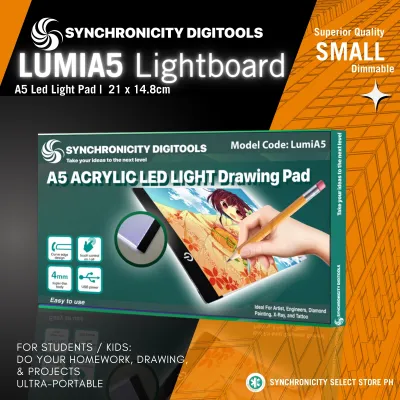
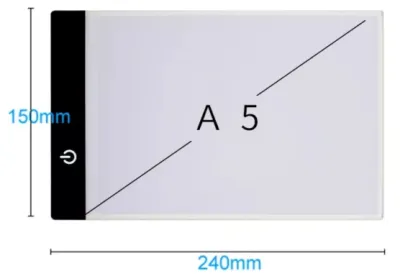
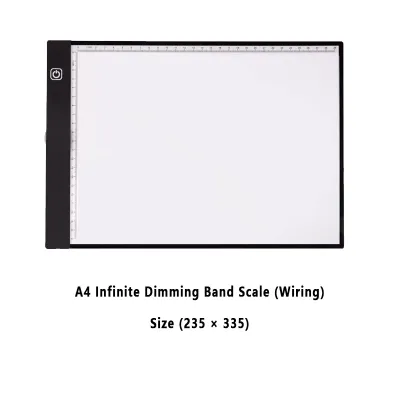
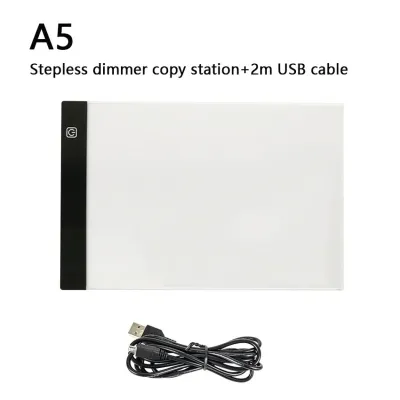
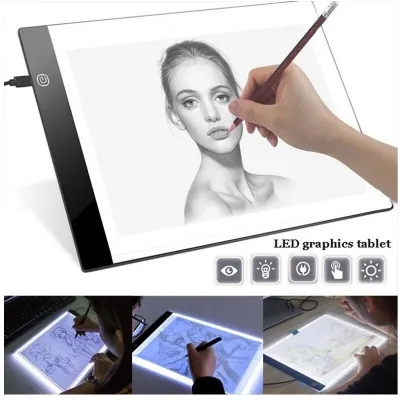
Prices are valid at publication and may change. Please refer to the product page for the latest price.
Another critical step is differentiating between the total physical dimensions of the device and its actual active lighting area. Manufacturers often advertise a light table as an “A4” or “A3” model based on its overall outer frame, but the actual illuminated workspace may be slightly smaller due to the plastic or aluminum borders. If you regularly work with standard paper sizes, such as short or long bond paper, or international standards like A4 and A3, you must verify that the active lighting area fully accommodates your sheets. If the illuminated area is too small, you will find yourself constantly shifting and re-taping your paper, which can ruin your alignment and disrupt your drawing rhythm.
Finally, pay close attention to build quality indicators, particularly the surface material and structural framing. The top surface should be made of high-grade, scratch-resistant acrylic (often listed as PMMA) rather than cheap, soft plastics. A scratch-resistant surface is essential because drawing tools—especially hard graphite pencils like 2H or 4H, metal-tipped technical pens, and drafting compasses—can easily leave permanent grooves on a soft surface. These scratches not only distort the light but also catch your pen tips during future projects. Additionally, in the warm and humid climate of the Philippines, proper heat dissipation is crucial. LEDs naturally generate heat, and a poorly designed light pad can become uncomfortably warm to the touch or even warp over time. Look for models with aluminum backings or efficient heat-venting frames that keep the drawing surface cool during extended studio sessions.
Matching the Right Setup to Your Drawing Style
Your artistic medium and typical project scale dictate the physical size and structural features your light table must possess. Choosing the right setup is a matter of matching your daily workflow to the physical limits of the device, ensuring you do not struggle with a cramped surface or overpay for unnecessary space.

Anime, Manga, and Comic Inking
For artists specializing in anime, manga, and comic book illustration, the light table is a fundamental tool for translating rough pencil sketches into clean, professional ink lines. This workflow demands extreme precision, making high-contrast, flicker-free LED panels an absolute necessity. Micro-flickering, which is common in low-quality light pads that use cheap voltage regulators, can make fine lines appear blurry and cause severe eye strain within an hour of work. When selecting a light table, verify that the manufacturer specifies a flicker-free design, which ensures a steady, continuous stream of light that keeps your vision sharp.
Surface smoothness is another critical factor for inking. When using dip pens with flexible nibs (such as G-pens or maru pens) or fine-line technical markers, any texture or unevenness on the light table’s surface can transfer through your paper. This can cause your pen tip to skip, snag, or pool ink unexpectedly, ruining hours of careful work. To prevent this, look for a light table with a perfectly polished, seamless acrylic top. This allows your drawing paper to glide smoothly as you rotate the page to achieve the most natural hand angles for your curves and hatches.
Architectural Drafting and Large-Scale Sketching
Architects, engineers, and landscape designers work with oversized media, such as A3 or A2 vellum, blueprints, and heavy tracing papers. For these professionals, a small, portable light pad is highly impractical. You require a large active lighting area that allows you to view entire floor plans or structural elevations at once without folding or shifting the sheets. Shifting large-scale drawings on a small light source introduces alignment errors that can compromise the accuracy of your scale measurements.
Furthermore, technical drafting requires leaning over the drawing surface for hours, which can quickly lead to neck, shoulder, and back pain. To maintain proper ergonomics, look for a light table with robust, integrated hinges or a heavy-duty adjustable stand. This allows you to tilt the surface to a comfortable drafting angle, typically between 15 and 45 degrees. Because technical drawing involves using heavy tools like T-squares, parallel rulers, and heavy-grade drawing boards, the light table and its stand must have a high weight capacity and exceptional stability. A flimsy stand that wobbles or slips under the pressure of your forearms will make precise drafting impossible.
Beginners and Casual Tracing
If you are a beginner, a hobbyist practicing calligraphy, or someone who enjoys casual crafting and tracing, you do not need to invest in a massive, expensive drafting setup. Instead, prioritize lightweight, ultra-thin models that offer maximum portability and ease of use. An A4-sized light pad that is only a few millimeters thick is highly practical, as it can easily slide into a backpack or laptop bag alongside your sketchbooks.
For casual use, USB power compatibility is a major advantage. Being able to power your light table using a standard phone charger, a laptop USB port, or a portable power bank means you can work anywhere—whether you are at a local coffee shop, in a classroom, or sitting on your sofa. When shopping for a beginner-friendly model, focus on essential features like basic brightness controls and a reliable power connection. Avoid paying a premium for advanced drafting features, such as built-in rulers or heavy adjustable stands, until you are certain your workflow requires them.
Power Options and Workspace Ergonomics
How your light table receives power and how it sits on your desk are critical factors that determine your daily comfort and productivity. Understanding the trade-offs between different power sources and ergonomic configurations will help you design a workspace that supports long, pain-free drawing sessions.
The choice between USB-powered models and those requiring a dedicated AC adapter depends largely on your mobility needs and the size of the table. USB-powered light pads (typically using Micro-USB or USB-C ports) offer unmatched portability. They are perfect for students and artists on the go who need to work in various locations without relying on a wall outlet. However, USB power is generally limited to 5 volts. For larger light tables (A3 and A2 sizes) or when tracing through exceptionally thick, multi-layered papers, 5V of power may not be enough to achieve the high brightness levels required. In these cases, a dedicated AC adapter (usually 12V) is superior. It provides a stable, high-intensity electrical current that ensures consistent, maximum brightness without the risk of dimming or flickering, making it the preferred choice for permanent studio setups.
Ergonomics should never be an afterthought, as drawing flat on a desk forces your neck into a harsh downward angle, leading to chronic strain. Utilizing an adjustable stand—either built into the light table or purchased as a compatible accessory—allows you to elevate the surface to a more natural viewing angle. When evaluating these stands, pay close attention to the hinge durability. Avoid thin, click-lock plastic tabs that can easily snap or wear down over time under the weight of your hands. Instead, look for stands with metal brackets, rubberized non-slip feet, or high-friction mechanical joints that lock securely into place.
Cable management is another practical detail that keeps your workspace functional. A loose power cable draping across your drawing surface is a constant distraction and can easily snag your pens or smudge wet ink. Look for light tables that feature side-mounted power ports, ideally positioned on the upper left or right corner depending on your dominant hand. This placement allows you to route the cable neatly behind the device. Using simple cable clips or velcro ties to secure the cord to your desk or stand will keep your drawing area completely unobstructed, allowing for fluid, uninterrupted hand movements.
Smart Shopping Checklist for Online Orders
When purchasing a light table from e-commerce platforms and online marketplaces in the Philippines, navigating the product listings can be challenging. Many sellers use confusing terminology or exaggerated claims. To ensure you receive a high-quality product that matches your expectations, use this systematic checklist before finalizing your order.
First, carefully cross-reference the dimensions listed in the product description. It is common for sellers to include “A3” or “A4” in the main product title, only for the fine print to reveal that these are the outer physical dimensions, while the actual active lighting area is significantly smaller. Always look for the specific “illuminated area” or “working area” measurements in millimeters or centimeters. Compare these measurements directly to the physical size of the paper you plan to use to ensure your sheets will fit comfortably within the lit zone.
Second, analyze the user reviews and ratings critically, focusing on real-world feedback rather than promotional text. Look for reviews uploaded by local buyers in the Philippines, as they often include actual photos and videos of the product in use. Pay close attention to any mentions of screen flickering, dead LED zones, or uneven hotspots. If multiple users complain that the surface scratches easily under normal pencil pressure, or that the USB port feels loose and loses connection when moved, it is a strong indicator of poor build quality.
Third, verify the included power cable type and plug compatibility. While USB-powered models are highly versatile, models that require direct wall power must match the electrical standards of the Philippines. The local grid operates on a 220V 60Hz system, typically utilizing Type A (two flat parallel pins) or Type B plugs. Ensure that any included AC adapter is rated for 220V input to prevent the risk of overheating, short-circuiting, or damaging the light table’s internal circuitry. If the product only comes with a foreign plug type, make sure you have a safe, high-quality adapter ready before your package arrives.
Frequently Asked Questions (FAQ)
Do I need a light table with adjustable brightness?
Yes, adjustable brightness is an essential feature for any drawing style. Different projects require different paper weights, and a single, fixed brightness level cannot accommodate them all. For example, if you are tracing a design onto thin 50 gsm layout paper, a high-intensity light will create an intense, blinding glare that causes eye strain within minutes. On the other hand, if you are transferring a sketch onto thick 300 gsm watercolor paper or heavy cardstock, a low-power light source will not be strong enough to shine through the dense paper fibers. Having the ability to dim or brighten the panel allows you to customize the illumination to match your specific paper thickness and the ambient lighting of your room, protecting your eyes and improving tracing accuracy.
Can I use a regular tablet or monitor as a light table?
While you can use a tablet or computer monitor for quick, occasional tracing, it is not a suitable or safe long-term replacement for a dedicated light table. Consumer tablets are not designed to withstand the concentrated pressure of drawing tools; pressing down with a pencil, pen, or stylus can easily damage the delicate liquid crystal display (LCD) or scratch the protective glass. Additionally, tablet screens often have automatic sleep timers, touch-sensitivity issues that cause the image to shift when your hand rests on the screen, and uneven backlighting that can distort fine details. A dedicated light table provides a durable, pressure-safe, and uniformly lit surface designed specifically to handle the physical demands of manual drawing.
Community discussion
Share your experience or ask a question. Comments are reviewed before publication.