
An LED drawing board, often called a light pad or light box, is an invaluable tool for artists, animators, and crafters looking to trace designs, refine sketches, or transfer patterns. Choosing the right drawing board with led light requires looking past generic marketing buzzwords and focusing on how the technical specifications align with your specific creative workflow. By evaluating the physical dimensions, light control mechanisms, power options, and surface durability, you can find a reliable tool that fits your workspace and supports your medium of choice.
Choosing the Right Size and Workspace Fit
Selecting the correct size for your drawing board with led light is a balance between your typical project scale and the physical limits of your workspace. Standard paper sizes like A4 and A3 are the most common options available. An A4 board is highly portable and works well for standard sketching, lettering, and small-scale illustrations. If you frequently work on larger poster drafts, architectural blueprints, or detailed comic layouts, an A3 or larger board provides the necessary surface area to prevent you from constantly shifting your paper.
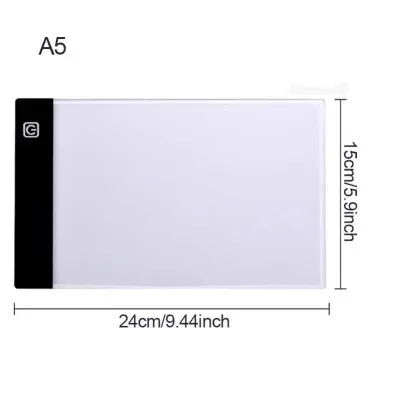
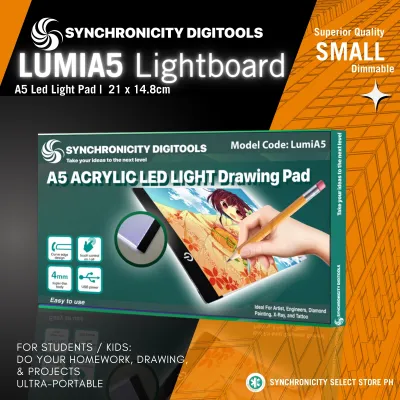
When comparing models, it is crucial to distinguish between the overall outer dimensions of the board and the actual illuminated active area. Manufacturers often list the total product size in their headlines, but the actual lit area where you can trace is always slightly smaller due to the surrounding bezel and control buttons. Always check the detailed product specifications to ensure the active lit area fully accommodates the paper sizes you use most.
Products mentioned in this guide
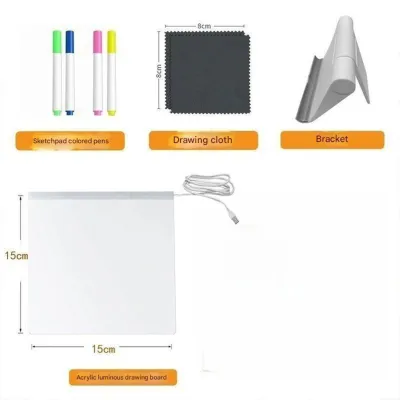

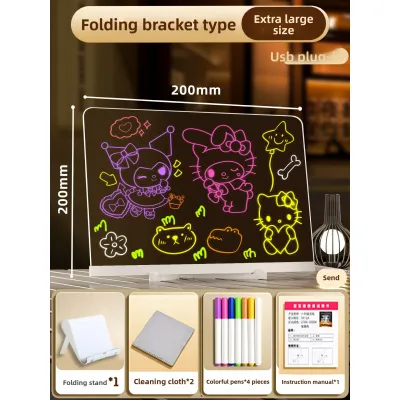
Prices are valid at publication and may change. Please refer to the product page for the latest price.
Portability and storage are also key considerations, especially in compact living spaces or humid tropical environments where you might want to store your equipment in a dry, dust-free drawer after use. Ultra-thin boards, often measuring between 4mm and 8mm in thickness, are lightweight and easy to slip into a backpack or portfolio case. However, if you plan to use the board on your lap or on uneven surfaces, a slightly thicker, more rigid frame may offer better structural support and prevent the panel from flexing during use.
Understanding Brightness Levels and Light Control
The effectiveness of a drawing board with led light depends heavily on its light output and how easily you can adjust it. Light control typically comes in two formats: multi-level stepped dimming (usually three to five preset brightness levels) and stepless dimming, which allows you to hold down the power button to smoothly transition to any brightness level. Stepless dimming offers superior precision, allowing you to fine-tune the illumination to match the ambient lighting of your room and reduce eye strain during long drawing sessions.

The required brightness level is directly tied to the thickness and texture of the paper you intend to use. Standard printer paper (around 70 to 80 gsm) requires very little backlighting to show a clear tracing guide. However, if you work with heavier media like 300 gsm watercolor paper, thick cardstock, or textured sketchbooks, you will need a board capable of higher light intensity to penetrate the dense fibers. Before purchasing, check the manufacturer’s lumen or lux specifications to verify if the light output is strong enough for heavy-duty paper.
Many brands advertise built-in eye protection or anti-glare coatings. Rather than relying on these generic marketing labels, verify these claims by looking for boards that offer a wide, adjustable brightness range and even light distribution. A high-quality panel should diffuse light uniformly across the entire active area without visible hot spots or dark corners. Testing the board at its lowest setting in a dimly lit room is an excellent way to observe whether the light is comfortable for your eyes over extended periods.
Power Options and Portability Features
How your drawing board with led light receives power determines where and how you can work. Modern boards generally feature USB Type-C ports, which offer a more robust and reversible connection than older Micro-USB ports. USB Type-C cables are also easier to replace if lost or damaged, as they are standard across most modern smartphones and laptops.
You will need to decide between a standard plug-in model and a model with a built-in rechargeable battery. Plug-in models are highly reliable for stationary desk setups, drawing power directly from a wall adapter, laptop, or power bank. If you prefer to sketch on the go, in cafes, or outdoors, a model with an integrated lithium-ion battery offers true cordless portability. However, keep in mind that battery-powered models are generally heavier and require regular charging cycles to maintain battery health.
If you opt for a plug-in model, pay close attention to the included cable length. A cable that is too short can severely restrict where you place the board on your desk, forcing you to sit uncomfortably close to a wall outlet or power source. Checking the cable specifications beforehand—or planning to purchase a longer, high-quality compatible USB cable—ensures a flexible and comfortable workspace setup.
Evaluating Surface Materials and Practical Extras
The build quality of the top panel affects both the longevity of the board and the smoothness of your drawing experience. Most budget-friendly light pads use acrylic panels, which are lightweight and offer excellent light transmission. However, lower-grade acrylic can scratch easily under the pressure of sharp pencil tips or metal tracing tools. Look for panels specified as scratch-resistant or hardened acrylic to ensure the surface remains smooth and free of distracting marks over time.
Keeping your reference image and blank drawing paper perfectly aligned is essential for accurate tracing. Some boards feature magnetic surfaces and come with small, flat magnets to secure your sheets without blocking your hand movements. Other models rely on physical binder clips or built-in top clamps. If you prefer a completely flat surface, look for boards with non-slip rubber feet on the underside to prevent the entire unit from sliding across your desk while you work.
Many packages bundle accessories like adjustable drawing stands, protective sleeves, or integrated grid rulers printed directly onto the panel. While a physical grid ruler is incredibly helpful for technical drafting, alignment, and comic paneling, it can sometimes be distracting for freehand sketching or diamond painting. Consider whether these bundled extras genuinely align with your artistic technique, or if you would be better off purchasing a minimalist board and selecting your own accessories separately to get the best value for your budget in ₱.
Frequently Asked Questions (FAQ)
Can I use an LED drawing board for diamond painting or cross-stitch?
Yes, many crafters use LED drawing boards to illuminate the grid patterns on diamond painting canvases or to trace embroidery designs onto fabric. However, because these materials are significantly thicker and denser than standard tracing paper, you must ensure the board has a high maximum brightness setting. Check the manufacturer’s specifications for light penetration or maximum paper weight compatibility to ensure the light can clearly pass through your specific craft canvas.
Does the LED light board emit harmful UV rays?
Standard LED drawing boards use low-voltage, visible-light light-emitting diodes that do not emit harmful ultraviolet (UV) radiation. They are safe for prolonged skin contact and regular indoor use. To protect your eyes from fatigue during long creative sessions, it is recommended to adjust the brightness to match your room’s ambient light and take regular breaks to rest your eyes.
Community discussion
Share your experience or ask a question. Comments are reviewed before publication.