
Preparing holiday gifts often comes with the challenge of finding the ideal gift tags that match your wrapping theme, but you can easily create personalized, professional-looking holiday tags by designing and printing your own custom labels using standard home office supplies. Making your own DIY Christmas labels allows you to customize the size, shape, color, and message for every recipient, turning simple wrapping paper or glass jars into beautifully coordinated packages. By selecting the right base materials, setting up your digital templates correctly, and applying proper cutting and adhesion techniques, you can produce high-quality labels that stay securely in place throughout the festive season. This approach not only saves you from last-minute trips to the store but also adds a thoughtful, handcrafted touch to your holiday presentation.
What materials and tools do you need for DIY Christmas labels?
To make DIY Christmas labels at home, you need a suitable printable base material, a compatible home printer, reliable cutting tools, and an appropriate adhesive backing. The specific combination depends on whether you are labeling paper gift wrap, textured cardboard, plastic bags, or glass jars. Matching your supplies to your specific printer and gift surface is the first step to success.
Printable label paper is the most common choice, available in standard letter or A4 sheets with pre-cut shapes or as full-sheet sticker paper. Matte label paper offers a classic, non-reflective finish that is easy to write on with gel pens, making it ideal for handwritten names. Glossy label paper provides a vibrant, high-contrast surface that makes colorful holiday graphics pop, though it requires careful handling to avoid fingerprints.
Products mentioned in this guide
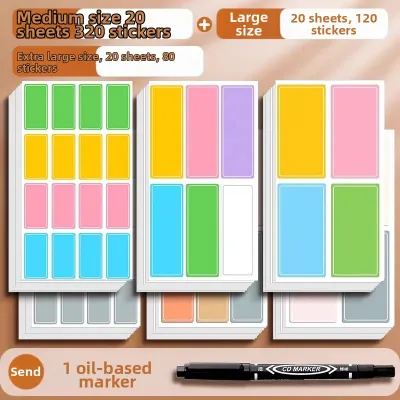
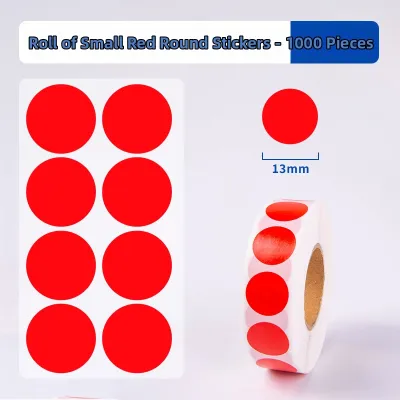
3 Lazada user ratings
Really great for moving!
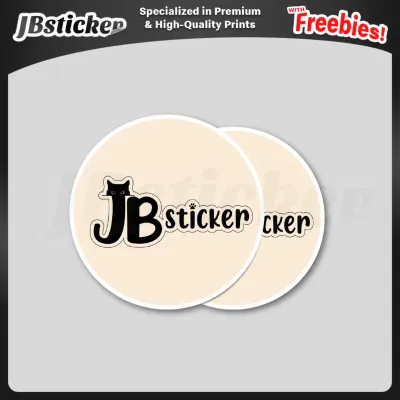
1,381 Lazada user ratings
Quality: Typical glossy texture, not too thin (10/10) Ease of Use: Easy to peel, doesn’t tear easily (10/10) Appearance: Perfect aligning!! …Read full reviewShow less
Quality: Typical glossy texture, not too thin (10/10) Ease of Use: Easy to peel, doesn’t tear easily (10/10) Appearance: Perfect aligning!! (10/10) Quick delivery and fast customer response. Using it for my cookie packaging. Would order again!
Thank you so much sa quality logo stickers and freebie stickers! 2nd time ordering here and will keep on ordering here pag naubusan ulit 😁
Appearance: Thank you po ang ganda ng pag kaka print dito an ako oorder lagi may pa free sticker pa at mabait si seller ❤️
magnda ung sticker nagustuhan ko order ako ulit pag naubos to thank you seller ❤️🥰
Prices are valid at publication and may change. Please refer to the product page for the latest price.
For hanging tags, cardstock weights ranging from 180 gsm to 250 gsm provide enough stiffness for attaching to gift bags with twine or ribbon. If you are labeling homemade food gifts or glass jars, printable vinyl is a highly effective choice due to its tear resistance and moisture tolerance.
Your choice of printer and ink type directly impacts label durability. Inkjet printers use liquid inks that require a compatible absorbent coating on glossy or vinyl papers to prevent pooling. Laser printers use dry toner fused with heat, which creates smudge-resistant prints but requires heat-resistant label sheets specifically rated for laser use to prevent adhesive melting.
Because smoothness, bleed resistance, drying speed, and water resistance depend on the exact combination of your printer’s ink and the label paper’s coating, you should always perform an observable trial. To verify these characteristics, print a small color block on a scrap piece of your chosen label paper, wait five minutes, and gently rub it with a dry finger to check for smudging.
For cutting, a paper trimmer or a craft knife paired with a metal ruler ensures straight, professional edges on square or rectangular labels. If you plan to make intricate shapes, circular tags, or custom die-cut designs, an electronic cutting machine can automate the process, provided you calibrate the blade depth to match your material’s thickness.
How do you design and print custom labels at home?
Designing and printing custom labels requires setting up a digital canvas that matches your physical sheet dimensions, choosing a user-friendly design platform, and configuring your printer settings for high-resolution output. Following a systematic layout and testing process prevents alignment errors and wasted materials, saving you from the frustration of off-center prints and ruined label sheets.

Begin by selecting a design platform that allows you to customize dimensions precisely, such as free online graphic design tools or dedicated label design software. Many label manufacturers provide free, downloadable templates corresponding to their product codes, which pre-define the layout grids for pre-cut sheets. If you are using full-sheet sticker paper, leave a margin of at least 10 millimeters around the outer edge of the page to accommodate your printer’s non-printable margins.
When arranging your holiday graphics and text, always incorporate a safety margin and a bleed area. Keep all critical text and central design elements at least 3 millimeters inside your intended cutting line to ensure they are not cut off if the paper shifts slightly during printing. If your design features a solid background color, extend that background 2 to 3 millimeters beyond the cutting line to prevent unsightly white borders along the edges of your finished labels.
Before loading your premium label sheets into the printer, open your printer’s print settings dialog box to configure the media type and quality. Selecting “Glossy Photo Paper” or “Heavyweight Cardstock” instead of “Plain Paper” tells the printer to adjust its ink delivery and feed speed, preventing over-saturation. Set the print quality to “High” or “Best” and verify that the scale is set to “100%” or “Actual Size” rather than “Fit to Page,” which can distort your template’s dimensions.
Always perform a physical test print on a standard sheet of plain copy paper before printing on your actual label stock. Once printed, place the test sheet directly on top of your label sheet and hold them up to a light source to verify that every design aligns accurately with the pre-cut labels or your planned cutting paths. This simple check allows you to adjust your digital margins or printer alignment settings without wasting expensive label materials.
Once you print on your actual label sheets, handle them with care to prevent smudging. Inkjet prints on glossy paper or printable vinyl can take longer to dry completely depending on the ambient humidity and ink density. Lay the printed sheets completely flat in a clean, dust-free area and allow them to dry for at least 10 to 15 minutes before attempting to cut, touch, or apply them to your gifts.
How do you cut and apply the labels to different gift surfaces?
Clean cuts and proper surface preparation are essential for achieving a professional finish and ensuring your DIY labels adhere firmly to your gifts. The cutting method should match the complexity of your label shapes, while the application technique must account for the texture and material of the receiving surface. Taking care during this stage prevents torn edges, crooked placements, and peeling corners.
When cutting straight-edged labels manually, a craft knife and a self-healing cutting mat provide the cleanest results. Align a heavy metal ruler with your cutting lines, press down firmly, and draw the craft knife along the edge in a single, smooth motion. When using sharp craft knives, work on a stable surface, and keep blades retracted or capped when not in use to prevent accidental cuts.
For circular or intricately shaped labels, detail scissors with short, sharp blades offer excellent control. Instead of moving the scissors around the shape, hold them relatively still and rotate the label sheet with your other hand to guide the blade smoothly along the curve. If you are using an electronic cutting machine, perform a test cut on a small scrap piece of your material first to ensure the blade depth and pressure settings are calibrated correctly.
Before applying any label, prepare the receiving surface to ensure maximum adhesive contact. Dust, lint, fingerprints, and oils can significantly weaken the bond of self-adhesive papers and vinyls. Wipe the surface of your gift box, plastic bag, or glass jar with a clean, dry microfiber cloth; for glass or metal containers, a quick wipe with rubbing alcohol can remove stubborn oils, provided you let the surface dry completely before application.
To apply a peel-and-stick label without trapping air bubbles or creating creases, use a progressive peeling technique. Peel back a small section of the backing paper along one edge, align that exposed adhesive edge with your target position on the gift, and press it down firmly. Slowly peel away the remaining backing paper with one hand while using a clean cloth or the side of your hand to smooth the label outward from the center to the edges.
If you are applying cardstock tags or if your label paper’s built-in adhesive struggles to stick to textured, glittery, or uneven wrapping papers, you will need supplementary adhesives. Apply a thin, even layer of double-sided tape, a glue roller, or a high-quality craft glue stick to the back of the label, paying close attention to the outer edges. Press the label firmly onto the gift surface and hold it in place for 10 to 15 seconds to allow the adhesive to form a secure bond.
How can you fix common label printing and sticking problems?
You can resolve most label printing and adhesion issues by adjusting your printer’s feed mechanism, modifying your handling techniques, or applying supplementary sealants to vulnerable edges. Identifying the root cause of smudges, misalignments, or peeling allows you to salvage your materials and secure your designs.
If you experience persistent ink smudging on glossy or vinyl labels despite waiting for them to dry, the ink may not be fully bonding with the surface coating. You can resolve this by applying a thin, even coat of clear acrylic sealer spray over the printed sheet once it has dried, which locks the ink in place and adds water resistance. Alternatively, apply a clear self-adhesive laminate sheet over your printed designs before cutting them to provide physical protection against smudges.
Misaligned prints often occur when the printer’s rubber rollers slip on the slick backing paper of label sheets, causing the page to feed unevenly. To prevent this, clean your printer’s feed rollers according to the manufacturer’s instructions, and load only one sheet of label paper at a time into the manual feed tray rather than the main paper cassette. Gently guiding the sheet as the printer pulls it in can also help maintain straight alignment.
Peeling edges, also known as “flagging,” are common when labels are applied to highly curved surfaces like small bottles, or when the label material is too stiff. To fix peeling edges, apply a small amount of clear craft glue or double-sided tape directly under the lifted corner and press it down firmly. For future projects, choose thinner, more flexible label materials for curved items, or design your labels to wrap completely around the container so the ends overlap.
Proper storage of your leftover label sheets is vital for maintaining their adhesive quality and preventing future printer jams. Store unused sheets completely flat in their original packaging or a resealable plastic bag, keeping them in a cool, dry place away from direct sunlight. Exposure to high humidity can cause the edges of label sheets to curl, which increases the risk of paper jams and reduces the stickiness of the adhesive backing over time.

Community discussion
Share your experience or ask a question. Comments are reviewed before publication.