
Creating custom fridge magnets at home is a practical and creative way to display family photos, organize schedules, or showcase personalized artwork. By utilizing printable magnetic sheets, you can easily transform digital designs into functional, magnetic decor using a standard home printer. The process requires careful material selection, precise printer calibration, and clean cutting techniques to achieve professional-looking results that stick firmly to your refrigerator.
To successfully complete this project, you must match your magnetic sheets to your specific printer type, prepare your digital files correctly, and use the right cutting tools. Protecting the printed surface from kitchen moisture and humidity is also essential for long-lasting durability. Following a structured approach ensures you avoid common pitfalls like paper jams, ink smudging, or weak magnetic adhesion.
Selecting a Printer-Compatible Magnetic Sheet
Before purchasing magnetic sheets, you must verify their compatibility with your home printer. Printable magnetic sheets generally come in two distinct types: inkjet-compatible and laser-compatible. Inkjet sheets feature a specialized, porous coating designed to absorb liquid ink quickly, whereas laser sheets are engineered to withstand the intense heat generated by a laser printer’s fuser unit. Attempting to run an inkjet magnetic sheet through a laser printer can cause the surface coating to melt, potentially damaging your printer’s internal components.
Products mentioned in this guide
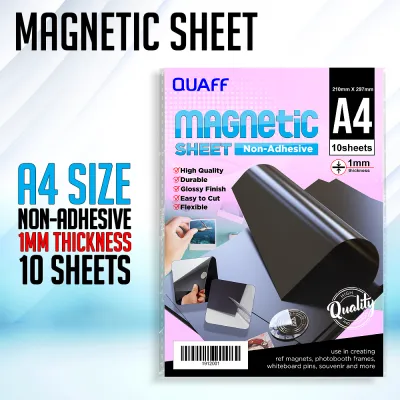
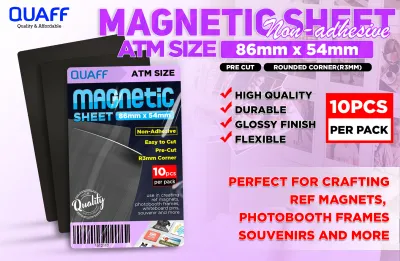
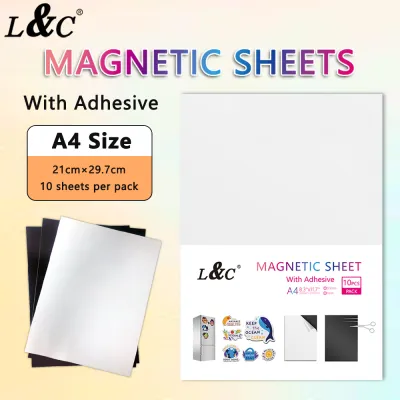
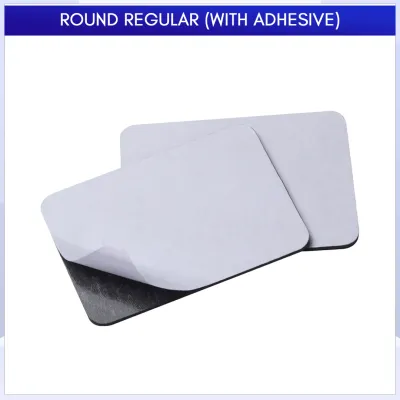
![Magnetic Sheet A4 [CHEAPEST]](https://img.lazcdn.com/g/p/b1c535bd1593b3e7a97e261179a52fdb.jpg_400x400q80.jpg_.webp)
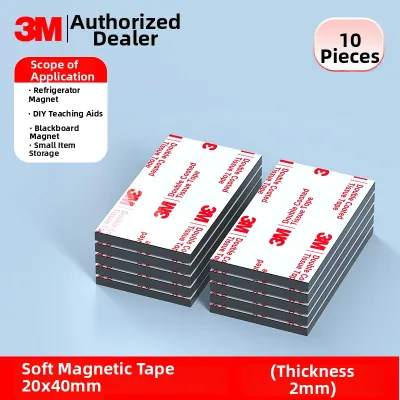
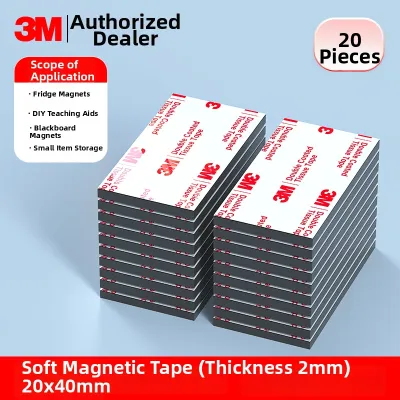
Prices are valid at publication and may change. Please refer to the product page for the latest price.
You must also check your printer’s hardware specifications regarding maximum paper thickness and weight. Standard printable magnetic sheets typically range from 0.2mm to 0.3mm (approximately 8 to 12 mils) in thickness. While most modern home printers can feed these sheets, older or compact models with tight roller paths may struggle. Consult your printer’s user manual to confirm it can handle heavy cardstock or specialty media before attempting to feed a magnetic sheet through the rollers.
Identifying the correct side of the sheet to print on is crucial for a successful print run. Printable magnetic sheets have a white, coated side (which may be matte or glossy) and a dark, magnetic backing. When loading the sheet into your printer’s paper tray, observe how your printer feeds paper. If your printer prints on the side facing down, place the white side facing down in the tray; if it prints on the side facing up, ensure the white side faces up.
Gathering Tools and Materials for DIY Magnets
Having the correct tools on hand makes the magnet-making process safer and more efficient. The core material is a pack of printable magnetic sheets, typically available in standard A4 or Letter (8.5 x 11 inches) sizes. Ensure your printer has a fresh supply of ink or toner, as high-density designs and photos consume more ink than standard text documents.

For cutting your magnets, select tools that match the complexity of your designs. A sharp utility knife, a precision hobby knife, and a heavy-duty metal ruler are ideal for straight lines and geometric shapes. If your designs feature intricate curves or organic shapes, a pair of sharp, fine-tipped craft scissors will provide better control. Always use a self-healing cutting mat to protect your work surface and maintain the sharpness of your blades. Keep sharp tools out of reach of children and cut away from your body to prevent accidental slips.
Finishing supplies are highly recommended to protect your printed designs from wear and tear. In humid environments, unprotected inkjet prints can easily smudge or fade when touched with damp hands. Clear, cold-laminating sheets (self-adhesive laminating film) or a clear acrylic protective spray sealant will shield your magnets from moisture, grease, and UV exposure.
Step-by-Step Printing Process for Magnetic Sheets
To achieve vibrant colors and sharp details, you must adjust your printer settings to accommodate the thickness of the magnetic sheet. Open your printer’s print dialogue box and navigate to the media settings. Instead of “Plain Paper,” select a setting like “Heavy Paper,” “Cardstock,” “Matte Photo Paper,” or “Label Paper.” These profiles instruct the printer to adjust the distance of the print head from the paper surface, reducing the risk of the print head scraping against the thick sheet.
Whenever possible, utilize your printer’s manual feed slot or rear paper tray rather than the main bottom cassette. The rear tray provides a straight-through paper path, which minimizes the bending of the stiff magnetic sheet as it passes through the printer. Bending the sheet too sharply can cause the magnetic backing to crack or lead to severe paper jams inside the machine. Feed only one magnetic sheet at a time to prevent multiple sheets from sticking together due to their magnetic pull.
Before printing on your specialty magnetic paper, always perform a test print on a standard sheet of copy paper. Hold the test print up to your magnetic sheet to verify that the design fits within the printable margins and that the colors appear as intended. This step saves valuable materials and allows you to make any necessary layout adjustments before committing to the final print.
Once the magnetic sheet prints, handle it with extreme care. Inkjet inks remain wet on the coated surface for several minutes after exiting the printer. Place the printed sheet on a flat, dry surface in a well-ventilated area and let it dry completely for at least 30 to 60 minutes. In tropical climates with high relative humidity, extend this drying time to several hours to ensure the ink sets fully and does not smudge during the cutting phase. You can verify the drying progress by gently touching a non-essential corner of the print with a clean, dry finger.
Cutting, Finishing, and Protecting Your Magnets
Applying a protective layer before cutting is the most effective way to ensure your custom magnets remain pristine. If you are using self-adhesive cold-laminating sheets, peel back a small portion of the backing paper and align it with the top edge of your printed magnetic sheet. Slowly smooth the laminate down using a plastic scraper, squeegee, or a clean cloth, working from the center outward to push out any trapped air bubbles. This step seals the ink and provides a durable, wipe-clean surface.
When you are ready to cut, place the laminated magnetic sheet onto your self-healing cutting mat. For straight borders, align your metal ruler with the cutting lines and make multiple light passes with a sharp precision knife rather than trying to cut through the entire thickness in a single stroke. This technique prevents the blade from slipping and ensures a clean, vertical edge. For curved shapes, hold your craft scissors steady and rotate the magnetic sheet slowly into the blades to maintain smooth, continuous cuts.
After cutting out your designs, prepare the magnetic backing for application. Use a dry, lint-free microfiber cloth to wipe the dark magnetic side of each cut-out piece. This removes any microscopic dust, paper fibers, or static charge accumulated during the printing and cutting processes. Ensuring the backing is completely clean allows the magnet to make full, flat contact with your refrigerator door, maximizing its holding power.
Troubleshooting Common Printing and Cutting Issues
If your printer refuses to feed the magnetic sheet or experiences frequent paper jams, the sheet may be too stiff or slightly curled. To resolve this, gently flex the sheet in the opposite direction of the curl to flatten it before loading. You can also clean your printer’s rubber feed rollers with a lint-free cloth lightly moistened with water to remove accumulated paper dust, which improves traction on the heavy backing.
Ink smudging, pooling, or bleeding indicates that the printer is applying more ink than the sheet’s coating can absorb. To fix this, lower the print quality setting from “Best” to “Normal,” or select a different paper profile that uses less ink, such as “Plain Paper” with high-quality settings. If you observe bleeding along the edges of your designs, verify that you are using the correct ink type; pigment-based inks generally offer better bleed resistance than dye-based inks when exposed to ambient humidity.
If your finished magnets have a weak hold or the edges begin to curl away from the refrigerator, the issue often stems from improper storage or surface preparation. Store unused magnetic sheets flat in a cool, dry place away from direct sunlight. If a cut magnet is curling, place it between two sheets of clean paper and weigh it down with a heavy stack of books for 24 to 48 hours to restore its flat profile. Additionally, ensure the refrigerator surface is free of grease and dust, as even a thin layer of grime can significantly reduce magnetic grip.
Frequently Asked Questions (FAQ)
Can I use a laser printer with inkjet magnetic sheets?
No, you should never use inkjet-specific magnetic sheets in a laser printer. Laser printers use high heat and pressure to fuse toner powder onto the page, and the delicate, heat-sensitive coatings on inkjet sheets can melt onto the fuser rollers. This can ruin your print job and cause permanent, costly damage to your printer’s internal mechanisms. Always check the product packaging to ensure the magnetic sheets are explicitly rated for laser printers before use.
How do I make printed fridge magnets waterproof?
Standard inkjet inks are water-soluble, meaning they will bleed or run if they come into contact with water or high humidity. To make your magnets waterproof, apply a clear, self-adhesive cold-laminating sheet over the printed design before cutting. Alternatively, you can spray the printed sheet with two light coats of a clear, waterproof acrylic sealant, allowing the first coat to dry completely before applying the second. For maximum moisture resistance, look for vinyl-based printable magnetic sheets designed for outdoor use.
Why are the edges of my custom magnets curling?
Curling edges are usually caused by moisture absorption from high humidity, improper storage, or tension created during the cutting process. If magnetic sheets are stored upright or in a curved roll, they retain a memory of that shape. To prevent and fix curling, always store your sheets flat. If your finished magnets begin to lift at the corners, place them under a heavy, flat object like a stack of textbooks for 24 to 48 hours to flatten them out completely before placing them on your fridge.
Community discussion
Share your experience or ask a question. Comments are reviewed before publication.