
Printing vibrant, high-quality images on both sides of a single sheet of double sided glossy photo paper requires a careful balance of printer settings, manual handling, and controlled drying. Unlike standard copy paper, glossy coatings do not immediately absorb liquid ink, leaving the printed surface vulnerable to smudging, roller marks, and ink transfer when the sheet is flipped or stacked. By managing your printer’s ink output and executing a systematic manual printing workflow, you can achieve clean, professional-looking prints on both sides without compromising the glossy finish.
Understanding Why Ink Transfers on Glossy Paper
Glossy photo paper features a specialized chemical coating designed to lock ink pigments or dyes near the surface, which enhances color vibrancy and image sharpness. However, this non-porous barrier prevents ink from sinking deep into the paper fibers as it would on standard matte or plain office paper. Because the ink must dry primarily through evaporation rather than absorption, the printed surface remains wet and highly vulnerable to smudging for a longer duration immediately after exiting the printer.
The chemical formulation of your ink and the underlying printer technology play a decisive role in this drying process. Dye-based inks, which consist of colorants dissolved in liquid, typically dry faster on glossy coatings because they are formulated to penetrate specialized inkjet receptive layers. Pigment-based inks, which contain solid particles suspended in a carrier liquid, sit directly on top of the glossy surface and often require extended drying times to prevent the dry pigment from rubbing off, a phenomenon known as bronzing or color transfer.
Products mentioned in this guide
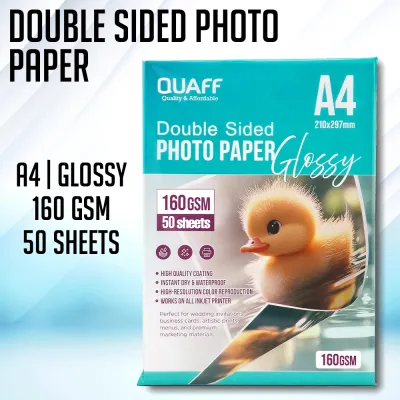
4,292 Lazada user ratings
Received this well packaged and delivery was fast. This works well with Pigment ink and the double-sided printing feature is a lot of help f…Read full reviewShow less
Received this well packaged and delivery was fast. This works well with Pigment ink and the double-sided printing feature is a lot of help for added designs. 200GSM works well with Epson printers and just the right thickness.
Thank you, seller! I just received my order today and this is my second order from this shop. Maaga dumating considering our location. Walan…Read full reviewShow less
Thank you, seller! I just received my order today and this is my second order from this shop. Maaga dumating considering our location. Walang damages kasi naka pack nang maayos and thanks for that! Salamat ulit!
Thank you seller, maganda yung quality ng laminating film, Wala ko masyadong time para magrate pero dahil maganda yung item naparate ako.. I…Read full reviewShow less
Thank you seller, maganda yung quality ng laminating film, Wala ko masyadong time para magrate pero dahil maganda yung item naparate ako.. I will order again, bili na kayo sa shop na to. Salamat ulit
Quality:Durable and reliable, Great for sketching, High-quality materials, Long-lasting, Size:good Design:Modern and stylish, Elegant and si…Read full reviewShow less
Quality:Durable and reliable, Great for sketching, High-quality materials, Long-lasting, Size:good Design:Modern and stylish, Elegant and simple, Beautiful cover designs, Price:good price
Quality:Durable and reliable, Great for sketching, High-quality materials, Long-lasting, Size:nice Design:Modern and stylish, Beautiful cove…Read full reviewShow less
Quality:Durable and reliable, Great for sketching, High-quality materials, Long-lasting, Size:nice Design:Modern and stylish, Beautiful cover designs, Price:good
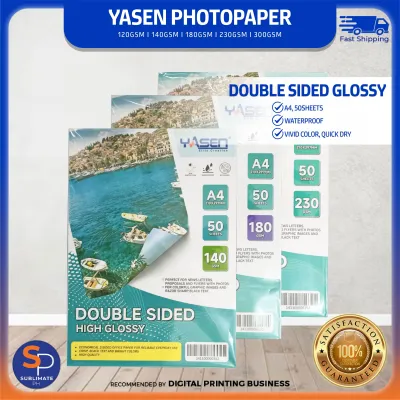
636 Lazada user ratings
Great value for money., Smooth and glossy finish., Excellent print clarity., Perfect for professional photo printing., Versatile and reliabl…Read full reviewShow less
Great value for money., Smooth and glossy finish., Excellent print clarity., Perfect for professional photo printing., Versatile and reliable., High-quality photo paper., Suitable for various printing projects.,
High-quality photo paper., Great value for money., Excellent print clarity., Vibrant colors on both sides., Suitable for various printing pr…Read full reviewShow less
High-quality photo paper., Great value for money., Excellent print clarity., Vibrant colors on both sides., Suitable for various printing projects.,
The items were shipped immediately so I received my order in a couple of days only. They were also packed securely thats why they’re not dam…Read full reviewShow less
The items were shipped immediately so I received my order in a couple of days only. They were also packed securely thats why they’re not damaged.
My orders were packed and shipped immediately. Orders complete. Packaging is okay. Received parcel on expected time of delivery.
Great value for money., Versatile and reliable., Smooth and glossy finish., High-quality photo paper.,
893 Lazada user ratings
Quality:High-quality glossy finish, Size:A4 - 160 gsm Design:double sided glossy Price:Great value for money, highly recommended ang photo p…Read full reviewShow less
Quality:High-quality glossy finish, Size:A4 - 160 gsm Design:double sided glossy Price:Great value for money, highly recommended ang photo paper na ito. so vibeant ng putput with the right settings.
Smooth and glossy texture, Wide range of GSM options, Perfect for professional photography, Ideal for printing high-resolution images, Excel…Read full reviewShow less
Smooth and glossy texture, Wide range of GSM options, Perfect for professional photography, Ideal for printing high-resolution images, Excellent color reproduction,
Quality:high quality Size:A4 200 Gsm Design:double sided glossy Price:Great value for money, Ideal for printing high-resolution images, so v…Read full reviewShow less
Quality:high quality Size:A4 200 Gsm Design:double sided glossy Price:Great value for money, Ideal for printing high-resolution images, so vibrant ng output
High-quality glossy finish, Perfect for professional photography, good product at a affordable and reasonable price.
Excellent color reproduction, Durable and long-lasting, Professional-grade photo paper, Smooth and glossy texture,
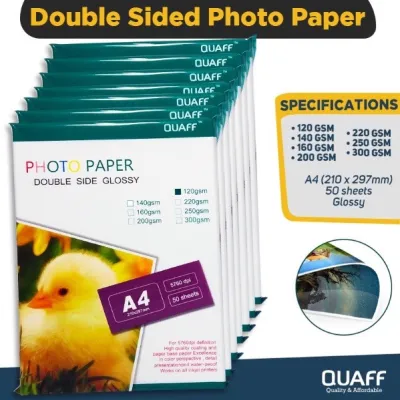
525 Lazada user ratings
Ang "pag-sasal-sal" ay isang Filipino na termino na maaaring tumukoy sa mga sumusunod: 1. Pag-aayos o pagbabago ng mga bagay o sitwasyon. 2.…Read full reviewShow less
Ang "pag-sasal-sal" ay isang Filipino na termino na maaaring tumukoy sa mga sumusunod: 1. Pag-aayos o pagbabago ng mga bagay o sitwasyon. 2. Pag-solong o pag-aayos ng mga problema o isyu. 3. Pagpapabuti o pagpapaganda ng mga bagay o relasyon. 4. Pag-aayos ng mga pagkakamali o pagkukulang. Maaari ring tumukoy ang "pag-sasal-sal" sa: - Pag-aayos ng mga personal na isyu - Pag-solong ng mga problema sa relasyon - Pagpapabuti ng mga kaugalian o pag-uugali - Pag-aayos ng mga pagkakamali sa trabaho o negosyo Halimbawa ng mga pangungusap na gumagamit ng "pag-sasal-sal": - "Nag-sasal-sal ako ng mga pagkakamali ko sa nakaraan." - "Nag-sasal-sal kami ng mga problema sa aming relasyon." - "Nag-sasal-sal siya ng mga kaugalian niya upang magtagal." Kung may iba pang konteksto o kaalaman na gusto mong malaman, pakipunta sa akin.
Excellent printing results, Perfect for photo albums, Professional-looking prints, Ideal for calendars and flyers, Versatile for various pro…Read full reviewShow less
Excellent printing results, Perfect for photo albums, Professional-looking prints, Ideal for calendars and flyers, Versatile for various projects, Vibrant colors on both sides,
new packaging hoping good ñs or better quality... but mas malambot sya sa ibang brand na same GSM. okay sa sa matte na printing settings
Best for making product brochures and compensation plan… I ordered several times on this store. I highly recommended! 😍😍😍
557 Lazada user ratings
Ideal for scrapbooking projects, Great value for the price, Great value for the price, Thick and durable paper, Excellent color reproduction…Read full reviewShow less
Ideal for scrapbooking projects, Great value for the price, Great value for the price, Thick and durable paper, Excellent color reproduction, Excellent color reproduction, Perfect for printing photos, Double-sided printing convenience, Professional-grade printing results,
Double-sided printing convenience, Great value for the price, Thick and durable paper, Professional-grade printing results, Excellent color …Read full reviewShow less
Double-sided printing convenience, Great value for the price, Thick and durable paper, Professional-grade printing results, Excellent color reproduction, Perfect for printing photos,
Great value for the price, Professional-grade printing results, Vibrant colors on both sides, Vibrant colors on both sides, Double-sided pri…Read full reviewShow less
Great value for the price, Professional-grade printing results, Vibrant colors on both sides, Vibrant colors on both sides, Double-sided printing convenience,
Thick and durable paper, ganda pang print nito pang ilan bili kona din Double-sided printing convenience, . order ult ako
Matagal konang gamit ung quaff. Now lang ako naka received ng ibang packaging. Sana same quality sa before
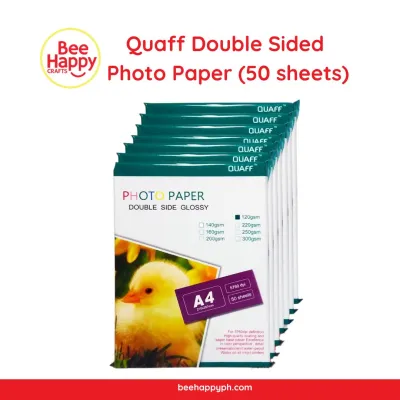
179 Lazada user ratings
Quality: 10/10 Ease of Use: 10/10 Appearance: 10/10 Enhances the beauty of your designs, Perfect for detailed presentations, Glossy surface …Read full reviewShow less
Quality: 10/10 Ease of Use: 10/10 Appearance: 10/10 Enhances the beauty of your designs, Perfect for detailed presentations, Glossy surface enhances photo quality, Double-sided feature is convenient, Excellent color reproduction, Waterproof and smudge-proof, Compatible with all types of printers, Clear and vibrant prints,
Perfect for detailed presentations, Enhances the beauty of your designs, Clear and vibrant prints, Impressive print results, Enhances the co…Read full reviewShow less
Perfect for detailed presentations, Enhances the beauty of your designs, Clear and vibrant prints, Impressive print results, Enhances the colors of your photos, excellent quality plus the seller sent my orders immediately. Thank you!
Waterproof and smudge-proof, Professional-grade photo paper, Excellent color reproduction, thanks seller for my order!
Quality:ok Ease of Use:ok Appearance:ok di ko pa natatry gamitin pero okay namannn. thanksssssssssssssssss.
Waterproof and smudge-proof, Double-sided feature is convenient, Compatible with all types of printers,
7,272 Lazada user ratings
Quality:Worth the price Appearance:Very white paper, neatly packed Ease of Use:Perfect for DIY notebook pages printing Will be using this to…Read full reviewShow less
Quality:Worth the price Appearance:Very white paper, neatly packed Ease of Use:Perfect for DIY notebook pages printing Will be using this to make customized Pet Health Card for my furbabies. Secured enough packaging, bubble and cling wrapped. No folds or any form of damages. Thank you QUYI! Will order for more products for sure soon!
Fast shipping recieved only in 2days. Complete and correct items, used already 2 packs and it was complete 50pcs. Id been a regular buyer in…Read full reviewShow less
Fast shipping recieved only in 2days. Complete and correct items, used already 2 packs and it was complete 50pcs. Id been a regular buyer in this shop. Legit items, recommended shop. Thank you seller, lazada and delivery crew.
Item was great. Delivery was earlier than expected. Nicely packed and secure. Will order again. Thanks seller.
Prices are valid at publication and may change. Please refer to the product page for the latest price.
Physical paper specifications also dictate how successfully your printer can handle double-sided glossy media. Double-sided glossy sheets are significantly thicker and heavier than standard paper, often ranging from 200 to 300 gsm (grams per square meter). If your printer’s feed rollers and paper path are not rated for this weight, the mechanical pressure of the rollers can scrape against the freshly printed glossy coating, causing immediate ink transfer onto the internal components of the machine.
Configuring Printer Settings for Double-Sided Glossy Paper
To prevent ink from pooling on the glossy surface, you must adjust your printer driver settings to match the exact media type you are using. Selecting “Glossy Photo Paper” or “Photo Paper Plus Glossy” in your print dialog box instructs the printer to apply a specific ink-firing algorithm. This setting optimizes the droplet size and limits the total volume of ink deposited on the page, preventing oversaturation which is the primary cause of slow drying and subsequent ink transfer.

Automatic duplex printing must be disabled when working with heavy double sided glossy photo paper. Standard consumer printers utilize tight, curved paper paths to automatically flip sheets inside the machine. When a thick, glossy sheet is forced through these narrow bends, the physical friction against the rollers and plastic guides will smear any wet ink on the first side and may cause severe paper jams. Always configure your print job to “Manual Duplex” or print odd and even pages separately.
Many advanced printer drivers offer maintenance or custom settings menus where you can manually adjust ink drying times and density. If you observe ink pooling or slow drying during initial test prints, locate the “Paper Detailed Settings” or “Print Head Alignment” utility in your driver. Increasing the “Dry Time per Page” or “Ink Drying Wait Time” forces the printer to pause after printing each line or sheet, allowing the carrier liquid to evaporate before the paper is advanced or handled.
Step-by-Step Manual Printing Process
Before loading your double sided glossy photo paper, identify the correct feed tray on your printer. Whenever possible, use the rear manual feed slot or the top bypass tray rather than the bottom paper cassette. The rear tray provides a straighter, flatter paper path that minimizes bending and reduces the mechanical contact between the rollers and the printed surface, significantly lowering the risk of ink transfer.
To manage a manual double-sided print job efficiently, begin by printing only the odd-numbered pages of your document. Load a single sheet of glossy paper into the feed tray, ensuring you know which side the printer will target first. On most rear-loading printers, the side facing forward or upward is the active print side, but you should perform a quick pencil-mark test on a scrap sheet of plain paper to verify your specific printer’s feed orientation.
Once the first side has printed completely, retrieve the sheet by its edges and place it on a flat, clean surface to dry. Do not immediately flip the paper and feed it back into the printer. After verifying that the first side is completely dry to the touch, orient the sheet for the second pass. If your printer feeds from the top and prints on the front-facing side, you must flip the paper so the unprinted side faces forward, keeping the top of the image oriented correctly according to your document layout.
Safe Handling and Drying Techniques
In tropical climates with high relative humidity, such as the Philippines, ink evaporation occurs at a much slower rate. You should allow the first printed side to rest for at least 15 to 30 minutes before attempting to print on the reverse side. To verify dryness without ruining the print, perform a gentle tactile check on a non-image border area or a discarded test strip rather than touching the center of the printed graphic.
Always handle double-sided glossy sheets strictly by their outer edges, or wear clean, lint-free cotton gloves during the printing and flipping process. Natural oils, moisture, and sweat from your fingertips can transfer to the unprinted glossy coating, creating an invisible barrier that repels water-based inkjet inks. This oil transfer results in uneven ink distribution, speckling, and localized smudging when the second side is eventually printed.
For the final drying phase after both sides have been printed, lay the sheets flat individually on a clean, dry surface away from direct sunlight and air conditioning drafts. If you must stack multiple completed prints, place a sheet of acid-free interleaving paper or parchment paper between each glossy print. This protective layer acts as a physical barrier, preventing the glossy coatings from sticking together and ensuring that any residual moisture does not cause ink migration between stacked sheets.
Troubleshooting Smudges and Paper Jams
If you notice localized ink pooling, muddy colors, or fine lines of ink transfer across your prints, your printer is likely delivering more ink than the glossy coating can absorb. To resolve this, lower the print quality setting from “High” or “Best” to “Standard” or “Normal” in your printer driver. This reduction in print resolution decreases the density of the ink droplets, allowing the paper to dry much faster while still maintaining acceptable image clarity for double-sided documents.
Heavy ink saturation on one side of a glossy sheet can cause the paper fibers to expand unevenly, resulting in paper curl. A curled sheet is highly prone to catching on the print head or jamming during the second pass. To safely flatten a curled print, place it between two sheets of clean plain paper and set a heavy, flat object like a large book on top for several hours. Never apply direct heat or use an iron, as high temperatures can melt or blister the delicate glossy coating.
If your printer rollers begin to slip or fail to grab the thick glossy paper, the rollers may have accumulated a buildup of paper dust or residual ink from previous print jobs. Clean the rubber feed rollers using a lint-free cloth lightly moistened with distilled water, rotating the rollers manually to clean the entire surface. Ensure the rollers are completely dry before reloading your glossy media to prevent water spots and feeding failures.
Frequently Asked Questions (FAQ)
Can I use automatic duplex printing for glossy photo paper?
No, automatic duplex printing is generally not recommended for double-sided glossy photo paper. The internal duplexing mechanisms of standard consumer printers require the paper to make sharp, 180-degree turns around small plastic rollers. Because glossy photo paper is thick (often exceeding 200 gsm) and rigid, it cannot bend easily through these tight paths, leading to frequent paper jams. Additionally, the friction of the rollers against the freshly printed first side will smear the ink and transfer residue onto the printer’s internal components. Always consult your printer’s manual to check the maximum paper weight supported by the automatic duplex tray before attempting it.
Does the type of ink affect drying time on glossy paper?
Yes, the formulation of your printer’s ink significantly influences how quickly it dries on a glossy surface. Dye-based inks are liquid solutions that penetrate the glossy receptive coating relatively quickly, resulting in faster drying times and a highly reflective, smooth finish. Pigment-based inks consist of solid color particles suspended in a liquid carrier; because these particles sit on top of the glossy coating rather than fully absorbing into it, they require a longer drying period and are more susceptible to rubbing off or transferring if handled too quickly. For optimal results, always verify that your glossy photo paper is specifically rated for the type of ink (dye or pigment) utilized by your printer model.

Community discussion
Share your experience or ask a question. Comments are reviewed before publication.