
Purchasing an army bomb version 4 is a major milestone for any BTS fan preparing to experience a live concert or display their collection proudly. However, the market is flooded with sophisticated counterfeit lightsticks that look incredibly similar to the authentic product at first glance. To determine whether your lightstick is genuine or a fake, you must systematically evaluate its digital authentication features, physical construction, and electronic synchronization capabilities.
Authenticating your device before a major event is crucial to ensure you do not face disappointment at the venue. This guide provides a comprehensive, step-by-step verification process tailored to help you distinguish a genuine merchandise item from a counterfeit copy, protecting your investment and your concert experience.
The Risks of Counterfeit K-Pop Lightsticks
Owning a counterfeit lightstick involves much more than just the disappointment of holding a non-official item. Genuine lightsticks are designed with specific electronic components that allow them to sync with the concert venue’s central control system, changing colors in unison with thousands of other fans to create stunning crowd patterns. Counterfeit versions almost always lack the specialized internal chipsets required for this wireless synchronization, leaving you with a device that remains static or out of sync during the performance.
Products mentioned in this guide
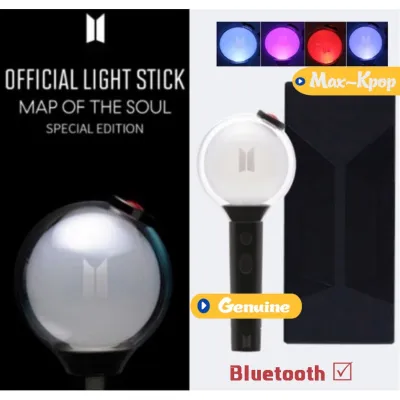
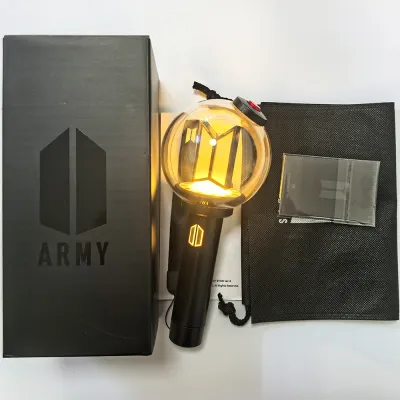
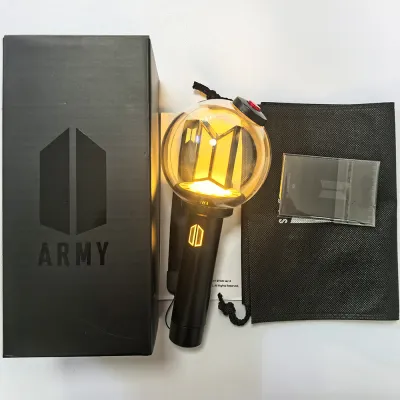
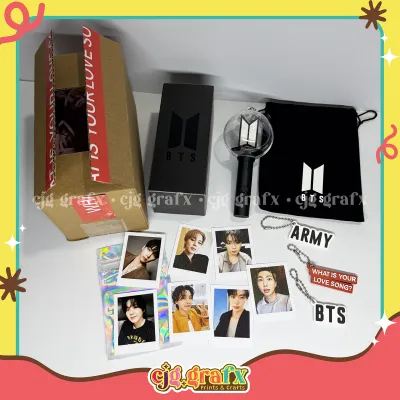
Prices are valid at publication and may change. Please refer to the product page for the latest price.
Beyond the functional limitations, safety is a critical concern, particularly in warm and humid tropical climates like the Philippines. Counterfeit manufacturers frequently use sub-standard wiring, cheap soldering, and low-grade battery compartments. Under high temperatures and humidity, these inferior components are highly prone to overheating, short-circuiting, or causing battery acid leakage, which can permanently ruin the device or pose a direct physical hazard to your hands. Furthermore, fake merchandise does not come with any manufacturer warranty or customer support, meaning that if the device fails shortly after purchase, you have no recourse for a replacement or repair.
Official Digital Verification for the ARMY Bomb Version 4
The most reliable starting point for verifying your army bomb version 4 is the digital authentication system provided by the manufacturer. Genuine lightsticks feature built-in security measures, such as unique QR codes or NFC chips, designed to link the physical product directly to official digital platforms.

To begin this process, locate the official QR code, which is typically printed on a small card inside the packaging or found on the product tag. Download the official fan community app, such as Weverse, or the dedicated BTS Light Stick mobile application from a trusted app store. Open the app’s built-in QR scanner and scan the code. An authentic code will immediately redirect you to a secure, official verification page confirming that your product is registered and genuine.
If the scan redirects you to a generic search engine, a suspicious third-party website, or displays an error message stating that the serial number has already been registered multiple times, the item is highly likely to be a counterfeit. Keep in mind that sophisticated counterfeiters sometimes print replica QR codes that lead to fake verification websites designed to look like the official portal. Always double-check the URL in your mobile browser to ensure it belongs to the official domain of the platform.
Physical Inspection: Packaging, Build, and Accessories
A close physical inspection of the lightstick and its packaging will often reveal subtle manufacturing shortcuts that counterfeiters use to keep production costs low.
Packaging and Box Quality
The outer box of a genuine lightstick is constructed from sturdy, premium-grade cardboard designed to protect the delicate electronic device during international shipping. Examine the printing quality closely; genuine packaging features sharp, high-resolution graphics, deep color saturation, and perfectly aligned text. Pay close attention to the fonts, as counterfeit boxes often use slightly different font weights, incorrect spacing, or show visible pixelation and blurry edges on the printed logos.
Additionally, look for the official holographic security sticker affixed to the box. When tilted under a light source, a genuine holographic seal will display clear, shifting patterns and distinct licensing details. Counterfeit stickers are often dull, lack the dynamic color-shifting effect, or are completely missing. Inside the box, the plastic or cardboard mold holding the lightstick should fit the device perfectly without any shaking or loose space, whereas fake packaging often uses flimsy, ill-fitting plastic inserts.
Build Quality, Materials, and Logo Engraving
When you hold a genuine lightstick, it should feel solid, well-balanced, and have a comfortable weight in your hand. Counterfeit versions are typically made from cheaper, thinner plastics, making them feel unusually light and fragile. Inspect the transparent globe at the top of the device; the plastic should be perfectly clear, smooth, and free of bubbles, scratches, or visible glue residue along the seams.
The internal elements, including the BTS and ARMY logos, are key indicators of authenticity. On a genuine unit, these logos are cleanly molded, sharply engraved, and perfectly centered within the globe. Counterfeits often exhibit rough edges, misaligned plastic parts, or shallow, blurry engravings. Furthermore, check the seams along the handle and the battery compartment; genuine manufacturing ensures tight, uniform seams with no rough plastic burrs or uneven gaps.
The Strap and Accessories
Do not overlook the smaller accessories included in the box, as they are often afterthought items for counterfeiters. The official wrist strap should be made of high-quality, densely woven fabric that feels durable and soft to the touch. The printed or embroidered branding on the strap must be crisp, clear, and resistant to peeling.
Inspect the battery compartment cover at the bottom of the handle. It should twist open and lock into place smoothly and securely. Inside, the spring contacts should be clean, shiny, and properly aligned. Fakes often feature loose battery covers, thin springs that bend easily, or poorly molded battery holders that make it difficult to insert the batteries correctly.
Testing Bluetooth and App Connectivity
Because physical appearances can sometimes be closely replicated, testing the electronic functionality of your lightstick is an essential step in the verification process. The Bluetooth module inside a genuine device is designed to communicate seamlessly with the official mobile application to enable features like manual color selection and firmware updates.
To test this, insert fresh, high-quality AAA batteries into the compartment, ensuring they are oriented correctly according to the polarity markings. Download the official BTS Light Stick app on your smartphone and turn on your phone’s Bluetooth. Switch your lightstick to Bluetooth mode—typically achieved by pushing the power switch down until the light flashes blue. Follow the in-app prompts to pair the device.
A genuine lightstick will connect quickly, and you will be able to change the LED colors smoothly using the app’s color wheel. Furthermore, if a firmware update is available, a genuine device will successfully download and install the update from the official servers. Counterfeit lightsticks often fail to connect to the app entirely, or they may pair but fail to respond to color changes or firmware updates. If the app displays a connection error or fails to recognize the device after multiple attempts with fresh batteries, it is a strong indicator of a counterfeit chip.
Choosing Safe Purchasing Channels
The most effective way to avoid the stress of authenticating a fake lightstick is to purchase only from secure, authorized retail channels. When buying online, prioritize the official global merchandise platforms, such as Weverse Shop, or recognized physical retail stores that specialize in licensed K-pop merchandise.
Be exceptionally cautious when browsing general online marketplaces or social media buy-and-sell groups. While these platforms offer convenience, they are also primary hubs for unauthorized third-party sellers distributing counterfeit goods. If you must buy from an independent seller on an e-commerce platform, carefully review their store ratings, customer feedback, and product reviews. Look for reviews that include real photos and videos of the lightstick’s packaging and Bluetooth connectivity.
Price is another critical indicator. A genuine lightstick typically retails within the range of ₱3,000 to ₱4,500 in the Philippines, depending on shipping fees, customs duties, and local store markups. If a seller is offering a brand-new lightstick for a suspiciously low price, such as ₱1,500 or less, you should assume it is a counterfeit. Genuine merchandise is rarely discounted heavily due to high demand and strict manufacturer pricing controls.
Steps to Take If You Receive a Suspected Fake
If you have completed your checks and suspect that your lightstick is a counterfeit, you must take immediate action to protect both your safety and your financial investment. First, stop using the device immediately and remove the batteries. Do not leave batteries inside a suspected fake, as poor internal circuitry can lead to overheating or battery leakage, which poses a safety risk in warm household environments.
Next, document all the evidence of the counterfeit product. Take clear, high-resolution photographs and videos highlighting the specific discrepancies you found, such as blurry printing on the packaging, missing holographic seals, physical defects on the globe, or the app’s failure to connect via Bluetooth. Keep all original packaging, receipts, and shipping labels intact.
Contact the customer support team of the e-commerce platform or the payment provider you used to complete the transaction. Submit your documented evidence to initiate a dispute or refund request. Avoid attempting to disassemble or repair the lightstick yourself, as opening the device’s casing can void your buyer protection or prevent you from returning the item to the seller for a full refund.
Frequently Asked Questions (FAQ)
Can a fake ARMY Bomb connect to the official app?
While some highly sophisticated counterfeit lightsticks might feature basic Bluetooth chips that allow them to pair with a smartphone’s general Bluetooth settings, they generally cannot authenticate with the secure, official servers used by the official app. As a result, they will fail to register for official concert synchronization, cannot receive official firmware updates, and will not respond to central control signals during a live performance.
Does the official ARMY Bomb V4 include batteries in the box?
No, the official retail package does not include batteries. To operate the lightstick, you must purchase three AAA batteries separately. Always refer to the official manufacturer packaging list to verify the exact contents of the box, and ensure you use high-quality, fresh batteries to avoid connection issues or damage to the internal battery compartment.

Community discussion
Share your experience or ask a question. Comments are reviewed before publication.