
Applying labels by hand often leads to misaligned edges, trapped air bubbles, and frustrating wrinkles that ruin the presentation of your products. Whether you are running a boutique home business, packaging local cosmetics, or managing a small-scale retail operation, a label applicator is an invaluable tool to elevate your packaging quality. However, simply owning an applicator does not guarantee professional results; achieving a smooth, uniform finish requires understanding the interplay between surface preparation, machine calibration, and physical technique.
In tropical environments where high humidity can soften paper backings and alter adhesive behavior, mastering these steps is even more critical to prevent peeling and lifting. By following a structured approach to surface preparation, machine setup, and application mechanics, you can ensure every label lays down flat and stays secure, saving you from wasting custom-printed rolls that can cost several pesos (₱) per label. This guide provides the essential steps and troubleshooting tips to help you achieve clean, professional-looking label application on your products.
Preparing Product Surfaces for Optimal Adhesion
The journey to a bubble-free label begins long before the product touches the applicator machine. Any invisible barrier on the container surface—such as dust, moisture, manufacturing oils, or fingerprints—will prevent the pressure-sensitive adhesive from forming a permanent bond. In humid climates, containers stored in cooler areas can quickly develop a microscopic layer of condensation when brought into a warmer packaging room. This moisture film is a primary cause of bubbling and premature peeling, making it essential to allow your containers to acclimate to the room temperature of your workspace before beginning the labeling process.
Products mentioned in this guide
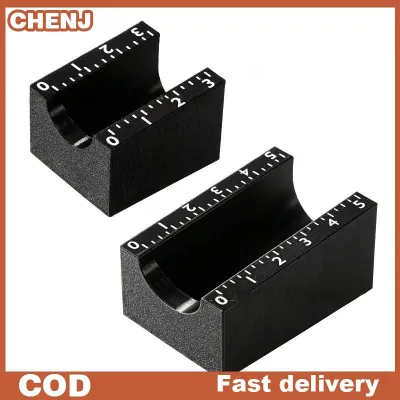


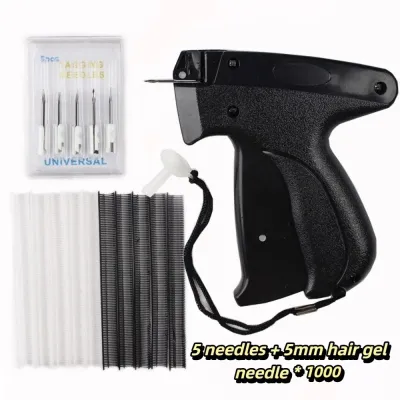
Prices are valid at publication and may change. Please refer to the product page for the latest price.
To prepare your surfaces correctly, select a cleaning agent that matches your container material. For glass bottles and metal tins, wiping the surface with a lint-free microfiber cloth dampened with 70% isopropyl alcohol is highly effective at stripping away oils and evaporating rapidly without leaving a residue. For plastic containers like PET or HDPE, verify chemical compatibility first; while isopropyl alcohol is generally safe for most plastics, some delicate polymers can cloud or craze when exposed to harsh solvents. In those cases, a mild solution of soapy water followed by a thorough rinse with clean water and a complete air-dry is a safer alternative.
Because label smoothness, adhesion strength, and resistance to lifting depend heavily on the exact combination of your label material (such as textured paper or synthetic vinyl) and the container surface, always perform an initial trial. Apply a sample label, let it sit for 24 hours, and inspect the edges for lifting or bubbling to verify compatibility before running a full production batch. Never attempt to apply labels to a surface that feels even slightly damp or cold to the touch, as trapped moisture will inevitably turn into unsightly air pockets as the temperature fluctuates.
Loading Labels and Calibrating the Applicator
Properly threading and calibrating your label applicator is the foundation of consistent, straight alignment across your entire product batch. Start by placing your label roll onto the supply mandrel, ensuring that the roll is pushed firmly against the inner retaining guide and locked in place with the outer collar to prevent any lateral wobbling. Verify that the label roll’s core size and outer diameter match your applicator’s spool specifications, and that the backing paper material is compatible with the machine’s drive rollers.

Thread the backing paper—often referred to as the web—through the series of guide rollers exactly as specified in your equipment’s threading diagram. Keep the web flat and taut as you pass it over the peel plate, which is the sharp metal edge designed to force the label to separate from its backing paper. Once the web is threaded, secure the loose end of the backing paper to the waste take-up spool, ensuring it winds straight and does not bunch up on one side.
Next, calibrate the label sensor, which detects the gaps between individual labels to tell the machine when to stop feeding. If you are using clear or transparent labels, you may need to adjust the sensitivity of an optical sensor or switch to a specialized mechanical or ultrasonic sensor that can detect changes in material thickness rather than light transmission. Adjust the web tension control so that the liner is pulled firmly enough to peel the label cleanly at the plate, but not so tightly that it stretches the backing paper or causes the motor to strain. Before running your actual products, always perform a manual test cycle with a few blank labels to observe the feed path and verify that the label stops precisely at the edge of the peel plate without flagging or drooping.
Step-by-Step Application Technique for Smooth Results
With your surfaces prepped and your machine calibrated, you are ready to begin the physical application process. The core secret to a wrinkle-free finish is ensuring that the container remains perfectly stable and parallel to the applicator’s rollers throughout the entire cycle. Place your container firmly against the physical alignment guides or V-shaped rollers of the applicator, making sure it sits flush without any tilting or rocking. If your applicator uses adjustable side guides, slide them close to the container to prevent any lateral shifting, but leave a tiny fraction of space so the container can still rotate or slide freely without binding.
When you trigger the application mechanism—whether by pressing a foot pedal, pulling a manual lever, or rotating a hand crank—do so with a smooth, continuous motion. Sudden jerks or stops mid-cycle can cause uneven tension, leading to immediate wrinkling or trapped air pockets. As the label feeds off the peel plate and onto the container, the applicator’s rubber pressure roller must apply firm, uniform pressure across the entire width of the label. This pressure is what activates the pressure-sensitive adhesive, forcing it to flow into the microscopic texture of the container surface and pushing any air outward toward the edges.
It is crucial that the linear speed of the label feed matches the rotational or travel speed of the container. If the label is dispensed faster than the container rotates, the excess material will bunch up and create vertical wrinkles. Conversely, if the container rotates faster than the label is dispensed, the label will be pulled under tension, resulting in stretching, skewing, or premature tearing of the backing paper.
Once the label is fully wrapped or pressed down, carefully remove the container by lifting it straight up or sliding it away from the guides, taking care not to drag the freshly applied label edges against any metal parts of the machine. Allow the finished products to cure in a dry, temperature-controlled environment for at least 24 hours to let the adhesive bond reach its maximum strength before packing them into boxes or exposing them to high-humidity storage conditions.
Troubleshooting Bubbles, Wrinkles, and Misalignment
Even with careful preparation, minor mechanical shifts or environmental changes can introduce defects like bubbles, wrinkles, or crooked placement. If you notice persistent air bubbles under your labels, first inspect the container surface for microscopic dust particles or lint, which act as tiny tents that trap air. If the surface is clean, the issue likely stems from uneven pressure from the applicator’s roller; check the rubber roller for physical wear, flat spots, or accumulated dirt, and adjust the spring tension to ensure it presses down evenly across the entire surface.
Wrinkles are almost always a symptom of speed mismatches or excessive web tension. If the wrinkles run vertically along the container, try reducing the web tension slightly or adjusting the feed speed to ensure the label is not being pushed out faster than the container can receive it. Horizontal wrinkles, on the other hand, often indicate that the container is shifting or slipping during rotation; clean the rubber drive rollers with a mild degreaser to restore their grip, and ensure the container is held firmly against the alignment guides.
When labels are applied crookedly or spiral down the container, the culprit is usually a misalignment between the product guides and the peel plate. Use a precision ruler or square to verify that the physical guides are perfectly parallel to the edge of the peel plate. Additionally, check that the label roll itself is wound evenly and that the guide collars on the supply mandrel are holding the roll tightly without allowing it to slide back and forth. Even a millimeter of lateral play at the supply roll can translate into a highly noticeable skew by the time the label reaches the product.
Routine Maintenance to Prevent Adhesive Buildup
A label applicator is a precision mechanical tool that requires regular maintenance to sustain its performance and prevent costly downtime. As labels pass over the peel plate and rollers, microscopic amounts of adhesive bleed out from the edges and accumulate on the machine’s surfaces. This sticky residue increases friction, catches the edges of passing labels, and can cause the backing paper to wrap around rollers instead of feeding into the waste spool.
Establish a routine cleaning schedule at the end of every production run or after processing a specific number of rolls. Use a soft, lint-free cloth dampened with isopropyl alcohol to gently wipe down the peel plate, rubber rollers, and metal guide pins to dissolve any adhesive buildup. Avoid using metal scrapers, razor blades, or harsh abrasive pads, as scratches on the peel plate or rollers will create catch points that ruin future labels. Clean the optical sensors with a dry, anti-static microfiber cloth to remove paper dust and debris that can block the sensor’s light path and cause feeding errors.
In addition to cleaning, regularly inspect all moving parts, including drive belts, springs, and bearings, for signs of wear or loosening. Lubricate any pivot points or bearings according to the manufacturer’s instructions, taking extreme care not to get any oil or grease on the rubber rollers or the label feed path.
Finally, store your unused label rolls in a cool, dry place, ideally sealed in airtight plastic bags with silica gel packets to protect them from tropical humidity. High humidity can cause the paper backing liner to absorb moisture and swell, which alters its thickness and flexibility, leading to frequent feeding jams and calibration issues when you next load the roll.
Frequently Asked Questions (FAQ)
Can I use a standard applicator on curved or irregular surfaces?
Standard flat-surface or cylindrical label applicators are engineered for flat planes or perfect cylinders and generally struggle with tapered, oval, or irregular containers. If you attempt to use a standard applicator on a tapered bottle, the label will naturally skew and form diagonal wrinkles because the top and bottom diameters of the bottle rotate at different speeds. Check your equipment manufacturer’s specifications to see if your model supports adjustable rollers, flexible tamp-down pads, or custom-molded jigs designed to accommodate contours. For complex shapes, you will typically need a specialized wrap-around applicator or a custom fixture that can match the specific geometry of your container to ensure even pressure across the entire surface.
Why do my labels keep tearing during the peeling process?
Frequent label tearing during the peeling process is usually caused by excessive web tension, which puts too much mechanical stress on the backing paper as it is pulled around the sharp edge of the peel plate. Inspect the edge of the peel plate for tiny metal burrs, scratches, or sticky adhesive residue that could be catching and tearing the liner. It is also important to verify the quality of your label rolls; if the die-cutting process during manufacturing was too aggressive, the cutting blade may have sliced slightly into the backing paper, creating weak points that snap easily under normal tension. Try reducing the web tension setting on your applicator and test a different section of the roll to determine if the issue is mechanical or material-based.
Community discussion
Share your experience or ask a question. Comments are reviewed before publication.