
An erasable writing tablet can be a highly effective supplement for quick thumbnails, gesture drawing, and eco-friendly brainstorming, but it cannot fully replace traditional paper for detailed shading, texture work, or portfolio archiving. The right choice depends entirely on your specific practice goals, the techniques you are developing, and how you prefer to manage your physical or digital workspace.
For many artists in the Philippines, the daily routine of sketching involves carrying around bulky sketchbooks, a variety of pencils, and multiple erasers. In tropical climates where high humidity can warp delicate paper pages or cause charcoal and graphite to smudge unexpectedly in a damp backpack, finding an alternative medium is highly appealing. An erasable writing tablet offers a lightweight, self-contained alternative that promises an endless canvas without the physical clutter.
However, transitioning from the tactile feedback of a graphite pencil on textured paper to a smooth plastic stylus on a liquid crystal screen requires adjusting your expectations. Understanding where these digital pads excel and where they fall short is key to deciding whether to make the switch or to use both in tandem.
Products mentioned in this guide
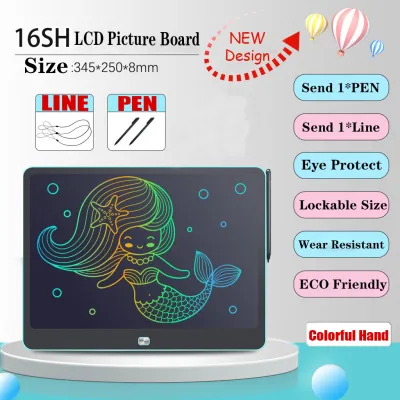
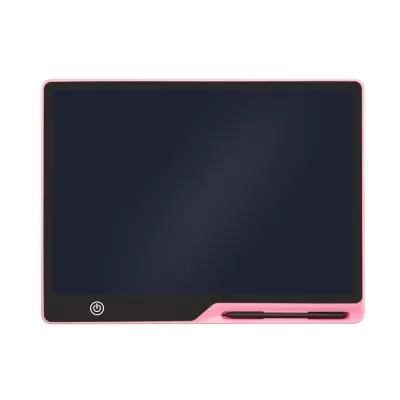
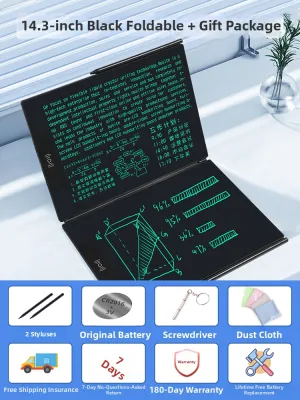

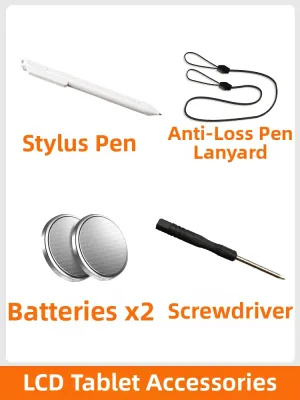
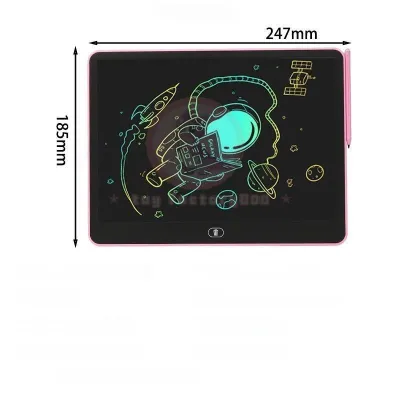
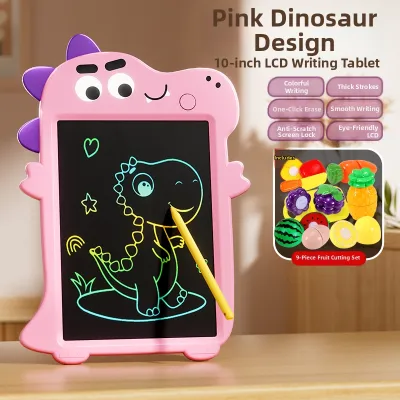
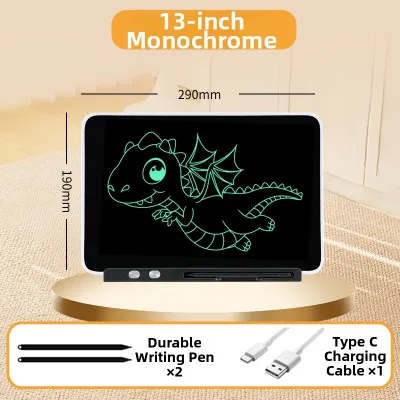
Prices are valid at publication and may change. Please refer to the product page for the latest price.
Identify Your Sketching Goals and Daily Workflow
To determine if an erasable writing tablet fits your creative routine, you must first analyze the specific type of drawing you do most often. If your daily practice consists primarily of rapid ideation, such as thumbnailing composition layouts, blocking out basic human anatomy, or warming up with quick gesture drawings, a reusable tablet is incredibly efficient. These exercises do not require archival preservation or intricate rendering; their sole purpose is to train your hand-eye coordination and explore quick visual concepts.
Conversely, if your work focuses on finished rendering, detailed cross-hatching, or complex tonal shading, the limitations of a basic writing tablet will quickly become apparent. Traditional sketching relies on the physical interaction between the medium and the surface to build depth, contrast, and texture. If your goal is to produce polished, high-contrast portfolio pieces that you can physically display or sell, traditional paper remains the superior choice.
Portability and environmental factors also play a major role in this decision. Carrying a single, ultra-thin tablet is highly convenient when commuting through busy urban transit or sketching outdoors in humid conditions where paper can easily absorb moisture and lose its crispness. A tablet provides a completely mess-free experience, eliminating graphite dust, eraser shavings, and the risk of smudging your work while on the go.
Finally, consider your archiving requirements. If you value the ability to flip through past sketchbooks to track your long-term artistic progress, a standard erasable tablet may frustrate you. Most budget-friendly models are designed for temporary notes and sketches, meaning once you press the clear button, your work is gone forever unless you manually take a photo of the screen with your smartphone.
Observable Traits of Erasable Writing Tablets for Drawing
When evaluating an erasable writing tablet for artistic use, the first technical aspect to examine is the line quality and pressure response. Unlike advanced digital graphics tablets used by professional illustrators, basic erasable writing tablets often utilize passive liquid crystal technology. The line thickness on these screens is determined by how hard you press the plastic stylus against the surface, but the range of sensitivity is typically narrow. You may find it challenging to transition smoothly from an ultra-fine hairline to a bold, sweeping stroke without applying excessive force.

The erasing mechanics of these devices also significantly impact your drawing workflow. Most entry-level models feature a single “clear” button that instantly wipes the entire screen clean. This is excellent for starting a fresh gesture sketch, but it makes correcting minor mistakes impossible. If you make a single wrong stroke near the end of a complex drawing, you cannot simply erase that specific line; you must either accept the error or clear the entire canvas. Some mid-range tablets offer a partial erase function, but this often requires a specialized stylus and can leave behind faint, cloudy residue that affects the clarity of your next lines.
Another critical factor is the surface texture of the screen. Traditional paper has “tooth”—a microscopic roughness that creates friction against your pencil, giving you precise control over your strokes. In contrast, most erasable tablets feature a highly polished, low-friction plastic or glass surface. When you first sketch on this smooth screen, your stylus may slide too quickly, making it difficult to draw precise straight lines or perfect circles. Over time, this lack of resistance can alter your muscle memory and lead to hand fatigue as your fingers work harder to stabilize the stylus.
Additionally, the contrast level on these screens is highly dependent on ambient light. Because these tablets are typically non-backlit to conserve battery life and protect your eyes, they rely on reflecting the light in your room or outdoor environment. In dimly lit spaces, the green or blue-green lines can appear faint and difficult to see, which may force you to strain your eyes or seek out a brighter workspace.
When Traditional Paper and Pencils Remain Essential
Despite the convenience of digital alternatives, traditional paper and pencils remain indispensable for developing foundational drawing skills. The primary reason is the unmatched capability for value scaling and shading. Graphite, charcoal, and colored pencils rely on the physical texture of the paper to catch and hold the pigment particles. By varying your grip, pencil grade, and hand pressure, you can achieve an infinite spectrum of tones from the softest silver-grey to the deepest, richest black. This level of tonal depth is currently impossible to replicate on a basic liquid crystal writing tablet.
Furthermore, traditional media allows for blending and smudging techniques that are central to realistic rendering. Artists frequently use blending stumps, tissues, or their fingertips to soften transitions and create smooth gradients for skin tones, clouds, or metallic surfaces. An erasable tablet does not have a physical medium on its surface to manipulate; the lines are locked within the liquid crystal layer, preventing any form of post-stroke blending or physical manipulation.
Layering and mixed media work are also exclusive to physical paper. A traditional sketchbook can handle a light wash of watercolor, a layer of ink, or a combination of colored pencils and fine-liners on a single page. This versatility allows you to experiment with different textures and techniques in a way that a single-purpose digital writing pad cannot support. If you enjoy combining sharp ink outlines with soft pencil shading, physical paper is your only viable option.
Lastly, the physical sketchbook serves as a tangible archive of your artistic journey. There is immense educational value in being able to look back at drawings you completed months or years ago to analyze your mistakes and observe your growth. When using a temporary writing tablet, the immediate deletion of your sketches prevents you from maintaining this continuous visual record, which can slow down your self-assessment and overall skill development.
Building a Hybrid Practice: Combining Both Mediums
Rather than viewing this as an all-or-nothing choice, many artists find that the most effective approach is to build a hybrid practice that leverages the strengths of both mediums. You can use an erasable writing tablet as a low-cost, zero-waste tool for the initial phases of your creative process. Use it to scribble down quick compositional ideas, practice basic perspective grids, or perform your daily hand warm-ups. This keeps your physical sketchbooks free from cluttered, half-finished scribbles and saves your high-quality paper for more serious work.
Once you have worked out the basic composition and proportions on your tablet, you can transition to a traditional sketchbook to execute the final drawing. This workflow allows you to make all your initial mistakes on a temporary, easily erasable screen, ensuring that when your pencil finally touches paper, you have a clear plan and a confident hand. This hybrid method is highly cost-effective, as it dramatically reduces the speed at which you consume expensive sketchbooks and drawing pencils.
If you decide to integrate an erasable tablet into your routine, look for ways to optimize the physical experience. Check the device specifications to see if the manufacturer offers specialized stylus nibs that provide more friction, or consider applying a matte, paper-like screen protector if the tablet’s screen material allows it. These minor adjustments can bridge the gap between the slick feel of plastic and the familiar, satisfying drag of traditional paper, making your practice sessions much more comfortable and productive.
Frequently Asked Questions (FAQ)
Is an Erasable Writing Tablet Suitable for Perspective and Structural Drawing?
Yes, an erasable writing tablet is highly suitable for perspective and structural drawing, especially during the planning stages. Because these exercises rely on clean, precise lines and geometric shapes rather than complex shading or texture, the high-contrast lines of a tablet work perfectly. You can easily map out vanishing points, horizon lines, and basic structural blocks to test your composition before transferring the design to paper. However, keep in mind that basic models do not feature built-in grids or rulers on the screen, so you will need to estimate your angles manually or carefully use a physical plastic ruler on the screen surface without scratching it.
Do Erasable Writing Tablets Cause Eye Strain During Long Sessions?
Generally, reflective LCD writing tablets cause significantly less eye strain than backlit smartphones, computer monitors, or high-end drawing tablets. Because they do not emit blue light or require an active backlight, looking at them is very similar to looking at a sheet of physical paper. However, because they rely on ambient light to make the drawings visible, you must ensure that your workspace is well-lit. Drawing in a dark room or under poor lighting can cause you to squint to see the faint lines, leading to temporary eye fatigue. To prevent this, always use your tablet in a room with bright, even ambient light or near a window.
Is Switching to a Reusable Drawing Pad Cost-Effective?
Switching to an erasable writing tablet can be highly cost-effective over the long term, particularly for high-volume sketchers. While a quality sketchbook and pencil set can cost several hundred pesos (₱) and must be replaced regularly, a reusable tablet is a one-time purchase. This is also an environmentally friendly choice that reduces paper waste. However, you should factor in minor ongoing maintenance, such as occasionally replacing the small coin-cell battery that powers the screen-clearing mechanism, or replacing the plastic stylus tip if it becomes worn or scratched after prolonged use.
Community discussion
Share your experience or ask a question. Comments are reviewed before publication.