
Selecting the right 3D pen for a child’s school art activities requires balancing creative potential with strict classroom safety. Rather than focusing solely on marketing claims, parents and educators must prioritize verifiable safety mechanisms, ergonomic designs suited for developing motor skills, and compatible materials that align with standard school supplies. This guide outlines the critical evaluation criteria to help you confidently choose a reliable tool for educational environments.
In a busy classroom setting, a 3D pen must be more than just a novelty; it needs to function as a practical, dependable art tool. Because students work in close proximity, factors like operating temperature, power source accessibility, and ease of maintenance directly impact the success of a lesson. By understanding the technical specifications and physical design elements of these devices, you can select a model that fosters creativity without introducing unnecessary hazards or classroom disruptions.
Essential Safety Features for Classroom Use
Safety is the primary consideration when introducing 3D pens to a school environment. Traditional 3D pens and 3D printers operate at temperatures exceeding 200°C, which can cause severe burns upon contact with skin. For younger students, low-temperature 3D pens are the standard choice. These specialized models are designed to melt low-temperature plastics like Polycaprolactone (PCL), which flows at a much safer range of 60°C to 70°C. At this temperature, the extruded plastic is warm to the touch but will not cause burns, allowing students to safely shape the material with their fingers if necessary.
Products mentioned in this guide
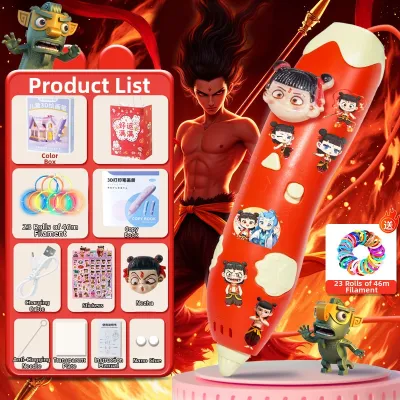
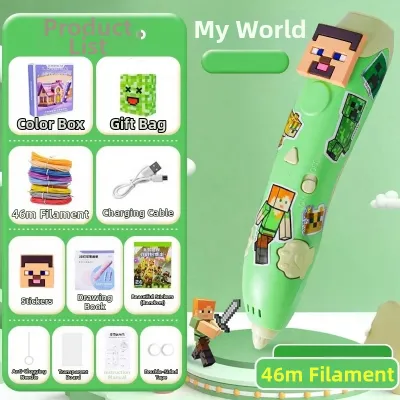
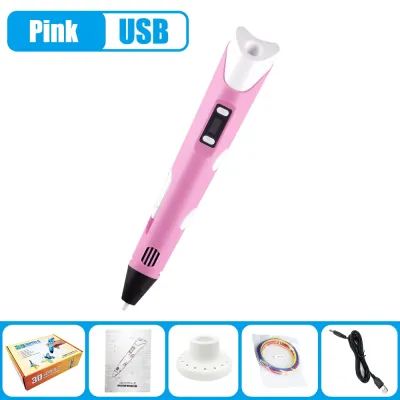
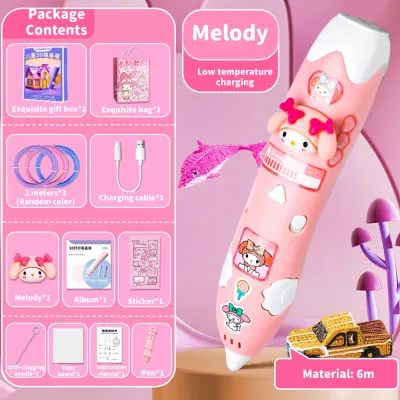
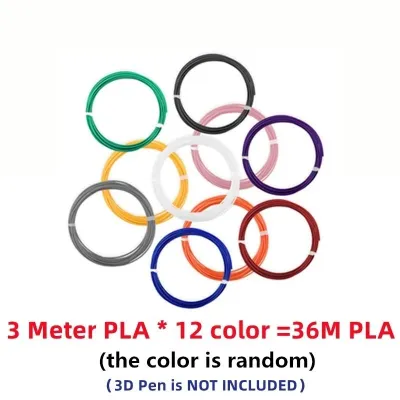
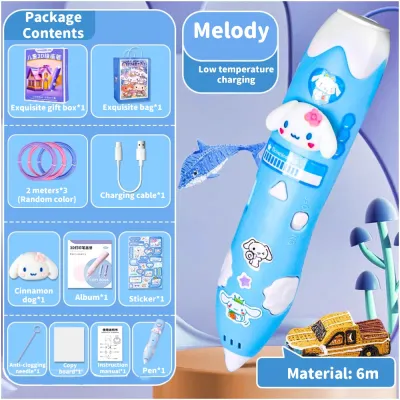
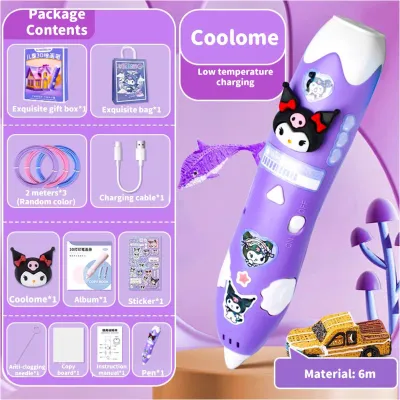
Prices are valid at publication and may change. Please refer to the product page for the latest price.
Beyond the internal heating elements, the physical design of the nozzle tip must be evaluated. Look for pens featuring insulated silicone nozzle covers or deeply recessed tips. These design choices create a physical barrier between the hot internal ceramic element and the child’s fingers. Even if a student accidentally grabs the tip of the pen during a moment of intense focus, the insulated casing prevents direct heat transfer, minimizing the risk of minor burns.
An automatic sleep or shut-off function is another non-negotiable safety feature for classroom use. In a lively art class, students frequently leave their desks to gather materials, consult with teachers, or assist classmates. If a 3D pen is left idle and powered on, it can overheat, degrade the filament inside the nozzle, or pose a fire hazard on a cluttered desk. A reliable pen should automatically enter a standby mode or shut down completely after two to five minutes of inactivity, cooling the nozzle down until the student presses a button to resume.
Finally, the outer casing of the pen must be constructed from high-quality, heat-resistant plastics. The body should remain cool to the touch even after thirty minutes of continuous operation. Ergonomic grips with textured rubber or silicone sleeves not only provide a secure hold but also naturally guide the child’s hand away from the front end of the pen. When evaluating models, check that the grip section is physically separated from the heating zone by a protective collar or a distinct change in body shape.
Ease-of-Use and Ergonomic Factors for Young Artists
A 3D pen that is too heavy, bulky, or complicated to operate will quickly frustrate young artists, leading to abandoned projects and cluttered storage bins. Children’s hands are still developing fine motor skills, meaning the physical dimensions and weight distribution of the pen are critical. Look for lightweight models, ideally weighing under 80 grams. A pen with a slim, cylindrical profile is much easier for small hands to grip comfortably, mimicking the familiar feel of a thick marker or a paintbrush.

The control layout should be intuitive and require minimal physical effort. Many standard 3D pens require the user to continuously hold down a feed button to extrude filament. This design can cause rapid hand fatigue, especially for younger children. Instead, prioritize pens that feature a double-click continuous feed option. This allows the student to click the button once to start the flow of plastic and click it again to stop, freeing their fingers to focus entirely on guiding the pen and controlling their design.
Speed controls are equally important for managing different stages of an art project. A simple slider or a multi-stage button that toggles between low, medium, and high speeds allows students to work at their own pace. Beginners can start at a slow speed to master basic lines, while more experienced students can slide to a faster speed to fill in larger surfaces or build vertical structures. Ensure these controls are positioned where they can be easily adjusted with the thumb or index finger without releasing the grip on the pen.
Classroom art projects can be easily derailed by mechanical issues, with filament jams being the most common disruption. To minimize downtime, look for pens with accessible jam-clearing mechanisms. A dedicated reverse button is essential, allowing students to easily back out filament that has become stuck or needs to be changed. Some advanced models feature removable nozzle caps or magnetic panels that allow teachers to inspect the feeding gear and clear debris without needing specialized tools or voiding the product warranty.
Filament Compatibility and Art Project Specifications
Understanding filament compatibility is crucial for both budget planning and classroom safety. The two primary filament types used in 3D pens are PCL (Polycaprolactone) and PLA (Polylactic Acid). PCL is a low-temperature, biodegradable plastic that is highly recommended for elementary and middle school classrooms. It melts at a low temperature, emits virtually no odor, and can be reshaped in warm water. PLA requires higher temperatures (typically 160°C to 190°C) and, while biodegradable and generally safe, requires a well-ventilated room to disperse the sweet, starch-like odor produced during melting. ABS filament should be avoided entirely in school settings due to the high temperatures required and the unpleasant, potentially irritating fumes it releases.
When purchasing refills, always verify the required filament diameter. The vast majority of 3D pens use 1.75mm filament, which is widely available in a vast array of colors. However, some brands design their pens to only accept proprietary filament cartridges or non-standard diameters, such as 2.85mm. Opting for a pen that supports universal 1.75mm filament allows you to purchase bulk spools or multi-color packs from various stationery suppliers, significantly lowering the ongoing cost of art projects.
In tropical climates like the Philippines, high humidity is a critical factor that directly affects filament performance. Both PLA and PCL are hygroscopic, meaning they readily absorb moisture from the surrounding air. When damp filament is fed into a heated 3D pen, the trapped moisture rapidly turns to steam, causing bubbling, popping sounds, and weak, brittle structures that ruin the student’s artwork. When selecting a pen, ensure it has a reliable feed mechanism that can handle slight variations in filament texture, and plan to store your materials in airtight containers.
The extrusion speed and heating consistency of the pen also dictate the types of projects students can complete. For detailed, flat stenciling on paper, a slow, steady extrusion is ideal. For building three-dimensional structures upward into the air, the pen must heat the plastic consistently so that it cools and hardens almost instantly upon leaving the nozzle. Checking manufacturer specifications for heating stability can help ensure the pen can keep up with the rapid cooling required for vertical drawing.
Evaluation Checklist for Selecting the Right Model
To help you make an informed decision when browsing online marketplaces or local stationery suppliers, use this structured evaluation checklist before purchasing 3D pens for a classroom or home art studio:
- Age and Safety Certifications: Verify that the product packaging or official manufacturer specifications explicitly state the recommended age group. Look for recognized safety marks (such as CE, FCC, or RoHS) which indicate the device has undergone standard electrical and material safety testing.
- Power Supply and Portability: Assess how the pen is powered. Many modern 3D pens use a USB cable, allowing them to run off standard 5V/2A wall adapters or portable power banks. In Philippine classrooms where wall outlets are often limited or inconveniently located, the ability to power pens using portable power banks at student desks is a massive advantage that eliminates tripping hazards from extension cords.
- Filament Versatility: Confirm whether the pen is locked into a proprietary refill system or if it accepts universal 1.75mm filament. Universal compatibility ensures long-term affordability and allows you to source refills from local stationery shops.
- Warranty and Replacement Parts: Check if the manufacturer or local distributor offers a warranty, and verify the availability of replacement nozzles. Because the nozzle is the component most prone to wear and accidental damage, being able to purchase individual replacement tips can save you from replacing the entire pen.
- Included Accessories: Review what comes in the box. A complete classroom starter kit should ideally include the pen, a power cable, a heat-resistant drawing mat, a small starter pack of PCL or PLA filament, and a clear instruction manual.
By systematically verifying these points, you can avoid low-quality models that may fail after a few uses, ensuring your investment supports many hours of creative learning.
Frequently Asked Questions (FAQ)
Can standard 3D printer filament be used in a kids' 3D pen?
Yes, standard 3D printer filament can be used in a kids’ 3D pen, provided that the filament diameter and melting temperature perfectly match the pen’s specifications. Most 3D pens require 1.75mm filament, which is the same size used by the majority of desktop 3D printers. However, you must ensure the material type matches the pen’s operating temperature. A low-temperature pen designed exclusively for PCL (melting at 60°C) cannot melt standard PLA or ABS printer filament, which requires temperatures above 160°C. Additionally, ensure the filament is of high quality and free from dust or debris, as low-grade, inconsistent filament can easily clog the pen’s small internal nozzle.
How should a 3D pen be stored between art classes?
Proper storage is essential to prolong the lifespan of a 3D pen and ensure it is ready for the next art class. Before powering off the pen, always use the reverse function to completely retract and remove the remaining filament. Leaving filament inside the pen to cool will cause it to harden and stick to the internal feeding gears, leading to severe jams the next time the pen is heated. Once the filament is removed, turn off the device and allow the nozzle to cool completely on a heat-resistant silicone mat or stand. Once cool, store the pen and its power cable in a clean, dust-free container. Because of the high humidity in the Philippines, store the filament refills in airtight plastic bins or zip-top bags containing silica gel packets to prevent the plastic from absorbing moisture and degrading.
Community discussion
Share your experience or ask a question. Comments are reviewed before publication.