
A big calculator for store operations must prioritize a large, high-contrast display, oversized keys with tactile feedback, dual power sources, and dedicated retail keys like tax and markup functions. Depending on your store’s administrative workflow, you must also decide between a silent non-printing desktop model for quick counter calculations or a heavy-duty printing calculator to maintain physical audit trails for daily sales reconciliation.
Assessing Your Store's Daily Calculation Needs
To select the right desktop calculator, you must first evaluate your store’s daily transaction volume and the complexity of your calculations. A high-volume retail environment, such as a busy grocery store or a local wholesale shop, requires a device that can keep up with rapid data entry without lagging. If your staff performs hundreds of quick additions daily, processing speed and key rollover—the ability of the calculator to register the next keystroke even if the previous key is still being released—become critical factors in preventing missed inputs.
Next, determine if your business model requires physical receipts or audit trails for customer transparency and internal accounting. While modern point-of-sale (POS) systems handle digital logging, many retail operations still rely on physical paper tapes to verify manual transactions, track cash drawer drops, or cross-check credit card slips at the end of a shift. If your store frequently processes returns, manual discounts, or custom wholesale pricing, having a physical printout helps resolve customer disputes on the spot and simplifies your bookkeeping.
Products mentioned in this guide
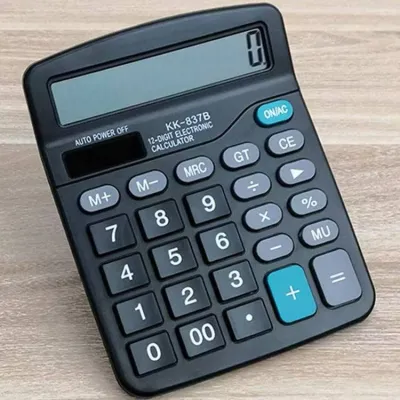
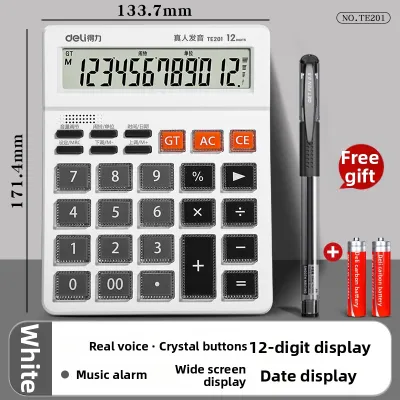
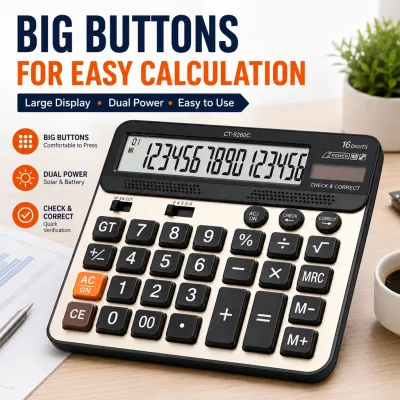
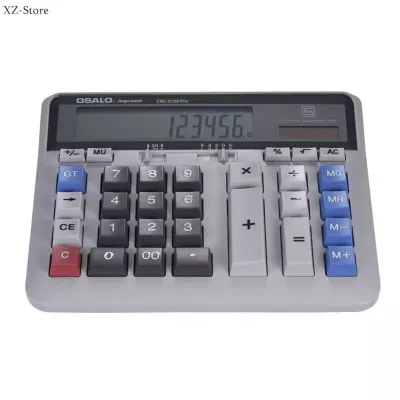
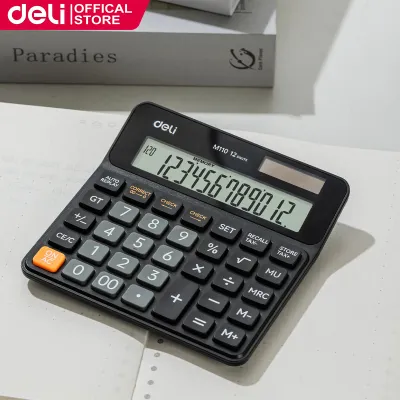
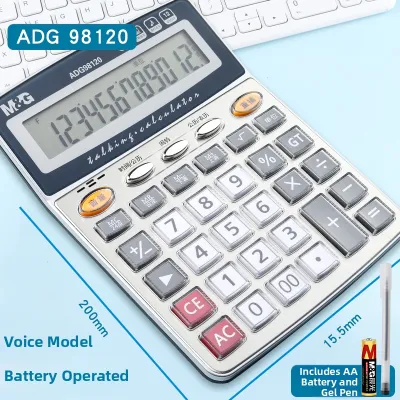
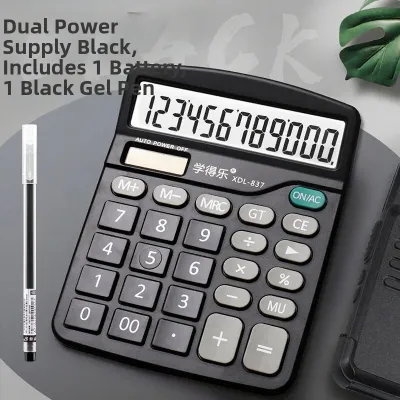
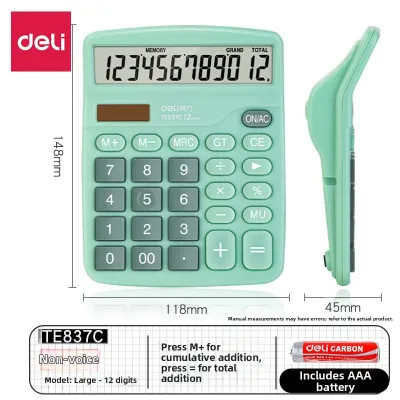
Prices are valid at publication and may change. Please refer to the product page for the latest price.
Finally, measure the physical counter space available at your checkout or service desk. Retail counters are often crowded with card terminals, cash drawers, product displays, and packaging materials. A massive printing calculator might offer excellent readability but could obstruct your workflow if space is limited. Conversely, a compact desktop model might save space but could slow down operations if the buttons are too small for fast, single-handed typing. Choose a footprint that balances physical accessibility with comfortable counter integration.
Essential Hardware Features for Retail Efficiency
The physical design of a store calculator directly impacts the speed and accuracy of your daily operations. A high-quality retail calculator should feature a large, high-contrast liquid crystal display (LCD) with a capacity of at least 12 digits to accommodate large transaction totals and multi-item tallies. Look for models with an adjustable or angled display panel, which helps prevent glare from overhead fluorescent store lighting and allows cashiers to read numbers clearly from various standing or sitting positions.

Key design and tactile feedback are equally vital for error-free data entry during busy shifts. The key pitch—the distance from the center of one key to the center of the next—should be wide enough to prevent accidental double-presses, even when typing rapidly. Look for durable plastic keys rather than soft rubber ones, as plastic buttons offer a distinct tactile click that lets the user know a keystroke has registered. This physical feedback is essential for cashiers who input figures using touch-typing techniques without constantly looking down at the keypad.
Beyond standard numerical keys, specialized retail functions can significantly streamline your daily pricing and administrative tasks. Dedicated tax keys (such as TAX+ and TAX-) allow you to calculate local sales taxes instantly with a single keystroke, eliminating the need to manually multiply totals by tax percentages. Markup (MU) and markdown keys simplify profit margin calculations, while dedicated cost-sell-margin keys let you input any two variables to automatically calculate the third, making inventory pricing and discount adjustments incredibly efficient.
Printing vs. Non-Printing Calculators
Deciding between a printing and a non-printing calculator depends heavily on your store’s administrative workflow and record-keeping habits. Printing calculators are indispensable in retail scenarios that require immediate, physical proof of calculations. For example, during end-of-day cash drawer reconciliation, a printed paper tape allows you to physically tick off each cash, check, and card transaction, creating a reliable audit trail that can be stapled directly to your daily sales report for future reference or tax audits.
When choosing a printing calculator, you must compare ink roller and thermal printing mechanisms, as each has distinct maintenance requirements and environmental tolerances. Ink roller models use standard paper rolls and replaceable ink ribbons or rollers, which produce highly legible, long-lasting prints that do not fade over time. However, in highly humid tropical environments, paper rolls can absorb moisture, leading to potential paper jams if not stored correctly. Thermal printing models do not require ink, but the specialized thermal paper can be sensitive to heat and light, causing prints to fade if exposed to direct sunlight on a hot retail counter.
You must also assess the printing speed and noise levels of the device to ensure it fits your store’s environment. A noisy, slow impact printer can be disruptive during quiet hours or when trying to converse with a customer at the counter. Look for models that specify a high lines-per-second (LPS) printing speed to ensure the paper feeds quickly during rapid calculations. If your store maintains a quiet, boutique atmosphere, a silent non-printing desktop calculator with a large display may be a more suitable choice to preserve a calm shopping environment.
Power Sources and Long-Term Durability
Continuous operation is critical for any retail tool, making the power source of your calculator a key selection criterion. A dual-power system that combines solar panels with a battery backup is the most reliable option for standard desktop calculators. The solar panel powers the device under normal store lighting, while the internal battery takes over during low-light conditions or when shadows fall across the counter. This dual configuration ensures the calculator never shuts off mid-calculation, preventing lost data and transaction delays.
For heavy-duty printing calculators, standard batteries are rarely sufficient due to the power required to drive the printing motor. These models typically require a dedicated AC power adapter plugged directly into a wall outlet. When planning your counter layout, ensure you have an accessible power outlet near the calculator’s designated spot. Additionally, check the manufacturer’s specifications for build quality, looking for heavy-duty plastic casings and key lifespans rated for millions of strokes to withstand the daily wear and tear of a busy retail environment.
Finally, consider the long-term maintenance and support for your chosen device. While basic calculators are highly durable, commercial-grade stationery equipment represents an investment in your business infrastructure. Review the manufacturer’s warranty terms and verify the availability of local service centers or authorized distributors. Choosing a well-established brand with a strong local presence ensures you can easily source compatible replacement ink rollers, paper rolls, and spare parts, minimizing downtime if the device ever requires maintenance.
Frequently Asked Questions (FAQ)
How often should I replace the ink roller or paper roll in a printing calculator?
The replacement frequency for your printing calculator’s consumables depends entirely on your store’s daily transaction volume. You will recognize the need for an immediate ink roller replacement when the printed text begins to fade, appear faint, or smudge on the paper tape. Paper rolls must be replaced as soon as you see a colored warning stripe along the edge of the paper, which indicates the roll is nearing its end. To ensure uninterrupted operations, always consult your device’s user manual to verify the exact dimensions of compatible paper rolls and ink roller model numbers before purchasing refills. It is highly recommended to maintain a backup supply of at least two paper rolls and one spare ink roller in your store’s stationery cabinet to prevent operational downtime during peak business hours.
Can a standard big desktop calculator handle tax and discount calculations?
Yes, most standard large desktop calculators can easily handle tax and discount calculations, even if they do not have printing capabilities. Many modern desktop models feature dedicated tax keys that allow you to program your local tax rate once and apply it to any subtotal with a single press of the TAX+ or TAX- key. If your specific model lacks these dedicated keys, you can easily perform these calculations manually using the standard percentage (%) key and the memory keys (M+, M-, and MR). For instance, to apply a discount, you can multiply the total by the discount percentage, subtract the result using the memory keys, and recall the final discounted price. To maintain absolute financial accuracy, always cross-verify your manual calculator results with your primary point-of-sale system or cash register during your end-of-day balancing routines.
Community discussion
Share your experience or ask a question. Comments are reviewed before publication.