
Selecting the right led luminous light drawing board is a critical decision for artists transitioning traditional sketching and tracing workflows to an illuminated setup. Unlike digital illustrators who work on screens, pencil and charcoal artists rely on physical paper, making the physical and optical properties of the light pad incredibly influential on the final piece. The ideal board must provide highly adjustable brightness to penetrate thick sketching papers, maintain a completely rigid surface that does not flex under heavy hand pressure, and remain comfortable to use during long drawing sessions.
Brightness and Uniformity: Matching Light to Paper Weight
Tracing and sketching require vastly different illumination levels depending on the thickness of your medium. A standard tracing paper of 50 gsm requires very little light to reveal underlying lines, whereas a heavy 200 gsm cartridge paper or mixed-media sheet demands a much stronger backlight. This is why stepless dimming—which allows you to adjust the brightness gradually by holding down the power button—is far superior to fixed, multi-step settings. It lets you fine-tune the illumination to the exact point where the reference lines become visible without washing out the texture of your drawing paper or causing severe eye strain.
Light uniformity is equally vital for accurate shading with graphite or charcoal. If a board suffers from dark spots or concentrated hotspots, you will struggle to judge the true contrast of your values, potentially over-shading or under-shading parts of your sketch. When evaluating a board, check for edge-to-edge light consistency across the entire acrylic panel. A high-quality light distribution layer ensures that the LED light is scattered evenly, preventing optical distortions that could throw off your perspective or line work.
Products mentioned in this guide
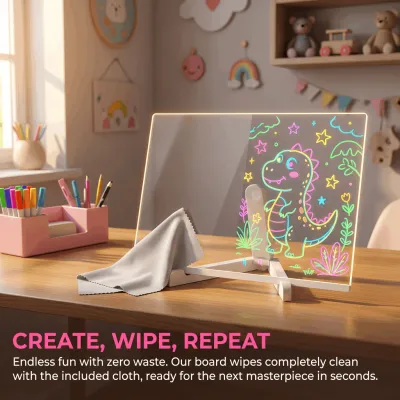
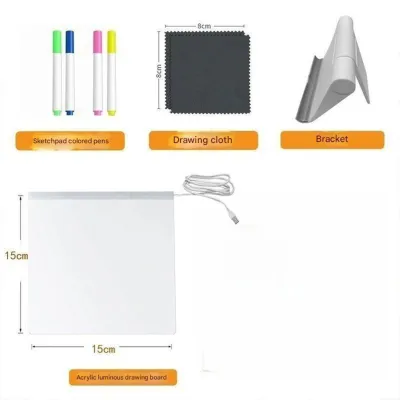
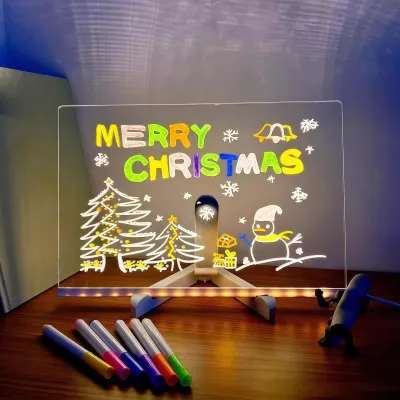
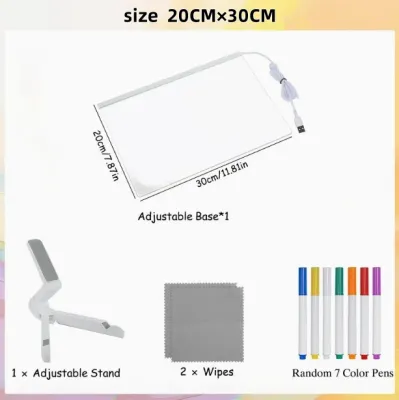
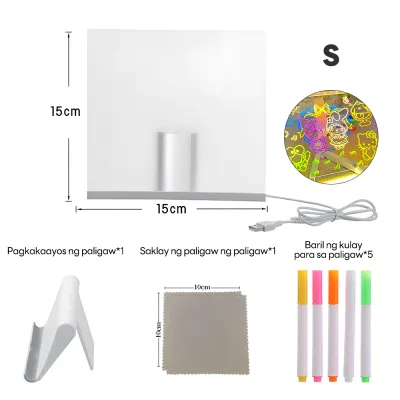
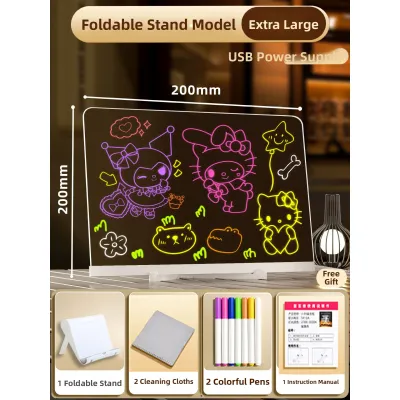
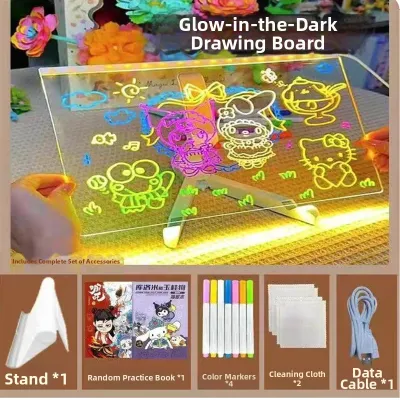
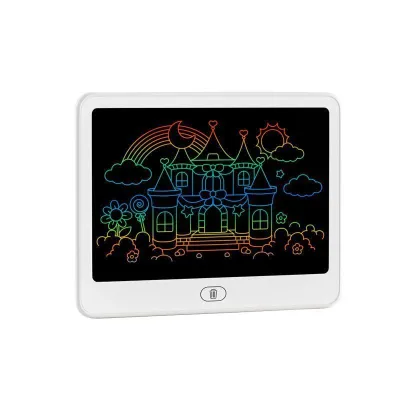
Prices are valid at publication and may change. Please refer to the product page for the latest price.
The color temperature of the LEDs also plays a significant role in visual comfort. Cool white light (typically around 6000K to 6500K) offers sharp contrast that makes faint pencil lines stand out clearly, which is excellent for precise tracing. However, some artists find that a warmer or neutral daylight tone reduces visual fatigue during extended sketching sessions. If you frequently sketch for hours at a time, look for a board that allows you to switch color temperatures, or opt for a neutral white that strikes a balance between high contrast and eye comfort.
Finally, prioritize true flicker-free performance over generic eye-protection marketing labels. Low-quality LED boards often use cheap pulse-width modulation to dim the lights, which creates a subtle, high-frequency strobing effect. While this flicker might not be consciously visible, it can quickly lead to headaches, dry eyes, and mental fatigue. Verifying that the board uses a steady-current, flicker-free LED driver is the single best step you can take to protect your eyes during detailed tracing work.
Board Dimensions vs. Active Illuminated Area
When shopping for an led luminous light drawing board, it is easy to confuse the overall physical dimensions of the device with its active illuminated area. The active area is the actual lit portion of the screen where you can trace, while the outer frame or bezel makes up the rest of the footprint. A generous non-lighted border is highly beneficial for traditional artists, as it provides a stable surface to rest your palms, place paper weights, or attach binder clips without blocking the light source or casting shadows on your work.

To choose the right size, match the active illuminated area to the standard paper formats you use most frequently. An A4-sized board is highly portable and excellent for quick sketches or sketchbook pages, but it will feel cramped if you work on larger compositions. For standard sketching pads, an A3 board is often the sweet spot, offering ample room for both your reference image and your drawing paper. If you work on large-format landscapes or detailed architectural drawings, investing in an A2 board ensures you will not have to constantly shift your paper around.
The physical thickness and rigidity of the board are crucial when you apply heavy pressure with graphite pencils or charcoal blending stumps. Cheap, ultra-thin plastic boards tend to flex or bow in the center when pressed, which can cause your pencil to slip or distort your lines. Look for a board constructed from high-grade, rigid acrylic or tempered glass. A sturdy, non-flexing panel provides a solid foundation that mimics the feel of a traditional wooden drawing board, ensuring your strokes remain precise.
Bezel design also affects your daily workflow and maintenance. While ultra-thin, flush-surface designs look sleek and maximize the active working area, they often feature tiny seams where the acrylic face meets the outer frame. If you work extensively with charcoal or soft graphite, fine dust can easily accumulate in these crevices. Selecting a board with a seamless, sealed edge or a slightly raised, protective bezel can prevent fine particles from migrating into the internal electronics.
Portability, Power Sources, and Surface Friction
Your working environment dictates the ideal power configuration for your light board. USB-powered models are incredibly versatile, allowing you to draw anywhere by plugging the micro-USB or Type-C cable into a laptop, a power bank, or a standard phone charger. This makes them highly suitable for outdoor sketching, cafe sessions, or traveling. Conversely, larger studio-bound boards often require a dedicated AC adapter to deliver the high voltage needed to illuminate a massive surface area uniformly, which limits your mobility but guarantees consistent, high-intensity light.
In the Philippines, where tropical humidity can cause thin tracing paper to buckle or stick to smooth acrylic, surface texture is a critical factor. A completely smooth, slick acrylic surface offers very little friction, which can cause thin tracing paper or lightweight sketch sheets to slide around easily under your hand. Opting for a board with a subtle, matte-textured surface treatment can provide just enough friction to keep your paper stable while offering a more natural, paper-like resistance as you sketch.
If you plan to carry your board to art classes or outdoor locations, weight and protection are paramount. A lightweight board is easy to slip into a backpack, but it must be paired with a dedicated protective sleeve to prevent the acrylic surface from getting scratched by keys, pencils, or metal ruler edges. Scratches on the face of the board can refract the backlight, creating distracting bright lines that interfere with your tracing.
Cable management is another practical consideration that affects your drawing comfort. Look for boards with detachable power cables and recessed ports rather than fixed cords. A recessed port protects the connection point from bending or breaking if you accidentally bump the board against your desk, while a detachable cable allows you to store the board flat without putting unnecessary strain on the internal wiring. While basic USB-powered models are highly affordable—often starting under ₱1,000 on local online marketplaces—larger, heavy-duty professional boards can range up to ₱3,500 or more.
Secondary Features You Can Safely Ignore
Navigating the market for an led luminous light drawing board means filtering out marketing hype that adds cost without improving your sketching experience. For instance, manufacturers often advertise incredibly high raw lumen or lux numbers. Without standardized testing conditions, these figures are mostly meaningless; you are far better off focusing on reviews that confirm smooth, stepless dimming and even light distribution rather than chasing the highest paper specification.
Similarly, built-in features like printed rulers along the edges, integrated angle adjusters, or companion digital tracing apps are rarely useful for traditional pencil and charcoal artists. External rulers are more precise and do not clutter your illuminated field of view, while a simple desktop easel or a stack of books provides more reliable angle adjustment than flimsy built-in plastic stands.
You should also look past vague, unverifiable labels such as “medical-grade eye protection” or “blue-light filtering certificates.” These terms are frequently used as marketing buzzwords with no standardized backing. Instead, rely on observable features: a flicker-free LED driver, a matte surface finish that diffuses glare, and a color temperature that feels comfortable to your eyes.
Finally, multi-color RGB modes—which allow the board to cycle through red, green, or blue light—are entirely unnecessary for traditional sketching. These modes are designed for specific crafting projects or photography backdrops. For monochromatic graphite, charcoal, or ink tracing, a clean, white light source is all you need to accurately judge values and line weight.
Frequently Asked Questions (FAQ)
Can I use a light board for heavy charcoal sketching?
Yes, but you must take precautions to manage the dust. Charcoal particles can easily migrate into the seams of the board or scratch the acrylic surface during heavy blending. To protect your investment, place a thin, transparent acetate or plastic overlay sheet over the light board before taping down your sketch paper. Additionally, ensure you choose a highly rigid board, as the intense pressure required for charcoal blending and hatching can cause thinner, flexible boards to bow and distort your work.
Do LED drawing boards emit heat that damages sketch paper?
Modern LED drawing boards run exceptionally cool and will not emit enough heat to warp, dry out, or degrade your sketching or tracing paper. Unlike older fluorescent light boxes, which could become hot to the touch and cause delicate papers to buckle or yellow over time, high-quality LED arrays distribute heat efficiently. You can comfortably work on your sketches for hours without worrying about heat-induced damage to your medium or discomfort to your hands.
Community discussion
Share your experience or ask a question. Comments are reviewed before publication.