
Choosing the right sticker paper for your journal depends on how you write, the pens you use, and whether you plan to print your own designs. Matte sticker paper is the optimal choice if you want to write directly on your layouts with gel pens, fountain pens, or fineliners. Glossy sticker paper excels at showcasing vibrant, high-contrast digital illustrations and photos, though its slick surface resists standard water-based inks. Printable sticker paper is an overarching category that includes both matte and glossy finishes, designed specifically to pass safely through home printers.
In tropical climates like the Philippines, high humidity can significantly affect how adhesive behaves and how quickly printer ink dries. Selecting the wrong material can lead to smudged layouts, sticky residue, or even damage to your printer. Understanding how these papers interact with your specific journaling medium will save you time, money, and ruined pages.
Quick Guide: Matching Sticker Paper to Your Journaling Style
To help you decide immediately, here is a quick reference matching common journaling activities with the best sticker paper options, pen compatibility, and key performance traits.
Products mentioned in this guide
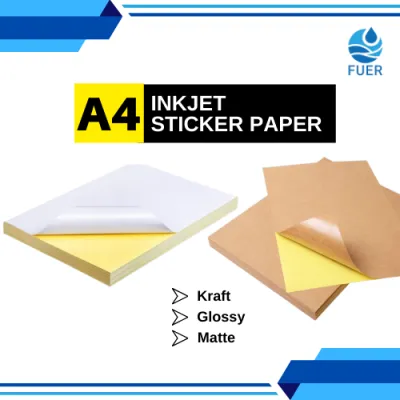
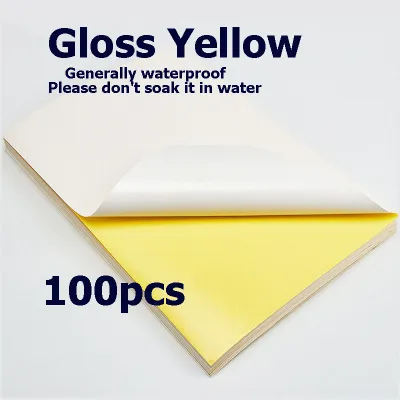
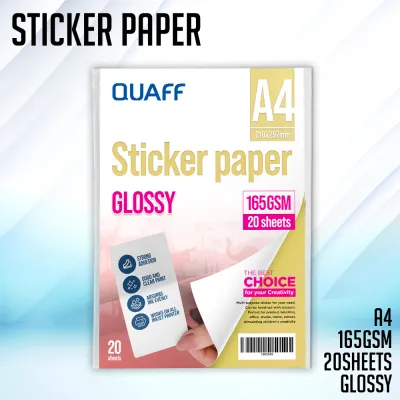
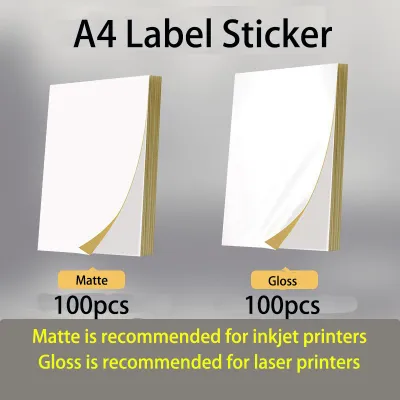
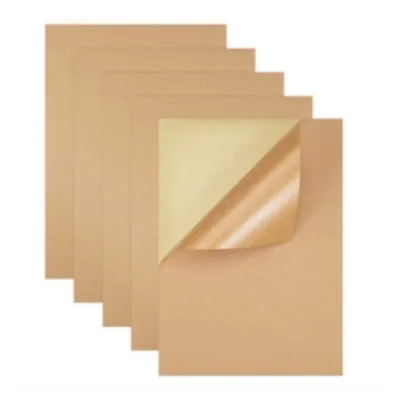
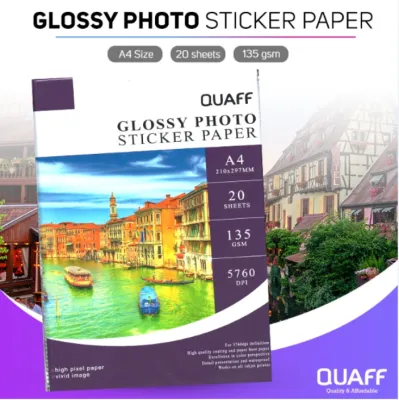
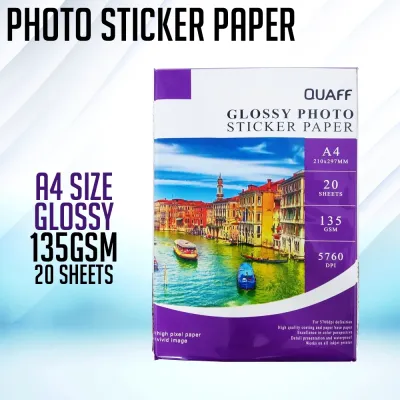
Prices are valid at publication and may change. Please refer to the product page for the latest price.
| Journaling Style | Recommended Paper Type | Compatible Writing Tools | Primary Benefit |
|---|---|---|---|
| Handwriting & Sketching | Matte Sticker Paper | Gel pens, ballpoints, fineliners, pencils, fountain pens | Absorbs ink instantly; blends seamlessly with journal pages |
| Photo & Digital Art | Glossy Printable Sticker Paper | Permanent markers, oil-based paint pens | High-contrast, vibrant colors; crisp details for photos |
| Mixed Media & Art Journaling | Uncoated Matte Printable Paper | Colored pencils, light markers, stamps, light watercolors | Holds dry and light wet media without heavy ink bleeding |
| High-Volume Planning | Laser-Compatible Printable Paper | Laser toner (not ideal for heavy hand-writing before printing) | Smudge-free, rapid printing of grids, icons, and layouts |
If your daily routine involves quick brain dumps and rapid logging, matte paper will keep up with your pace. For those who curate visual mood boards or print photos from weekend trips, glossy sheets offer the necessary depth and color accuracy. If you are printing custom functional headers or habit trackers, matching your printer type to the paper’s coating is the most critical first step.
Clarifying the Options: Surface Finish vs. Print Compatibility
Many journal enthusiasts struggle to choose between matte, glossy, and printable options because they treat these terms as mutually exclusive. In reality, they describe two entirely different characteristics of the sticker sheet. “Matte” and “glossy” refer strictly to the surface finish—the top layer that your eyes see and your pens touch. “Printable” refers to the construction of the backing and the top chemical coating, which determines if the sheet can safely absorb printer ink or withstand printer heat.

Surface finish dictates how light reflects off your journal page and how well different writing instruments adhere to the sticker. A matte finish has a microscopic texture that provides “tooth” for graphite and ink to grip. A glossy finish is perfectly smooth and highly reflective, which prevents liquid inks from sinking into the fibers.
Printable sticker paper is manufactured to feed through home machinery without peeling off mid-print or jamming the rollers. It is available in both matte and glossy finishes, meaning you do not have to choose between a printable sheet and your preferred texture. Your selection process should always begin by verifying your printing method, followed by choosing the surface finish that matches your writing tools.
Matte Sticker Paper: The Best Choice for Handwriting and Art
Matte sticker paper features a non-reflective, slightly textured surface that closely mimics the feel of standard book pages. Because it lacks a shiny plastic barrier, it integrates quietly into your journal layouts without creating distracting glare under desk lamps or reading lights. This makes it a favorite for minimalist planners, bullet journalists, and those who prefer a cohesive, organic look.
The primary advantage of matte sticker paper is its exceptional writing experience. It accommodates almost every common writing instrument, including fountain pens, gel pens, fineliners, ballpoints, and even delicate graphite pencils. The porous fibers absorb liquid ink rapidly, which minimizes the risk of smudging when you turn the page or close your journal.
To ensure your favorite pen works well on a specific brand of matte sticker paper, perform a quick scratch-and-dry test on a small scrap. Write a single line, wait three seconds, and run your finger over the ink. If the ink feathers or bleeds into the surrounding fibers, the paper may be too porous for wet fountain pens; if it smears, the surface may have a light synthetic coating that requires a longer drying time.
Despite its versatility, matte sticker paper has clear physical limitations. Standard matte options are rarely water-resistant and can warp or tear easily if exposed to moisture. In high-humidity environments, matte stickers can absorb ambient moisture over time, making them slightly soft and more prone to tearing during handling. If you plan to use light watercolor washes or heavy water-based markers in your art journal, apply them sparingly to prevent the sticker from bubbling or bleeding through to the next page.
This paper type is best utilized for functional elements like daily prompts, hand-drawn habit trackers, quote stickers, and scrapbooking ephemera. It allows you to print or buy basic shapes and write your schedule directly on top of them throughout the day.
Glossy Sticker Paper: Ideal for Vibrant Prints and Durability
Glossy sticker paper is coated with a highly polished, reflective layer that enhances color saturation, contrast, and image sharpness. When light hits a glossy surface, it reflects uniformly, making printed colors appear deeper, brighter, and more true to life. This visual pop makes glossy paper the standard choice for reproducing high-resolution photographs, detailed digital illustrations, and decorative planner icons.
While glossy paper excels visually, it presents significant challenges for handwriting. Standard water-based writing tools—such as gel pens, rollerballs, fountain pens, and traditional fineliners—cannot penetrate the glossy coating. Instead of drying, the ink pools on the surface, remaining wet indefinitely and smearing at the slightest touch.
If you must write on glossy stickers, you must use specialized permanent markers, oil-based paint pens, or specific alcohol-resistant markers. Always allow these specialized inks several seconds to cure completely before touching them. For daily journaling where you constantly write notes, lists, or reflections, glossy paper is best reserved for decorative borders or pre-printed images rather than functional writing spaces.
In terms of durability, glossy sticker paper offers superior resistance to daily wear and tear compared to matte paper. The glossy top coat acts as a barrier against light splashes, finger oils, and dust. This makes it highly suitable for decorative elements on the outer covers of your notebooks, travel journals, or pages that you expect to touch frequently.
For the best results, use glossy sticker paper for photojournaling prints, vibrant decorative stickers, and digital planner kits where all text is pre-printed before the sticker is cut and applied.
Navigating Printable Sticker Paper: Inkjet, Laser, and Coatings
Using a home printer to create custom stickers is highly rewarding, but using the wrong type of printable paper can damage your equipment. Printers rely on specific chemical and physical processes to transfer designs onto a page, and sticker sheets must match these processes exactly. Running incompatible sticker sheets through your printer can lead to ruined prints, sticky residue on internal rollers, or permanent hardware failure. Packs of high-quality printable sticker paper typically range from ₱150 to ₱500 in local stationery stores depending on the sheet count and brand.
Inkjet Printable Sticker Paper
Inkjet printers work by spraying tiny droplets of liquid ink onto the paper surface. To prevent these droplets from running together, bleeding, or pooling, inkjet-compatible sticker paper is treated with a specialized porous or chemical coating. This coating is designed to lock the liquid ink in place instantly, ensuring sharp lines and accurate color representation.
When shopping for materials, always verify that the packaging explicitly states “Inkjet Compatible.” If you use untreated paper or paper designed exclusively for laser printers, the liquid ink will sit on top of the sheet, creating a muddy, smeared mess that will never dry.
In warm, humid climates, even high-quality inkjet prints can take longer to cure. After printing your sticker sheet, leave it undisturbed on a flat surface in a well-ventilated room for at least five to ten minutes before cutting or handling it. This extra drying time ensures the ink has fully bonded with the chemical coating.
Laser Printable Sticker Paper
Laser printers do not use liquid ink; instead, they use static electricity to attract dry toner powder and apply intense heat to fuse that powder directly onto the page. Because of this high-heat process, laser-compatible sticker paper must be engineered to withstand temperatures that often exceed 150 degrees Celsius.
You must never run inkjet-specific sticker paper through a laser printer. The intense heat of the laser fuser can melt the synthetic coatings or liquefy the adhesive backing of inkjet sheets. This can cause the sticker to peel off inside the printer, wrapping around the fuser unit and causing catastrophic, expensive damage to your machine.
Always look for “Laser” or “Laser/Inkjet” labels on the packaging. These sheets are built with heat-stable adhesives and backing liners that will not degrade, curl, or release adhesive under high temperatures.
To get the cleanest print quality from your home machine, adjust your printer’s software settings before sending the job. Instead of using the default “Plain Paper” setting, select “Heavy Paper,” “Labels,” or “Photo Paper.” This tells the printer to slow down the feeding speed, allowing the rollers to handle the thicker sticker stock smoothly and applying the optimal amount of heat or ink for a crisp, professional finish.
Adhesives and Backing: Protecting Your Journal Pages
While the top surface of your sticker paper dictates how it looks and writes, the bottom layers determine how well it preserves your journal over time. The adhesive formula and the thickness of the backing liner play critical roles in preventing page damage and printer issues.
Permanent vs. Removable Adhesives
Sticker papers generally feature either permanent or removable (repositionable) adhesives. Permanent adhesives form a strong, immediate bond with the paper fibers. If you make a mistake while placing a permanent sticker on delicate journal pages—such as thin notebook paper, layout paper, or thin Bible paper—attempting to peel it up will almost certainly tear the page or lift the ink beneath it.
For journaling, removable or repositionable adhesives are highly recommended. These formulas allow you to gently peel the sticker up and adjust its position if it goes down crooked. Over several hours or days, some repositionable adhesives will cure into a more permanent bond, but they offer crucial flexibility during the initial layout process.
Regardless of the adhesive strength, always look for “acid-free” or “archival-safe” specifications on the packaging. Standard adhesives can contain acidic compounds that break down paper fibers over time. In a few years, non-archival adhesives can cause your journal pages to turn yellow, brown, or brittle, and the adhesive may bleed through to the opposite side of the page, ruining adjacent entries.
Liner Thickness and Printer Jams
The backing liner—the slick paper backing that you peel off and discard—adds substantial thickness and stiffness to the sticker sheet. This combined thickness (measured in grams per square meter, or GSM) can make it difficult for standard home printers to pull the sheet from the main paper tray.
Before purchasing thick sticker sheets, check your printer’s user manual to verify its maximum supported paper weight. If the sticker paper exceeds this limit, it is highly likely to jam in the paper feed mechanism.
To minimize the risk of jams, use your printer’s manual feed slot or rear paper feed tray if it has one. These slots provide a much straighter path through the printer, preventing the thick sticker sheet from having to bend around tight internal rollers, which can cause the backing to separate prematurely.
Frequently Asked Questions (FAQ)
Can I use regular paper as sticker paper?
Regular copy paper or notebook paper lacks both the adhesive backing and the specialized surface coatings required to function as a high-quality sticker. If you print designs on regular paper, the ink may feather, and you will need to apply an external adhesive to stick it down. If you do not have dedicated sticker paper, you can use high-quality double-sided tape, adhesive rollers, or repositionable glue sticks on the back of your cutouts. For a clean, professional finish that does not add excessive bulk to your journal, investing in dedicated sticker paper is highly recommended.
How do I make my printed stickers waterproof?
Standard printable matte or glossy sticker papers are rarely fully waterproof on their own, especially when printed with water-based inkjet inks. To protect your designs from spills, sweat, or high humidity, you can apply a protective barrier. After printing your sheet and letting the ink dry completely, place a sheet of clear, self-adhesive laminating vinyl over the top and smooth out any air bubbles with a plastic scraper. Alternatively, you can spray the printed sheet with a light, even coat of clear acrylic sealer spray in a well-ventilated outdoor area. Once dry, you can cut your stickers as usual, and they will resist water and smudging.
Will sticker paper damage my journal pages?
Whether sticker paper damages your journal depends entirely on the adhesive type and the weight of your journal’s paper. Heavy permanent adhesives can tear thin pages, while non-archival adhesives can cause yellowing and oil staining over time. To protect your journal, choose acid-free, repositionable sticker papers. If you are unsure how a new brand of sticker paper will behave, cut a small test square, apply it to an inconspicuous back page of your journal, leave it for 24 hours, and then attempt to peel it off gently to observe how the paper fibers react.
Community discussion
Share your experience or ask a question. Comments are reviewed before publication.