
Quick Answer: Which Copy Paper Offers the Best Value?
Finding the right balance between print quality and budget-friendly pricing is a constant challenge for schools, offices, and businesses in the Philippines. Deciding whether to choose a standard option like Modern Original or invest in premium competing brands depends heavily on your specific hardware, daily print volume, and document needs. There is no single winner for every printing task, as paper performance is highly conditional.
Modern Original is generally positioned as a reliable, cost-effective option designed for high-volume, everyday printing. It excels in standard office environments and school settings where text-heavy documents, worksheets, and daily drafts represent the bulk of the workload. For these tasks, paying a premium for ultra-high brightness is rarely a practical use of budget.
Conversely, premium competing brands often offer higher brightness ratings and smoother surface finishes. These characteristics are essential for high-stakes client presentations, marketing collateral, and detailed color graphics where visual contrast is paramount, though they come with a higher cost per ream.
Products mentioned in this guide
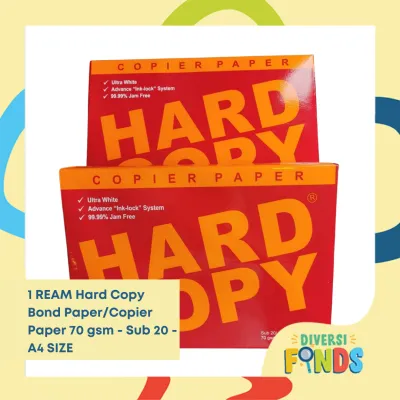
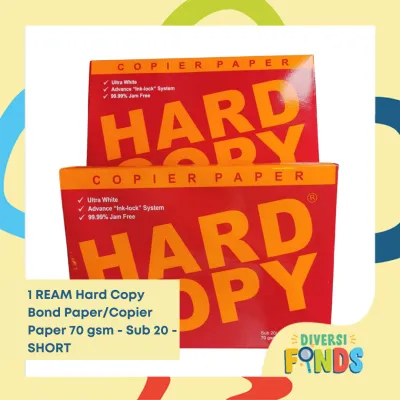

Prices are valid at publication and may change. Please refer to the product page for the latest price.
Ultimately, before committing to any brand, you should evaluate key physical specifications such as grams per square meter (GSM) and brightness ratings, which dictate actual performance more than the brand name alone.
Understanding Copy Paper Specifications That Drive Print Quality
To make an informed decision, you must look past marketing labels and understand the physical specifications that govern paper behavior. These technical metrics directly influence ink absorption, feeding reliability, and overall visual contrast.

Paper Weight and GSM Dynamics
The weight of copy paper is measured in grams per square meter (GSM), indicating the density and thickness of the sheet. Standard 70 GSM paper is lightweight and highly economical, making it the default choice for high-volume, single-sided printing such as school modules and internal drafts. However, its lower density makes it more prone to feeding issues in high-speed copiers with worn rollers.
In contrast, 80 GSM paper provides a more substantial tactile feel, higher structural rigidity, and significantly better resistance to tearing. It is the industry standard for formal business correspondence and double-sided printing because it handles the mechanical stress of printer feed mechanisms much more effectively.
Brightness and Whiteness Ratings
Brightness and whiteness are distinct optical properties that affect how your eyes perceive printed text and images. Brightness measures the reflectance of a specific blue light wavelength on a scale from 1 to 100. Standard copy papers usually feature brightness ratings between 90% and 94%, providing adequate contrast for everyday text. Premium papers often reach brightness levels of 96% to 98% or higher, resulting in a more vibrant background that makes colors pop and text appear exceptionally sharp.
Whiteness measures the reflection of all wavelengths of light across the visible spectrum. A higher whiteness rating means the paper has a neutral or slightly blue tint rather than a warm, yellowish cast, which is critical for accurate color reproduction in charts and images.
Opacity and Moisture Content Control
Opacity refers to the paper’s ability to block light from passing through the sheet, preventing printed text on one side from showing through to the other. High opacity is essential for double-sided printing; low-opacity paper leads to distracting shadows and reduced readability.
Moisture content is a critical specification in tropical climates like the Philippines. Manufacturers must carefully control the internal moisture of the paper during production, typically aiming for a stable range of 4.5% to 5.5%. If the paper is too dry, it will rapidly absorb moisture from the humid Philippine air upon opening, leading to wavy edges and immediate curling. If it is too damp, the intense heat of a laser printer’s fuser unit will vaporize the water, causing severe curling, steam bubbles, and frequent paper jams.
Surface Sizing and Smoothness Verification
Surface sizing involves applying chemical binders to the paper fibers to control how ink or toner adheres to the surface. Proper sizing prevents liquid ink from spreading or feathering along the paper fibers, ensuring sharp character edges.
Smoothness affects how evenly toner or ink is transferred from the printer’s drum or printhead to the page. A rougher surface can result in patchy solid fills and faint text, while an excessively smooth surface might suffer from poor toner adhesion if the fuser cannot melt the plastic particles into the fibers properly. Verify this by running your fingers across a sample sheet and conducting a test print.
Comparing Modern Original and Competing Brands Across Key Dimensions
When comparing Modern Original to other popular copy paper brands, evaluating performance across practical daily scenarios reveals where each product category excels.
Everyday Reliability and Jam Rates
In high-volume laser printers, feeding reliability is the single most important factor affecting office productivity. Standard 70 GSM reams from Modern Original are engineered to provide a balanced compromise between thinness and tensile strength, allowing them to feed smoothly through standard office equipment under normal operating conditions.
However, compared to premium 80 GSM alternatives, mid-tier 70 GSM papers naturally exhibit a slightly higher risk of multi-sheet feeding or jamming in high-speed copiers. Thinner sheets have less physical stiffness to resist the friction of worn separator pads. For high-volume everyday printing like school modules, Modern Original offers a highly competitive performance-to-cost ratio, while upgrading to 80 GSM minimizes downtime during critical, high-speed print runs.
Print Output and Color Contrast
For text-heavy documents, the contrast provided by Modern Original is highly satisfactory, offering clean, legible characters with minimal feathering when using standard office printers. The black toner stands out clearly against the paper’s natural white background, meeting the requirements for academic modules, legal drafts, and administrative records.
When printing image-heavy reports, colorful charts, or marketing presentations, premium brands with higher brightness and whiteness ratings show a noticeable advantage. The ultra-white surface of premium papers reflects more light, which enhances color saturation and creates a wider dynamic range. For everyday text, the visual difference is negligible, but for client-facing materials, the extra investment in a premium high-brightness sheet is justified.
Paper Dust and Printer Maintenance
Paper dust is a natural byproduct of the cutting process during manufacturing. Lower-quality papers often shed significant amounts of microscopic cellulose fibers as they pass through the printer’s paper path, coating pickup rollers, optical sensors, and fuser assemblies.
Accumulated paper dust causes pickup rollers to lose their grip, leading to frequent misfeeds and premature wear. To assess this, inspect the inside of the ream wrapper for loose white powder upon opening, and monitor your printer’s paper tray and pickup rollers over several weeks to ensure cleanliness.
Format and Size Accuracy
Precise dimensional cutting is essential for trouble-free printing, especially when using automatic duplexing. Standard paper sizes such as A4, Letter, and Legal must be cut with extremely tight tolerances to prevent feeding at a slight angle, which causes skewed prints or immediate jams in the duplex path.
When evaluating any new brand or batch, check the alignment of the stack by tapping the ream on a flat surface and inspecting the edges. Any visible steps, uneven sheets, or rough, frayed edges indicate poor quality control during the cutting process, which can lead to feeding issues regardless of the paper’s weight or brightness.
Evaluating True Value Per Ream for Philippine Offices and Schools
Calculating the true value of copy paper requires looking beyond the initial purchase price of a single ream. You must account for operational costs, waste, and the unique environmental challenges of the local climate.
Cost Per Page vs. Cost Per Ream
A cheaper ream of paper may seem like an immediate budget saver, but it can quickly become more expensive if it leads to high operational waste. If a low-cost paper causes frequent jams, you lose not only the damaged sheets of paper but also the toner or ink printed on them, along with valuable staff time spent clearing the machine.
Furthermore, if a paper has low opacity, you may be forced to print single-sided only, effectively doubling your paper consumption. High-quality paper that feeds reliably and supports double-sided printing often results in a lower total cost per printed page, even if the upfront cost per ream is slightly higher.
Track your monthly paper consumption alongside your printer maintenance logs. If a cheaper brand correlates with a spike in service calls or wasted toner, switching to a more stable option like Modern Original or a premium alternative will yield better long-term savings.
Climate Considerations in the Philippines
The tropical climate of the Philippines, characterized by high relative humidity, presents a significant challenge for paper performance. Paper is highly hygroscopic, meaning it naturally absorbs moisture from the surrounding air.
When standard paper is exposed to high humidity, the fibers expand unevenly, causing the sheet to lose its flat profile and develop wavy edges. When this moisture-laden paper enters the hot fuser of a laser printer, the sudden evaporation of water causes rapid, severe curling, leading to immediate jams in the exit path. Modern Original and other brands designed for regional markets utilize moisture-resistant wrappers to protect the paper, but once opened, the paper is immediately vulnerable.
Storage and Shelf Life Best Practices
To preserve the physical integrity of your copy paper in a humid environment, keep unused reams sealed in their original wrappers until the exact moment you are ready to load them. Store your paper stacks flat on shelves or pallets, off the concrete floor, and away from damp walls or direct sunlight.
If you operate in an air-conditioned office, the lower indoor humidity will help maintain the paper’s stability. For non-air-conditioned spaces, such as many public school offices or home work setups, only load the amount of paper you expect to print within a few hours, keeping the remaining stack tightly wrapped or stored in a sealed plastic container.
Bulk Buying Strategies
Purchasing copy paper in bulk offers significant cost savings for high-volume users. However, committing to a large bulk order without testing can be a costly mistake if the paper is incompatible with your specific printer models.
Before placing a large order with an office supply distributor or an online marketplace, purchase a single trial ream of the exact brand and weight you intend to buy. Run this trial ream through your most demanding printer under normal operating conditions to verify its performance before scaling up.
How to Verify Paper Quality Before and During Use
You do not need specialized laboratory equipment to evaluate the quality of a batch of copy paper. By implementing a few simple, low-risk observation and testing procedures, you can verify performance and protect your printing equipment.
Visual and Tactile Inspection
When opening a new ream of paper, perform a quick visual and physical check. The paper should have a uniform color across the entire stack, with no visible dark spots, flecks of debris, or discoloration. Run your hand over the top sheet and down the sides of the stack; the surface should feel consistently smooth, and the edges should be clean and sharp without any loose fibers or paper dust. If you notice a powdery residue on your hands or uneven sheet edges, the batch may have been cut with dull blades, which increases jam risks.
The Test Print Method
Before running a large print job, print a standardized test page to evaluate how the paper interacts with your specific ink or toner. Your test page should include a block of fine, small-font text, a grayscale gradient, and a solid black or colored block. Examine the printed page closely under good lighting. Check the fine text for sharpness; if the characters look fuzzy or bloated, the paper is absorbing too much ink or toner, indicating poor surface sizing. Finally, flip the sheet over to assess the level of show-through; if you can easily read the text from the back, the paper’s opacity is too low for double-sided printing.
Monitoring Printer Feedback
Your printer itself is an excellent diagnostic tool. Pay close attention to how the machine behaves when running a batch of 50 to 100 sheets of the paper under evaluation. Note the frequency of multi-sheet feeds—where two or more pages are pulled into the printer simultaneously—as well as actual paper jams. After completing the test run, check for any accumulation of white paper dust on the pickup rollers or feed path; a clean interior indicates a high-quality paper with clean-cut edges.
When to Stop and Switch
It is important to know when a batch of paper is unsuitable for your equipment and should be rejected. Continuing to use substandard paper can lead to physical damage to your printer, such as scratched drums, torn fuser sleeves, or clogged inkjet nozzles. You should stop using a specific batch of paper immediately if you experience consistent paper jams (more than one jam per 100 sheets), severe curling that prevents the printed pages from stacking neatly in the output tray, or visible toner flaking. If the problems persist despite using the correct settings, consult a qualified technician or switch to a different batch or brand to avoid damaging your hardware.
Final Decision Framework: Matching Paper to Your Printing Needs
To simplify your purchasing decision, use this structured framework to match the right copy paper to your specific printing requirements and budget.
- Choose Modern Original (or similar standard 70 GSM brands) if:
- Your primary tasks consist of high-volume, single-sided printing, such as everyday office drafts, school modules, worksheets, and internal administrative records.
- You are operating on a tight budget where minimizing the cost per ream is the primary financial objective.
- You primarily use standard laser printers or high-volume copiers that handle lightweight paper reliably.
- Choose Premium Competing Brands (80+ GSM, high brightness) if:
- You are printing high-stakes business proposals, legal contracts, or external marketing materials that require a professional, premium tactile feel.
- Your documents feature heavy color graphics, charts, or images that require maximum contrast and vibrant color reproduction.
- You frequently perform double-sided (duplex) printing and require high opacity to prevent distracting text show-through.
- Verify First if:
- You are transitioning to a new paper supplier, purchasing a brand you have not used before, or buying in bulk for a new office setup.
- You are using high-speed, specialized production printers that have strict paper weight and smoothness requirements.
- Your storage environment is highly humid; always test a single ream under local conditions before committing to a large bulk purchase.
Frequently Asked Questions (FAQ)
Can I use 70 GSM paper for double-sided printing?
While it is physically possible to run 70 GSM paper through a duplex printer, it is generally not recommended for professional documents. Because 70 GSM paper is thin and has lower opacity, the ink or toner printed on one side will often show through to the other, creating distracting shadows that reduce readability. For clean, legible double-sided prints, you should use 80 GSM or higher paper.
Why does my copy paper curl after printing?
Paper curling is primarily caused by a moisture imbalance combined with the high heat of a printer’s fuser unit. In the humid climate of the Philippines, paper easily absorbs ambient moisture; when it passes through the hot fuser, this moisture vaporizes rapidly, causing the paper fibers to contract unevenly and curl. Storing paper in its original, sealed wrapper until use and keeping it in a dry, flat environment helps prevent this issue.
Does the brand of copy paper really matter for inkjet printers?
Yes, the characteristics of the paper are highly critical for inkjet printers because they deposit liquid ink onto the surface rather than melting dry toner. Lower-quality or poorly sized papers will absorb the liquid ink too quickly, causing the ink to bleed along the fibers, which results in fuzzy text and muddy colors. To achieve sharp results with an inkjet printer, look for papers explicitly rated for inkjet use or choose a higher GSM paper with superior surface sizing.
Community discussion
Share your experience or ask a question. Comments are reviewed before publication.