
Finding the right pad paper holder requires balancing your daily document volume with your physical workspace constraints. The ideal organizer keeps loose sheets accessible while protecting them from environmental factors like dust and tropical humidity. To make the right choice, you must assess your daily paper volume, measure your available desk footprint, and prioritize material stability. High-quality edge finishing is essential to prevent paper tearing, while the choice between open trays and enclosed folders depends on how frequently you need to retrieve active files. By matching these structural features to your specific workflow, you can maintain an orderly desk that enhances productivity.
Understanding Your Desk Organization Needs
Before purchasing any desk organizer, it is crucial to analyze your specific document workflow and the physical environment of your workspace. Start by evaluating the volume of loose papers your desk generates on a daily versus weekly basis. If you regularly handle a high volume of single sheets, such as school worksheets, invoices, or pad paper notes, you will require a system with multiple compartments or high-capacity trays. Conversely, if your paper generation is minimal, a compact, single-slot holder may suffice to keep your desk clear of stray notes.
Another critical step is distinguishing between active documents and reference papers. Active documents—such as ongoing projects, immediate tasks, and daily to-do lists—need to be highly visible and within arm’s reach. Reference papers, which include completed forms, tax documents, or historical records, are better suited for long-term storage solutions that protect them from wear. In tropical climates like the Philippines, high humidity can cause loose sheets of paper to absorb moisture, leading to limpness, curling, or ink bleeding over time. Therefore, active papers should be stored in a way that keeps them flat and supported, while reference papers should be kept in enclosed, dry environments.
Products mentioned in this guide
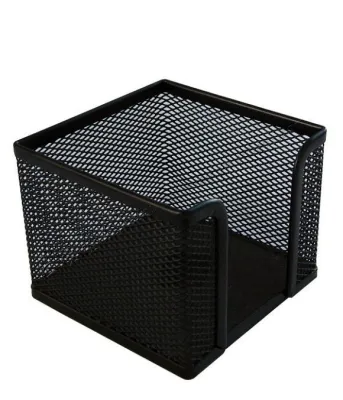
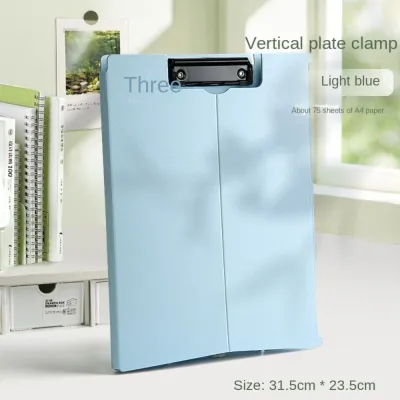
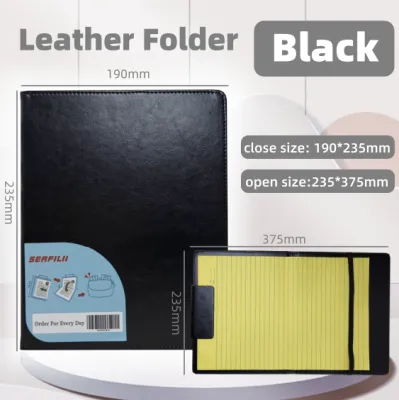
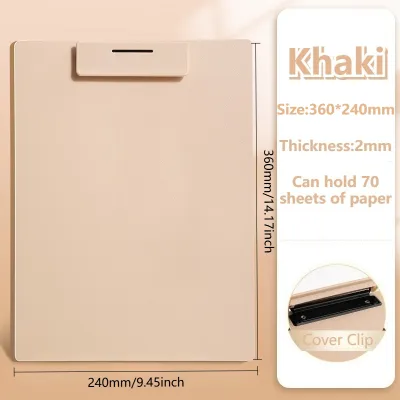
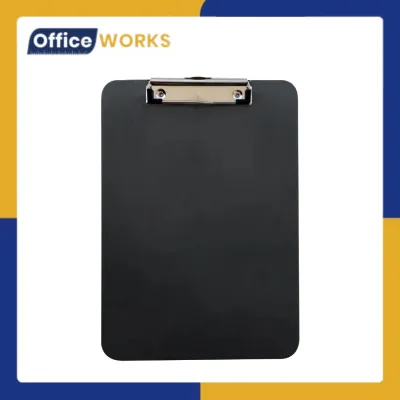
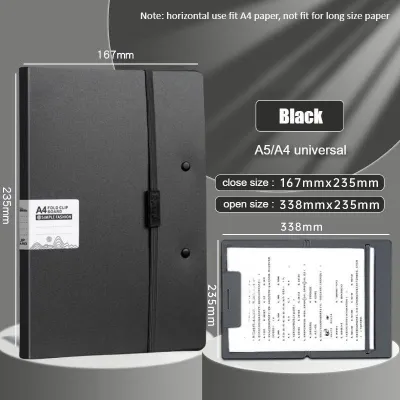
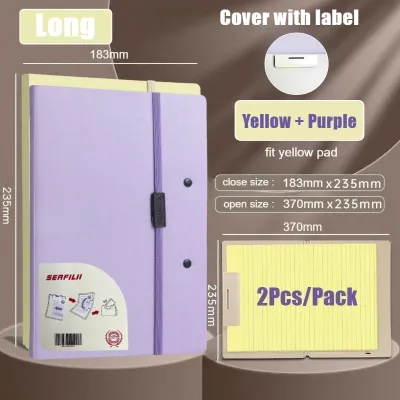
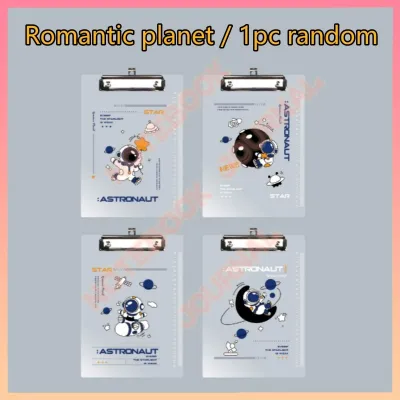
Prices are valid at publication and may change. Please refer to the product page for the latest price.
You must also measure your available desk surface area to determine the maximum allowable dimensions for an organizer. A large, multi-tier horizontal tray might offer excellent sorting capabilities, but it can quickly consume valuable real estate on a compact study desk or a shared office workstation. Consider the footprint of the holder relative to your computer monitor, keyboard, and writing space.
Finally, identify your handling frequency to decide between open trays and enclosed protective folders. If you constantly retrieve and file papers throughout the day, open-access holders like vertical sorters or horizontal trays will save you time. However, if your documents are highly sensitive or need to be shielded from dust, spills, or ceiling fan drafts, an enclosed folder or a covered box organizer is a more practical choice.
Common Types of Pad Paper Holders and Their Use Cases
The structural design of a pad paper holder directly impacts both its physical footprint on your desk and the visibility of your documents. Choosing the right form factor is a matter of aligning your spatial limitations with your visual preferences. Different designs cater to distinct organizational styles, ranging from high-visibility upright storage to high-capacity flat stacking.

Vertical and Angled Sorters
Vertical and angled sorters are designed to hold documents upright, making them an excellent choice for minimizing horizontal desk footprint. By utilizing vertical space, these holders allow you to store a significant volume of paper within a very narrow area. They are particularly well-suited for standard-sized sheets, such as A4, letter, and long bond paper, as well as thin notebooks or folders that possess enough structural integrity to stand without bending.
However, vertical sorters have specific limitations regarding weight capacity and paper support. Because papers stand on their edges, thin or low-gsm pad papers are highly susceptible to slumping, folding, or curling, especially when exposed to humid air. If the individual slots of the sorter are too wide, loose sheets will lack the lateral support needed to remain upright, leading to a messy appearance and potential damage to the document corners. When selecting a vertical sorter, look for models with narrow, closely spaced dividers or adjustable slots that keep papers snugly upright.
Horizontal Stacking Trays
Horizontal stacking trays are the traditional choice for high-volume paper processing and systematic document sorting. This design is highly effective for establishing a clear paper workflow, allowing you to dedicate specific tiers to incoming mail, in-progress tasks, and outgoing or completed documents. Because papers lie completely flat, horizontal trays provide excellent support for all paper weights, preventing the curling and bending that often plague vertical storage systems.
The primary trade-off with horizontal trays is their larger desk footprint. They require a flat, unobstructed surface area equivalent to the size of the paper they hold, plus the thickness of the tray frame. While stackable designs help mitigate this issue by expanding upward, a tall stack of trays can become unstable if not properly aligned or if loaded with excessive weight. When evaluating horizontal trays, pay close attention to the interlocking mechanisms of stackable units and ensure the base tray features a wide, stable footprint to prevent tipping.
Enclosed Folders and Clipboards
For professionals and students who frequently transition between a stationary desk, meeting rooms, or off-site locations, enclosed folders and clipboards offer a highly portable and protective alternative. These holders shield your loose pad papers from physical hazards such as coffee spills, dust, sudden gusts of wind from fans, and the bending or tearing that occurs during transit. Many enclosed options feature secure closures, such as elastic bands, snaps, or zippers, ensuring that loose sheets remain securely in place.
The main trade-off of using enclosed folders is the reduction in immediate document visibility. Unlike open trays or vertical sorters, you cannot see the contents of an enclosed folder at a glance, and accessing your papers requires the extra step of opening the cover or unlatching the clasp. This can sometimes lead to an “out of sight, out of mind” scenario, where active tasks are forgotten inside the folder. To counter this, enclosed folders are best used for documents that require transport or temporary protection, rather than active daily reference sheets.
Key Features and Materials to Evaluate
When shopping for a pad paper holder, evaluating the build quality, material properties, and functional specifications is essential to ensure long-term durability and usability. The materials used in construction not only dictate the aesthetic appeal of your workspace but also determine how well the holder performs under daily wear and environmental conditions.
Material Rigidity and Aesthetic Fit
- Acrylic: Acrylic holders offer a sleek, modern, and minimalist aesthetic. Their transparency allows you to see stored documents clearly, which helps in locating papers quickly. However, acrylic is prone to scratching and can crack if dropped on hard office floors.
- Metal Mesh: Metal mesh is highly durable, lightweight, and offers excellent ventilation, which prevents moisture buildup between sheets of paper in humid tropical climates. To prevent rust, ensure the metal has a high-quality powder-coated or painted finish.
- Wood: Wooden organizers provide a warm, classic, and professional look. They are heavy and highly stable, but they can be susceptible to warping or mold if exposed to high humidity without a proper sealant or protective varnish.
- Heavy-Duty Plastic: Plastic is a cost-effective, lightweight, and water-resistant option. It is easy to clean and highly resilient, though low-grade plastics may flex under heavy loads or become brittle over time when exposed to direct sunlight near windows.
Dimensions and Paper Compatibility
Before finalizing your choice, verify the internal dimensions of the holder against the standard paper sizes you use daily. In the Philippines, office and school documents commonly utilize A4 (210 mm x 297 mm), letter (8.5 in x 11 in), and legal or long bond paper (8.5 in x 13 in). Many standard international organizers are designed primarily for A4 or letter sizes; if you frequently handle long bond paper, ensure the tray or sorter is long enough to support the extra length without the paper hanging over the edge and sagging.
Base Weight and Stability
A functional paper holder must remain stationary when you insert or retrieve documents. Lightweight plastic or thin wire mesh holders can easily slide across a smooth desk surface, especially when you are in a hurry. Look for organizers that feature a weighted base or are equipped with non-slip rubber pads on the bottom. These pads not only prevent sliding but also protect your wooden or glass desk surface from scratches.
Budget Planning and Value Verification
Set a realistic budget based on your durability requirements and aesthetic preferences. In local retail and online marketplaces, basic plastic stacking trays can start as low as ₱150 to ₱300 per tier. Mid-range metal mesh and durable acrylic organizers typically range from ₱400 to ₱900, offering a good balance of stability and style. Premium wooden or heavy-duty multi-tier organizer systems can cost anywhere from ₱1,000 to ₱2,500 or more. Always verify the product specifications, material thickness, and user reviews on the product labels or listing pages to ensure you are getting a durable product that matches its price point.
Tips for Maintaining and Maximizing Your Organizer
Acquiring the perfect pad paper holder is only the first step; maintaining it properly ensures your desk remains clutter-free and your organizer lasts for years. Implementing a few simple habits can dramatically improve your daily workflow and preserve the condition of both your holder and your documents.
First, establish a regular purging routine to prevent your holder from becoming overloaded. It is easy for old notes, completed tasks, and outdated printouts to accumulate in your trays. Set aside five minutes at the end of every week to go through your organizer. File away documents that need long-term archiving, recycle papers that are no longer needed, and shred sensitive information. This prevents structural stress on your organizer and ensures that only active, relevant papers occupy your valuable desk space.
Second, implement a clear labeling or color-coding system. If you are using a multi-tier horizontal tray or a multi-slot vertical sorter, use adhesive labels or color-coded tabs to designate the purpose of each compartment. For example, you can label tiers as “Action Required,” “Pending Review,” and “To File.” This visual system reduces cognitive load, allowing you to sort and retrieve documents almost instantly without having to read through every sheet.
Third, follow proper care instructions to clean your organizer based on its material. For acrylic and plastic holders, use a soft microfiber cloth dampened with mild soapy water to remove dust and fingerprints; avoid paper towels or abrasive sponges, which can leave fine scratches. For metal mesh, a quick dusting or vacuuming with a brush attachment is usually sufficient. Wooden holders should be wiped with a dry or slightly damp cloth and kept away from direct moisture or wet cups to prevent water rings and warping.
Finally, periodically reassess the placement of your organizer. As your projects and daily habits change, the physical layout of your desk should adapt. If you find yourself constantly reaching across your desk to grab a piece of pad paper, move the holder closer to your dominant hand. Ensuring your organizer is positioned ergonomically will streamline your movements and make maintaining an organized desk feel effortless.
Frequently Asked Questions (FAQ)
Can a pad paper holder prevent paper from curling or bending?
A pad paper holder can significantly reduce paper curling, but its effectiveness depends heavily on its structural design and how well it supports the paper. In humid environments, loose sheets absorb moisture from the air, causing them to lose rigidity and sag. Horizontal stacking trays are highly effective at preventing this because they support the entire surface area of the paper flat. Vertical sorters, on the other hand, may allow thin pad papers to bend or slump if the slots are too wide or if the paper is not supported by a rigid folder. To prevent curling in vertical setups, ensure the slots are narrow enough to keep the sheets upright, or place loose papers inside a stiff manila folder before inserting them into the sorter. Always check the manufacturer’s specifications for supported paper weights and sizes to ensure a proper fit.
How do I clean an acrylic or plastic document holder without scratching it?
To clean an acrylic or plastic document holder without causing scratches or clouding, you must avoid abrasive materials and harsh chemicals. Start by blowing away any loose dust or debris from the surface. Next, take a clean, high-quality microfiber cloth and dampen it slightly with lukewarm water mixed with a drop of mild dish soap. Gently wipe the surface of the holder in straight, even strokes rather than circular motions. Never use paper towels, polyester cloths, or kitchen sponges, as their fibers can create micro-scratches that dull the glossy finish over time. Additionally, avoid using glass cleaners, ammonia-based products, or alcohol-based solvents, as these chemicals can react with acrylic, causing it to develop tiny internal cracks known as crazing. Always refer to the specific care instructions provided on the product packaging to maintain the clarity and finish of your organizer.
Community discussion
Share your experience or ask a question. Comments are reviewed before publication.