
Selecting a Pokemon ATM card sticker is more than just a way to showcase your love for the franchise; it is a practical upgrade that requires careful consideration of physical compatibility, material durability, and print quality. Because your debit or credit card must pass through motorized ATM slots and electronic payment terminals daily, applying an inferior sticker can lead to card reader malfunctions, jammed machines, or permanent damage to your card’s sensitive components. To make an informed purchase, you must evaluate how well a sticker balances its visual appeal with the strict mechanical requirements of modern banking hardware.
By focusing on precise dimensions, moisture-resistant materials, and high-resolution designs, you can safely personalize your card without sacrificing its functionality. A high-quality vinyl skin not only protects your card from scratches but also ensures seamless transactions at grocery stores, gas stations, and automated teller machines. Understanding these key selection factors will help you find a sticker that looks excellent and performs reliably over years of daily use.
Verifying Exact Dimensions and Card Compatibility
Before purchasing any Pokemon card skin, you must verify that its dimensions align perfectly with the global standard for financial cards. Standard debit, credit, and ATM cards follow the ISO/IEC 7810 ID-1 format, which specifies dimensions of exactly 85.60 mm by 53.98 mm (or approximately 3.375 inches by 2.125 inches). A sticker that is even a fraction of a millimeter too large will overhang the edges of your card, creating a lip that can catch inside motorized ATM slots, leading to a jammed machine and a confiscated card.
Products mentioned in this guide
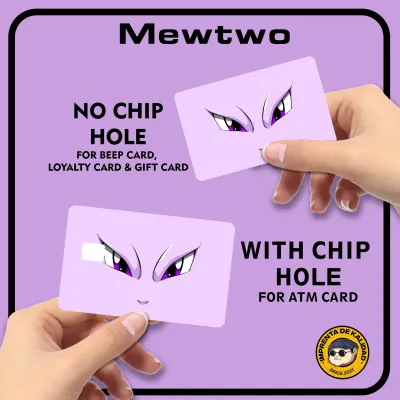
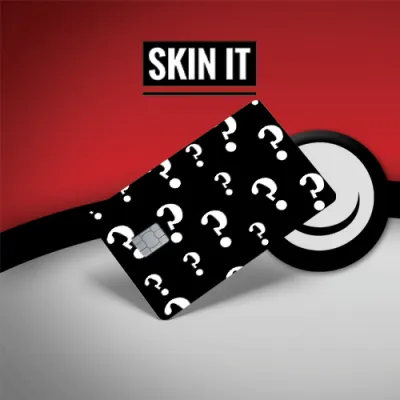
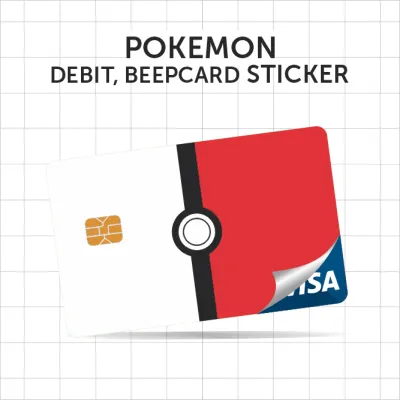
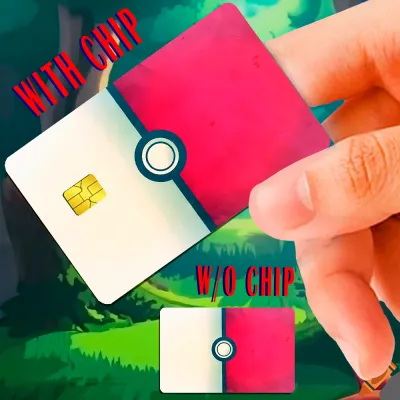
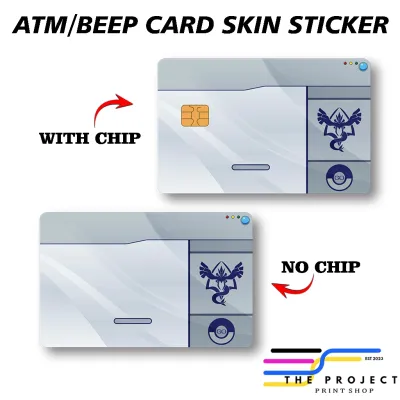
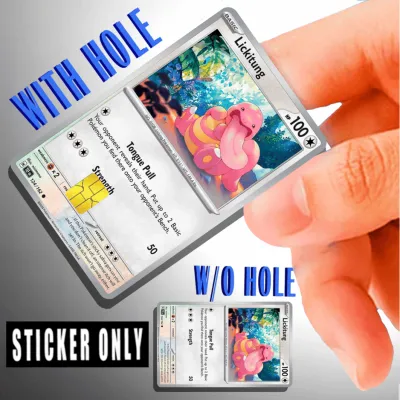
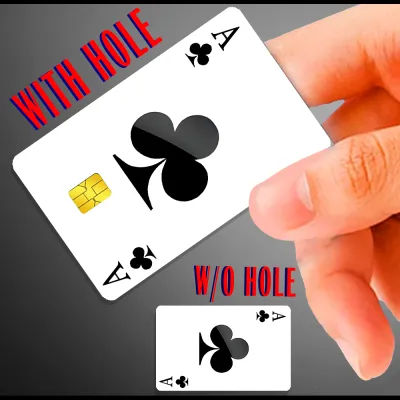
Prices are valid at publication and may change. Please refer to the product page for the latest price.
Beyond the outer dimensions, you must pay close attention to the layout of the card’s face, particularly the EMV chip. EMV chips are not uniform across all banks; some cards feature a larger, older square chip, while others utilize a modern, smaller rectangular chip. Reputable sticker manufacturers offer multiple die-cut options, allowing you to select a layout that matches your specific chip size. Applying a sticker with an incorrectly sized chip cutout will cover the metallic contact points, preventing payment terminals from reading your card.
In addition to the chip, you must consider the card’s other functional areas, such as the magnetic stripe, signature panel, and CVV code on the back. While many users prefer a full-cover sticker that covers the entire front of the card, you should never cover the magnetic stripe on the reverse side if you frequently use swipe-to-pay terminals. If your card requires swiping, look for half-cover stickers or skins designed specifically to leave the rear magnetic stripe completely exposed.
Finally, the thickness of the sticker is a critical factor in card reader compatibility. Standard financial cards have a thickness of approximately 0.76 mm. Adding a thick, heavy-duty sticker can increase this measurement past the tolerance limits of older ATM dip readers. To prevent your card from getting stuck, look for ultra-thin skins that measure under 0.15 mm in thickness, which provide a protective layer without adding bulk that could trigger machine sensors or mechanical jams.
Evaluating Material Durability and Adhesive Quality
When choosing a Pokemon card sticker, the material composition determines how well the design survives the friction of daily transactions. Paper-based stickers are highly susceptible to wear and tear, especially in tropical climates where high humidity and hand perspiration are common. Within a few weeks of sliding a paper sticker in and out of a tight wallet slot, the edges will fray, the ink will smudge, and the paper fibers will begin to disintegrate, leaving your card looking worn and messy.

To ensure long-term durability, opt for premium vinyl or PVC (polyvinyl chloride) materials. Vinyl is naturally water-resistant, flexible, and highly resistant to scratches and surface friction. A quality vinyl skin acts as a protective shield for your card, absorbing the daily scuffs of wallet storage while keeping the underlying plastic pristine. Additionally, vinyl does not tear easily, meaning it will remain intact even if it experiences repeated friction inside automated payment terminals.
Another critical component is the adhesive backing used on the sticker. You must look for stickers that utilize a low-tack, removable adhesive rather than a permanent glue. Permanent adhesives can bond too strongly to the card’s plastic laminate, making it incredibly difficult to peel off when the card expires. When you attempt to remove a permanent sticker, it can pull up the card’s protective top layer or leave behind a thick, sticky residue that attracts dirt and clogs card readers. Removable adhesives allow you to peel the skin off cleanly without leaving any residue behind.
Furthermore, high-quality vinyl stickers often feature air-release technology on the adhesive side. This technology consists of tiny, microscopic channels embedded in the adhesive layer that allow trapped air to escape during application. This prevents the formation of unsightly air bubbles, which not only ruin the visual appeal of your Pokemon design but also create raised bumps that increase the risk of the card getting caught inside an ATM.
Lastly, consider the physical finish of the sticker, which can range from matte and glossy to holographic or textured. While holographic finishes can beautifully mimic the look of rare Pokemon trading cards, some highly reflective or thick textured laminates can interfere with the optical sensors inside certain card readers. A smooth matte or satin finish is generally the safest choice, as it offers excellent scratch resistance, reduces glare, and maintains a low profile that glides smoothly through any card slot.
Assessing Design Clarity and Print Authenticity
Because an ATM card is a small object viewed at arm’s length, print resolution is paramount to the overall aesthetic of your Pokemon sticker. Low-quality prints often suffer from pixelation, blurry edges, and muddy colors, which ruin the look of intricate character designs. When browsing options, look for sellers who specify that their stickers are printed at a minimum resolution of 300 DPI (dots per inch) using high-definition digital presses. This ensures that fine details, such as the text on a simulated Pokemon card design or the clean lines of a minimalist character silhouette, remain sharp and legible.
Color accuracy and vibrancy are also key indicators of print quality. High-quality stickers are typically printed using UV-resistant inks that prevent the colors from fading when exposed to sunlight or heat. If you frequently leave your wallet on a car dashboard or use your card outdoors, a non-UV-protected sticker will quickly lose its color depth, turning a vibrant Charizard or Pikachu into a dull, washed-out image. Look for stickers that include a clear protective laminate overlay, which seals the ink and protects it from both UV rays and physical abrasion.
When selecting a design, you will encounter a mix of official licensed merchandise and fan-made creations. Official licensed Pokemon card stickers are relatively rare due to the highly customized nature of global banking cards, meaning the vast majority of options on the market are produced by independent artists and third-party sellers. When purchasing fan-made designs, support creators who use original vector illustrations or high-quality digital paintings rather than those who simply copy low-resolution images from search engines. Original, well-optimized artwork translates to a much cleaner and more professional-looking card skin.
Navigating Online Marketplaces and Seller Verification
Finding a reliable Pokemon ATM card sticker requires careful navigation of online marketplaces, where product quality can vary wildly. Many sellers use perfect, computer-generated digital mockups in their product listings, which do not always reflect the actual physical product you will receive. To avoid disappointment, make it a habit to scroll down to the customer review section and analyze real-world photos uploaded by previous buyers. These photos will give you a realistic view of the sticker’s color accuracy, print sharpness, and cutout alignment.
When evaluating listings on ecommerce platforms, watch out for common red flags that indicate low-quality products. A major red flag is a lack of detailed specifications regarding the sticker’s material, thickness, or chip cutout options. If a listing simply describes the product as a “sticker” without specifying whether it is made of vinyl or paper, it is highly likely to be a cheap paper product that will not last. Additionally, be cautious of suspiciously low prices; while a quality vinyl card skin is highly affordable, typically ranging from ₱50 to ₱150, options priced significantly lower often compromise on adhesive quality and material thickness.
It is also wise to check the seller’s return and replacement policies before finalizing your purchase. Because card dimensions must be precise, even a minor manufacturing defect can render a sticker unusable. A reputable seller should offer a clear return policy or a hassle-free replacement if the sticker arrives with misaligned cutouts, bent corners, or printing errors. Prioritize shops with high overall ratings and positive feedback specifically mentioning the durability and fit of their card skins.
Safe Application and Maintenance Practices
Applying your Pokemon sticker correctly is just as important as choosing the right material. Before you begin the application process, you must clean your card’s surface thoroughly to ensure proper adhesion. Use a lint-free microfiber cloth and a small drop of isopropyl alcohol to wipe away skin oils, dirt, and dust from the front of the card. Allow the card to dry completely; any remaining moisture or oil will prevent the adhesive from bonding correctly, leading to premature peeling at the corners.
To apply the sticker with high precision, start by peeling back a small portion of the backing paper, exposing only the edge with the EMV chip cutout. Align the cutout perfectly over the card’s metallic chip, using it as your primary anchor point. Once the chip is aligned, slowly peel away the rest of the backing paper while using a flat plastic tool, such as a clean ruler or a membership card, to smooth the sticker down from the center outward. This technique pushes out any air bubbles and ensures a flat, uniform bond across the entire surface.
After application, inspect the edges of the card carefully to ensure there is no overhang. If any part of the sticker extends past the plastic edge of the card, use a clean utility knife to carefully trim the excess, or gently rub the edge with your finger to ensure it wraps tightly around the card’s border. Even a tiny fraction of a millimeter of loose sticker can catch on the internal rollers of an ATM, causing the skin to peel back and jam the machine.
Over time, keep an eye on the condition of your card skin. If you notice the corners beginning to lift or peel due to wallet friction, it is time to replace the sticker. Do not attempt to use a card with a peeling sticker in an ATM, as the machine’s internal mechanism can easily tear the loose skin off entirely. When removing the sticker, peel it back slowly at a 45-degree angle to avoid pulling on the card’s laminate layer, and wipe away any minor adhesive residue with a damp cloth.
Frequently Asked Questions (FAQ)
Will a Pokemon sticker cause my card to get stuck in an ATM?
A high-quality, ultra-thin vinyl sticker that is applied correctly will not cause your card to get stuck in an ATM. However, if the sticker is made of thick paper, has misaligned edges that overhang the card, or is already peeling at the corners, it can easily trigger sensors or catch on the internal rollers of a motorized ATM. To prevent jams, always use a premium vinyl skin under 0.15 mm in thickness, ensure perfect alignment during application, and replace the sticker immediately if the edges begin to lift.
Can I put a sticker over the card numbers or my name?
Yes, you can apply a sticker over flat, printed card numbers and names, especially if you primarily use contactless tap-to-pay methods or online banking where physical reading of the card face is unnecessary. However, if your card features raised, embossed lettering, covering them with a sticker will create uneven bumps on the surface, which increases the overall thickness of the card and makes it more likely to get caught in card readers. Additionally, you must never cover the CVV security code or the signature panel on the back of the card, as merchants and automated terminals require these areas to remain visible and accessible for verification purposes.
Community discussion
Share your experience or ask a question. Comments are reviewed before publication.