
Quick Answer: Which 10-Column Format Fits Your Needs?
Choosing between a pre-printed 10 column worksheet and blank paper comes down to a fundamental trade-off: do you pay with your money or your time? If you manage high-volume accounting, inventory logs, or academic grading, pre-printed pads are the superior choice because they save hours of tedious preparation and offer professional-grade alignment. Conversely, if your formatting needs change constantly or you only need a worksheet once in a while, blank paper lets you customize column widths on the fly without an upfront financial commitment.
For high-volume, repetitive tasks requiring strict alignment and professional presentation, pre-printed 10-column pads are the best choice. They eliminate preparation stress, ensure a uniform layout, and present a clean, standardized format to clients, auditors, or supervisors. Blank paper is better suited for occasional use, tight upfront budgets, or situations where column widths need frequent, custom adjustments. The decision hinges on whether you prioritize immediate convenience or upfront material savings.
Core Comparison: Pre-Printed Pads vs. Hand-Drawn Blank Paper
To make an informed purchase, you must look beyond the initial shelf price of the paper. Deciding between these two formats requires evaluating three primary dimensions: time investment, financial cost, and layout flexibility. Each format has distinct advantages depending on your daily workload and the specific nature of your data entry tasks.
Products mentioned in this guide
![Columnar Pad 8 Columns Columnar Pad 10 Columns Columnar Pad 12 Columns Columnar Pad 14 Columns Columnar Pad 16 Columns Analysis Pad Accounting Pad [Future Industries]](https://img.lazcdn.com/g/p/bbb7b9425055151a3ea66955eaed2b79.jpg_400x400q80.jpg_.webp)
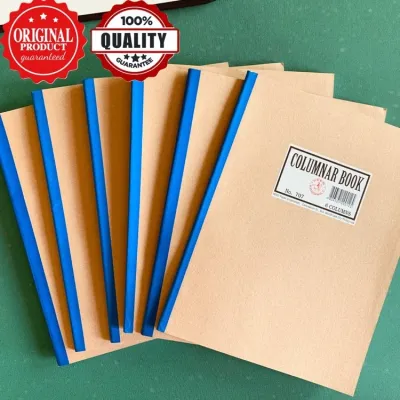
![[FPS FairPriceSupplies] Columnar Book- 3 4 5 6 1012 14 Columns](https://img.lazcdn.com/g/p/0d25b1a49b4899d6fda263e8e96720d0.jpg_400x400q80.jpg_.webp)
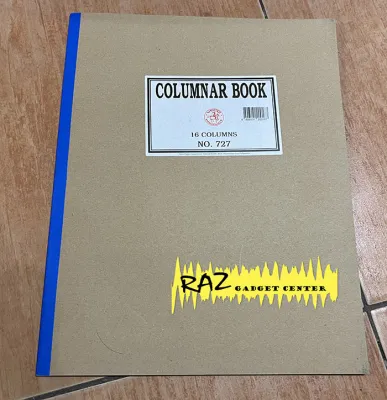
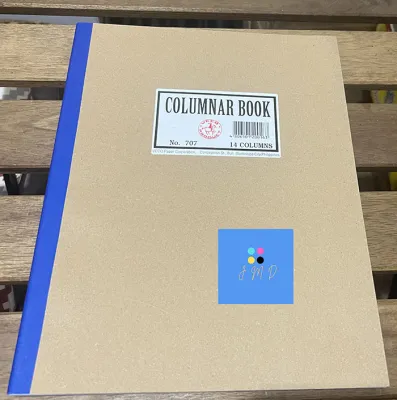
Prices are valid at publication and may change. Please refer to the product page for the latest price.

While a pack of blank paper is almost always cheaper than a specialized pre-printed pad, the “cheaper” option on the shelf may not be the most cost-effective when factoring in preparation time. If you spend fifteen minutes drawing lines before you can even begin entering data, you are losing valuable productive time. Understanding how these factors balance out will help you choose the format that keeps your workflow efficient and budget-friendly.
Convenience and Time Efficiency
The most immediate difference between the two formats is how quickly you can start working. Pre-printed 10-column pads offer instant readiness. You simply flip open the pad, pick up your pen, and begin entering numbers or text immediately. This seamless transition is invaluable in fast-paced office environments where administrative tasks must be completed without delay.
Drawing 10 columns on blank paper requires a multi-step drafting process. You must measure the page width, calculate even intervals, mark the top and bottom of the sheet, and carefully draw 11 vertical lines with a ruler. This manual process takes several minutes per page, which quickly accumulates into hours of lost productivity over a week or month of regular use.
Manual drawing also introduces a high risk of human error. A slight slip of the ruler can result in crooked lines, uneven column widths, or ink smudging across the page. In the high humidity of the Philippines, ink from gel pens or fine-liners takes slightly longer to dry on standard paper, increasing the likelihood of smearing. A single mistake can ruin a page, forcing you to discard the sheet and start the drawing process over again, wasting both time and physical materials.
Cost per Page and Bulk Value
Pre-printed 10-column pads carry a manufacturing premium. This higher cost reflects the specialized printing processes, precise grid alignment setups, and professional binding methods used to create them. Because they are niche stationery items rather than general-use office supplies, they are produced in smaller quantities, which keeps their unit price higher than standard paper.
Standard blank paper, such as A4 or Letter-sized reams, is mass-produced at an incredibly low cost per sheet. A single ream of 500 sheets of multipurpose paper is highly affordable, making the raw material cost of hand-drawn worksheets negligible. For students or small business owners operating on a tight budget, this low entry cost makes blank paper highly appealing.
To find the best deal, check local stationery suppliers or online office catalogs for bulk pricing and unit-cost calculations rather than relying on fixed price estimates. Paper costs fluctuate based on global pulp prices, shipping fees, and local demand. Buying pre-printed pads in packs of five or ten can significantly lower the cost per page, narrowing the price gap between the two options.
Flexibility and Customization
While pre-printed pads excel in convenience, they are rigid in design. They feature uniform, fixed column widths that cannot be altered. This layout can be highly restrictive if your data entry tasks require varying amounts of space. For example, if your first column needs to contain long supplier names or descriptive item codes, a standard pre-printed pad may not offer enough horizontal space, forcing you to cram your handwriting.
Blank paper offers complete layout flexibility. You can adjust column widths dynamically to match your specific data sets. You can make the first column wide enough for detailed descriptions, while keeping the remaining nine columns narrow for numerical data, currency figures, or checkmarks. This adaptability is particularly useful for custom grading sheets, complex inventory tracking, or multi-currency financial records.
Hand-drawing also allows you to add custom elements that pre-printed formats do not accommodate. You can easily integrate custom headers, horizontal dividers, or dedicated marginal notes sections directly onto the page. This freedom makes blank paper the preferred choice for creative planners, project coordinators, and anyone whose workflow does not fit into a standardized grid.
Side-by-Side Feature Breakdown
The following table provides a direct comparison of the key performance and usability characteristics of both paper formats to help you evaluate your options at a glance.
| Feature | Pre-Printed 10-Column Pads | Blank Paper (Hand-Drawn) |
|---|---|---|
| Setup Time per Page | Zero (Instant use) | High (Requires measuring and drawing) |
| Upfront Material Cost | Moderate to High | Very Low |
| Layout Flexibility | Fixed (Uniform columns) | High (Fully customizable widths) |
| Alignment Consistency | Perfect (Machine-printed) | Variable (Prone to human error) |
| Ink Bleed Resistance | High (Typically thicker paper) | Variable (Depends on chosen paper GSM) |
| Ideal Use Case | Daily bookkeeping, professional audits | Occasional projects, unique layouts |
How to Calculate the True Cost of Hand-Drawing Columns
To determine which paper format is truly more economical, you must calculate the hidden cost of your labor. Many buyers assume that blank paper is the cheaper route because a ream of copy paper has a low retail price. However, this calculation ignores the value of the time spent preparing each sheet.
To find your true cost per usable page, estimate the time it takes you to measure and draw 10 clean, accurate columns on a blank sheet. Multiply those minutes by your hourly wage or the value you place on your personal time, then add the base cost of the blank sheet. For example, if you value your time at ₱150 per hour, and it takes you four minutes to draw a single page, your labor cost per page is ₱10. When added to the cost of the paper and ink, this total often exceeds the price of a single pre-printed sheet from a professional pad.
Labor Cost per Page = (Minutes Spent Drawing / 60) x Hourly Time Value
True Cost per Page = Labor Cost per Page + Base Sheet Cost + Ink/Tool Wear
You must also factor in the cost and depreciation of the physical tools required to achieve clean, readable lines. Drawing professional-grade columns requires a long, high-quality transparent acrylic ruler (to easily align markings), mechanical pencils for light drafting, and pigment-based archival fineliners to prevent ink bleeding. These tools require an initial financial investment and must be replaced periodically as rulers scratch and pens run dry.
For users who require more than five sheets per week, the time cost and tool wear almost always outweigh the material savings of blank paper. If you are drawing multiple sheets every week, you are spending hours on repetitive manual labor that could be better spent on actual data entry, business analysis, or client communication.
Decision Framework: When to Choose Which Format
To finalize your purchasing decision, evaluate your specific operational needs, volume requirements, and organizational systems against these clear, condition-based guidelines.
Choose Pre-Printed 10-Column Pads if:
- You use more than 50 sheets a month for regular bookkeeping, auditing, or academic record-keeping.
- You require perfect, machine-precise alignment for professional, medical, or academic submissions where presentation matters.
- You value your time and want to eliminate repetitive, non-productive setup tasks from your workday.
- You prefer thicker, high-quality paper (such as 80 GSM or 100 GSM) that resists ink bleeding and feathering under humid tropical conditions.
Choose Blank Paper if:
- You only need a 10-column grid occasionally or for a short-term, low-frequency project.
- Your data sets require highly customized, non-uniform column widths that standard pre-printed grids cannot accommodate.
- You are strictly minimizing immediate, upfront stationery expenses and already own the necessary drafting tools.
- You enjoy the tactile process of hand-drawing and customizing your own organizational layouts.
Verify First if:
- You are buying paper for a specific binder, folder, or filing cabinet. Ensure the pre-printed pad's dimensions (such as A4, Letter, or Folio) and hole-punching configuration (2-hole, 3-hole, or 4-hole) match your existing storage system.
- You plan to use fountain pens, heavy gel pens, or liquid ink fineliners. Test a single sheet first to evaluate the paper's smooth texture, drying speed, and bleed resistance before purchasing in bulk.
Frequently Asked Questions (FAQ)
Can I use a standard ruler to draw 10 even columns on A4 paper?
Yes, you can use a standard 30-centimeter ruler to draw 10 even columns on an A4 sheet, but it requires precise calculations. An A4 sheet is 210 millimeters wide. To ensure your columns fit neatly without crowding the edges or interfering with binder holes, you should leave a 10-millimeter margin on both the left and right sides, leaving 190 millimeters of usable horizontal space. Dividing this usable space by 10 results in columns that are exactly 19 millimeters wide. Mark these 19-millimeter intervals at both the top and bottom of your page before drawing your vertical lines to ensure they remain perfectly parallel.
Are pre-printed 10-column worksheets available in standard binder sizes?
Yes, pre-printed 10-column worksheets are widely available in standard sizes such as A4, Letter, and Folio. Many manufacturers design these pads with pre-punched holes along the side or top margin to ensure seamless compatibility with standard ring binders, lever-arch files, and clipboard systems. When shopping, carefully read the product description or packaging to verify the hole pattern (such as standard 2-hole or 3-hole spacing) and the binding style. Top-bound pads allow you to tear off sheets cleanly for individual filing, while side-bound books are ideal for keeping your records intact as a permanent ledger book.
Community discussion
Share your experience or ask a question. Comments are reviewed before publication.