
Attending a live K-pop concert is a major milestone for fans in the Philippines. Waving your official fanlight in unison with thousands of others at venues like the Philippine Arena or Mall of Asia Arena creates an unforgettable experience. However, the popularity of these events has led to a flood of counterfeit merchandise on online marketplaces and social media channels. To ensure you are holding an authentic lightstick kpop accessory rather than a cheap imitation, you must perform a series of physical inspections and digital verification checks before and after your purchase. Identifying a genuine lightstick requires looking past surface aesthetics. Counterfeiters have become highly sophisticated, but they almost always cut corners on internal components, wireless technology, and manufacturing precision. By understanding the specific differences in packaging, build quality, and digital connectivity, you can protect your hard-earned money and secure a device that functions perfectly when the house lights go down.
The Risks of Buying Counterfeit K-Pop Lightsticks
Buying a counterfeit lightstick carries significant financial and practical risks that can ruin your concert experience. While a fake fanlight might look acceptable on a shelf, its performance under real-world conditions is highly unreliable. The most frustrating issue occurs during live performances, where official lightsticks rely on central control systems to sync colors and flashing patterns with the music. Counterfeit versions lack the specialized internal chipsets and authorized firmware required to connect to these venue-wide wireless systems. Consequently, while the rest of the stadium glows in a synchronized color palette, a fake device will remain stuck on a single color or fail to light up entirely.
Beyond functional failures, counterfeit lightsticks suffer from severe durability and safety issues. Manufacturers of fake merchandise prioritize cheap production costs, using low-grade wiring and fragile plastic. In the warm, humid climate of the Philippines, poor-quality battery compartments are highly susceptible to rapid corrosion and acid leaks. This shortens the lifespan of the device and can pose a safety hazard during long hours of use. Because counterfeit items are sold without warranties, any defect means your investment is lost. A multi-step verification approach is the only reliable way to ensure your merchandise is genuine.
Products mentioned in this guide
![[OFFICIAL] BTS Official Light Stick Ver. 4 Army Bomb KPOP Merch](https://img.lazcdn.com/g/ff/kf/S0514cd0d9003474095fe5b722c9ad33es.jpg_400x400q80.jpg_.webp)
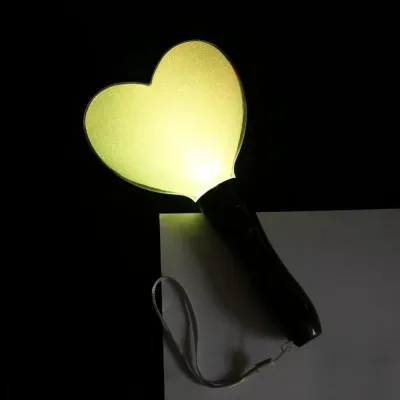
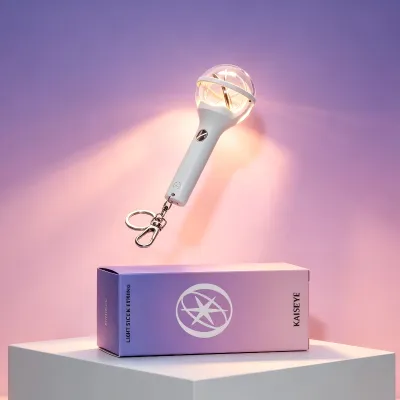
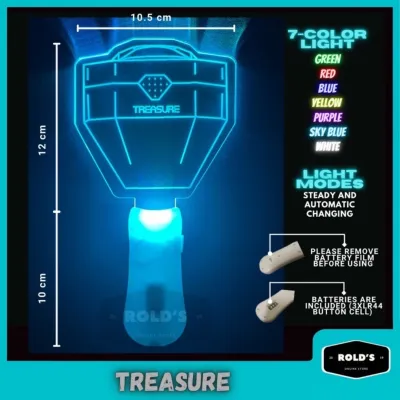
Prices are valid at publication and may change. Please refer to the product page for the latest price.
Physical Checklist: Spotting a Fake Lightstick Kpop
To protect yourself from counterfeit goods, you must carefully examine the physical attributes of the product. Genuine manufacturers adhere to strict quality standards, whereas counterfeiters rely on rapid, low-cost assembly lines that leave behind distinct physical clues.

Packaging, Holograms, and Inserts
The outer box is your first line of defense. Official entertainment agencies invest heavily in premium packaging to protect the delicate electronics inside. Genuine boxes feature high-quality cardstock with crisp, high-resolution printing, accurate color reproduction, and perfectly aligned typography. If you notice blurry text, offset logos, or colors that look washed out compared to official photos, the item is likely a counterfeit.
A key element to inspect is the official security hologram sticker, usually issued by the artist’s agency (such as HYBE, SM, YG, or JYP) or a national music association like KOMCA. Authentic hologram stickers feature complex, multi-layered designs that shift colors dynamically when tilted under a light source. Counterfeiters often attempt to replicate these with cheap, flat metallic stickers that do not display the same intricate optical depth or color-shifting properties. Additionally, examine the interior packaging. Official lightsticks are securely cradled in custom-molded plastic inserts or high-density bubble wrap designed specifically for that model. Fakes often arrive in flimsy, generic plastic trays or thin, low-grade bubble wrap.
Build Quality, Materials, and Weight
When you hold an authentic lightstick, it should feel solid, balanced, and premium. Official manufacturers utilize high-grade, durable plastics and polycarbonate acrylics that can withstand enthusiastic waving, translating to a distinct, substantial weight. In contrast, counterfeit lightsticks are notoriously lightweight and feel hollow because they use thin, low-density plastics and cheaper internal wiring.
Carefully run your fingers along the seams of the handle and the main dome. Authentic devices undergo rigorous finishing to ensure smooth, seamless joins. Counterfeit units frequently display rough, raised seam lines, excess plastic flash, and misaligned parts. Next, open the battery compartment. In a genuine lightstick, the battery compartment features clean, well-soldered metal contacts, strong spring tension, and a cap that screws on smoothly. A fake device will often have loose springs, thin metal plates that bend easily, and a battery cover that fails to lock into place securely.
Logo Engraving and Print Quality
The branding details on the lightstick itself require close inspection. Official merchandise features highly precise, clean engravings and prints of the group’s logo and name. On an authentic device, any engraved logos on the handle, button, or acrylic dome will be deep, sharp, and perfectly centered. The paint or metallic finish used for these logos is applied evenly without any smudging or fading.
Counterfeit lightsticks, on the other hand, often feature shallow, uneven engravings that look like they were stamped in a hurry. You may also spot spelling mistakes, incorrect font weights, or logos that are slightly tilted. If the logo is printed rather than engraved, check for signs of peeling, uneven paint thickness, or smudged edges. These minor aesthetic defects are clear indicators of a factory that lacks the precise calibration and quality control of official manufacturing partners.
Digital Verification: Using Apps and Official Codes
While physical checks are highly effective, digital verification provides a definitive layer of security. Modern K-pop lightsticks incorporate smart technology, making it incredibly difficult for counterfeiters to replicate their digital signatures.
Scanning QR Codes and Using Official Apps
Most modern lightsticks include a unique QR code printed on the exterior packaging or inside the user manual. When scanned with a smartphone camera, an authentic QR code should immediately redirect you to the official agency webstore, a dedicated artist portal, or a verified third-party authentication service. Be highly suspicious if the QR code redirects you to a generic, unbranded landing page, a suspicious URL with multiple redirects, or a site that asks for unnecessary personal information.
Once you have verified the QR code, download the official concert synchronization app from the Google Play Store or Apple App Store. Turn on your smartphone’s Bluetooth and attempt to pair the lightstick through the app’s official pairing interface. An authentic lightstick will pair seamlessly, allowing the app to recognize the device, display its current firmware version, and grant access to advanced features like custom color wheels and brightness adjustments. If the app fails to recognize the device entirely, or if the lightstick only connects via your phone’s basic Bluetooth settings without registering inside the dedicated app, the internal Bluetooth chip is likely a counterfeit clone.
Checking Serial Numbers and Authentication Codes
In addition to QR codes, many official releases feature physical serial numbers or scratch-off authentication PINs. These can be found on the base of the handle, inside the battery compartment, on a warranty card, or hidden under a scratch-off silver panel on the packaging. These unique identifiers are registered in the manufacturer’s database to prevent duplication.
To verify these codes, visit the official distributor’s verification portal as instructed by the packaging. Enter the serial number or PIN carefully. A genuine, unused code will return a confirmation message indicating that your product is authentic. If the portal returns an ‘already registered’ error, states that the code is invalid, or shows a product model that does not match your lightstick, you are holding a counterfeit. Counterfeiters often copy a single genuine serial number and print it on thousands of fake units, which causes the verification system to flag the code immediately.
Safe Purchasing Channels for Official Merchandise
The most effective way to avoid counterfeit merchandise is to buy from reputable, authorized sources. While it can be tempting to search for the lowest price online, purchasing from unverified sellers significantly increases your risk of receiving a fake.
For guaranteed authenticity, always prioritize official artist webstores or globally recognized K-pop retailers that ship directly from South Korea. If you prefer to buy locally in the Philippines, visit authorized physical record stores located in major shopping malls, or purchase from their verified online storefronts. When browsing prominent local e-commerce platforms, exercise extreme caution. Look for sellers that carry verified ‘Mall’ or ‘Preferred’ badges, as these platforms require these merchants to submit business documentation and proof of product authenticity. Always read recent customer reviews, paying close attention to those that include detailed unboxing photos showing the hologram sticker and app connectivity.
Be realistic about pricing. Official K-pop lightsticks have stable retail prices. In the Philippines, a genuine lightstick typically retails between ₱2,500 and ₱4,500, depending on the group, shipping fees, and local customs duties. If a seller is offering a brand-new lightstick for ₱800 to ₱1,200, it is almost certainly a counterfeit. Avoid deals that seem too good to be true, as official distributors do not offer massive, unauthorized discounts on highly sought-after merchandise.
Action Plan: What to Do If You Receive a Fake
If you have completed your checks and realized that you purchased a counterfeit lightstick, it is important to act quickly and follow a structured dispute process to recover your money.
First, stop using the item immediately. Keep all original packaging, shipping labels, and inserts intact. Take clear, well-lit photos and videos of the lightstick, focusing on the specific discrepancies you identified, such as a blurry logo, a faulty battery compartment, or a failed app connection screen. Capture a video of the lightstick failing to connect to the official app or show the error message returned by the digital verification portal.
Next, file a formal return and refund request through the e-commerce platform’s official buyer protection program. Upload your photo and video evidence, explaining that the seller sent a counterfeit item instead of the genuine product advertised. Most reputable platforms have strict policies against counterfeit goods and will hold the seller’s funds until the dispute is resolved. Finally, report the seller’s shop to the platform’s customer support team to protect other fans. While it is natural to feel frustrated, avoid publicly naming and shaming individuals or engaging in online harassment on social media, as this can complicate your official dispute and violate platform terms of service. Let the platform’s formal mediation process handle the resolution.
Frequently Asked Questions (FAQ)
Can a fake lightstick connect to the official concert app?
While some advanced counterfeit lightsticks can pair with a smartphone via basic Bluetooth, they almost always fail to sync with the official venue control system during a live concert. Counterfeit devices lack the licensed internal chipsets and authorized firmware required to communicate with the specialized wireless transmitters used at concert venues. As a result, a fake lightstick will not change colors in sync with the crowd, and it will often experience frequent connection drops or lack features like manual color customization within the app.
Are second-hand lightsticks safe to buy?
Purchasing second-hand lightsticks can be a cost-effective option, but it carries a higher risk than buying brand new. To protect yourself, always ask the seller for proof of purchase, such as the original physical receipt or an email confirmation from an authorized retailer. Request detailed, high-resolution photos of the security hologram, the battery compartment, and the engraved logos. If possible, arrange for an in-person transaction in a safe, public place so you can personally test the Bluetooth connectivity with the official app before handing over your payment, or request a live video call demonstrating these functions.
Community discussion
Share your experience or ask a question. Comments are reviewed before publication.