
Choosing the right receipt organizer format depends on your monthly transaction volume, how often you need to retrieve documents, and whether you need to carry them with you. A receipt box offers high-volume bulk storage, a folder provides compact portability, and a binder delivers detailed, categorized access.
In humid tropical climates like the Philippines, choosing the right physical format also means protecting sensitive thermal paper from moisture, heat, and friction. Selecting the correct system ensures your business expenses, tax deductions, and warranty claims remain legible and organized over time. Failing to organize these documents properly can lead to faded ink, lost deductions, and unnecessary stress during audit seasons.
Assessing Your Receipt Storage and Access Needs
To find the ideal receipt organizer, start by estimating your monthly or annual receipt volume. A small business owner or active freelancer might accumulate dozens of receipts each week, whereas a casual household user might only collect a handful of utility bills and major purchase slips. Knowing your baseline volume prevents you from buying an organizer that is either quickly overwhelmed or unnecessarily bulky.
Products mentioned in this guide

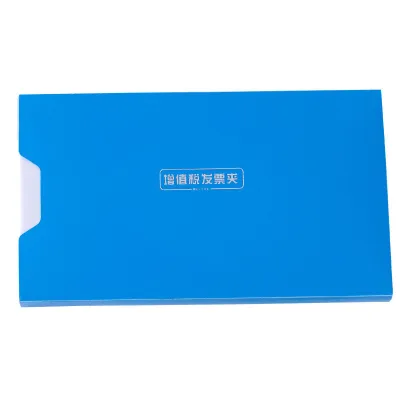
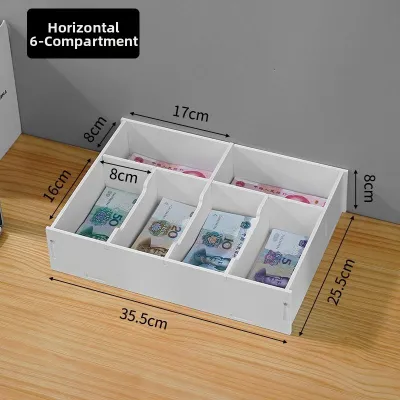
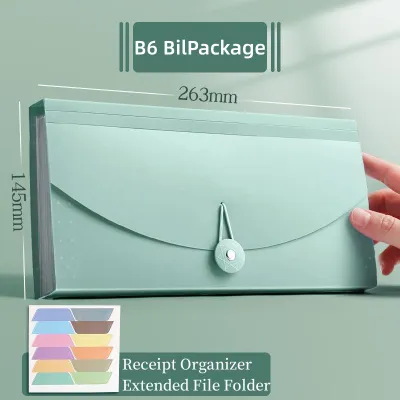
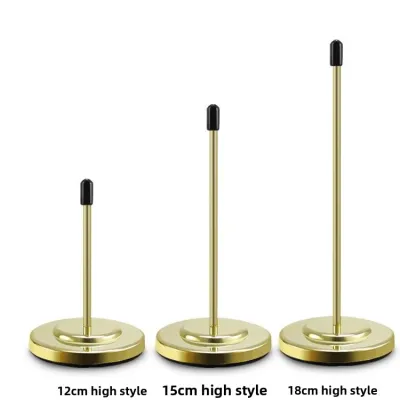
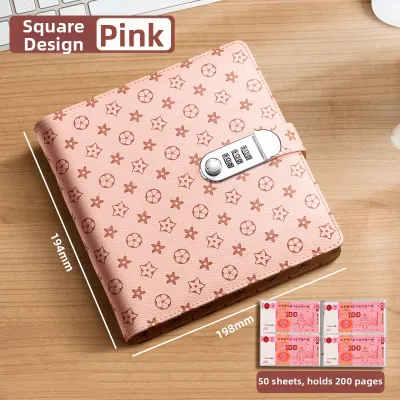
Prices are valid at publication and may change. Please refer to the product page for the latest price.
Next, define your retrieval frequency. If you only need to access your receipts once a year during tax season, a simple archiving system is sufficient. However, if you perform weekly expense reporting, track client billables, or manage frequent product returns, you will need a system that allows for rapid, painless retrieval. The more often you touch your receipts, the more structured your system needs to be.
Physical space and portability are also critical factors. Consider whether your organizer will live permanently on an office shelf, sit inside a deep desk drawer, or travel with you in a laptop bag. A bulky storage system can become a burden if you constantly need to collect receipts on the go, while a highly portable folder might lack the capacity needed for a stationary home office.
Finally, consider your personal organizational habits. If you dislike filing and prefer a quick, low-effort routine, a highly structured system might fail because you will not maintain it. Matching the organizer to your natural behavior is the most reliable way to ensure your paperwork actually gets filed rather than piling up on your desk.
Receipt Boxes: Best for High Volume and Bulk Storage
A receipt box is the ultimate solution for high-volume environments where speed of storage is more important than immediate organization. If your daily routine involves emptying your pockets of crumpled slips and dropping them into a single container, a dedicated box accommodates this low-effort habit perfectly. It removes the friction of filing, making it highly likely that you will actually keep your receipts.

These boxes are highly suited for long-term archiving. Once a fiscal year ends, you can seal the box, label it with the year, and store it away on a shelf or in a closet. This keeps your active workspace free of clutter while preserving historical records in one centralized location. It is a classic “set-and-forget” method that works well for historical tax compliance.
However, receipt boxes have distinct limitations. Retrieving a specific transaction from three months ago can turn into a time-consuming search if the box lacks internal dividers. Additionally, boxes have a larger physical footprint, occupying valuable desk or shelf space compared to slim filing alternatives. They are not designed for portability, making them impractical for travel.
When evaluating a receipt box, perform a few verification checks. Look for models that include adjustable internal compartments or index cards to prevent slips from sliding into a chaotic pile. Ensure the lid secures tightly to block out dust and ambient humidity, and check for a dedicated exterior label holder so you can identify the contents at a glance without opening the lid.
Consider also the material of the box. While cardboard boxes are lightweight and inexpensive, they can absorb moisture in humid environments, potentially damaging the paper inside. Plastic or heavy-duty composite receipt boxes offer better protection against environmental factors, ensuring your physical records remain dry and intact over years of storage.
Receipt Folders: Best for Portability and Flat Storage
A receipt folder is designed for users who need to transport documents or keep them perfectly flat within existing filing systems. Freelancers, sales representatives, and field agents who collect receipts while traveling find that a compact expanding folder slips easily into a briefcase or backpack. It acts as a mobile filing cabinet that keeps your documents secure on the road.
Keeping receipts flat is not just about neatness; it prevents the creasing and folding that can cause thermal ink to rub off or become unreadable. Folders fit neatly into standard filing cabinets or desk organizers, making them an excellent choice for maintaining a streamlined, low-profile workspace. They allow you to categorize receipts by month or expense type using built-in dividers.
The primary limitation of a folder is its capacity. Unlike a deep box, an expanding folder can become bulky and difficult to close if stuffed past its intended limit. Furthermore, if the closure mechanism is weak or poorly designed, small or narrow receipts can easily slip out of the sides during transit, leading to lost documentation.
Before purchasing, check the physical closure types, such as elastic bands, plastic snaps, button-and-string ties, or secure zippers. Verify the gusset expansion limits to ensure the folder can grow with your monthly paperwork. Finally, inspect the material for tear resistance, prioritizing durable, water-resistant plastics like polypropylene to protect contents from accidental spills or sudden tropical downpours.
Pay close attention to the internal dividers in expanding folders. Some models feature fixed pockets that can restrict how you categorize your documents, while others offer flexible, labeled tabs. Opt for folders with clear, customizable tab inserts so you can adapt the filing categories to your specific business or personal needs.
Receipt Binders: Best for Frequent Access and Detailed Sorting
A receipt binder is the most structured option, ideal for users who need to review, categorize, and access individual documents on a regular basis. If you manage detailed expense tracking, undergo frequent audits, or need to present physical proof of purchase to clients, a binder offers unmatched visibility. Every receipt has its own designated spot, making retrieval nearly instantaneous.
By utilizing clear plastic sleeves, you can organize receipts chronologically or by category, such as utilities, travel, and office supplies. This layout allows you to view both sides of a receipt without removing it from its protective pocket, keeping your hands off sensitive thermal paper. It also allows you to group related receipts, such as matching a purchase slip with its corresponding credit card statement.
The main trade-off with a binder is the upfront effort required. You must take the time to slide receipts into sleeves, tape them to backing sheets, or punch holes in larger documents. Binders are also heavier and bulkier to carry than simple folders, making them less convenient for quick, on-the-go storage. They require a disciplined routine to maintain.
To ensure a binder meets your standards, verify the smoothness of the ring mechanism; rings that misalign or catch will tear your plastic sleeves over time. Check the spine width capacity to ensure it matches your expected volume, and confirm that the binder dimensions are compatible with standard multi-pocket receipt sleeves.
Additionally, consider the type of binder rings. D-ring binders allow pages to lie flat and hold more sheets than traditional round-ring binders of the same size. This flat-laying feature is particularly helpful when you need to scan or photograph receipts while they are still inside the binder, saving you from having to remove them.
Decision Framework: Matching the Format to Your Workflow
Choosing the right receipt organizer comes down to balancing your storage volume against the effort you are willing to spend sorting. If you prioritize a quick, bulk drop-in habit and rarely need to retrieve documents, a receipt box is your best match. If you need to carry your records daily and keep them flat, choose an expanding folder. For those who require rapid retrieval, detailed categorization, and frequent audits, a binder is the ideal choice.
Many efficient workflows actually rely on a hybrid system. Verify first if your volume warrants a two-step process: you might use a small, portable folder or a simple drop-box for daily collection, and then transfer those receipts to a structured binder or archival box at the end of every month. This keeps your daily routine fast while maintaining long-term order.
The following comparison matrix maps each format to key operational criteria to help you make an informed decision:
| Format | Volume Capacity | Access Speed | Portability | Sorting Effort |
|---|---|---|---|---|
| Receipt Box | High | Slow | Low | Low (Drop-in) |
| Receipt Folder | Medium | Moderate | High | Moderate |
| Receipt Binder | Medium to High | Fast | Moderate | High (Detailed) |
When applying this framework, consider your physical workspace. A home office with ample shelving can easily accommodate multiple receipt boxes or large binders. Conversely, if you work from a small desk or a shared co-working space, a compact expanding folder that can be tucked away in a drawer is often the most practical choice.
Physical Specifications to Verify Before Purchasing
Before finalizing your purchase of a receipt organizer, you must verify several physical specifications to ensure compatibility with your actual documents. Start with dimension checks. Measure your typical receipts, as long thermal slips from supermarkets or wide point-of-sale invoices can easily exceed the width of standard pocket organizers, forcing you to fold them and risk damaging the text.
Material durability is especially critical in tropical climates where high humidity can soften paper and degrade cheap adhesives. Look for organizers made from heavy-duty, acid-free polypropylene or reinforced cardboard with sealed edges. If you travel frequently, water-resistant materials and secure closures are essential to protect your financial records from sudden rain.
Thermal paper considerations require special attention because thermal receipts fade rapidly when exposed to heat, light, and plasticizers found in certain plastics. When choosing plastic sleeves or folders, verify that they are marked as acid-free and archival-safe. Because physical thermal prints will eventually degrade, it is highly recommended to use your physical organizer alongside a digital backup system, scanning critical receipts before filing them away.
Also, check the quality of any integrated labels or tab inserts. Paper labels can become damp and unreadable in humid conditions, so look for organizers that include plastic-coated tabs or allow you to write directly on the surface with a permanent marker. This ensures your indexing system remains legible for years.
Frequently Asked Questions (FAQ)
How long do I need to keep physical receipts for tax purposes?
Retention periods for physical receipts vary significantly depending on your local tax authority regulations, business structure, and the type of expense. For example, personal tax records may have different storage requirements compared to corporate business deductions. Because failing to produce legible receipts during an audit can result in penalties, it is always best to consult official tax guidelines or a qualified financial professional to establish a safe retention policy for your specific situation.
Can I use a standard document organizer for receipts?
While you can use a standard letter-sized or A4 document organizer, it is rarely the most efficient choice for small receipts. Standard folders are designed for large sheets, meaning small slips can easily slide to the bottom, bunch up, or fall out of the sides. Using an organizer specifically sized for receipts, or equipping a standard binder with dedicated multi-pocket receipt sleeves, keeps small documents secure, visible, and easy to manage.
Community discussion
Share your experience or ask a question. Comments are reviewed before publication.