
Finding the right rechargeable light pad in the Philippines requires balancing portability, light intensity, and battery safety. For artists, animators, and hobbyists, the transition from traditional plug-in light boxes to cordless LED tracing boards offers unprecedented freedom to work anywhere—from local cafes to studios during power interruptions. However, not all cordless models are built to withstand the demands of professional sketching and tracing.
To make a smart investment, you must look beyond basic product listings and understand how technical specifications translate to real-world performance. Evaluating these devices based on illumination quality, power management, and physical ergonomics ensures you select a tool that enhances your creative workflow without causing eye strain or premature battery failure.
Quick Answer: Core Criteria for Rechargeable Light Pads
When selecting a rechargeable light pad, prioritize a device that offers adjustable brightness reaching at least 1,000 to 1,500 lux. This intensity is essential for projecting light clearly through standard 80 GSM sketching paper and heavier media like vellum or light cardstock. The illumination must be perfectly uniform across the entire active area, with no visible dark spots or bright patches that could distort your tracing accuracy.
Products mentioned in this guide
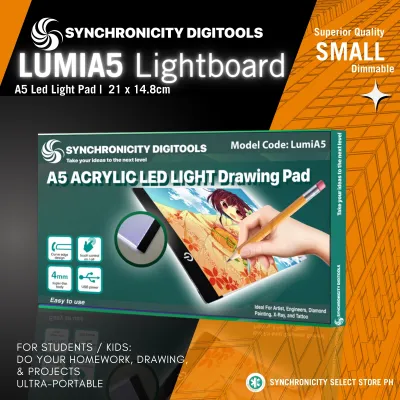
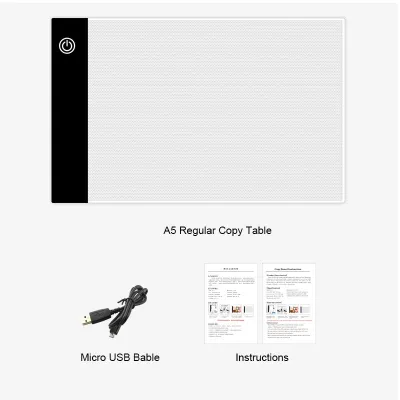
Prices are valid at publication and may change. Please refer to the product page for the latest price.
For reliable cordless operation, look for a battery capacity of at least 1,500 mAh to 2,500 mAh. This range typically provides three to six hours of continuous use depending on your brightness setting. A USB-C charging interface is highly recommended over older micro-USB ports because it offers a more durable physical connection and faster charging times.
Safety is a critical factor for any device containing a lithium-ion battery, especially in warm and humid tropical climates. Always verify that the light pad carries standard electrical safety certifications such as CE, FCC, or RoHS. These labels indicate that the internal circuitry has been tested to prevent overcharging, short-circuiting, and overheating during extended drawing sessions.
Key Features to Evaluate for Sketching and Tracing
The core of any light pad is its light source, and the quality of the LEDs directly impacts your comfort. Look for models utilizing flicker-free LED technology. Low-quality light pads often use cheap pulse-width modulation dimming that causes an imperceptible flicker, leading to rapid eye strain, headaches, and fatigue during long drawing sessions.

Adjustable brightness is another critical feature for managing eye comfort and media compatibility. Stepless dimming, which allows you to smoothly adjust the light level by holding down the power button, is far superior to fixed three-stage dimming. It enables you to fine-tune the illumination to match your exact paper thickness and the ambient lighting of your workspace.
Because these devices are cordless, battery health and power management are paramount. A high-quality rechargeable light pad should feature built-in overcharge and over-discharge protection. This prevents the battery from swelling or degrading prematurely when left plugged into a charger. Additionally, verify if the device supports pass-through charging, which allows you to use the pad safely while it is connected to a power bank or wall adapter.
The physical design of the light pad directly affects your drawing ergonomics. Look for a slim profile—ideally under 8 millimeters—with beveled edges. A thick, sharp edge can press uncomfortably into your wrist and forearm, disrupting your drawing flow.
The surface material is typically acrylic, which should be highly durable and resistant to flexing under hand pressure. While a glossy surface is common, some artists prefer a slightly textured or matte finish that provides a bit of grip for paper, preventing sheets from sliding around while tracing. Non-slip rubber feet on the underside are also essential to keep the pad stable on smooth wooden or glass desks.
Matching Light Pad Specs to Your Artistic Workflow
Light pads are commonly sized according to standard paper dimensions, with A4 and A3 being the most popular choices. An A4 light pad is highly portable, fitting easily into standard backpacks alongside a laptop or sketchbook. It is ideal for character design, lettering, and small-scale illustrations where desk space is limited.
An A3 light pad offers a much larger working area, making it the preferred choice for comic book layouts, architectural drafting, and larger watercolor paintings. However, A3 models are bulkier and require more desk space, so consider your primary working environment before choosing. If you primarily work at a dedicated studio desk, the larger canvas of an A3 pad is highly beneficial.
If you frequently work on the go—such as sketching outdoors, attending art meetups, or traveling—weight and battery efficiency are your primary concerns. A lightweight A4 pad weighing under 500 grams is easy to carry. For outdoor use, ensure the maximum brightness setting is high enough to compete with natural ambient light, as weak LEDs will appear washed out even in shaded outdoor settings.
The type of paper you use dictates the required light intensity. Standard 80 GSM copy paper or specialized tracing paper requires very little light to see through. However, if you work with heavy media like 300 GSM cold-press watercolor paper, bristol board, or thick mixed-media sheets, you will need a light pad capable of high-intensity output.
High humidity levels can cause heavy papers to absorb moisture and buckle slightly. When the paper does not lie perfectly flat against the acrylic surface, a stronger light source is necessary to bridge the gap and project a clear image through the warped fibers. Physical clips or magnetic clamps are incredibly useful in these conditions to keep your media flush against the light source.
Pre-Purchase Checklist for Online Orders
When shopping on e-commerce platforms, product listings can sometimes be misleading. Use this checklist to verify the specifications before placing your order:
- Verify the Active Working Area: Do not rely solely on the overall dimensions listed in the product title. A device advertised as "A4 size" may refer to its outer frame, while the actual illuminated working area is significantly smaller. Check the detailed specification sheet for the "active area" or "illuminated area" dimensions to ensure your paper will fit comfortably.
- Check Included Accessories: Confirm what comes in the box. Some budget models only include a charging cable but omit the wall adapter, or they may require a specific voltage that your existing phone chargers do not support. Look for listings that include physical paper clips or magnetic clamps, which are incredibly useful for holding your drawing sheets in place.
- Evaluate Warranty and Return Policies: Because rechargeable devices contain sensitive lithium-ion batteries and LED arrays, there is always a small risk of transit damage or manufacturing defects. Prioritize sellers who offer a clear return window and at least a six-month warranty. Avoid listings with vague return terms or those shipping from overseas with no local return address.
- Analyze User Reviews for Red Flags: Scroll past the generic five-star reviews and look for detailed feedback. Specifically, search for mentions of "edge dark spots" (which indicate poor light distribution), "loose charging ports" (a common failure point on micro-USB models), or "rapid battery drain" after a few weeks of use.
How to Compare Shortlisted Light Pads
To make an informed decision, it is highly recommended to create a simple comparison table of your top choices. This structured approach helps you look past marketing hype and focus on concrete technical specifications.
When browsing online marketplaces, extract the following details from the product descriptions, seller Q&A sections, and user reviews to populate your comparison:
| Specification | Model A | Model B | Model C |
|---|---|---|---|
| Active Working Area | e.g., 310 x 220 mm | e.g., 300 x 210 mm | e.g., 420 x 300 mm |
| Battery Capacity | e.g., 2500 mAh | e.g., 1500 mAh | e.g., 3000 mAh |
| Charging Port Type | e.g., USB-C | e.g., Micro-USB | e.g., USB-C |
| Brightness Levels | e.g., Stepless | e.g., 3 Levels | e.g., Stepless |
| Surface Finish | e.g., Glossy | e.g., Matte | e.g., Glossy |
| Estimated Price | e.g., ₱1,200 | e.g., ₱850 | e.g., ₱2,100 |
By organizing your options this way, you can easily identify which model offers the best balance of active workspace, battery longevity, and modern connectivity for your budget. Pay close attention to the charging port; choosing USB-C over micro-USB is a simple way to ensure your device remains compatible with your existing chargers and lasts longer without port failure.
Frequently Asked Questions (FAQ)
Can I use a rechargeable light pad while it is plugged in?
Yes, most modern rechargeable light pads support pass-through charging, allowing you to use the device while it is connected to a power source. However, doing so generates additional heat as the battery charges and discharges simultaneously. In warm tropical climates, this heat buildup can accelerate battery degradation over time. To preserve the lifespan of the internal lithium-ion battery, it is best to charge the device fully before use, or use it plugged in only when the battery is already at 100% capacity to minimize heat generation.
Does the light from a tracing pad cause eye strain during long sessions?
Extended tracing sessions can cause eye strain, particularly if you are working in a dark room with a high-contrast light source. To minimize discomfort, avoid using the light pad at its maximum brightness in a completely dark environment; instead, match the pad’s brightness to the ambient light of your room. Additionally, look for pads with flicker-free LED technology. To protect your vision, practice the 20-20-20 rule: every 20 minutes, look at an object at least 20 feet away for at least 20 seconds to allow your eye muscles to relax.
How should I clean the acrylic surface without damaging it?
The acrylic surface of a light pad is highly susceptible to scratches and clouding if cleaned incorrectly. Never use abrasive sponges, paper towels, or harsh chemical solvents like acetone, alcohol, or ammonia-based glass cleaners, as these can chemically react with the acrylic and leave a permanent foggy residue. Instead, use a dry or slightly damp microfiber cloth—similar to those used for eyeglasses—to gently wipe away dust, fingerprints, and graphite smudges. For stubborn dirt, a single drop of mild dish soap diluted in water is safe and effective.
Community discussion
Share your experience or ask a question. Comments are reviewed before publication.