
Choosing the right storage system for your documents is more than a matter of aesthetic preference. The closure mechanism of a binder directly dictates how easily you can access your pages, how much weight the folder can support, and whether your documents will remain undamaged over years of storage. Selecting an incompatible mechanism can lead to torn paper holes, misaligned rings, or collapsed folders on your shelves.
The ideal choice depends on your document volume, access frequency, and whether your pages can be altered. Ring binders are best for daily reference and active study, allowing pages to turn smoothly. Lever arch files are designed for high-volume archiving and vertical shelf storage, utilizing a heavy-duty locking bar to secure thick stacks. Slip-in binders, which use a sliding spine clamp, are perfect for professional presentations and temporary reports where you cannot or do not want to punch holes in the paper.
In tropical environments with high relative humidity, such as the Philippines, choosing the correct binder mechanism and cover material is also a matter of preservation. High humidity softens paper, making punched holes more prone to tearing under tension, and can cause low-quality metal rings to rust. Understanding how each mechanism handles physical stress and environmental factors will help you make an informed purchase for your school, office, or home archive.
Products mentioned in this guide
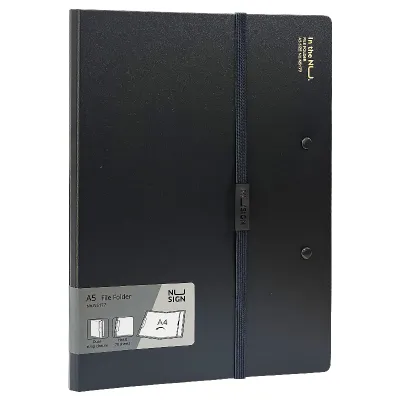
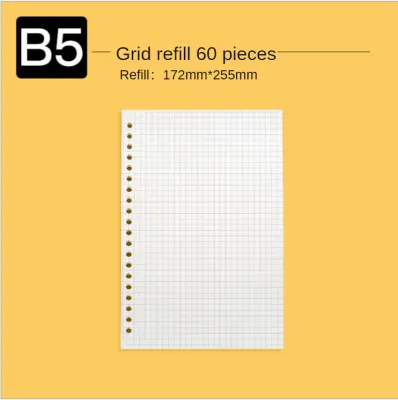
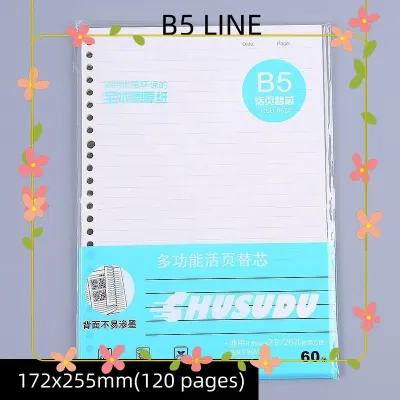
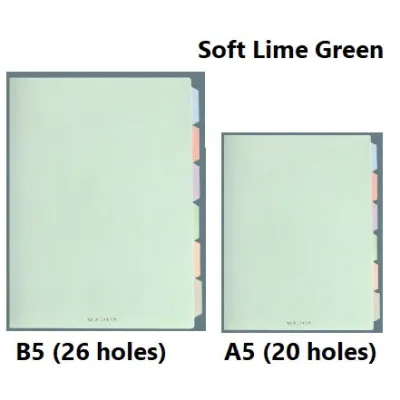
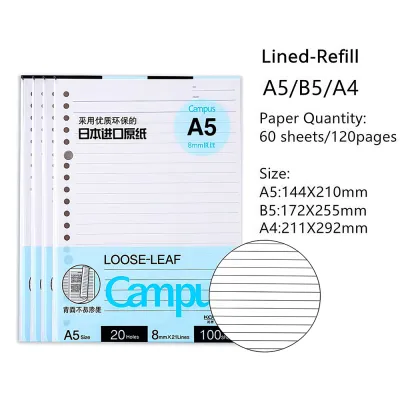
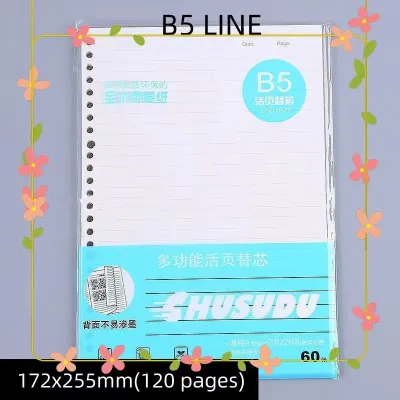
Prices are valid at publication and may change. Please refer to the product page for the latest price.
Ring Binders: Best for Frequent Access and Everyday Use
Ring binders are the most common organizational tools found in classrooms and active office environments. Their primary appeal lies in their simplicity and the ease with which users can flip through pages. The classic ring mechanism consists of two, three, or four metal rings split down the middle, secured to a metal spine plate that tension-locks the rings in either an open or closed position.
Understanding Ring Shapes: O-Rings vs. D-Rings
When evaluating a ring binder, the physical shape of the ring is the most critical design factor to consider. Standard O-ring binders feature circular rings mounted directly to the spine of the binder. While common, O-rings have a structural limitation: as you flip pages, the sheets must ride along the curve of the ring, which causes the paper stack to bunch up and rub against the cover. This friction can enlarge the punched holes over time, eventually causing pages to tear free.
In contrast, D-ring binders feature rings shaped like the letter “D,” with the straight edge of the ring mounted directly to the back cover rather than the spine. This design allows the left edge of your paper stack to lie completely flat and aligned. Because the pages do not have to travel along a curve when the binder is closed, a D-ring binder can hold up to 20% to 30% more sheets than an O-ring binder of the same specified size. It also prevents the paper from curling or warping at the margins.
Capacity Indicators and Material Quality
To estimate how many sheets a ring binder can hold, ignore generic page-count marketing claims and look instead for the exact ring diameter specified on the product label. Common retail sizes range from 0.5 inches (approx. 13mm) to 3 inches (approx. 76mm). A standard 1-inch (25mm) ring binder comfortably accommodates about 175 to 200 sheets of standard 70gsm or 80gsm copy paper, while a 2-inch (50mm) binder can hold up to 375 sheets.
Quality ring mechanisms feature spring-loaded booster levers at the top and bottom of the metal spine plate. Pressing these levers forces the rings open evenly, preventing the metal from bending. Avoid opening a ring binder by pulling the rings themselves apart; this manual pulling puts uneven pressure on the interlocking teeth, leading to misalignment. Once a ring is misaligned, pages will catch on the gap every time you turn them, leading to torn paper.
Pros of Ring Binders:
- Excellent for daily reference, allowing the binder to lie flat on a desk for easy reading and writing.
- Quick and simple page insertion and removal using booster levers.
- Highly portable and fits easily into standard backpacks or messenger bags.
Cons of Ring Binders:
- Limited maximum capacity, rarely exceeding 500 sheets even in the largest 3-inch sizes.
- Rings can misalign if the binder is dropped or overloaded, ruining the smooth turning action.
- Metal rings are susceptible to rust in humid coastal areas if they lack high-quality nickel plating.
Lever Arch Files: Best for Heavy-Duty Storage and Archiving
Lever arch files are the heavyweights of the document organization world. Designed primarily for corporate archiving, accounting records, and legal files, these binders are built to hold massive quantities of paper securely over long periods. They are easily recognizable by their thick, rigid board construction and the large metal arch mechanism mounted to the inside back cover.

The Mechanics of the Lever Arch
Instead of relying on manual ring tension, a lever arch file uses a mechanical lever to open and close two tall, heavy-gauge metal arches. Lifting the lever releases the tension and swings the arches wide open, providing easy access to the entire paper stack. Pushing the lever down locks the arches tightly together with a satisfying, high-tension click.
Because of the sheer volume of paper these files hold, they include a crucial secondary component: the compressor bar. This metal or plastic locking bar slides down the metal arches and clamps tightly against the top of the paper stack. By compressing the sheets, the bar prevents the paper from sagging, curling, or slipping down when the file is stored vertically on a shelf. Without a properly tensioned compressor bar, the weight of the paper would pull down on the punched holes, causing them to tear over time.
Spine Width and Shelf Features
Lever arch files are classified by their spine width rather than ring diameter. The two most common standard widths are 50mm (narrow spine) and 75mm (wide spine). A 75mm lever arch file can easily hold up to 500 sheets of standard 80gsm office paper, making it the most efficient choice for consolidating monthly financial statements, tax documents, or project blueprints.
To manage this weight, lever arch files incorporate two unique structural design elements: Rado slots and a finger pull hole. Rado slots are metal-reinforced slits on the front cover of the binder. When you close the file, the tops of the metal arches lock through these slots, keeping the front cover securely closed and preventing the binder from flaring open on the shelf. The finger pull hole is a metal-rimmed circular opening on the spine that allows you to easily hook your finger inside and slide a heavy file off a tightly packed shelf without damaging the spine cover.
Pros of Lever Arch Files:
- Massive storage capacity, holding up to double the volume of a standard ring binder.
- Highly durable construction designed to withstand years of vertical shelf storage.
- Locking compressor bar prevents paper sagging and hole wear in humid conditions.
Cons of Lever Arch Files:
- Bulky, heavy, and highly impractical for daily commuting or carrying to school.
- Does not lie flat on a desk when open, making it difficult to write directly on the pages without removing them.
- Overloading the file or forcing the lever over an uncompressed stack can bend the locking mechanism.
Slip-In Binders: Best for Quick Swaps and Presentations
Slip-in binders—frequently referred to as slide-clip binders, sliding spine bars, or report covers—approach document organization from a completely different mechanical angle. Instead of relying on punched holes and metal rings, these binders secure papers using friction and compression along the left margin of the page stack.
How the Sliding Spine Bar Works
To use a slip-in binder, you align your loose sheets of paper, insert them into the folded plastic cover, and slide a rigid, C-shaped plastic spine bar down the outer edge of the folder. The tight inner gap of the plastic spine bar exerts constant compression, pinching the pages together to create a secure, booklet-like spine. Removing or adding pages is as simple as sliding the spine bar off, making adjustments, and sliding it back on.
Because this mechanism does not require a hole punch, it is the premier choice for protecting original documents that must remain pristine. It is commonly used for school portfolios, corporate proposals, legal contracts, and design presentations where aesthetics and document integrity are paramount.
Material Selection and Capacity Limits
Slip-in binders are lightweight and low-profile, typically constructed from flexible polypropylene (PP) or clear polyvinyl chloride (PVC). Polypropylene is highly recommended for tropical climates because it is chemically inert, acid-free, and resistant to moisture. Unlike PVC, polypropylene will not undergo “copier toner transfer”—a common issue where printed ink or toner physically sticks to the plastic cover in hot, humid weather, ruining both the document and the binder.
However, the friction-based design of the slip-in binder severely limits its capacity. Most sliding spine bars are engineered to hold between 10 and 50 sheets of standard paper. Attempting to force more pages into the clip will stretch the plastic beyond its elastic limit, causing it to lose its tension permanently. If the spine bar loses its grip, your documents will slide out and scatter when the folder is held vertically.
Pros of Slip-In Binders:
- No hole punching required, preserving the original state of your documents.
- Extremely lightweight, thin, and professional, making them ideal for client-facing presentations.
- Fast assembly and page swaps without the need for tools or heavy machinery.
Cons of Slip-In Binders:
- Very low capacity, making them unsuitable for archiving or comprehensive study notes.
- Pages cannot be turned individually like a book; you must view them within the flat folder layout.
- If dropped or handled roughly, the friction grip can fail, allowing pages to slip out.
Key Comparison Dimensions to Check Before Buying
When shopping for binders at local stationery stores or online marketplaces, you will encounter a wide array of options. To make the best choice, compare the mechanisms across several key dimensions, including hole-punch requirements, physical capacity, and structural materials.
| Mechanism Type | Hole-Punch Required | Capacity Indicator to Check | Ideal Scenario |
|---|---|---|---|
| Ring Binder (O-Ring) | Yes (2, 3, or 4 holes) | Ring Diameter (e.g., 15mm to 25mm) | Light personal notes, school subjects, and active daily reference. |
| Ring Binder (D-Ring) | Yes (2, 3, or 4 holes) | Ring Diameter (e.g., 25mm to 75mm) | Training manuals, active project files, and medium-capacity storage. |
| Lever Arch File | Yes (2 holes standard) | Spine Width (e.g., 50mm or 75mm) | Long-term archiving, tax records, and high-volume corporate filing. |
| Slip-In Binder | No | Spine Clip Width / Max Sheet Limit | Client proposals, resumes, certificates, and short reports. |
Verifying Material and Build Quality
Beyond the mechanism itself, the materials used to construct the binder covers play a massive role in durability. In the Philippines, where seasonal humidity and high temperatures can degrade paper products, pay close attention to these material specifications:
- Polypropylene (PP) Covers: Binders made from solid PP or board wrapped in PP are highly water-resistant, easy to wipe clean, and will not warp or grow mold in humid conditions. This is the gold standard for both daily-use ring binders and heavy-duty lever arch files.
- Paperboard (Greyboard) Covers: Uncoated paperboard binders are budget-friendly but highly susceptible to moisture absorption. Over time, humidity will soften the board, causing the binder to sag and lose its structural integrity on the shelf. If choosing paperboard, ensure it is laminated or plastic-coated.
- Metal Hardware Plating: Inspect the metal parts of ring and lever arch mechanisms. Look for specified nickel plating or chrome finishes, which provide a protective barrier against rust. Avoid raw steel mechanisms, as they will corrode quickly when exposed to humid air.
How to Match the Binder to Your Specific Workflow
To finalize your decision, analyze how you intend to interact with your documents on a daily basis. Matching the binder mechanism to your specific workflow prevents frustration and protects your paperwork from unnecessary wear.
Choose a Ring Binder If:
- You need to take notes, add handouts, or rearrange pages frequently throughout the day.
- You want a folder that lies flat on your desk so you can write comfortably on both sides of the page.
- You need to carry your files with you to school or office meetings in a standard bag.
- Typical Budget: Standard quality ring binders generally range from ₱50 to ₱150, making them highly accessible for students and professionals alike.
Choose a Lever Arch File If:
- You are archiving thick volumes of financial, legal, or administrative records that only need to be accessed occasionally.
- The files will sit vertically on a shelf for months or years at a time.
- You need a secure, heavy-duty locking mechanism that prevents large stacks of paper from sagging or warping.
- Typical Budget: High-durability lever arch files range from ₱100 to ₱250, reflecting their heavy-duty construction and mechanical complexity.
Choose a Slip-In Binder If:
- You are presenting a proposal, resume, or portfolio to a client and want a clean, professional look.
- You cannot or do not want to punch holes in the original documents.
- The document is relatively short, containing fewer than 40 pages.
- Typical Budget: Single slip-in binders are highly economical, usually costing between ₱20 and ₱60 per folder.
Critical Compatibility Check Before Purchasing
If you decide on a ring binder or a lever arch file, you must verify your existing hole-punch format before buying. In the Philippines, stationery standards can vary between American and European systems:
- 2-Hole Punching: This is the standard for lever arch files and many 2-ring binders. The standard spacing is 80mm between the centers of the two holes.
- 3-Hole Punching: This is common for letter-size ring binders (8.5 x 11 inches), which are widely used in school and corporate settings.
- 4-Hole Punching: Often used for A4-size documents in professional environments to provide extra stability and prevent pages from sagging.
Ensure that the hole puncher in your home or office matches the ring configuration of the binder you select. Using a 2-hole punch on paper intended for a 3-ring binder will force you to manually punch extra holes, damaging the pages and creating an untidy presentation.
Frequently Asked Questions (FAQ)
Can I convert a slip-in binder into a ring binder?
No, you cannot convert a slip-in binder into a ring binder. Slip-in binders are constructed from thin, flexible plastic sheets and lack the rigid spine, internal metal mounting plates, and structural reinforcement required to support a heavy metal ring mechanism. Attempting to rivet or glue a ring mechanism onto a slip-in folder will ruin the plastic and fail to support the weight of your documents. It is highly recommended to purchase the correct binder type from the start.
How do I prevent ring binder mechanisms from jamming?
To prevent ring binder mechanisms from jamming or misaligning, never exceed the manufacturer’s stated sheet capacity. Overloading forces the rings outward, which bends the alignment pins. Always use the built-in booster levers at the ends of the spine to open and close the rings, rather than pulling the rings apart directly. Finally, keep the binder stored in a clean, dust-free environment, and occasionally wipe the metal hinges with a dry microfiber cloth to prevent the accumulation of dirt and moisture that can cause rust.

Community discussion
Share your experience or ask a question. Comments are reviewed before publication.