
The safest stickers for decorating a tablet without causing permanent damage are those made from high-quality removable vinyl, PET, or authentic washi paper paired with low-tack, pressure-sensitive acrylic adhesives. These materials are specifically engineered to release cleanly from smooth surfaces, ensuring your device remains pristine when it is time for a style refresh. By choosing the right combination of backing material and adhesive, you can personalize your device without worrying about stubborn residue, scratched finishes, or degraded coatings.
Decorating personal electronics has become a popular way to express individuality, but tablets present unique challenges compared to traditional paper notebooks. Because tablets generate heat during use and are frequently handled, standard stickers can quickly become a sticky, semi-permanent mess. Understanding how different materials interact with your device’s surface is the first step toward a successful, damage-free customization project.
Assessing Your Tablet's Surface and Adhesive Risks
Before purchasing any stickers, it is essential to identify the material used on your tablet’s back panel. Most modern tablets feature back panels made of anodized aluminum, polished glass, or matte-finished plastic. Each of these materials reacts differently to adhesives, and understanding these interactions will help you avoid permanent cosmetic damage.
Products mentioned in this guide

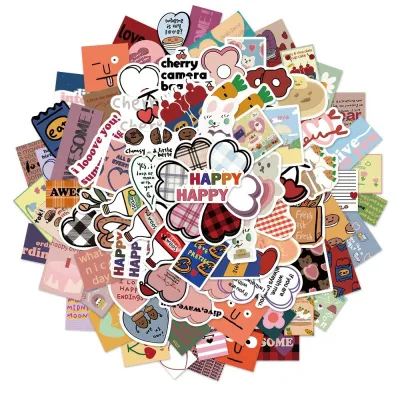
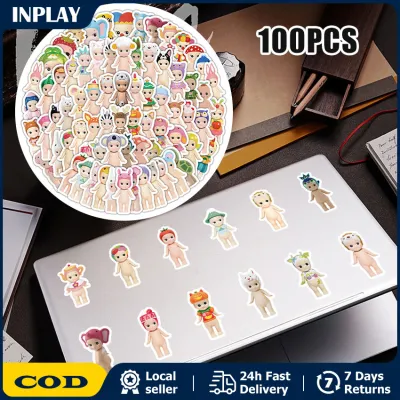
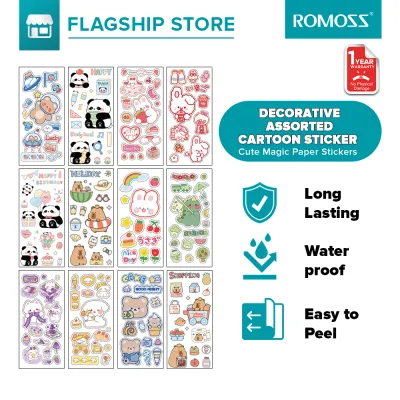
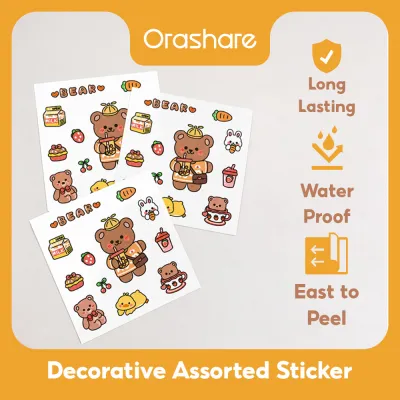
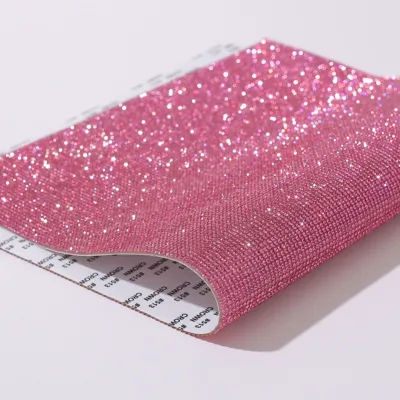
Prices are valid at publication and may change. Please refer to the product page for the latest price.
Anodized aluminum is highly durable, but its surface has microscopic pores created during the manufacturing process. Over time, strong or low-quality adhesives can seep into these tiny pores, making the sticker incredibly difficult to remove without leaving a ghost image or a stubborn layer of residue. Furthermore, aggressive scrubbing to remove leftover glue can scratch the metal or unevenly wear down the anodized finish, leaving permanent dull spots.
Glass-backed tablets offer an exceptionally smooth surface that provides excellent initial adhesion. However, this high level of surface contact means that standard adhesives can form an incredibly tight bond over time, especially when exposed to heat. When removing a sticker from glass, there is a risk of leaving a cloudy adhesive shadow, known as ghosting, which can be difficult to clean without specialized, electronics-safe solvents.
Matte or textured plastics are perhaps the most vulnerable to adhesive damage. The chemical plasticizers in cheap sticker glues can sometimes react with the plastic casing of the tablet, causing the surface to soften, discolor, or become permanently tacky. Additionally, using harsh chemical adhesive removers on plastic can melt or cloud the material, causing far more damage than the sticker itself.
To minimize these risks, always consult your device manufacturer’s official care and cleaning instructions before applying any decorative items. Most manufacturers provide specific guidelines on what cleaning agents are safe for their devices, typically recommending a dry, lint-free microfiber cloth or a light application of 70% isopropyl alcohol. Knowing these boundaries beforehand ensures you do not use a cleaning method that could void your warranty or strip away protective coatings.
Choosing Safe Sticker Materials for Device Decoration
Selecting the right sticker material is crucial for ensuring durability and easy removal. Not all stickers are created equal, and choosing a material designed for electronics or clean-peel applications will save you significant effort down the road.

Vinyl and PVC stickers are widely regarded as some of the best options for device decoration. High-quality vinyl is flexible, water-resistant, and highly durable, making it ideal for a device that is constantly slipped into bags and handled throughout the day. However, you must verify that the vinyl sticker is specifically labeled as “removable” or “low-tack,” as industrial-grade vinyl stickers are designed for permanent outdoor use and will be incredibly difficult to peel off.
Washi paper stickers, made from traditional Japanese fibers, are an excellent alternative for those who prefer a softer, more organic aesthetic. Washi tape and stickers are naturally breathable and feature a very mild, pressure-sensitive adhesive that is designed to be repositioned and removed without leaving any trace. Because they do not trap moisture or heat as easily as synthetic plastics, they are highly suitable for temporary setups or for users who like to change their tablet’s look frequently.
PET (polyethylene terephthalate) and other synthetic polyester materials offer exceptional structural stability. These stickers are incredibly thin yet highly resistant to tearing, stretching, or degrading over time. When it comes time to remove a PET sticker, it will typically peel off in one clean, satisfying piece rather than tearing into frustrating fragments, making the cleanup process incredibly straightforward.
On the other hand, there are several materials you should approach with extreme caution. Cheap, uncoated paper stickers are highly prone to absorbing moisture from the air, especially in humid tropical environments. Over time, the paper fibers weaken, causing the sticker to rip and fragment into tiny pieces when you try to peel it, leaving a messy layer of paper and glue bonded to your tablet. Additionally, thick 3D resin or puffy stickers should be avoided, as they can act as thermal insulators, trapping heat over your tablet’s battery and processor zones.
Identifying Safe Adhesives and Formulations to Avoid
The secret to a damage-free sticker experience lies entirely in the chemical formulation of the adhesive. Understanding the difference between temporary and permanent glues will help you make informed purchasing decisions when browsing craft stores or online marketplaces.
Safe tablet stickers utilize low-tack, pressure-sensitive acrylic adhesives. These formulations are designed to create a secure bond under light pressure but retain a low cohesive strength, allowing them to release cleanly from smooth surfaces even after months of application. Because these acrylic glues do not cure into a rigid, permanent bond, they leave little to no residue behind upon removal.
For a completely risk-free decorating experience, you can also look for zero-adhesive alternatives. Static cling decals and micro-suction sheets use physical forces rather than chemical glues to adhere to smooth surfaces like glass or polished metal. These options can be repositioned infinitely, washed when they accumulate dust, and will absolutely never leave a single trace of residue on your tablet.
Conversely, you must strictly avoid stickers that utilize permanent rubber-based glues or high-tack industrial adhesives. These glues are formulated to cure and harden over time, creating a permanent bond that resists moisture and weathering. Attempting to peel a permanent rubber-based sticker from a tablet will almost certainly result in tearing, heavy residue buildup, and potential damage to the device’s surface coating.
It is also important to consider how the heat generated by your tablet affects these adhesives. Tablets naturally warm up during intensive tasks like gaming, video editing, or charging. In warm, tropical climates, this internal heat combined with high ambient temperatures can cause low-quality adhesives to “bake” onto the device, accelerating chemical degradation and turning a once-pliant glue into a hardened, stubborn crust or a gooey, melted mess.
Applying and Removing Stickers Without Damaging the Finish
Even with the safest stickers, proper application and removal techniques are essential to protect your tablet’s exterior. Following a careful, step-by-step process will ensure your device remains in showroom condition throughout its decorative lifecycle.
Begin by preparing the surface of your tablet. Use a clean, dry microfiber cloth to wipe away any dust, fingerprints, or skin oils, which can interfere with the sticker’s adhesion and cause the edges to lift prematurely. If the surface is particularly greasy, you can use a tiny amount of a manufacturer-approved cleaning solution, such as a light mist of 70% isopropyl alcohol on the cloth, but avoid spraying any liquid directly onto the device or near its ports.
When applying your stickers, strategic placement is key to maintaining your tablet’s performance and functionality. Carefully avoid covering any ventilation grilles, speaker ports, microphone openings, or camera modules. If your tablet supports wireless charging for a stylus or features a wireless charging zone on the back panel, keep these areas clear of thick or metallic stickers to prevent interference and localized overheating.
When the time comes to remove your stickers, patience is your greatest asset. Slowly peel the sticker back at an acute, flat angle—almost parallel to the tablet’s surface—rather than pulling straight up. This technique minimizes the upward tension on the device’s surface coating, reducing the risk of lifting any paint or anodized finishes. If a sticker feels stubborn or brittle, you can apply a very gentle amount of controlled warmth using a hair dryer on its lowest, coolest setting from a safe distance of at least thirty centimeters for a few seconds to soften the adhesive.
If any sticky residue remains after removal, do not resort to scraping with sharp metal tools or fingernails, which can easily scratch glass or aluminum. Instead, apply a tiny drop of mild soapy water or an electronics-safe cleaning solution to a microfiber cloth and gently rub the area in a circular motion. Avoid harsh solvents like acetone or nail polish remover, as these chemicals can permanently dissolve plastic casings and strip away protective oleophobic coatings.
Evaluation Checklist for Buying Tablet-Safe Stickers
To ensure you are buying high-quality, device-safe stickers, it helps to have a practical framework when shopping. Use this checklist to evaluate products before spending your hard-earned ₱ on decorations that might cause future headaches.
First, verify the product labels and descriptions carefully. Look for explicit claims such as “removable,” “repositionable,” “low-tack,” “leaves no residue,” or “acid-free.” If a product listing on an online marketplace does not specify the adhesive type or only uses generic terms like “strong adhesive,” it is best to pass and look for a seller that offers more transparency.
Second, check user reviews and feedback specifically for mentions of clean removal. Other tech enthusiasts often share their experiences regarding whether a sticker peeled off easily or left a messy residue on their devices. If multiple reviews complain about difficult removal or torn paper, avoid that specific product.
Third, always employ a test-before-commit strategy. When your stickers arrive, cut a small, inconspicuous piece of the sticker sheet’s border or use a duplicate sticker to perform a trial run. Apply it to a small, hidden corner of your tablet or a similar material scrap, leave it for a few days, and then peel it off to observe how the adhesive behaves and whether it leaves any residue.
Finally, evaluate the overall thickness and coverage of your stickers. If you use your tablet for demanding applications that cause it to run warm, avoid covering the entire back panel with thick, insulating vinyl layers. Keeping your decorations sparse or opting for thin, breathable washi paper will help maintain proper heat dissipation, ensuring your tablet runs cool and performs at its best.
Frequently Asked Questions (FAQ)
Can I put stickers on the back of my tablet if it has a glass back?
Yes, you can safely apply stickers to a glass-backed tablet, as glass is highly resistant to chemical damage and easy to clean. However, because glass is exceptionally smooth, standard adhesives can form an incredibly tight bond over time. To prevent difficult removal or adhesive ghosting, opt for high-quality removable vinyl, PET, or static cling stickers.
Will stickers block my tablet's Wi-Fi or cellular signal?
Standard paper, vinyl, and plastic stickers will not affect your tablet’s wireless signals. However, stickers that feature metallic foils, heavy glitter, or conductive metal elements can interfere with internal antenna bands if placed directly over them. To maintain a strong, uninterrupted connection, stick to non-metallic materials for your decorations.
How often should I replace stickers on my tablet to prevent residue?
In warm, humid tropical environments, it is a good practice to inspect or refresh your stickers every six to twelve months. The combination of ambient humidity and the heat generated by your tablet’s battery can accelerate the breakdown of adhesives over time. Periodically peeling and replacing your stickers prevents the glue from baking onto the surface and hardening.
Community discussion
Share your experience or ask a question. Comments are reviewed before publication.