
Choosing between a Sharp and a CASIO printing calculator for accounting work comes down to a choice between traditional, heavy-duty tactile feedback and modern, streamlined efficiency. Both brands dominate professional workspaces in the Philippines, but they cater to slightly different operational preferences. Sharp is widely recognized for its robust, heavy-duty physical builds and traditional key layouts that appeal to high-speed touch operators who rely on muscle memory. CASIO, on the other hand, often leads in introducing compact, quiet thermal printing models and highly logical, modern key arrangements that streamline complex tax and currency workflows.
For accounting professionals, bookkeepers, and auditing clerks, the right tool must withstand hours of continuous data entry without causing hand fatigue or misprints. While both brands offer exceptional reliability, your decision should hinge on how each brand handles keypad ergonomics, specific tax calculations, printing mechanisms, and long-term maintenance in tropical environments. By examining these core differences, you can select the machine that seamlessly integrates into your daily financial tasks.
Evaluating Build Quality and Keypad Ergonomics
The physical design of a printing calculator directly impacts your daily productivity and physical comfort during long auditing sessions. When evaluating Sharp and CASIO models, the first point of comparison is the keypad layout and the tactile feedback of the keys. Sharp calculators are famous for their computer keyboard feel, featuring keys with deep travel distances and a distinct, springy rebound. This high tactile feedback is highly favored by traditional touch-typists who need to feel every keystroke to ensure accuracy without looking down at the machine.
Products mentioned in this guide
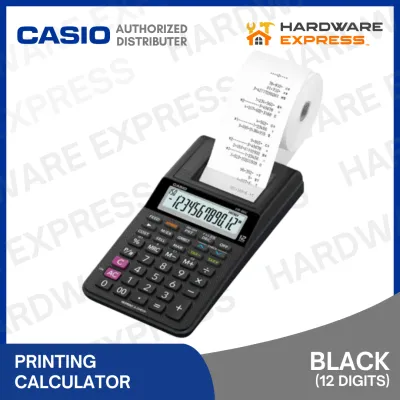
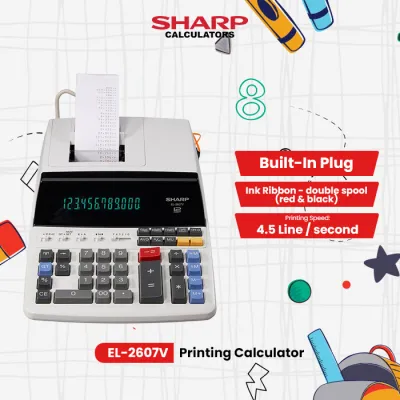
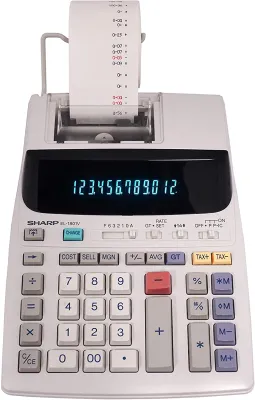
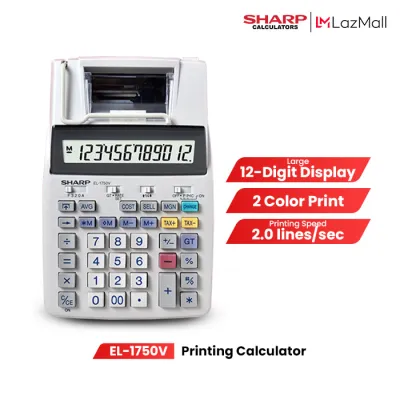
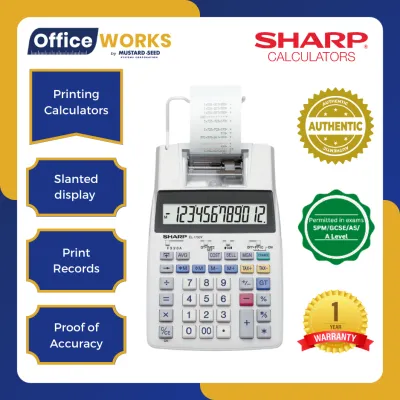
Prices are valid at publication and may change. Please refer to the product page for the latest price.
CASIO calculators typically offer a slightly lower key profile with a smoother, quieter keystroke. The key pitch—the distance from the center of one key to the center of the next—is meticulously calibrated on CASIO machines to prevent accidental double-presses. This makes them highly suitable for professionals with smaller hands or those who prefer a rapid, gliding motion across the keypad rather than a heavy, rhythmic tap.
The physical footprint of the machine is another critical consideration for crowded desks. Heavy-duty Sharp models tend to be bulkier and heavier, which is actually an advantage for stationary desk setups. The added weight, combined with robust anti-slip rubber feet, prevents the calculator from sliding around when you are rapidly punching in figures. CASIO offers a broader range of medium-sized and compact printing calculators that save valuable desk space while still maintaining excellent stability through strategically placed rubber grips.
Screen readability is equally vital, especially under the fluorescent lighting typical of Philippine office spaces. Sharp often utilizes bright, high-contrast digit displays, sometimes incorporating green or blue backlighting to reduce eye strain. CASIO frequently employs angled, glare-resistant liquid crystal displays (LCDs) that remain highly legible even when viewed from a slight side angle.
To verify build quality before purchasing, you should perform a few simple checks. Press down on the corners of the housing to ensure there is no flexing or creaking in the plastic casing. Shake the unit gently to confirm that internal components and the paper roll holder are securely mounted. Finally, test the key stability by pressing the outer edges of the large keys, such as the plus and zero keys, to verify they register the input smoothly without tilting or sticking.
Comparing Core Accounting and Tax Functions
Beyond physical comfort, the efficiency of your accounting workflow depends on how logically a calculator executes financial calculations. Both brands feature dedicated Cost, Sell, and Margin (CSM) keys, but their placement and operational sequence can differ. Sharp models often place these keys in a vertical column on the left or top-left of the keypad, allowing you to quickly input two known variables to calculate the third. CASIO frequently integrates these functions into a highly intuitive horizontal row, which some users find more natural to read from left to right.

Programming local tax rates, such as the standard 12% Value-Added Tax (VAT) in the Philippines, is a daily necessity for local accountants. Both brands utilize dedicated Tax+ and Tax- keys, but the programming steps vary. On a Sharp calculator, setting the rate typically involves holding down the rate key until the screen flashes, entering the tax percentage, and pressing the tax key again to store it. CASIO models often require pressing a set button or holding the percentage key, followed by entering the rate and pressing the Tax+ key. It is crucial to verify the exact programming sequence in the user manual, as a mismatch in your muscle memory can lead to incorrect tax calculations.
Memory functions and Grand Total (GT) tracking are handled with high precision by both manufacturers, but the visual indicators on the screen differ. Sharp calculators usually display a clear “M” or “GT” symbol to alert you that values are stored in the memory registers, preventing accidental accumulation errors. CASIO models provide similar indicators but often include additional on-screen prompts to show which specific memory register is currently active.
Rounding modes are critical for maintaining compliance with accounting standards. Both brands offer slide switches to select rounding options, including rounding up (UP), rounding off (5/4), and rounding down or cutting off decimals (CUT). They also provide decimal selectors ranging from floating (F) to fixed decimal places (such as 0, 2, 3, 4, or 6) and an “Add mode” (A) that automatically inserts a decimal point two places from the right. When comparing models, ensure the slide switches are sturdy and click firmly into place, as loose switches can lead to unexpected rounding errors during high-volume data entry.
Print Mechanisms, Speed, and Consumables
The printing mechanism is the heart of these calculators, and choosing the wrong type can lead to high operating costs and maintenance headaches. Traditional ink ribbon and ink roller systems, commonly found in heavy-duty Sharp models, produce crisp, permanent black and red prints on standard bond paper. The two-color printing is highly beneficial for accounting, as it allows you to instantly distinguish positive figures (black) from negative figures or deductions (red). However, these systems require regular replacement of ink rollers or ribbons, which can dry out faster in hot, humid tropical climates.
Thermal printing mechanisms, which are increasingly popular in CASIO’s modern lineup, eliminate the need for ink entirely. These machines use heat to activate a chemical dye on specialized thermal paper, resulting in virtually silent operation and zero ink replacement costs. The trade-off is that thermal prints are highly sensitive to heat, light, and humidity. In the Philippines, where ambient temperatures and humidity levels are often high, thermal printouts stored in filing cabinets can fade over time, making them less suitable for long-term tax archiving unless digitized.
Print speed is measured in lines per second (LPS). Heavy-duty professional models from both brands typically offer higher print speeds, while medium-duty and portable models may print at a more moderate pace. You can easily verify the print speed by checking the technical specifications on the product packaging or the manufacturer’s official website.
Paper roll compatibility is another practical factor. Most standard ink-based printing calculators from both brands use standard 57mm (2.25 inches) wide bond paper rolls. Thermal models require thermal paper of the exact same width. Before purchasing, verify the maximum outer diameter of the paper roll that the calculator’s external or internal holder can accommodate. Standard consumables are widely available in local office supply stores and online marketplaces, but it is always wise to stock up on high-quality paper to prevent paper jams and minimize paper dust accumulation inside the printing mechanism.
Assessing Value and Long-Term Reliability
Investing in a professional printing calculator requires balancing the initial purchase price against the expected lifespan of the machine. In the Philippine market, printing calculators from both brands are available across various budget tiers, ranging from entry-level and medium-duty models to heavy-duty, high-speed professional workhorses. Sharp is often perceived as the go-to brand for heavy-duty, traditional office workhorses that last for decades under continuous use. CASIO is highly valued for offering excellent feature-to-price ratios, especially in their compact and thermal product lines.
Warranty terms and the availability of authorized service centers are crucial for minimizing downtime in a professional setting. Before buying, check if the product includes a local warranty card and verify the location of authorized service centers in major metropolitan areas like Manila, Cebu, or Davao. A longer warranty period and accessible local servicing are strong indicators of a manufacturer’s confidence in their product’s durability.
To maximize the lifespan of your printing calculator, establish a basic maintenance routine. Keep the machine covered when not in use to protect it from dust, which is a major cause of paper jams and gear wear. For ink-based models, replace the ink roller or ribbon as soon as the print begins to fade; forcing a dry roller to print can cause mechanical strain. Clean the exterior and the paper feed path periodically using a dry, lint-free cloth or a gentle blast of compressed air to remove paper lint and dust. Avoid using wet wipes or harsh chemical solvents, as moisture can seep into the delicate electronic components and cause short circuits.
Decision Framework: Which Brand Fits Your Workflow?
To make your final decision, evaluate your daily accounting tasks against the specific strengths of each brand. Your choice should align with your physical workspace, your preferred printing technology, and the volume of calculations you handle daily.
Choose Sharp if you prefer a traditional, heavy-duty desktop setup with a highly tactile, mechanical keyboard feel. Sharp is the ideal choice for high-volume touch-typists who rely on deep key travel and distinct physical feedback to maintain speed and accuracy. It is also the superior option if your accounting work requires permanent, two-color (black and red) ink prints on standard bond paper for long-term physical archiving that will not fade in humid storage conditions.
Choose CASIO if you prioritize a modern, space-saving design, quieter operation, and highly streamlined tax workflows. CASIO is excellent for shared office spaces or home offices where the loud clatter of a traditional impact printer would be disruptive. It is also highly suitable if you want to eliminate the ongoing cost and hassle of replacing ink rollers by opting for a thermal printing model, provided you do not require long-term physical archiving of the printed paper tape.
Verify first if the specific model you are considering supports the exact paper roll dimensions and power source you require. If your work involves continuous, high-volume printing throughout the day, ensure you select a heavy-duty AC-powered model rather than a light-duty battery-operated unit, as battery-powered models print at significantly slower speeds and consume batteries rapidly under heavy loads.
Frequently Asked Questions (FAQ)
Can I use generic thermal paper rolls for CASIO printing calculators?
Yes, you can use generic thermal paper rolls, provided they match the exact width and maximum outer roll diameter specified in your CASIO calculator’s user manual. Most compact thermal models use standard 57mm wide thermal paper. However, it is important to avoid extremely low-quality generic rolls, as they often shed excessive paper dust that can clog the thermal print head over time. Additionally, poor-quality thermal coating can result in uneven print contrast and premature fading of your calculated figures.
How do I fix a faded printout on my Sharp ink calculator?
A faded printout on a Sharp ink calculator is typically caused by a worn-out ink roller or ribbon, or a build-up of paper dust on the print head. First, open the printer cover and verify that the ink roller or ribbon cartridge is securely seated in its bracket. If the ink is depleted, replace the roller or ribbon with a fresh, compatible consumable. If the print remains uneven, gently clean the printing wheel and paper feed area using a dry, soft-bristled brush or compressed air to remove accumulated paper lint.
Do these calculators require batteries if they are plugged into the wall?
While these calculators draw their main operating power from an AC wall outlet, many models utilize small backup batteries, such as AA batteries or button cells, to retain memory settings. These backup batteries ensure that your programmed tax rates, grand totals, and decimal preferences are not lost when the calculator is unplugged or during local power interruptions. Check your specific model’s manual to verify if it requires backup batteries, and replace them annually to prevent battery leakage from damaging the internal circuitry.
Community discussion
Share your experience or ask a question. Comments are reviewed before publication.