
Choosing between a Texas Instruments calculator and a CASIO scientific calculator for college is a pivotal decision that depends on your specific degree program, your university’s exam guidelines, and your personal preference for menu navigation versus direct-key inputs. Both brands offer highly capable devices, but their design philosophies differ significantly. CASIO models often feature a menu-driven interface with a natural textbook display, making them highly intuitive for quick calculations. Texas Instruments calculators frequently utilize a direct-key, multi-line logic that appeals to students who prefer a structured, step-by-step input method. By evaluating how each brand aligns with your coursework, you can select a reliable tool that supports your academic journey.
Curriculum Acceptance and Exam Regulations
Before comparing specific features, you must determine which calculator models are permitted in your classes and standardized exams. University departments often enforce strict rules regarding the types of technology allowed in lecture halls and testing centers. For instance, introductory mathematics, chemistry, and physics courses frequently ban graphing or programmable calculators to ensure a level playing field and to test foundational understanding. Reviewing your course syllabus during the first week of classes is the most reliable way to identify any brand or model restrictions.
For students in the Philippines, standardized testing policies add another layer of importance to this decision. The Professional Regulation Commission (PRC) maintains a strict, regularly updated list of allowed calculator models for various professional licensure examinations, such as those for engineering, CPA, and chemistry boards. Certain advanced scientific calculators from both Texas Instruments and CASIO may be permitted, while others with programmable memory or matrix-solving capabilities might be strictly prohibited. Purchasing a model that is already approved for these board exams saves you from having to learn a completely new interface right before graduation.
Products mentioned in this guide
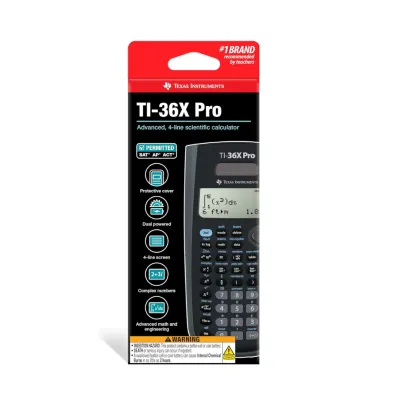
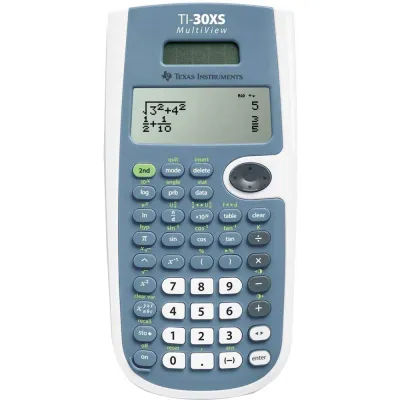
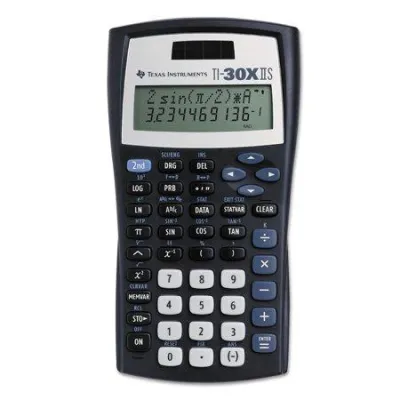
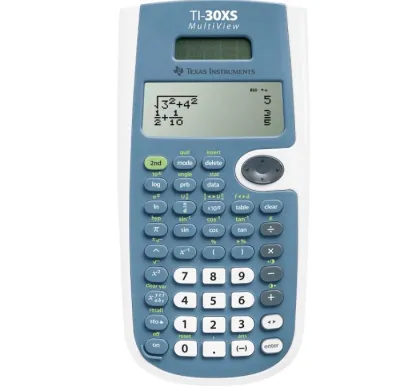
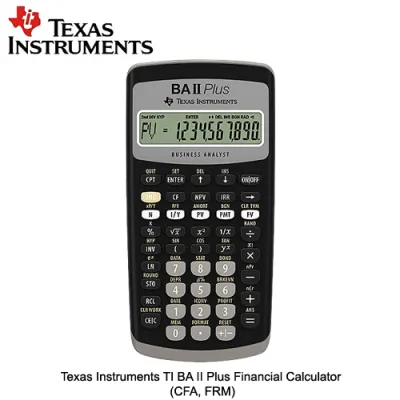
Prices are valid at publication and may change. Please refer to the product page for the latest price.
To avoid disqualification, identify and avoid restricted features unless your department explicitly permits them. These features typically include Computer Algebra Systems (CAS), which can perform symbolic algebra, as well as wireless connectivity, programmable memory banks, and graphing capabilities. While these high-end features are incredibly useful for homework, they will often prevent you from using the device during midterms, finals, and professional exams. Checking both your university’s academic integrity policy and the official PRC guidelines ensures your investment remains useful throughout your entire college career.
Feature and Usability Comparison
To choose the right tool, it is helpful to understand how the design philosophies of Texas Instruments and CASIO shape their user interfaces. While both brands can solve complex scientific equations, they organize their functions and display information in fundamentally different ways.

Interface and Learning Curve
CASIO scientific calculators are widely recognized for their menu-driven navigation and natural textbook display. This design allows mathematical expressions, such as fractions, exponents, and integrals, to appear on the screen exactly as they are written in textbooks. For many students, this visual layout makes it easier to spot input errors and understand complex formulas. The menu system organizes advanced modes—such as statistics, matrix calculations, and equation solving—into clear, icon-based grids, which can simplify the learning curve for new users.
In contrast, Texas Instruments calculators often utilize a direct-key, multi-line logic. Rather than navigating through nested menus, users frequently access secondary and tertiary functions by pressing dedicated modifier keys, such as the “2nd” or “3rd” function buttons. This layout can be highly efficient once you memorize the key combinations, as it allows for rapid data entry without searching through visual menus. However, the learning curve can feel steeper initially, especially if you are accustomed to seeing equations formatted in a traditional textbook style.
To determine which interface suits your workflow, plan a physical or virtual keystroke test. You can access online emulator software provided by both manufacturers or borrow physical models from classmates. Try inputting a multi-step calculation, such as a definite integral or a 3×3 matrix, on both brands. Pay close attention to how many keystrokes are required to complete the task and how easily you can edit a mistake in the middle of a long equation.
Advanced Functions and Display Capabilities
As you progress into higher-level college courses, the resolution of your calculator’s screen and the availability of specific mathematical functions become critical. Advanced scientific models from both brands offer high-resolution dot-matrix displays, which provide much clearer text and smoother symbols than older, segment-based LCD screens. A high-resolution screen is particularly beneficial when working with matrices, vectors, or statistical tables, as it allows you to view multiple rows and columns simultaneously without excessive scrolling.
When evaluating specific models, verify the availability of engineering, statistical, or scientific constants required by your major. For example, engineering students often need quick access to physical constants and unit conversion menus, while statistics majors require robust regression analysis tools and probability distribution functions. While mid-range models from both brands cover standard calculus and algebraic functions, niche capabilities can vary significantly between specific product lines.
Rather than relying on general brand assumptions, always check the product labels, user manuals, and specification sheets of the exact models you are comparing. Manufacturers frequently update their product lines, and a feature available on one CASIO or Texas Instruments model may be absent on a similarly priced alternative. Confirming these technical specifications beforehand ensures your calculator can handle the specific mathematical demands of your coursework.
Build Quality, Power, and Maintenance
A scientific calculator is a long-term investment that should ideally last through a four-year degree program. Assessing the physical durability of the device is especially important if you plan to carry it daily in a packed backpack. Most scientific calculators feature hard plastic casings, but the quality of the keys and the slide-on protective cover can vary. Hard plastic keys with printed or molded legends generally offer better wear resistance than rubber keys, which can degrade or become sticky over time, particularly in warm, humid tropical climates.
Power management is another crucial factor for reliability during exams. Many advanced scientific calculators utilize a dual-power system, combining a solar panel with a backup button-cell battery. This setup is highly advantageous because the solar panel powers the device under standard classroom lighting, preserving the backup battery for low-light conditions or high-drain calculations. Single-battery models, which often run on a single AAA or button-cell battery, are also common but require more frequent monitoring to avoid sudden power loss during a test.
To keep your calculator in optimal condition, establish a basic maintenance routine. Clean the screen and casing periodically using a dry or slightly damp microfiber cloth; avoid using harsh chemical solvents, rubbing alcohol, or abrasive materials, as these can damage the LCD screen or erase the printed key legends. When replacing the battery, consult the manufacturer’s instruction manual to identify the correct battery type, such as an LR44 or CR2032 button cell. Replacing the battery promptly when the display begins to dim prevents acid leaks that could permanently damage the internal circuitry.
Price and Value Assessment
Budget is a practical consideration for any college student, and both brands offer options across several price tiers. In the local market, entry-level scientific calculators typically range from approximately ₱500 to ₱900. These models are highly affordable and cover basic algebraic, trigonometric, and statistical functions, making them suitable for general education courses or non-STEM majors. However, they may lack advanced features like matrix operations, vector calculations, or high-resolution displays.
Mid-range scientific calculators generally cost between ₱1,000 and ₱1,800. In this tier, you will find models from both Texas Instruments and CASIO that feature high-resolution screens, natural textbook displays, and expanded equation-solving capabilities. For most engineering, science, and business majors, a mid-range model represents a practical balance of functionality and value, providing all the necessary tools for advanced coursework without exceeding standard exam regulations.
Advanced, non-programmable scientific calculators can range from ₱1,800 to ₱3,000 or more. While these premium models offer powerful features like spreadsheet functions, matrix calculations up to 4×4, and advanced statistical distributions, you must evaluate whether your specific major actually requires these tools. Paying a premium for high-end features is only justified if you will use them regularly; otherwise, a mid-range model will serve you just as well while keeping your initial expenses low. Additionally, consider the long-term cost of replacement batteries and protective cases when calculating your overall budget.
Final Decision Framework: Choose Based on Your Major
To finalize your purchase, align your choice of calculator with your academic track, department guidelines, and personal learning style.
Choose a CASIO scientific calculator if your coursework heavily relies on visual representation, you prefer an intuitive, menu-driven interface, or CASIO is the dominant brand used by your professors and peers. Having the same brand as your classmates makes it much easier to follow along during lectures and collaborate on homework assignments. CASIO models are also highly popular in local engineering and science departments, making them a safe and familiar choice for many students preparing for professional board exams.
Choose a Texas Instruments calculator if you prefer a direct-key layout with dedicated modifier buttons, your curriculum aligns with specific statistical or algebraic layouts, or you are already familiar with the TI ecosystem from high school. If you plan to transition to a TI graphing calculator for advanced coursework later on, starting with a TI scientific calculator can help you build consistent muscle memory and simplify the transition.
Regardless of your personal preference, always verify your department’s specific requirements before making a final purchase. Some professors mandate a specific model to ensure uniform instruction, while others strictly prohibit certain advanced functions. Checking your syllabus first prevents you from buying a device that you cannot use during exams, ensuring your calculator remains a valuable asset throughout your college years.
Frequently Asked Questions (FAQ)
Can I use a graphing calculator instead of a scientific one for college?
While graphing calculators offer advanced plotting and programming features, they are frequently banned in introductory college courses and standardized exams, including PRC board exams. Graphing calculators are often restricted because their programmable memory can store notes or formulas, which presents academic integrity concerns. It is highly recommended to check your course syllabus to confirm if a graphing calculator is permitted, or if you must use a dedicated, non-programmable scientific calculator instead.
Do Texas Instruments and CASIO calculators use the same battery types?
Battery requirements vary by the specific model rather than the brand itself. Some scientific calculators run on standard AAA alkaline batteries, while others use specialized button cells like LR44 or CR2032. Many models also feature dual-power systems that combine solar panels with a battery backup. To ensure compatibility, always check your calculator’s user manual or the battery compartment label before purchasing replacement batteries.
Is it better to buy a calculator before or after starting my college classes?
It is generally best to wait until the first week of classes or after reviewing your course syllabi before purchasing a calculator. This delay allows you to confirm the exact model requirements or restrictions set by your professors. If you need a calculator for the very first lecture, consider borrowing a basic model from a friend or using a temporary digital tool until your instructor provides official guidance.
Community discussion
Share your experience or ask a question. Comments are reviewed before publication.