
Quick Answer: Which Calculator Should You Choose?
Choosing between a TI-84 and a CASIO graphing calculator depends on your specific college major, budget, and course requirements. The TI-84 series is highly recommended if your university department heavily relies on its specific ecosystem, if your professors demonstrate steps using TI software, or if you prefer a widely standardized platform with extensive online tutorial support.
Conversely, CASIO graphing models are excellent if you prefer an intuitive, natural textbook display for entering complex equations, require advanced engineering or matrix features out of the box, or are working within a stricter budget. CASIO models often provide comparable mathematical functionality at a more accessible price point.
Before making any purchase, always verify your course syllabus, consult your professor, or check your target professional licensing guidelines. Some programs explicitly mandate or restrict specific calculator brands, making this verification step essential before you invest.
Products mentioned in this guide
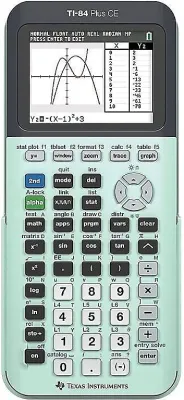
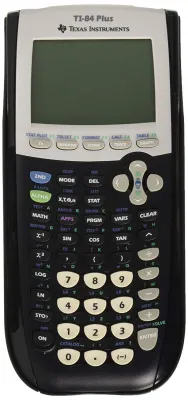
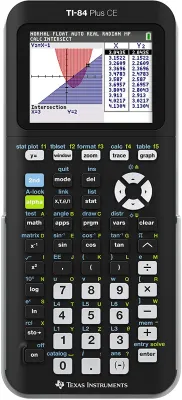

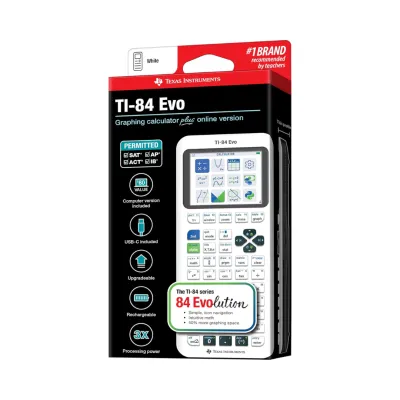
Prices are valid at publication and may change. Please refer to the product page for the latest price.
Core Differences in Features and Interface
Display and Input Methods
The way you enter equations significantly impacts your daily study efficiency. The TI-84 series traditionally utilizes a classic entry system, though newer models feature “MathPrint” to display fractions and exponents as they appear in textbooks. You may still need to navigate multiple sub-menus and use precise parenthesis placement for complex multi-step equations.

CASIO graphing calculators are widely recognized for their Natural Textbook Display. This interface formats fractions, derivatives, integrals, and matrices exactly as they are written on the blackboard. For many students, this visual layout reduces input errors and makes troubleshooting long calculations much more straightforward during timed exams.
Graphing Capabilities and Screen Resolution
Both brands offer robust graphing tools, but the visual execution differs. High-end models in both lineups feature backlit color screens that allow you to graph multiple equations in contrasting colors. This color-coding is incredibly helpful when identifying intersection points or analyzing trigonometric transformations.
Monochrome models remain available and are highly energy-efficient, though they make distinguishing overlapping curves more challenging. When comparing models, check the screen resolution specifications; higher pixel density ensures that curved graphs and fine grid lines remain sharp and legible under dim classroom lighting.
Programmability and Built-In Applications
Modern graphing calculators are essentially specialized microcomputers. Many newer editions of both the TI-84 and CASIO lines include Python programming environments, allowing STEM students to write and run basic code directly on their devices. This feature is highly beneficial for introductory computer science and advanced statistics courses.
Beyond programming, look at the pre-installed applications. The TI-84 ecosystem offers a vast library of downloadable apps for geometry, inequality graphing, and polynomial root-finding. CASIO models often come with these features fully integrated into the main menu system, reducing the need to download and install external files before you can start your homework.
Hardware, Battery Life, and Durability
Hardware design determines how well your calculator survives daily campus life. The TI-84 series frequently utilizes rechargeable lithium-ion batteries, which you can charge via a standard USB cable. While convenient, you must remember to charge your device regularly to avoid a dead battery during a midterm.
Many CASIO graphing calculators run on standard AAA alkaline batteries. This design allows you to quickly swap in fresh batteries during an exam without waiting for a charge. In tropical climates with high humidity, battery maintenance is crucial; always inspect the battery compartment periodically for signs of corrosion or leakage, especially if the device is left unused during semester breaks.
Exam Compatibility and Course Requirements
Standardized Test Policies
If you plan to take international standardized tests or college entrance exams, calculator compatibility is a primary concern. Most major exam boards maintain strict lists of approved devices. Generally, graphing calculators without Computer Algebra Systems (CAS) are permitted on exams like the SAT, ACT, and AP tests, while CAS-enabled models are often restricted or banned.
Because policies can change, never rely on historical advice from older students. Always visit the official website of the testing organization to confirm that your exact model number is permitted. A single letter difference in a model suffix can mean the difference between an approved device and one that is confiscated at the testing center door.
University and Professor-Specific Restrictions
Even if a calculator is permitted by a national testing board, individual university departments or professors have the final say in the classroom. Some math departments ban graphing calculators entirely for introductory calculus courses to ensure students master foundational algebraic concepts manually. Other departments may require a specific brand so the instructor can teach keystrokes uniformly.
Review your course syllabus during the first week of classes. If the syllabus states that a specific model is required, using a different brand may leave you struggling to follow along during lectures. If the instructor allows any graphing calculator, you are free to choose the interface that best matches your learning style.
Interpreting Calculator Policies
When reading university calculator guidelines, pay close attention to terms like “non-programmable,” “non-graphing,” or “scientific only.” If a course description specifies a scientific calculator, bringing a graphing calculator—regardless of the brand—is usually considered an academic integrity violation.
For engineering and science majors, look ahead to your upper-level courses. Investing in a high-quality graphing calculator that is permitted across multiple semesters is more cost-effective than buying a basic model now and needing to upgrade when you reach advanced thermodynamics or linear algebra.
Price, Availability, and Value
General Price Positioning
In the local market, graphing calculators represent a significant financial investment. The TI-84 series typically occupies a premium price tier, with models often ranging from ₱7,000 to over ₱11,000 depending on the specific edition and color screen features. This higher cost is reflective of its dominant position in educational software and widespread institutional adoption.
CASIO graphing calculators generally offer a highly competitive alternative, with popular models positioned in a mid-to-high tier ranging from ₱4,000 to ₱8,000. This price difference makes CASIO an attractive option for budget-conscious college students who still require advanced graphing, matrix calculations, and statistical analysis tools.
Value Assessment for College Students
To determine the true value of your purchase, weigh the upfront cost against your academic timeline. If you are a STEM major who will use the calculator daily for four years, the premium cost of a TI-84 may be justified by its extensive peer support and compatibility with course materials.
For non-STEM majors who only need to fulfill a general education math requirement, a more affordable CASIO graphing model—or even an advanced scientific calculator—provides excellent utility without overextending your budget. Assess your long-term academic goals before committing to the most expensive model on the shelf.
Safe Purchasing Channels
Because graphing calculators are high-value items, counterfeit units and older refurbished models are common in the marketplace. To ensure you receive an authentic device with a valid manufacturer warranty, avoid unverified third-party sellers on online marketplaces.
Instead, purchase your calculator from official brand flagship stores on reputable ecommerce platforms, authorized campus bookstores, or established office supply retailers. Authentic units come with proper packaging, English-language manuals, and official warranty cards that protect your investment against manufacturing defects.
How to Make Your Final Decision
Step 1: Verify Course and Exam Rules
Before browsing retail stores, compile a list of the math and science courses required for your degree program. Check the syllabi or contact the department coordinators to find out which calculator models are permitted. If you plan to take professional licensing exams after graduation, verify if those boards allow graphing calculators at all.
Step 2: Test the Interface and Layout
If possible, visit a physical retail store or borrow calculators from upperclassmen to test the button layout and menu navigation. Both brands offer official emulator software trials for PC or Mac. Downloading these trials allows you to experience the programming interface and equation entry system on your computer before spending any money.
Step 3: Align with Your Professional Goals
Consider your career path after college. For example, in the Philippines, the Professional Regulation Commission (PRC) maintains exceptionally strict guidelines for licensure examinations, often prohibiting graphing calculators entirely for engineering and board exams. If your ultimate goal is a local professional license, you may want to budget for a permitted scientific calculator alongside your college graphing calculator.
Frequently Asked Questions (FAQ)
Can I use a CASIO calculator if my professor uses a TI-84 in class?
Yes, you can use a CASIO calculator, but you must be prepared to translate the keystrokes independently. Because the menu structures and button labels differ between the two brands, you will need to consult your CASIO user manual or watch online video tutorials to replicate the functions your professor demonstrates on the TI-84.
Do graphing calculators need to be updated for college courses?
Yes, manufacturers occasionally release operating system updates to resolve software bugs, improve calculation speeds, or add new features like Python support. Some standardized testing centers or university departments may require your calculator to run a specific, updated firmware version to ensure exam security and prevent unauthorized program storage.
Is a graphing calculator necessary for all college math classes?
No, a graphing calculator is not universally required. Introductory statistics, college algebra, and business math courses often only require a standard scientific calculator. Always check your specific course syllabus before purchasing, as scientific calculators are much more affordable and are often preferred by professors for non-advanced math classes.
Community discussion
Share your experience or ask a question. Comments are reviewed before publication.