
Choosing between the Texas Instruments TI-Nspire CX II and CASIO’s graphing calculators is a major academic decision for senior high school and college students in the Philippines. The right choice depends on your specific academic track, your school’s exam guidelines, and your learning style. While one brand offers a highly structured, computer-like document system, the other provides a more traditional, immediate interface that many local students find intuitive after years of using standard scientific calculators.
Core Differences and Academic Suitability
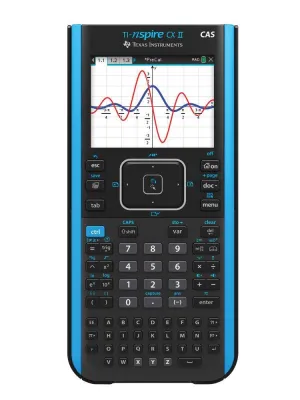
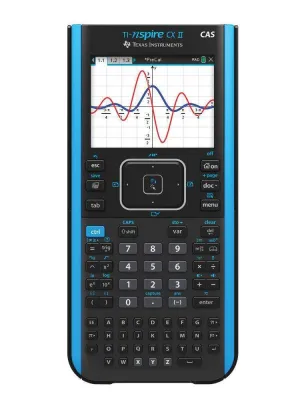
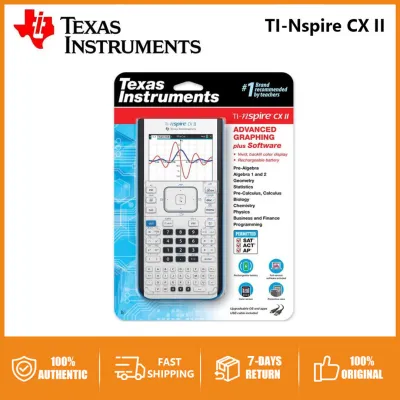
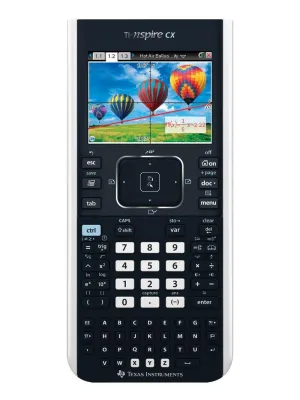
To understand these devices, you must first look at their fundamental design philosophies. The TI-Nspire CX II operates much like a handheld computer. Instead of performing quick, isolated calculations on a single screen, you organize your work into “problems” and “pages” within a document file. This allows you to save your graphs, spreadsheets, and notes together, making it an excellent tool for long-term laboratory reports and ongoing research projects. However, this document-centric workflow requires a shift in mindset and a steeper learning curve for students accustomed to instant results.
In contrast, CASIO graphing calculators, such as the fx-CG50, utilize a highly visual, icon-based main menu. When you turn on a CASIO calculator, you are greeted with a grid of familiar applications like Run-Matrix, Graph, Table, and Statistics. Navigating between these tasks is as simple as selecting an icon, which closely mirrors the user experience of standard scientific calculators. This design prioritizes speed and immediate access, allowing you to jump straight into a calculation or graph without setting up a document structure first.
Products mentioned in this guide
Prices are valid at publication and may change. Please refer to the product page for the latest price.
Another critical distinction lies in the choice between Computer Algebra System (CAS) and non-CAS models. A CAS-enabled calculator can perform symbolic manipulation, meaning it can solve algebraic equations, factor polynomials, and find symbolic derivatives or integrals. Non-CAS models only provide numerical answers. While a CAS model is incredibly powerful for advanced engineering and mathematics courses, it is frequently banned in high school exams and standardized college entrance tests because it automates the algebraic steps teachers want to assess.
Before committing to any model, you must verify the specific calculator policy of your school, university department, or target examination board. In the Philippines, major college entrance exams and professional licensure examinations have strict rules regarding programmable and graphing calculators. Purchasing a high-end CAS calculator only to find out it is prohibited in your midterm exams can be a costly mistake. Always check the syllabus or consult your instructors to ensure your chosen model is fully compliant with classroom and exam hall regulations.
Feature and Performance Comparison
When evaluating graphing and visualization capabilities, both platforms offer vibrant color screens that make plotting complex functions highly intuitive. The TI-Nspire CX II features a high-resolution display that excels at dynamic geometry, allowing you to grab a plotted line with an on-screen cursor and watch its corresponding equation update in real-time. CASIO’s color models counter with excellent 3D graphing features that let you visualize planes, spheres, and cylinders with simple template inputs. This visual clarity is particularly helpful when transitioning from senior high school pre-calculus to college-level multivariable calculus, where spatial visualization becomes essential.

For data analysis and statistics, both brands integrate spreadsheet applications that mimic basic desktop software. The TI-Nspire CX II provides a highly integrated environment where data entered into a spreadsheet can instantly update a corresponding scatter plot or statistical analysis on a split screen. CASIO calculators offer robust list-based statistics, which are highly efficient for entering experimental data during physics or chemistry laboratory classes. If your academic track involves heavy statistical modeling, research, or STEM-focused investigatory projects, the seamless data linking on the TI-Nspire offers a slight edge, while CASIO’s straightforward list entry is often faster for quick classroom exercises.
Programming has become a standard feature on modern graphing calculators, serving as an excellent bridge into computer science. Both the TI-Nspire CX II and advanced CASIO models support Python programming directly on the device. This allows students to write, edit, and run scripts to automate repetitive calculations or simulate mathematical models. The TI-Nspire provides a dedicated programming environment with structured menus for commands, which helps prevent syntax errors. CASIO’s Python implementation is clean and accessible, making it easy to write quick scripts without navigating deep folder structures.
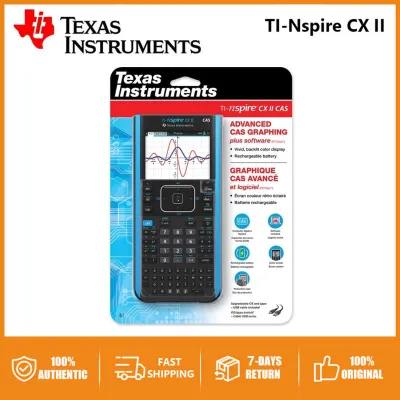
Power management is a practical daily consideration that differs significantly between the two brands. The TI-Nspire CX II comes equipped with a built-in, rechargeable lithium-ion battery that charges via a standard USB cable. This eliminates the ongoing cost of disposable batteries, though it requires you to be diligent about keeping the device charged before major exams. Many CASIO graphing calculators, on the other hand, run on standard AAA alkaline batteries. While this means you must occasionally purchase replacements, it offers the peace of mind that you can instantly swap in fresh batteries during an exam if your power runs low, without needing an electrical outlet.
Build Quality, Usability, and Ecosystem
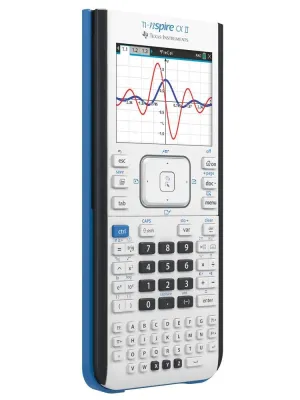
The physical design and keypad layout play a massive role in how quickly you can operate your calculator under pressure. The TI-Nspire CX II features a unique keyboard layout that includes a separate alphabet keypad at the bottom, alongside the standard numeric and algebraic keys. While this makes typing variables and notes easier, the keys are relatively small and can feel cramped. CASIO calculators maintain a more traditional layout with larger, highly tactile keys that feel familiar to anyone who has used a standard scientific calculator. This tactile familiarity often leads to faster typing speeds and fewer input errors during timed assessments.
Connectivity and software integration are vital for transferring data, updating firmware, and backing up your work. The TI-Nspire ecosystem relies heavily on its proprietary student software, which allows you to mirror the calculator screen on a computer, transfer files, and even write programs on a larger keyboard. CASIO offers straightforward USB connectivity that allows the calculator to act as a mass storage device, making it incredibly simple to drag and drop files without installing complex software suites. This plug-and-play simplicity is highly convenient when using shared school computers or library laptops.
The surrounding ecosystem of learning resources is another factor to consider. Because the TI-Nspire is widely used in international curricula, there is a vast library of online tutorials, student forums, and pre-made activities available globally. CASIO also boasts a strong local presence in the Philippines, with dedicated teacher networks, localized educational resources, and active student communities. Finding help, whether through a quick online video or a classmate’s advice, is relatively easy for both brands, but the style of help differs: TI-Nspire resources often focus on deep, project-based learning, while CASIO resources tend to focus on quick, exam-oriented problem-solving techniques.
Price Positioning and Purchasing Considerations
In terms of financial investment, graphing calculators represent a premium category of school supplies. The TI-Nspire CX II is generally positioned at the higher end of the pricing spectrum in the Philippines, reflecting its advanced document system and rechargeable hardware. CASIO graphing calculators span a broader range of price points, with several models offering a more accessible entry point for students on a budget. When evaluating the cost in ₱, it is important to view this as a multi-year investment that can last from senior high school through to university graduation and even professional board exams, provided the model is permitted.
Long-term value depends heavily on durability and how well the device withstands daily wear and tear. The humid, tropical climate of the Philippines can affect electronic devices over time, making build quality a key consideration. Both brands produce highly durable, drop-resistant plastic casings, but storing your calculator in a protective sleeve and keeping it away from moisture is essential. Additionally, consider the availability of software updates; manufacturers occasionally release firmware improvements that add new features or optimize battery performance, extending the useful life of your device.
Because graphing calculators are high-value items, counterfeit units and unauthorized imports are common risks in online marketplaces. To ensure you receive an authentic product with a valid local warranty, always purchase from authorized educational suppliers, official brand stores, or reputable department stores. When buying, verify that the packaging includes official security holograms, check that the serial number matches the one displayed in the calculator’s system settings, and ensure the seller provides a clear warranty policy. This protects your investment and guarantees access to customer support if the hardware encounters any issues.
Final Decision Framework
To make your final decision, evaluate your academic track, your budget, and your school’s specific regulations. Choose the TI-Nspire CX II if you prefer a highly organized, document-centric workflow, plan to pursue advanced STEM or engineering fields that benefit from dynamic geometry and deep software integration, and do not mind a steeper initial learning curve. This model is ideal for students who want their calculator to function as a mini-computer for organizing complex, multi-page academic projects.
On the other hand, choose a CASIO graphing calculator if you prefer a traditional, tactile keypad layout, want a device that is quick and intuitive to operate right out of the box, and are working within a more conservative budget. CASIO models are highly suited for students who want a reliable, high-performance tool that transitions smoothly from standard scientific calculators without requiring a complete overhaul of their calculation habits.
Regardless of which brand you lean toward, your very first step must be to consult your school’s mathematics department or check the official guidelines of your target university entrance exams. A calculator is only useful if you are allowed to bring it into the exam room. By matching the calculator’s capabilities with your academic rules and personal study style, you will secure a powerful tool that supports your educational journey for years to come.
Frequently Asked Questions (FAQ)
Are graphing calculators allowed in all university entrance exams?
No, graphing calculators are not universally permitted in all university entrance exams or professional licensure tests. Many institutions and testing boards in the Philippines enforce strict limits on programmable devices, color screens, or calculators with symbolic algebra (CAS) capabilities to ensure exam fairness. You must always consult the official, up-to-date examiner guidelines for your specific test to verify which exact models are approved before bringing one to the exam center.
Do I need a CAS model for standard senior high school calculus?
For standard senior high school calculus, a CAS model is generally not required and is often discouraged or prohibited by instructors. High school calculus focuses on understanding the fundamental concepts of limits, derivatives, and integrals, which teachers prefer you solve using manual algebraic steps. A non-CAS graphing calculator is more than sufficient for visualizing functions, verifying numerical answers, and analyzing data without violating classroom academic integrity policies.
Community discussion
Share your experience or ask a question. Comments are reviewed before publication.