
Aspiring designers, architects, and engineers often face a difficult choice between investing in traditional drafting equipment or purchasing a digital drawing tablet. While digital tablets offer unmatched speed and convenience, starting with traditional drafting equipment is often the best choice for beginners because it builds foundational spatial awareness, tactile precision, and a deep understanding of scale that digital shortcuts can easily bypass. Choosing the right path ultimately depends on your academic requirements, budget, learning style, and career goals.
What foundational skills do traditional drafting tools teach that digital tablets might skip?
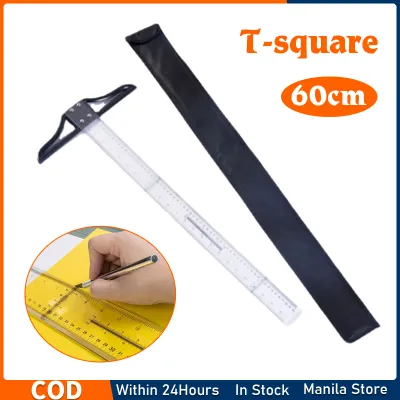
Traditional drafting tools teach physical precision, spatial geometry, and an intuitive grasp of scale that digital tablets often obscure through automated features. When you guide a T-square along a drafting board or adjust a mechanical compass, you are physically interacting with geometric constraints. This tactile feedback forces you to understand the relationship between physical dimensions and paper space, a critical skill when translating real-world structures onto a flat medium.
In contrast, digital drawing tablets allow users to zoom in and out infinitely, which can distort your sense of actual scale. Beginners who start exclusively on digital platforms often struggle to estimate real-world proportions because the software automatically handles line weights, grid alignments, and scaling. Working with physical tools like triangles, French curves, and scale rulers builds a mental blueprinting engine that relies on your own calculations rather than a software algorithm.
Products mentioned in this guide
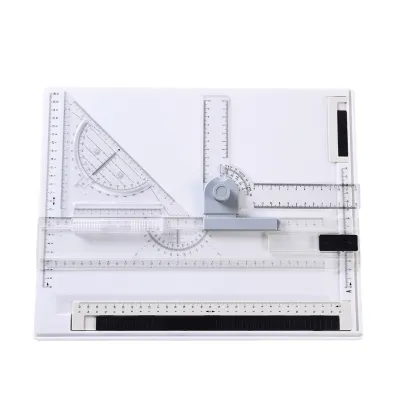
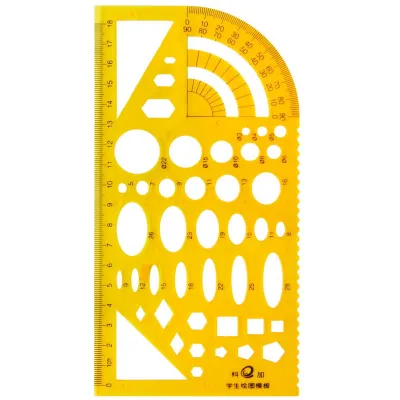
205 Lazada user ratings
New release with improved design, Efficient and time-saving, Durable acrylic material for long-lasting use, Perfect for architecture and eng…Read full reviewShow less
New release with improved design, Efficient and time-saving, Durable acrylic material for long-lasting use, Perfect for architecture and engineering projects, Highly accurate and reliable, Excellent for drafting and sketching, Easy to adjust with parallel motion feature,
Quality: good and sturdy. What you see is what you get. Okay na rin at its price. Nagagamit ng anak ko. Appearance: good. Safely packed ni s…Read full reviewShow less
Quality: good and sturdy. What you see is what you get. Okay na rin at its price. Nagagamit ng anak ko. Appearance: good. Safely packed ni seller at iningatan ni delivery rider. Kudos.
Good Quality......God Packaging...best buy...very satisfied..fast delivery..keep it up
super Ganda perfect for drafting and architectural drawing
Quality: 8/10 Ease of Use: 8/10 Appearance: as advertise
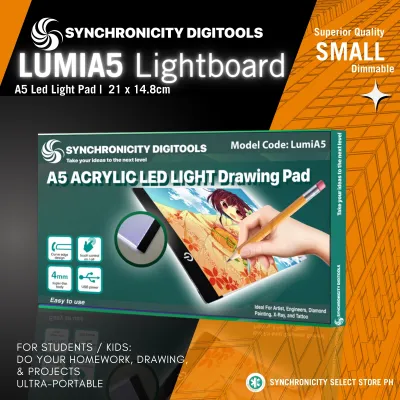
5,196 Lazada user ratings
thanks! dumating agad yung item before the said delivery date. the item was well packed and secure. tanggalin nyo yung clear plastic para ma…Read full reviewShow less
thanks! dumating agad yung item before the said delivery date. the item was well packed and secure. tanggalin nyo yung clear plastic para mawala yung blurr sa may bottom part nung lightpad. akala ko nung una wala masyado ilaw huhu natakot ako hahahaha. thank you seller! waiting for my other order para sa bf ko
Functionality:good Quality:good Material:light weight, all lighting are functioning, good for kids n nagprapractice magdrawing, good for tra…Read full reviewShow less
Functionality:good Quality:good Material:light weight, all lighting are functioning, good for kids n nagprapractice magdrawing, good for tracing, haba din ung cord ng usb para s light, legit at sulit ang pera nio
working sya.., mabilis ang delivery, no damage sana magtagal.. happy kiddo malaki sya... good for practicing artwork pwede sa bata at matand…Read full reviewShow less
working sya.., mabilis ang delivery, no damage sana magtagal.. happy kiddo malaki sya... good for practicing artwork pwede sa bata at matanders 😝
fast delivery. packagine kept the item safe and secured. Ordered A4 size, received the exact order.LED is working upon checking.
63 Lazada user ratings
Pictures was not related. I'm satisfied to your products at nakarating talaga on time. Matibay din siya, hindi madaling maputol. Thank you
thankyou, magaan lang siya worth it naman. I like it. kasi nga magaan lang siya, di nakakatamad bitbitin HAHAHAHAH
well packed... complete... no damage.. legit seller... advance to the delivery date.. Thank you seller.
t square wowwwwww, mabangis at talagang hugis letter t thank you seller naway manatili kang seller
magandang pagkabalot satisfied ang anak ko gamit to sa pag-aaral niya thanks seller
54 Lazada user ratings
magando yung quality kaso may sira yung sa gandle and I'm really disappointed about it and the insides are hollow too and also the packaging…Read full reviewShow less
magando yung quality kaso may sira yung sa gandle and I'm really disappointed about it and the insides are hollow too and also the packaging is sooooooo sigh...thank God it was not damaged in the shipping process sitlll it was a good quality salamat seller mwaah HAHAH
Durable material that withstands frequent use, Smooth surface for effortless drawing, Lightweight design for easy carrying, pinadeliver ko s…Read full reviewShow less
Durable material that withstands frequent use, Smooth surface for effortless drawing, Lightweight design for easy carrying, pinadeliver ko sa Bsguio. No dsmage. Thsnks Lazada, seller snd sa courier.
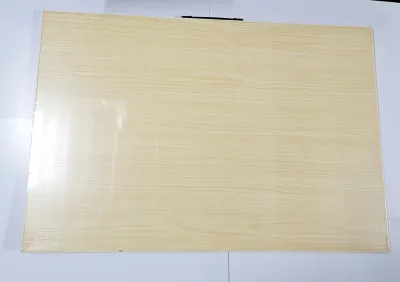
Ang bilis agad dumating ng drawing boar. Secure na secure ang pagkakabalot nila, nakabalot na sa karton may bubble wrap pa. Thank you.
Convenient handle for easy transportation, Smooth surface for effortless drawing,
the seller, rider is fast & the product is ok. thank you.
35 Lazada user ratings
High-quality materials used, Sturdy and durable construction, Perfect size for my artwork, Lightweight and portable, Ideal for both beginner…Read full reviewShow less
High-quality materials used, Sturdy and durable construction, Perfect size for my artwork, Lightweight and portable, Ideal for both beginners and professionals,
Quality:Great Quality Ease of Use:Easy to use Appearance:Great appearance The delivery is very fast, buti umabot para magawa ko yung paintin…Read full reviewShow less
Quality:Great Quality Ease of Use:Easy to use Appearance:Great appearance The delivery is very fast, buti umabot para magawa ko yung painting ko.
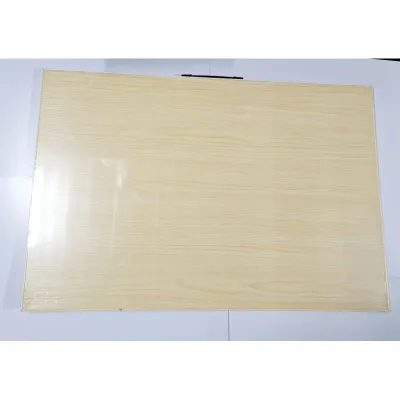
3 star lang kasi may crack yung one side ng drafting board. di ko na irereturn kasi need ko na 'to now eh, hassle pa.
Quality:Best Quality Ease of Use:Fits perfectly in my easel and table Appearance:Have a nice finish and not too heavy
reasonably packaged and very fast delivery. The item is as described and very happy to recommend this product.
Prices are valid at publication and may change. Please refer to the product page for the latest price.
Furthermore, manual drafting instills discipline through line weight control and physical erasing. To create a clean, professional drawing on vellum or tracing paper, you must manage the pressure of your technical pencil, choose the correct lead hardness (such as 2H for light guidelines or HB for object lines), and execute lines with consistent speed. Because smoothness, bleed resistance, drying speed, and erasability depend heavily on the exact combination of your paper medium and ink or lead type, manual drafting requires active material testing. Before starting a major project, perform a quick scratch-and-erase test on a scrap piece of your chosen paper to verify how cleanly the graphite or technical ink lifts without tearing the surface fibers. There is no instant “undo” button on a physical drafting board; a single mistake might require careful scraping with an erasing shield or starting the sheet over. This high-stakes environment teaches patience, planning, and deliberate execution—qualities that make your eventual transition to digital CAD or illustration software much smoother.
How do the initial costs and long-term expenses of manual drafting equipment compare to digital setups?
Manual drafting equipment generally requires a lower initial investment but incurs recurring material costs, whereas digital setups demand a high upfront cost followed by software subscription fees. A basic student manual setup—consisting of a portable drafting board, a set of technical pens or mechanical pencils, triangles, a scale ruler, and a compass—can be assembled for a relatively modest budget in Philippine Pesos (₱). This makes traditional tools highly accessible for students who need to test their interest in the field without committing a massive financial layout.

Digital setups, on the other hand, require a compatible drawing tablet, a stylus, and a computer with sufficient processing power to run design software. Even an entry-level pen tablet without a built-in screen represents a significant initial expense, and upgrading to a pen display tablet can easily cost several times more. Additionally, digital drafting introduces long-term expenses that manual drafting avoids, such as recurring software licensing fees, hardware upgrades to keep up with system requirements, and consumable parts like replacement stylus nibs. You must also verify device compatibility between your tablet’s drivers and your computer’s operating system before purchasing, as mismatched specifications can render a new tablet unusable.
To plan a realistic starter budget, you must evaluate your immediate needs. If you are a student, your university syllabus will often specify the exact drafting equipment required, allowing you to purchase only the necessary tools and refills, like lead cores and technical ink, without overspending. For hobbyists, starting with a simple drawing board and a few essential layout tools is a cost-effective way to learn the basics before deciding if a digital tablet’s convenience justifies its higher long-term financial commitment.
Which drafting approach aligns better with your target career path in the Philippines?
Your chosen career path and academic requirements in the Philippines largely dictate whether you should prioritize manual drafting equipment or digital tablets. For students pursuing professional licenses in architecture, civil engineering, or mechanical engineering, mastering manual drafting is not optional. Local universities and the Professional Regulation Commission (PRC) board examinations historically emphasize manual board work to ensure candidates possess fundamental technical drawing skills before they transition to computer-aided design (CAD).
Conversely, if your target career lies in graphic design, animation, freelance illustration, or concept art, digital drawing tablets are the industry standard. Modern studios and global freelance clients expect rapid turnarounds, layered files, and instant digital sharing, making physical paper workflows highly impractical for daily production. In these creative fields, a digital tablet allows you to integrate directly into professional pipelines using industry-standard digital painting and vector software.
Before making a major purchase, it is highly recommended to verify the current curriculum of your university or review active job postings in your target industry. If you are preparing for local engineering or architecture board exams, investing in high-quality manual drafting tools is a necessity that will serve you throughout your academic years. If you are targeting the digital creative market, focusing your resources on a reliable drawing tablet will give you the practical skills needed to build a competitive digital portfolio.
How does portability and workspace setup differ between physical drafting boards and digital drawing tablets?
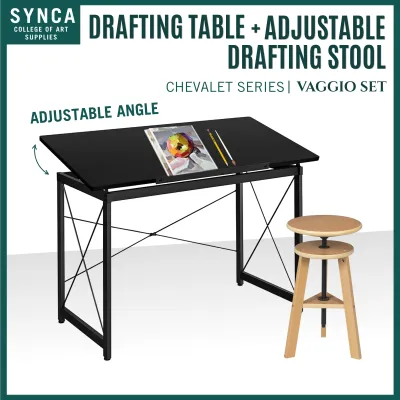
Digital drawing tablets offer unmatched portability and space efficiency, whereas traditional drafting equipment requires a dedicated, spacious, and well-lit workspace. A physical drafting setup demands a large, flat table or an adjustable drafting desk to accommodate oversized sheets of paper, a T-square, and various drawing instruments. This setup is semi-permanent and difficult to move, making it less suitable for small apartments, shared dorm rooms, or students who must commute daily. You must also ensure your physical board matches your paper size standard, such as A3 or A2, to avoid awkward overhangs that ruin line precision.
In contrast, a digital tablet can turn almost any environment into a workspace. Whether you are working in a local cafe, a university library, or a small bedroom, a tablet and a laptop require minimal physical space. This mobility is highly advantageous for modern workflows, allowing you to carry an entire studio’s worth of brushes, rulers, and canvases in a single backpack.
However, environmental and ergonomic factors play a major role in both setups. Traditional drafting requires excellent, shadow-free lighting to prevent eye strain when working with fine lines, and in humid tropical climates, physical paper must be stored carefully in sealed portfolios to prevent warping or ink bleeding. Digital tablets eliminate paper storage issues but introduce screen glare and require proximity to power outlets. Ergonomically, both setups can cause physical strain; manual drafting often involves leaning over a flat board, while digital work can lead to repetitive strain injuries if the tablet is not positioned at a comfortable angle with proper wrist support.
Should you start with manual drafting equipment or transition straight to digital based on your learning style?
Choosing between manual drafting equipment and a digital tablet depends on whether you learn best through physical, tactile feedback or rapid, digital experimentation. Tactile learners often thrive when using traditional tools because the physical resistance of graphite on paper, the glide of a plastic triangle, and the manual control of line weight provide immediate sensory feedback. This physical connection helps reinforce geometric concepts and spatial relationships, making it easier to internalize the rules of technical drawing.
Tech-adaptable learners, however, may find the traditional process slow and frustrating. If you prefer to iterate quickly, experiment with layers, and have the freedom to undo mistakes instantly, starting directly with a digital tablet can keep you motivated. Digital tools allow you to practice composition, perspective, and color theory without the fear of ruining a physical piece of paper, which can accelerate the early stages of creative exploration.
For most beginners, a practical hybrid approach offers the best of both worlds. You can start by using basic, affordable manual drafting equipment—such as a scale ruler, a mechanical pencil, and a small drawing board—to learn the core principles of projection, scale, and line weight. Once you have built a solid foundation of these spatial rules, you can transition to a digital drawing tablet to apply your skills to modern digital rendering, vector design, and professional presentation workflows. This balanced path ensures you develop the disciplined eye of a traditional draftsperson while mastering the efficient tools of a digital artist.

Community discussion
Share your experience or ask a question. Comments are reviewed before publication.