
Quick Answer: Which Desk Calendar Planner Layout is Right for You?
Choosing between a weekly and a monthly desk calendar planner depends entirely on your need for granular daily task management versus high-level event tracking. There is no single layout that works for everyone; the ideal format is the one that seamlessly integrates with your daily workflow and cognitive style.
Select a weekly layout if your day is defined by hourly appointments, shifting priorities, and dense, multi-step to-do lists. This format provides the granular space required to time-block your day and track micro-tasks. Conversely, select a monthly layout if you need to visualize long-term deadlines, track macro-level projects, and see your entire month at a single glance without turning pages. By matching the planner’s structure to your cognitive needs, you can reduce mental clutter and keep your workspace highly organized.
Weekly Desk Calendar Planners: Master Your Daily Details
Weekly desk calendar planners are designed for individuals who need to manage their time with high precision. Structurally, a weekly desk planner typically features a one-week-per-page layout or a generous two-page spread. These layouts often divide each day into dedicated columns or horizontal blocks. Many models include pre-printed hourly time slots—ranging from early morning to late evening—alongside dedicated sections for daily priorities, habit trackers, and notes. This structural approach turns your desk calendar into an active, operational dashboard rather than a passive date reference.
Products mentioned in this guide
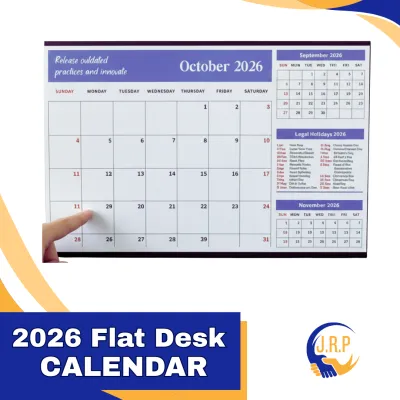
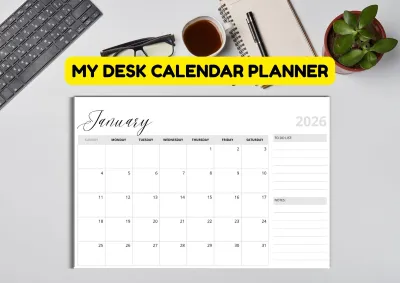
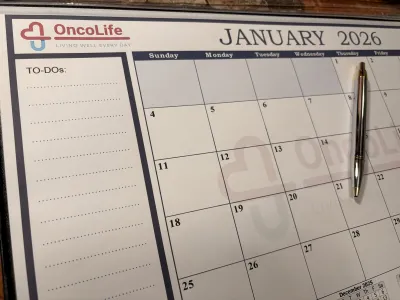
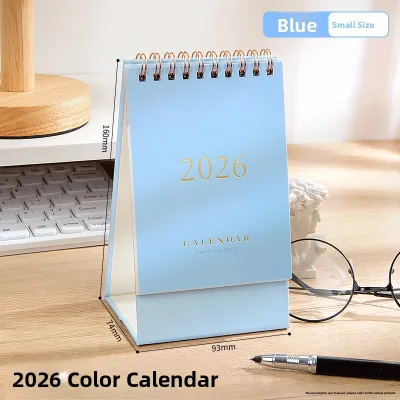
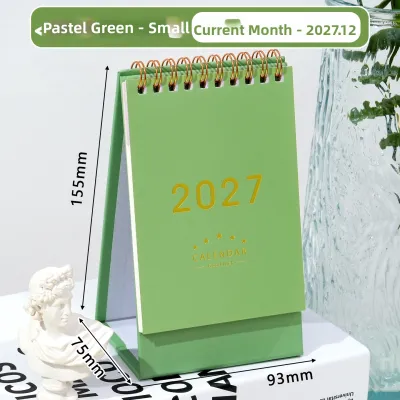

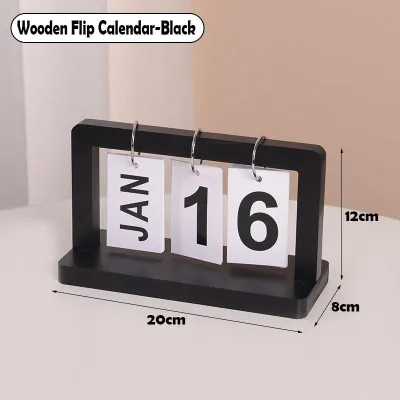
Prices are valid at publication and may change. Please refer to the product page for the latest price.

The core benefit of a weekly layout is its capacity for micro-level organization. With ample writing space allocated to each day, you can easily implement time-blocking strategies, mapping out exact hours for focused work, meetings, and personal errands. This level of detail is invaluable for keeping track of complex, multi-stage tasks that must be executed in a specific sequence throughout the day. It also allows you to write down detailed notes, phone numbers, or meeting locations directly onto the day’s block, eliminating the need to cross-reference a separate notebook.
However, weekly planners do have distinct limitations. Because they focus on a seven-day window, they require frequent page turning to view upcoming events. This design makes it difficult to maintain awareness of long-term deadlines or project milestones occurring three or four weeks in the future. Additionally, if your daily schedule is relatively light or consists mainly of open-ended tasks, a highly structured weekly layout with hourly blocks can feel empty and visually overwhelming, creating unnecessary pressure to fill blank spaces.
The ideal user profile for a weekly desk calendar planner includes busy professionals managing back-to-back client meetings, university students balancing dense class schedules with study hours, and freelancers coordinating multiple projects with tight daily turnarounds. If your day is a fast-moving puzzle of appointments and time-sensitive tasks, the weekly layout provides the structural support needed to keep every piece in place.
Monthly Desk Calendar Planners: See the Big Picture
Monthly desk calendar planners prioritize macro-level visibility, offering a comprehensive overview of your schedule at a single glance. The typical structure of a monthly desk planner consists of a full-month grid spread across a single page or a two-page layout. Each day is represented by a square or rectangular box, and the margins of the page are often reserved for broader monthly goals, checklists, and forward-planning sections for the upcoming month. This layout acts as a visual anchor on your desk, keeping your long-term commitments constantly in your line of sight.
The primary advantage of a monthly planner is its superior visual overview capability. It allows you to spot overlapping events, identify busy weeks, and plan around major deadlines well in advance. For project-based work, a monthly grid is indispensable for mapping out milestones, tracking multi-week campaigns, and scheduling recurring events like bill payments, monthly reviews, or family gatherings. Because you do not need to turn pages to see the rest of the month, your brain can easily form a spatial map of your time, reducing the anxiety of unexpected deadlines.
Despite these benefits, monthly planners have clear boundaries when it comes to daily detail. The writing space within each daily box is strictly limited, often measuring only a few square centimeters. This makes the monthly layout entirely unsuitable for hourly scheduling, detailed to-do lists, or writing down extensive meeting notes. If you attempt to crowd too much information into a single day’s box, the calendar quickly becomes illegible, defeating its purpose as a clean, visual reference.
This layout is best suited for project managers, team leaders coordinating shared office timelines, families tracking household events, and individuals who prefer a minimalist planning style. If your daily routine is relatively consistent and your primary organizational need is to track major events, deadlines, travel dates, and key milestones, a monthly desk calendar planner provides the perfect high-level perspective.
Head-to-Head Comparison: Weekly vs Monthly Layouts
To choose the right planner, it is helpful to compare these two layouts across practical, everyday dimensions. The table below highlights how each format performs across key usability metrics:
| Comparison Dimension | Weekly Desk Calendar Planner | Monthly Desk Calendar Planner |
|---|---|---|
| Best For | Granular daily scheduling and time-blocking | High-level project tracking and event visualization |
| Daily Writing Space | Abundant; includes hourly lines and task lists | Limited; small blank boxes for key events only |
| Long-Term Visibility | Low; limited to a 7-day view per page or spread | High; displays 30 to 31 days simultaneously |
| Task Granularity | High; tracks micro-tasks and hourly appointments | Low; tracks macro-deadlines and major milestones |
| Ideal Planning Style | Active, detailed, and execution-focused | Reflective, strategic, and overview-focused |
| Desk Footprint | Varies; often compact or medium sizes | Often larger; designed as a flat desk pad |
Beyond the layout itself, physical and stationery-specific characteristics play a massive role in how a desk planner performs in daily use. When evaluating different options, pay close attention to the binding mechanism. Wire-O or double-loop spiral bindings are excellent because they allow the planner to lie completely flat on your desk or fold back on itself to save space. In contrast, glue-bound desk pads allow you to cleanly tear off sheets as time passes, but the bottom corners can curl over time with frequent arm movement across the desk.
Paper weight is another critical specification that directly impacts usability. In the tropical climate of the Philippines, high relative humidity can cause paper fibers to absorb ambient moisture from the air. This moisture absorption makes paper more susceptible to ink feathering and bleed-through, especially when using liquid-based writing instruments.
To ensure a clean writing experience, look for planners featuring a paper weight of at least 100 GSM (grams per square meter), though 120 GSM or higher is ideal if you prefer using gel pens, fountain pens, or heavy highlighters. Lighter papers, such as 70 or 80 GSM, may suffice for standard ballpoint pens but will likely bleed or show ghosting on the reverse side when subjected to wet inks or humid conditions.
How to Choose Based on Your Planning Style
To finalize your choice, evaluate your daily routine, your physical workspace, and how your brain naturally processes information. You can use this practical decision framework to guide your purchase:
Choose a Weekly Layout if:
- Your daily schedule changes constantly with multiple meetings, classes, or client calls.
- You rely on time-blocking to stay productive and need hourly increments to structure your day.
- You prefer keeping your daily to-do list and your calendar in the same physical space.
- You find satisfaction in checking off small, granular tasks throughout the day.
Choose a Monthly Layout if:
- Your days are largely self-directed, and you do not have many hourly appointments.
- You need to coordinate your schedule with team members, project lifecycles, or family members.
- You want a quick-reference dashboard that stays open on your desk to show major deadlines at a glance.
- You use digital tools (like Google Calendar or Outlook) for detailed daily scheduling but want a tactile, physical overview for long-term goals.
Consider a Hybrid Approach if:
- You need both micro-level control and macro-level vision. Many stationery brands offer hybrid planners that feature a monthly overview grid at the start of each section, followed by detailed weekly spreads. Alternatively, you can pair a large, flat monthly desk pad (which sits under your keyboard) with a slim, portable weekly notebook that you keep open beside your mouse pad.
When shopping for a desk calendar planner at local office supply retailers or official brand stores in the Philippines, always verify the physical dimensions against your actual desk space. A large A3-sized desk pad (approximately 420 x 297 mm) is excellent for spacious executive desks but can completely overwhelm a compact home-office setup in a condominium. For smaller workspaces, an A4 (297 x 210 mm) or a standing tent-style calendar is often a much better fit.
Price points for quality desk planners generally fall into distinct bands. Budget-friendly options made with standard 80 GSM paper typically range from ₱150 to ₱300. Premium options—featuring heavy 120 GSM acid-free paper, durable wire binding, and water-resistant covers—generally range from ₱500 to ₱1,200 or more. Investing in a higher-grade planner ensures that your writing tools perform beautifully and that the pages remain crisp and legible throughout the year.
Frequently Asked Questions (FAQ)
Can I use a desk calendar planner for both personal and work tasks?
Yes, you can successfully manage both personal and professional commitments on a single desk calendar planner by establishing clear visual boundaries. Color-coding is the most effective way to achieve this. For example, you can use blue gel ink for work meetings, green for personal errands, and red for critical deadlines.
If you are using a monthly layout with limited space, draw a diagonal line through the daily boxes to split them into two triangles, reserving the top half for work and the bottom half for personal events. In a weekly layout, you can use the hourly columns for work hours and dedicate the bottom notes section to personal habits, meal planning, or evening workouts.
What paper weight should I look for to prevent ink bleeding?
To prevent ink bleeding and feathering, look for a desk calendar planner with a paper weight of at least 100 GSM. If you frequently write with fountain pens, heavy gel pens, or wet highlighters, step up to 120 GSM or higher.
Because paper behavior is highly dependent on the specific combination of paper sizing, ink formulation, and local humidity, it is always wise to perform an observable trial. When you receive your new planner, find an inconspicuous area, such as a corner of the notes page or the very last sheet, and draw a few test lines with your preferred pens. Let the ink dry completely to check for feathering, bleed-through, or shadow show-through on the back of the page before writing on the main calendar grids.
Is a standing desk calendar better than a flat pad?
Choosing between a standing (tent or easel-style) calendar and a flat desk pad depends on your primary usage style and desk ergonomics. Standing desk calendars are excellent for quick, hands-free date checking. They sit upright, saving valuable horizontal desk space, and are highly visible from a distance, making them perfect for monitoring deadlines while typing. However, they offer very little writing space and are awkward to write on while standing upright.
Flat pad calendars, on the other hand, provide a comfortable, natural writing surface and ample space for notes. They can sit directly under your keyboard or mouse, serving as a protective mat for your desk. Choose a standing calendar if you prioritize visibility and have limited desk space, or a flat pad if you intend to write on your calendar daily.
Community discussion
Share your experience or ask a question. Comments are reviewed before publication.