
To keep a tablet looking pristine and personalized in a humid, tropical environment, choosing the right sticker material is essential. Standard paper stickers quickly degrade, peel, or bleed when exposed to hand sweat, spilled drinks, or ambient moisture. Truly waterproof stickers rely on synthetic polymers like vinyl (PVC) or polyester (PET), or heavily laminated paper bases that prevent moisture from reaching the ink and adhesive layers. Understanding how these materials interact with your device and the environment ensures your decorations remain vibrant and intact over years of daily handling.
Understanding "Waterproof" vs. "Water-Resistant" for Tablets
“Waterproof” implies a complete barrier that prevents water penetration under any condition, including prolonged submersion. “Water-resistant” means the material can withstand light splashes, high humidity, or occasional dampness but will eventually fail if soaked.
For tablets, full submersion is rarely the primary concern, as the electronic device itself would not survive underwater without a specialized sealed case. Instead, tablet stickers must withstand localized moisture challenges: sweaty palms during long gaming or drawing sessions, condensation from a cold drink placed nearby, sudden rain showers during a commute, and the high relative humidity typical of tropical climates.
Products mentioned in this guide

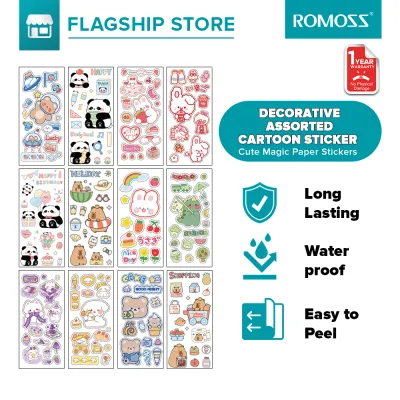
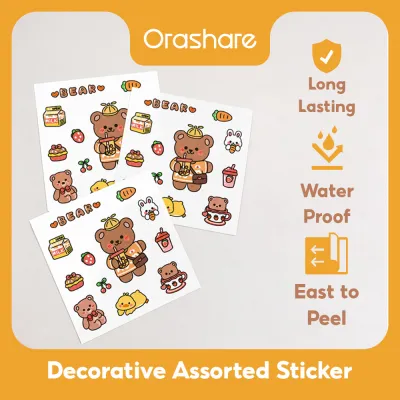
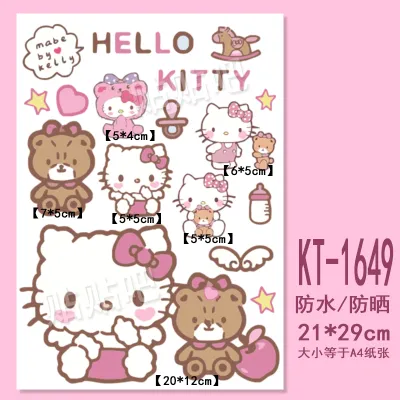

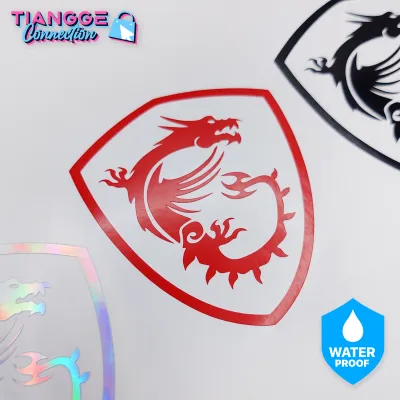
Prices are valid at publication and may change. Please refer to the product page for the latest price.
In these warm, humid environments, moisture slowly penetrates the edges, weakening the adhesive backing over time. A sticker that is merely water-resistant might survive a quick wipe-down but will eventually lift at the corners as humidity degrades the glue. True waterproof options maintain their bond and structural integrity even when exposed to persistent moisture and friction.
Evaluating Common Sticker Materials for Moisture Protection
Different base materials offer varying levels of protection against moisture, friction, and environmental wear. When selecting a waterproof sticker for tablet use, evaluating the physical properties of the substrate is the first step toward ensuring long-lasting durability.

Vinyl (PVC) Stickers
Vinyl, or polyvinyl chloride, is the industry standard for durable, weather-resistant decals. This synthetic plastic material is naturally hydrophobic, meaning it repels water entirely rather than absorbing it. Because vinyl is highly flexible, it conforms easily to the subtle curves and flat back panels of modern tablets, creating a tight seal that prevents moisture from creeping underneath.
However, the water resistance of the vinyl base does not automatically guarantee that the printed design is waterproof. If the sticker is printed using standard water-based inkjet inks without a protective topcoat, the design can smudge or fade when touched by sweaty hands. To ensure complete protection, look for vinyl stickers that feature UV-resistant inks or a clear protective laminate layer over the print.
Another practical consideration is the thickness of the vinyl. Heavy-duty, thick vinyl stickers offer excellent durability but can create a noticeable lip on the tablet surface. This added thickness might interfere with tight-fitting protective cases or cause the edges of the sticker to catch on sleeves and bags, leading to premature peeling.
Polyester (PET) Stickers
Polyester, often referred to as PET (polyethylene terephthalate), is another highly durable synthetic material widely used for premium labels and decals. Unlike vinyl, which can stretch or warp under tension, polyester is exceptionally stable and resistant to shrinkage, tearing, and high temperatures. This dimensional stability makes it an excellent choice for tablets that generate heat during heavy processing tasks.
The waterproof performance of PET stickers depends heavily on the surface treatments applied during manufacturing. High-quality PET stickers are engineered with specialized top coatings that lock in the printing inks, preventing bleeding or fading even when exposed to moisture, oils, and mild cleaning agents. This makes them highly resilient against the natural oils transferred from your fingers during daily device handling.
For long-term tablet decoration, PET stickers are often preferred by users who want a sleek, low-profile look. They are typically thinner than heavy vinyl decals, allowing them to sit flush against the tablet back panel. This thin profile minimizes the risk of edge-lifting when sliding the tablet in and out of tight sleeves or docking stations.
Laminated Paper and Washi Stickers
Paper-based stickers, including traditional Japanese washi tapes and paper decals, are naturally porous and highly absorbent. When exposed to moisture, the paper fibers swell, causing the ink to bleed and the adhesive to dissolve. Without protection, a standard paper sticker on a tablet will quickly disintegrate, turn gray, or peel away under the influence of humid air and hand sweat.
To make paper or washi stickers viable for tablet decoration, manufacturers apply a plastic lamination layer over the top surface. While this lamination protects the printed design from direct splashes, it does not make the sticker completely waterproof. The vulnerable point remains the exposed paper edge; if moisture contacts the side of the sticker, it can seep into the paper core through capillary action, causing the edges to lift and curl.
In high-humidity environments, laminated paper stickers are prone to gradual adhesive degradation. If you choose to use laminated paper or decorative washi stickers on your tablet, it is best to place them underneath a clear, protective tablet case. This setup allows you to enjoy the unique textures and designs of paper stationery without exposing the vulnerable edges to constant friction and ambient moisture.
How to Verify Waterproof Claims Before Purchasing
When browsing online marketplaces or local stationery shops, many products carry generic “waterproof” or “weatherproof” labels. To avoid disappointment, buyers must look beyond these marketing buzzwords and verify the actual material specifications. Check the product description for explicit mentions of the base material, such as “premium vinyl,” “PET,” or “laminated synthetic paper,” rather than relying on vague descriptions.
It is equally important to distinguish between a waterproof base material and waterproof ink. A sticker can be made of high-quality vinyl, but if it was printed with standard dye-based inks without a protective laminate, the design will run the first time it encounters a drop of water. Look for listings that specify the use of pigment-based inks, UV-cured inks, or an integrated clear laminate overlay that seals the print layer.
Before making a purchase, take time to review user feedback and photos, paying close attention to long-term performance reviews. Look for comments mentioning how the stickers hold up against daily handling, edge-lifting, color fading, or sticky residue. If you are purchasing handmade stickers from independent artists, do not hesitate to ask them about their printing process and whether they apply a physical laminate sheet over their designs for added moisture protection.
Application and Care for Maximum Moisture Resistance
Even the highest-quality waterproof sticker will fail if it is applied to a dirty or improperly prepared surface. Before applying any decals, thoroughly clean the back of your tablet to remove skin oils, dust, and fingerprints. Use a lint-free microfiber cloth lightly dampened with isopropyl alcohol, and allow the surface to dry completely. Avoid using household glass cleaners or soapy water, as they can leave behind a thin residue that prevents the adhesive from forming a strong, watertight bond.
When positioning your stickers, plan the layout carefully to avoid high-friction zones and functional areas of the device. Do not place stickers over ventilation grilles, speakers, camera lenses, or physical buttons, as this can impair device performance and cause the sticker edges to lift. Keep stickers slightly away from the very edges of the tablet where your hands grip the device most frequently, as constant rubbing and sweat will eventually compromise the adhesive seal.
To maintain your decorated tablet, adopt a gentle cleaning routine that preserves both the device and the stickers. Instead of spraying liquid cleaners directly onto the tablet, use a slightly damp microfiber cloth to wipe down the surfaces. Avoid harsh chemical solvents, abrasive pads, or excessive scrubbing, which can scratch the protective laminate layer of the stickers and dull the printed designs over time.
Frequently Asked Questions (FAQ)
Can I use a hairdryer to remove waterproof stickers from my tablet?
Using a hairdryer to soften sticker adhesive is a common removal technique, but it must be approached with extreme caution when dealing with electronic devices. Concentrated heat can damage sensitive tablet components, including the lithium-ion battery, the adhesive holding the screen in place, and the delicate internal circuitry. If you choose to use heat, set the hairdryer to its lowest setting, keep it at least six inches away from the device, and apply warmth for only a few seconds at a time. Alternatively, you can use a plastic scraper or a mild, manufacturer-approved adhesive remover applied sparingly to a cloth to gently lift the residue without exposing your tablet to thermal risks. Always check your tablet manufacturer’s warranty and care guidelines before applying any heat or chemical solvents to the device.
Do waterproof stickers affect wireless charging or tablet signals?
Standard non-metallic sticker materials, such as vinyl, polyester, and laminated paper, do not interfere with wireless charging, Wi-Fi, Bluetooth, or cellular signals. These synthetic polymers are electromagnetically transparent, meaning signals pass through them without obstruction. However, you should avoid stickers that feature metallic foil accents, holographic finishes containing metal particles, or excessively thick, multi-layered designs if you plan to place them directly over the tablet’s wireless charging coils or internal antenna bands. To ensure optimal device performance, consult your tablet’s user manual to locate the antenna areas and wireless charging zones before applying thick or metallic decals.
Community discussion
Share your experience or ask a question. Comments are reviewed before publication.