
A mini calculator keychain is a highly practical tool for quick calculations on the go, provided you choose one with the right balance of usability and durability. While many people view these miniature devices as simple novelty items, a well-designed model can serve as an invaluable daily companion for calculating expenses, splitting bills, or verifying transactions. To find a model that is truly functional rather than just a decorative accessory, you must evaluate its display legibility, button responsiveness, power source reliability, and physical build quality. By focusing on these core features, you can ensure your portable calculator remains a reliable tool for years to come.
Core Features That Make a Mini Calculator Actually Usable
Display readability is the first major hurdle for any ultra-compact device. A screen that is too small or lacks contrast becomes useless under bright light. Look for a display that supports at least eight digits clearly, which is the standard requirement for most everyday calculations. Check the contrast levels; liquid crystal displays (LCDs) can easily wash out under direct sunlight or dim indoor lighting. Ensure the numbers are tall enough to read at arm’s length without squinting. High-contrast screens with a slight anti-glare coating are particularly useful when you are outdoors in bright tropical environments.
Button layout and tactile feedback are equally critical because the device is miniature. The keys are naturally small, making precise input a common challenge. Look for buttons made of raised rubber or textured plastic that offer a distinct “click” or tactile resistance when pressed. Flat, flush buttons often lead to accidental double-presses or missed inputs because your fingers cannot feel the boundaries of each key. Spacing is crucial; even a millimeter of separation between keys can prevent your thumb from pressing two numbers at once. Soft-touch rubber keys tend to grip the fingertip better than slick plastic buttons, reducing errors during rapid entry.
Products mentioned in this guide
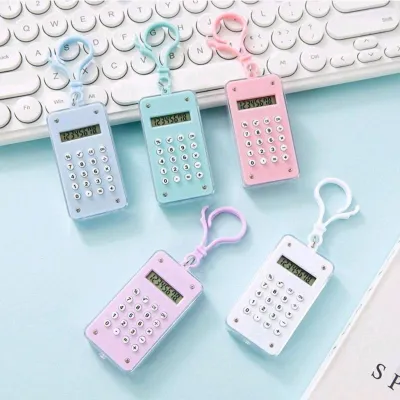
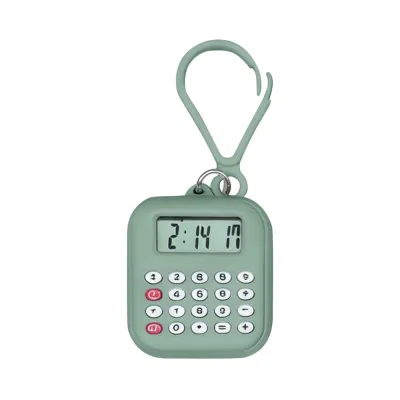
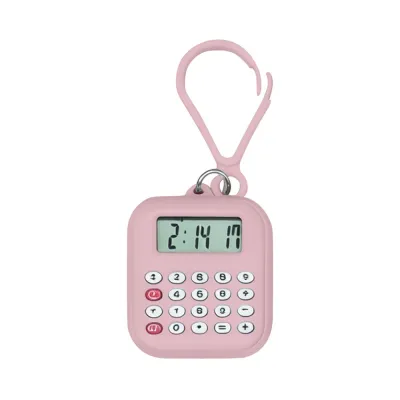
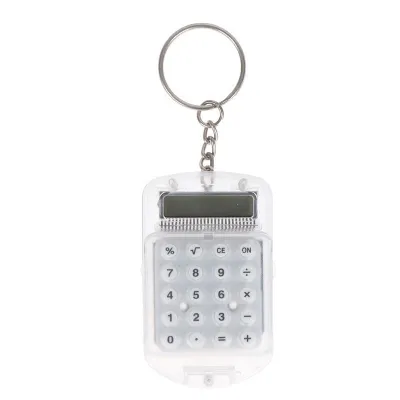
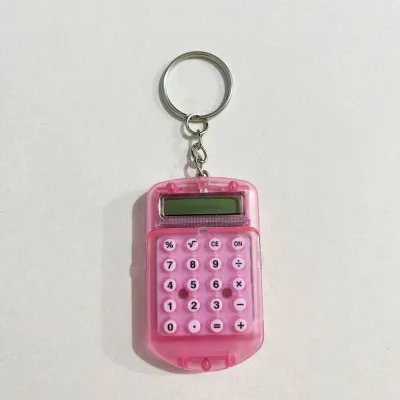
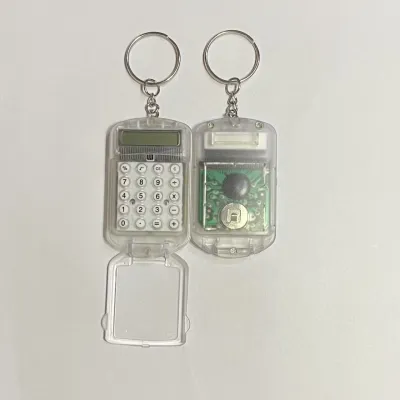
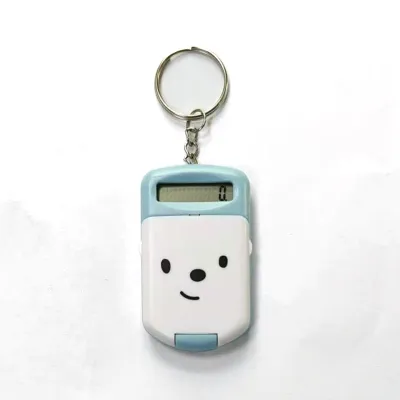
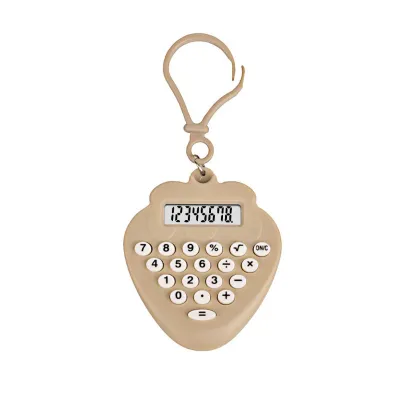
Prices are valid at publication and may change. Please refer to the product page for the latest price.
Power source mechanisms dictate how and where you can use the device. Mini calculators typically run on solar power, button-cell batteries, or a dual-power system. Solar-only models require a minimum level of ambient light to function, which can be problematic in dimly lit rooms, evening commutes, or shaded outdoor areas. Battery-powered units offer consistent performance regardless of lighting conditions, but they will eventually run out of power. Dual-power configurations are the most reliable option, utilizing solar energy when ambient light is available and seamlessly switching to a backup battery when indoors. This ensures the calculator is always ready to use without warning.
Build quality and durability determine how well the device survives daily carry. As a keychain, the calculator will share space with metal keys, coins, and other abrasive items in your pocket or bag. Look for a casing made of high-impact ABS plastic or reinforced polycarbonate that can withstand daily friction and minor impacts. Check if the edges are rounded or reinforced to absorb impacts from accidental drops on hard surfaces. A recessed screen or a raised bezel around the display helps prevent scratches when the keychain rubs against other objects. A durable outer shell prevents the internal liquid crystal display from cracking under pressure.
How to Match Features to Your Specific Daily Needs
For quick mental math and tipping, simplicity is key. If your primary goal is calculating change at a local convenience store, splitting a restaurant bill, or checking prices in ₱ at the market, prioritize a basic four-function layout (addition, subtraction, multiplication, division) with large, soft-touch rubber buttons. You do not need complex scientific functions or financial keys; instead, focus on a layout that lets you input numbers rapidly with one hand. A clear, dedicated clear/on button (C/AC) is essential for resetting calculations quickly between transactions.

For a student or professional backup, look for slightly more advanced features. This includes memory keys (M+, M-, MR) and a percentage key, which are highly useful for quick grade calculations or tax estimates. A protective sliding cover or a clamshell design is highly beneficial here; it prevents the calculator from turning on accidentally in your bag, which would otherwise drain the battery. Ensure the dual-power system is robust so it remains functional during exams, field inspections, or inventory checks.
If you have an aesthetic or novelty focus, you must still verify minimum functional baselines. If you are drawn to a specific color, retro design, or cute aesthetic, test the keys before purchasing to ensure they register inputs correctly on the screen without requiring excessive force. Avoid models where the buttons are purely decorative or made of cheap, flimsy plastic that wobbles when pressed. A beautiful keychain is only satisfying if it actually performs basic arithmetic when you need it, so balance visual appeal with physical usability.
Pre-Purchase Checks for Mounting and Maintenance
Attachment mechanisms are critical because the point where the calculator connects to your keyring is often the weakest link. Examine the molded plastic loop on the calculator body; it should be thick and integrated into the main casing rather than a thin, glued-on tab that can easily snap. Look for a sturdy metal jump ring, a short chain link, or a small carabiner clip. A carabiner is particularly useful if you frequently need to detach the calculator from your keys for comfortable desktop use, as it prevents you from having to wrestle with a tight split ring.
Size and weight limits must be carefully managed. A keychain calculator should be compact enough to fit comfortably in your pocket without creating excessive bulk. Heavy or oversized models can weigh down your ignition switch if used as a car keychain, potentially causing mechanical wear over time. Aim for a lightweight design that does not exceed the size of a standard key fob, ensuring it won’t tear pocket linings or clutter your bag. The ideal mini calculator should feel almost weightless when added to your existing key bundle.
Battery replacement feasibility is a key factor in the device’s lifespan. Many ultra-compact calculators are designed as disposable items with permanently sealed casings. To avoid throwing the device away when the battery dies, look for a model with a visible battery compartment door on the back. Check if this door is secured by standard micro-screws (which require a precision screwdriver) or if it uses a simple slide-and-snap mechanism. Verify if it uses common, easily sourced coin cells like LR1130 or CR2032, which are widely available in local hardware and convenience stores.
Frequently Asked Questions (FAQ)
Can you replace the battery in a sealed mini calculator keychain?
If the calculator casing is completely sealed without any visible screws or battery doors, the battery is generally not intended to be replaced. Attempting to pry open a sealed plastic casing usually cracks the housing or damages the delicate internal ribbon cables, rendering the device permanently unusable. If you notice tiny micro-screws on the back, you can carefully remove them using a precision screwdriver to access the circuit board and swap the coin cell. However, if the unit is glued shut, it is best to treat it as a solar-dependent device once the original factory battery runs out, or replace the unit entirely when it stops functioning.
Are mini calculator keychains water-resistant?
Most mini calculator keychains do not carry an official IP (Ingress Protection) rating and are not water-resistant. The high humidity and sudden tropical downpours common in the Philippines can easily introduce moisture into the unsealed seams around the buttons and screen. If your calculator gets wet, immediately wipe off any surface moisture. If the battery compartment is accessible, open it, remove the battery, and let the components dry completely in a well-ventilated area for at least 24 hours before attempting to turn it back on. If the screen becomes permanently fogged or the buttons stop registering inputs, the internal circuitry has likely shorted, and the unit should be replaced.
Community discussion
Share your experience or ask a question. Comments are reviewed before publication.