
To find the perfect flipbook for animation, you must balance three critical physical specifications: paper weight (ideally 100 to 120 GSM), binding type (preferably glued or pad binding for an unobstructed flip), and page size (typically a compact palm size or A6). In the tropical climate of the Philippines, high humidity can quickly turn cheap, thin paper limp or cause pages to stick together, making your frame-by-frame animations stutter. Choosing the right physical medium is the difference between a smooth, satisfying illusion of motion and a frustrating, jammed flip.
Whether you are a student sketching simple bouncing balls or an experienced illustrator designing complex character transformations, your flipbook is your primary tool. Understanding how paper, binding, and size interact will help you avoid common pitfalls—like ink bleeding through to the next frame or a stiff spine that refuses to bend—allowing you to focus entirely on the art of timing and motion.
Paper Weight and Texture: Balancing Opacity and Flexibility
Paper weight, measured in grams per square meter (GSM), dictates both how easily you can trace your previous frames and how smoothly the pages snap past your thumb. If the paper is too thin, such as standard 70 GSM copy paper, it will warp under the moisture of markers or ink pens, causing severe bleed-through that ruins subsequent frames. Furthermore, lightweight paper is highly sensitive to humid air, quickly losing its structural integrity and becoming too limp to flip with any precision.
Products mentioned in this guide
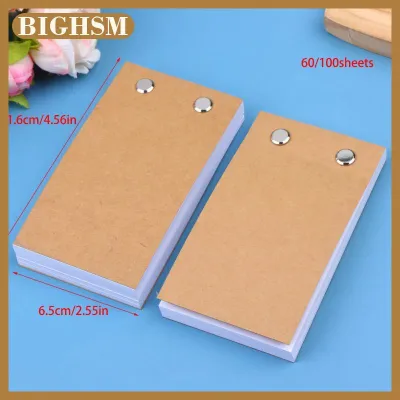
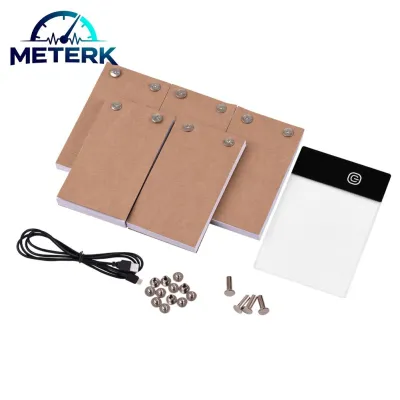
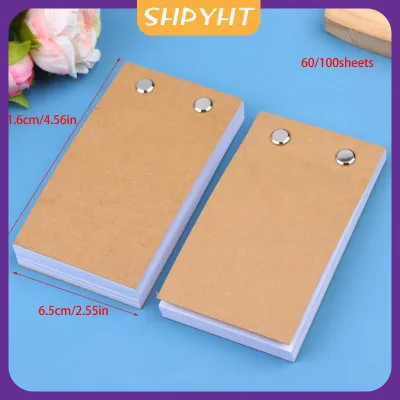
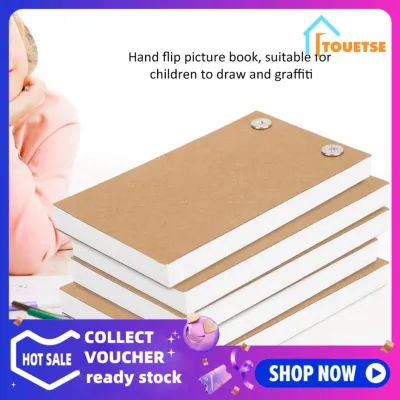
Prices are valid at publication and may change. Please refer to the product page for the latest price.
Conversely, heavy cardstock (160 GSM or higher) is exceptionally durable but far too stiff for a flipbook. It resists bending, which prevents a rapid, continuous flipping motion, and its high opacity blocks light. This makes “onion skinning”—looking through your current page to trace the drawing beneath it—nearly impossible without a light box.
For the best results, seek a mid-range weight between 100 GSM and 120 GSM. This range offers the ideal compromise: it is thin enough to allow sufficient light transmission for easy tracing, yet heavy enough to withstand the physical stress of repeated flipping.
Surface texture, or “tooth,” must match your drawing medium. Smooth, hot-pressed paper is superior if you work with fine liners or markers, as it prevents ink feathering. If you prefer graphite or colored pencils, a paper with a subtle tooth is necessary to grab the pigment. Because rougher papers can increase friction and cause smudging during rapid page turns, always conduct an observable trial on a rear page to verify drying speed and smudge resistance before starting.
Page Count: Matching Thickness to Animation Length
The total page count of your flipbook directly determines the maximum duration of your animation. Traditional hand-drawn animation is calculated using frame rates, typically 12 frames per second (fps) for “animating on twos” or 24 fps for smoother, more fluid motion. Therefore, a standard 100-page flipbook will yield approximately four to eight seconds of continuous movement.

While it is tempting to purchase a thick book with 200 or more pages to create longer stories, this introduces a significant physical trade-off. As page count increases, the overall thickness of the paper block grows. If the block is too thick, your thumb cannot maintain even, consistent pressure from the first page to the last. This often causes the book to “clump,” where multiple pages drop simultaneously, ruining the illusion of smooth motion.
For beginners, a moderate page count of 60 to 100 pages is highly recommended. This thickness is easy to grip comfortably in one hand, prevents wrist fatigue, and provides a satisfying canvas to complete self-contained loops or short sequences without running out of pages.
Binding Type: Ensuring Smooth Flipping and Flat Pages
The binding method of a flipbook shapes both how you draw on the pages and how smoothly those pages glide past your fingers. Glued or pad bindings are widely considered the gold standard for animation. These books feature a flexible adhesive along one edge that holds the pages securely while allowing the entire block to bend as a single unit. This design provides a clean, flat, and completely unobstructed edge for your thumb to catch, ensuring a highly consistent and reliable flip. The primary drawback is that glued books do not naturally lay flat on a desk, making drawing near the bound edge somewhat awkward.
Spiral or Wire-O bindings solve this by allowing the book to open completely flat, which is ideal when using a light pad. However, the metal loops can interfere with your thumb during playback, catching on your skin and disrupting the rhythm of your flip.
Stitched or saddle-stitched bindings offer great durability and lay relatively flat, but they are physically limited. Because they rely on thread or staples passed through folded sheets, they cannot accommodate high page counts without the inner pages bulging outward.
If you plan to flip your book constantly to check your progress as you draw, a glued pad binding is superior. If you prefer to draw comfortably first and do not mind a slightly disrupted flip, a spiral-bound book may suit your needs.
Page Size and Aspect Ratio: Finding the Right Canvas
Physical dimensions influence your drawing speed, level of detail, and how easily you can control the playback of your animation. Flipbooks generally come in three common sizes: palm-sized (roughly 3 by 5 inches), A6, and A5.
Smaller sizes, like palm-sized and A6 books, are highly portable and incredibly easy to flip with one hand. Because the drawing area is small, you can complete individual frames quickly, making them perfect for simple character movements and rapid prototyping. The reduced surface area also means you spend less time filling in backgrounds.
Larger sizes, such as A5, provide a generous canvas for intricate line work and detailed backgrounds. However, they require significantly more arm and wrist movement to flip, making it difficult to maintain a steady playback speed. They also take much longer to draw, which can quickly lead to creative burnout.
If you intend to digitize your work, keep aspect ratios in mind. Most modern digital screens use a 16:9 widescreen format. Choosing a rectangular flipbook that roughly matches this ratio will make scanning and cropping your frames for digital playback much easier, saving you hours of post-production alignment.
Minor Specs You Can Safely Ignore
When shopping for a flipbook, it is easy to get distracted by premium features that drive up the price without adding any functional value to your animation. Aesthetic elements like faux-leather covers, gilded page edges, and decorative branded endpapers look beautiful on a shelf but do not improve the drawing surface or the flipping mechanism.
In fact, gilded edges can actually hinder your animation. The metallic coating often causes the pages to stick together when the book is new, requiring you to manually fan and separate every single page before you can begin drawing. In the Philippines, high-quality blank flipbooks generally range from ₱150 to ₱500 on local online marketplaces. Your budget is far better spent on books that prioritize premium paper stock and a flexible, durable glued spine rather than decorative covers.
Quick Specs Checklist for Your First Flipbook
Before purchasing your first animation flipbook, use this quick reference checklist to ensure the physical specifications match your creative needs:
| Specification | Recommended Range | Why It Matters |
|---|---|---|
| Paper Weight | 100 to 120 GSM | Balances tracing opacity with flipping flexibility; resists humidity warping. |
| Page Count | 60 to 100 pages | Easy to hold in one hand; prevents clumping and wrist fatigue. |
| Binding Type | Glued / Pad Binding | Provides a smooth, unobstructed edge for consistent playback. |
| Page Size | A6 or Palm-sized (3×5") | Minimizes drawing time per frame; easy to control with one hand. |
| Paper Texture | Smooth (Satin/Hot-pressed) | Prevents marker bleed and reduces friction during rapid flipping. |
Frequently Asked Questions (FAQ)
Can I use a regular sketchbook as a flipbook?
While you can physically draw frame-by-frame in a standard sketchbook, it is rarely ideal for animation. Sketchbook bindings, especially thick hardcovers or stiff perfect bounds, are designed to keep pages secure rather than allowing them to flex and slide rapidly. Additionally, sketchbook paper is often too thick (150 GSM or higher) to trace previous frames without a bright light source, and the larger sizes are difficult to hold and flip with one hand.
Do I need registration holes or a peg bar for my flipbook?
For a pre-bound flipbook, registration holes and peg bars are completely unnecessary. The physical binding of the book acts as your alignment tool, keeping the pages perfectly locked in place as you draw. Registration pegs are only crucial for traditional loose-leaf animation, where you draw on individual sheets of paper and must align them perfectly on a light table before scanning. If you plan to cut your flipbook pages out later to scan them, you can easily align them digitally in your editing software.
Community discussion
Share your experience or ask a question. Comments are reviewed before publication.