
Selecting the right CASIO business calculator for accounting and finance work is not about finding a single, universally superior model. Instead, the ideal choice depends entirely on your specific daily workflow—whether you are processing high-volume invoices at a fixed desk, traveling between client offices for audits, or managing complex tax computations. CASIO categorizes its business-oriented calculators into distinct families: heavy-duty Desktop models, Slim and Portable designs, and specialized Tax or Double-Check units. By evaluating these categories against your primary financial tasks, you can select a tool that minimizes input errors, accelerates data entry, and withstands the demands of professional use.
In the modern financial landscape, where spreadsheets and accounting software handle large-scale data processing, a physical calculator remains an indispensable tool for quick verifications, cross-checking physical receipts, and running parallel totals. A dedicated device allows you to keep your primary screen free for analysis while executing rapid calculations on the side. To make an informed investment, you must understand how physical design elements and specialized key functions align with your daily accounting responsibilities.
What to Compare When Choosing an Accounting Calculator
When evaluating a calculator for business, the display capacity and screen readability are your first lines of defense against costly entry errors. In the Philippines, where corporate ledgers frequently handle transactions in millions or billions of Pesos, a 12-digit display is generally the professional standard, allowing you to calculate figures up to ₱999,999,999,999. For multinational corporations, national-level reporting, or high-inflation currencies, a 14-digit screen provides the necessary headroom to prevent overflow errors. Readability is equally critical; look for models featuring an adjustable tilt display, which allows you to angle the screen to eliminate glare from overhead office lights or bright tropical sunlight streaming through windows.
Products mentioned in this guide
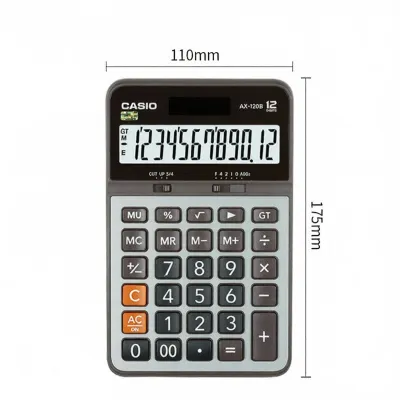
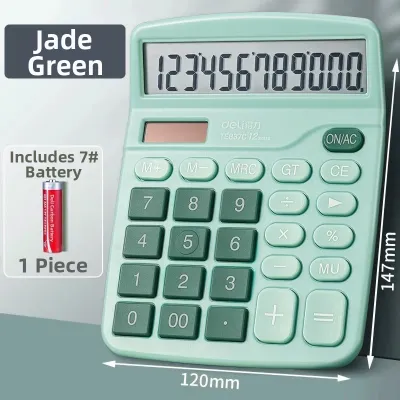
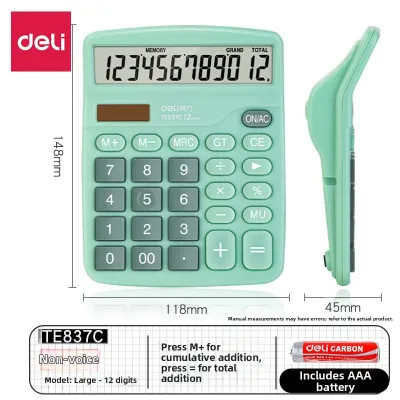
Prices are valid at publication and may change. Please refer to the product page for the latest price.
Key layout and tactile feedback directly impact your typing speed and accuracy. High-quality business calculators utilize stepped key designs or contoured keycaps that naturally guide your fingers to the center of each button, reducing accidental double-presses. Key rollover capability is another vital specification, ensuring that if you press a second key before fully releasing the first, both inputs are registered accurately. For professionals who use the touch-method (typing without looking at the keys), a standard key pitch—the distance between the centers of adjacent keys—that matches a computer numeric keypad is essential for maintaining muscle memory.
Power reliability is a crucial consideration for long, uninterrupted work sessions. Opt for models equipped with a dual-power system that combines solar cells with a backup button battery. In environments where indoor lighting can vary, the solar panel keeps the device running under ambient light, while the battery ensures uninterrupted operation when working in dimly lit archives or during sudden power shifts. Furthermore, in humid tropical climates, a well-sealed battery compartment prevents moisture ingress, protecting the internal contacts from corrosion over years of service.
Specialized financial keys automate repetitive math and save significant time. Dedicated tax keys allow you to store a local tax rate, such as the standard 12% VAT, and apply or strip it with a single keystroke. Cost, sell, and margin keys simplify profitability analysis by calculating any of the three variables when the other two are entered. For auditing tasks, double-check or verification keys let you step backward and forward through a sequence of inputs to locate entry errors without needing to restart the entire calculation chain.
How Different CASIO Calculator Series Match Financial Workflows
Desktop heavy-duty models are engineered for stationary workstations where data entry speed and physical stability are paramount. These units feature a wide footprint, a weighted base, and large rubber feet that prevent the calculator from sliding across your desk during rapid typing. The keys are typically made of durable, double-injection molded plastic, meaning the numbers are molded directly into the keycap and will never wear off from fingernail friction. The generous key spacing minimizes typos, making these models the preferred choice for full-day bookkeeping, accounts payable processing, and high-volume invoice verification.

Slim and portable models prioritize a compact, lightweight profile designed for field auditors, tax consultants, and mobile professionals who frequently travel between client sites. These calculators easily slide into a laptop bag or portfolio without adding bulk. While they feature slightly smaller keycaps and a lighter chassis, they retain essential business functions and dual-power systems. Many portable models include a protective wallet cover or a folding design to shield the keys and LCD screen from scratches and pressure damage while inside a packed bag.
Tax and double-check models are tailored specifically for professionals who must verify long lists of figures, such as bank reconciliations, ledger audits, or inventory valuations. These specialized units feature dedicated review keys that allow you to scroll through your input history step by step. If an error is detected, you can correct a single entry in the middle of a long calculation chain, and the calculator automatically updates the final total. This feature eliminates the need to re-enter dozens of values, significantly reducing mental fatigue during complex audits.
| Calculator Category | Ideal Work Environment | Key Physical Traits | Primary Financial Functions |
|---|---|---|---|
| Desktop Heavy-Duty | Fixed office desks, high-volume bookkeeping | Large footprint, weighted base, wide key pitch, tilt display | Cost/Sell/Margin, basic tax, grand total (GT) |
| Slim & Portable | Client sites, travel audits, compact workspaces | Thin profile, lightweight, protective cover or folding design | Basic tax, percentage, independent memory |
| Tax & Double-Check | Auditing, ledger verification, tax compliance | Medium footprint, clear step indicators, durable keycaps | Step review, insert/delete correction, dual tax rates |
Which CASIO Calculator Category Should You Choose?
Choose a Desktop model if your primary responsibility is processing high volumes of transactions at a dedicated workstation. The stability of a weighted chassis and the familiar spacing of the keys will directly translate to faster, more accurate typing. This is the workhorse for general ledger clerks, accounts payable specialists, and administrative assistants who spend hours entering figures from physical invoices and receipts. The physical comfort of a full-sized keyboard reduces hand strain over long shifts, making it a highly practical investment for daily office use.
Choose a Slim or Portable model if your job requires constant mobility. If you are an external auditor moving between different client offices, or a business consultant working out of shared workspaces, a bulky desktop calculator is impractical. A slim model fits neatly alongside your laptop and ensures you always have dedicated physical keys rather than relying on a clunky software keypad. It is also an excellent secondary calculator for managers who only need to perform quick calculations during meetings or site visits.
Choose a Tax or Double-Check model if your daily tasks involve verifying long calculation chains or managing multi-layered tax structures. If you frequently audit financial statements, reconcile bank accounts, or calculate varying local tax rates, the ability to review and edit previous steps saves significant time. This category bridges the gap between basic arithmetic calculators and complex financial computers, offering a streamlined interface optimized for accuracy and verification.
Keep in mind that standard business calculators are designed for arithmetic, tax, and basic margin calculations. If your workflow involves advanced statistical analysis, bond calculations, amortization schedules, or complex scientific formulas, a standard business calculator will not suffice. In these cases, you should look toward a dedicated financial consultant calculator or a scientific calculator that supports multi-line algebraic entry and programmed financial algorithms. Understanding these boundaries ensures you do not purchase a device that lacks the computational depth required for specialized financial modeling.
Final Checks Before Buying Your Business Calculator
Before making a final purchase, measure your available desk real estate and the compartments of your daily work bag. A heavy-duty desktop model can take up considerable space, which might crowd your keyboard and mouse if you work on a compact desk. Conversely, ensure a portable model is not so small that it compromises your typing speed; the keys should still accommodate your fingers comfortably without causing adjacent key presses.
If possible, visit a physical stationery or office supply store to test the calculator in person. Pay close attention to the key resistance and button travel; keys that are too stiff can cause finger fatigue, while keys that are too soft may lead to accidental double-entries. Observe the screen from your normal sitting angle to ensure the digits remain crisp and legible under typical office lighting conditions. Testing the tactile feel of the keys ensures the device matches your personal typing rhythm.
Finally, verify the battery compartment and solar panel configuration to confirm the dual-power system is fully functional. Check the manufacturer’s warranty terms and ensure you purchase from authorized retail channels to protect your investment against any unexpected electronic or mechanical defects. Purchasing a genuine product guarantees that the key contacts, solar cells, and internal processors meet strict quality standards, providing you with a reliable tool that will support your accounting and finance work for years to come.
Community discussion
Share your experience or ask a question. Comments are reviewed before publication.