
Selecting the right A4 bond paper weight is essential for achieving clean prints and smooth writing without dealing with frustrating printer jams or ink bleeding through the page. In the Philippines, where high tropical humidity can cause paper to absorb moisture and lose its stiffness, choosing the correct Grams per Square Meter (GSM) is even more critical. For everyday, high-volume draft printing where cost-efficiency is your main priority, 70 GSM paper is highly suitable. If you are preparing professional documents, reports, or double-sided prints, upgrading to 80 GSM provides the necessary opacity and structural integrity. For premium applications like certificates, resumes, or formal presentations, paper weights of 100 GSM or higher offer a substantial, high-quality feel that resists tearing and ink saturation.
Understanding Paper Weight: What GSM Means for A4 Bond Paper
To make an informed choice, it helps to understand what GSM actually represents. GSM stands for Grams per Square Meter, which is a metric measurement of paper density and weight rather than its physical thickness alone. A4 bond paper, which measures exactly 210 millimeters by 297 millimeters, is the standard size for most business and school documents in the Philippines. When paper is manufactured, wood fibers are pressed and bonded together; a higher GSM indicates that more fiber content is packed into a single square meter of the material. This increased density directly influences how the paper behaves when subjected to ink, heat, and mechanical rollers.
Generally, as the GSM of A4 bond paper increases, the sheet becomes stiffer and more opaque. Opacity is a critical factor because it determines how much ink shows through to the reverse side of the page, which is vital for double-sided printing. However, GSM is not the sole indicator of how paper feels or performs. The surface finish, sizing agents added during manufacturing, and the specific blend of wood pulp also play major roles in ink absorption, drying speed, and overall smoothness. Therefore, while GSM tells you the weight and density, you must still consider how these other material properties interact with your specific writing instruments or printer toner.
Products mentioned in this guide
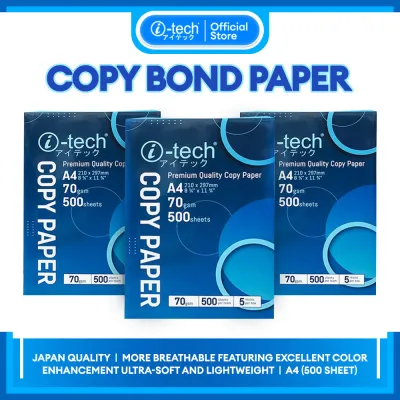
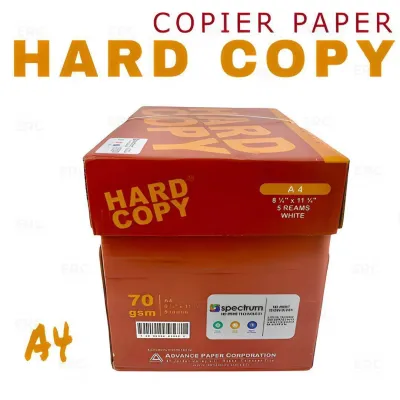
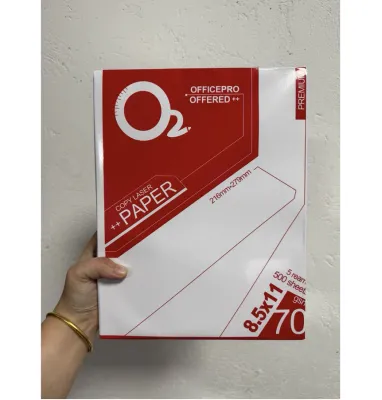
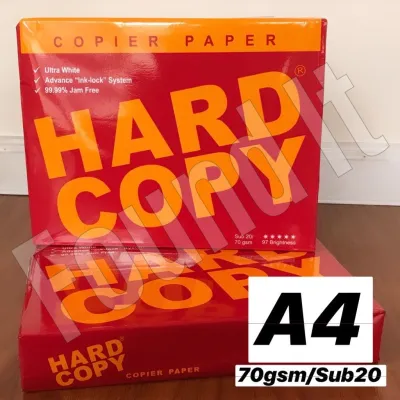
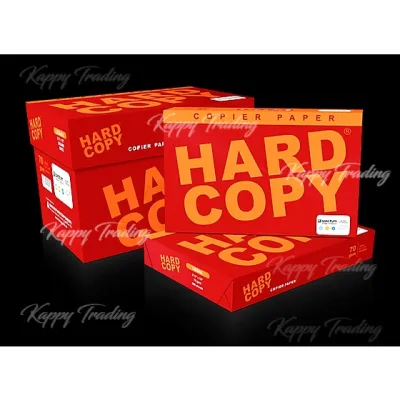
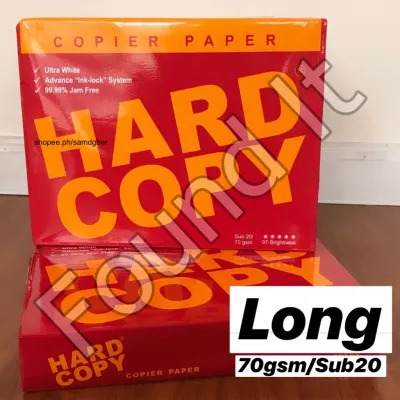
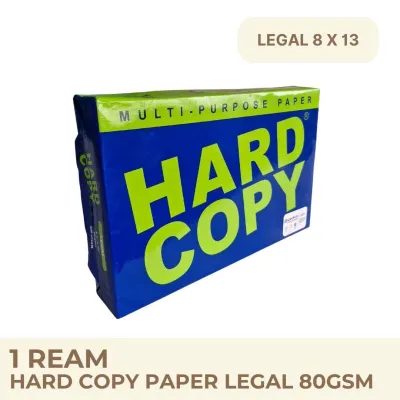
Prices are valid at publication and may change. Please refer to the product page for the latest price.
Comparing Common A4 Bond Paper Weights for Everyday Use
When browsing the aisles of local office supply stores or ordering from online marketplaces in the Philippines, you will primarily encounter two standard weights: 70 GSM and 80 GSM. These two options make up the vast majority of office and school supplies, but they serve slightly different purposes. Choosing between them requires balancing your overall print volume, your budget, and whether you plan to print on one or both sides of the sheet.

While the physical difference between a single sheet of 70 GSM and 80 GSM paper might seem negligible at first touch, the performance gap becomes obvious during high-volume tasks. The lighter weight is designed for economy and speed, whereas the heavier standard weight is engineered for versatility and presentation. Understanding these differences helps prevent wasted paper and ensures your documents look clean and readable.
70 GSM A4 Bond Paper: Optimal for High-Volume and Draft Printing
Lighter 70 GSM A4 bond paper is the workhorse of high-volume environments, making it a staple for school worksheets, internal office memos, and temporary text drafts. Because it uses fewer raw materials, it is generally the most budget-friendly option, allowing schools and businesses to minimize operational costs when printing thousands of pages. It is also highly suitable for single-sided note-taking with standard ballpoint pens, where ink flow is controlled and unlikely to saturate the thin fibers.
However, 70 GSM paper has distinct limitations when it comes to ink compatibility and durability. If you write with wet gel pens, rollerballs, or highlighters, you will likely observe significant ink show-through, and the paper may even bleed or warp under heavy ink application. Additionally, thin paper is more susceptible to physical wear and tear, making it less ideal for documents that will be handled frequently or archived for long periods.
In humid tropical climates like the Philippines, 70 GSM paper requires careful handling to avoid printer issues. Thinner sheets easily absorb moisture from the air, which can cause them to cling together inside the paper tray. To prevent multi-sheet feeding and subsequent paper jams, always store your paper in a cool, dry place, keep the ream wrapper sealed until use, and ensure your printer’s paper feed guides are adjusted snugly against the stack.
80 GSM A4 Bond Paper: The Standard for Professional and Double-Sided Use
For most professional settings, 80 GSM is the industry standard for A4 bond paper. This weight offers a noticeable upgrade in stiffness and opacity, making it highly suitable for external correspondence, client proposals, contracts, and double-sided printing. The extra density ensures that text printed on one side does not distractingly show through to the other, maintaining a clean and professional appearance.
The structural integrity of 80 GSM paper also makes it much more resilient when passing through standard printer rollers. It handles the heat of laser printer fusers and the wet ink of inkjet nozzles with minimal warping. If you regularly use highlighters, gel pens, or fine-liner markers for color-coding and note-taking, this weight provides a smoother writing surface with faster drying speeds and significantly reduced bleed-through.
The primary trade-off when choosing 80 GSM over 70 GSM is the slightly higher cost per ream, which can add up if you are purchasing in bulk for high-volume draft printing. While a ream of 70 GSM paper might save you a few pesos (₱) per pack, a carton of 80 GSM paper is physically heavier, which is a minor but practical consideration for transport, storage, and mailing costs. For most daily business operations, however, the professional presentation and reduced risk of printer jams easily justify the modest price difference.
When to Upgrade to Heavier Paper Weights (100 GSM and Above)
There are times when standard office paper falls short of the impression you want to make, requiring an upgrade to heavier specialty weights ranging from 100 GSM to 120 GSM or more. These premium papers are reserved for high-stakes documents such as certificates, professional resumes, legal contracts, and marketing portfolios featuring high-coverage color graphics. The substantial weight immediately signals quality to anyone holding the document, making it an excellent choice for client-facing materials.
Beyond the tactile experience, heavier paper weights offer exceptional opacity and stiffness. They can handle heavy saturation from color inkjet printers without buckling, wrinkling, or allowing ink to bleed through to the back. This makes them ideal for archival documents that must remain flat, crisp, and resistant to tearing over years of storage.
However, printing on heavier paper requires caution and a clear understanding of your hardware’s capabilities. Because sheets of 100 GSM and above are significantly thicker and stiffer than standard bond paper, they can easily fail to bend around the tight rollers of standard office printers. To prevent severe paper jams, you should check if your printer features a manual feed slot or a straight rear paper tray designed specifically for thick media, and use those paths rather than the main paper cassette.
How to Verify Printer Compatibility and Paper Jam Risks
Before purchasing a large quantity of heavy or specialized A4 bond paper, it is crucial to verify that your printing equipment can handle the specific GSM you have chosen. Every printer model has a defined media weight range specified by the manufacturer. Forcing paper that is either too thin or too thick through the machine can lead to frequent misfeeds, roller wear, or even permanent damage to the internal feeding mechanisms.
To verify compatibility, consult your printer’s user manual or look up the technical specifications online. Look for the section labeled “Supported Media Weights” or “Paper Handling Specifications,” which will list the minimum and maximum GSM limits for each input tray. Many standard home and office printers are optimized for weights between 64 GSM and 90 GSM, meaning that heavier sheets will require special settings or alternative feed paths.
If your printer supports heavier paper, you must also adjust the print settings in your computer’s print dialog box or on the printer’s control panel. Selecting options like “Heavy Paper,” “Thick Paper,” or “Cardstock” instructs the printer to adjust its feed speed and fuser temperature. This slower speed ensures that the toner or ink adheres properly to the denser surface while allowing the rollers to guide the stiff sheet safely through the paper path. If your desired GSM exceeds your printer’s maximum limit, the safest stop condition is to take your files to a professional printing service rather than risking damage to your home or office machine.
Decision Framework: Choosing the Right A4 Bond Paper for Your Needs
To simplify your purchasing decision, you can use a straightforward framework based on your specific writing and printing tasks. Matching the GSM to your daily activities ensures you get optimal performance out of your stationery while managing your budget effectively.
Because smoothness, bleed resistance, and drying speed depend on the exact combination of your paper’s fibers and your writing instrument’s ink, it is always wise to perform a quick trial. Scribble a few lines with your preferred gel pen, fountain pen, or highlighter on a corner of a single sheet, then observe how quickly the ink dries and whether any show-through occurs on the reverse side before printing or writing on a larger scale.
You should choose 70 GSM A4 bond paper if you are focused on high-volume, single-sided printing where minimizing supply costs is your primary goal. This weight is highly suitable for printing internal drafts, temporary worksheets, and simple text documents. It works well with standard ballpoint pens, but you should perform a quick trial with gel pens or highlighters to check for bleed-through before committing to a large writing project.
You should choose 80 GSM A4 bond paper if you need a versatile, all-purpose paper for professional correspondence, double-sided reports, and daily office tasks. This weight provides the necessary opacity to prevent distracting show-through and offers a smoother writing experience for gel pens, rollerballs, and highlighters. It is the safest default choice for standard laser and inkjet printers, offering a reliable balance of durability and feed performance.
You should upgrade to 100 GSM or higher if you are producing premium documents that require a high-quality tactile feel, such as certificates, resumes, or graphic-heavy presentations. Always verify your printer’s maximum supported weight and adjust your software settings to “Thick Paper” before printing on these heavier stocks. If you are using specialized compact or portable printers, always check the manufacturer’s guidelines first, as these smaller devices often have much stricter GSM limits.
Frequently Asked Questions (FAQ)
Can I use 80 GSM paper in a standard home inkjet printer?
Yes, almost all modern home inkjet printers are designed to handle 80 GSM paper without any issues. Because 80 GSM is the global standard for office copy paper, consumer printers are optimized to feed, print, and dry on this specific weight. To ensure smooth feeding, always fan the paper stack before loading it, and adjust the paper tray guides so they sit flush against the edges of the A4 sheets without bending them.
Does a higher GSM always mean better paper quality?
No, GSM only measures the weight and density of the paper, not its overall quality, brightness, or surface texture. A high-quality 70 GSM paper made from premium wood pulp with proper sizing can offer better smoothness, faster drying times, and fewer printer jams than a poorly manufactured 80 GSM paper. When choosing paper, look at both the GSM and the manufacturer’s reputation for brightness, acid-free composition, and smooth finishes to ensure the best results for your writing and printing tasks.
Community discussion
Share your experience or ask a question. Comments are reviewed before publication.