
Choosing the best planner layout for your August 2026 calendar depends entirely on the complexity of your daily schedule and how far ahead you need to look. For high-level tracking of major deadlines, a monthly layout is ideal; for balancing daily tasks with weekly goals, a weekly layout works best; and for managing dense, hour-by-hour appointments, a daily layout is necessary. Matching your layout to your cognitive load ensures your planner remains a tool for productivity rather than a source of stress.
Assess Your Scheduling Needs for August
August is a transitional month marked by shifting routines. In the Philippines, this period often signals the start of a new academic year, requiring a sudden influx of class schedules, syllabus tracking, and assignment deadlines. For professionals, August represents the mid-third quarter push, bringing mid-year project reviews, budget assessments, and preparation for the busy final months of the year. Additionally, August features key national holidays and long weekends, such as Ninoy Aquino Day and National Heroes Day, which require advance planning for travel or rest.
To determine the right layout, evaluate the density of your daily tasks against your long-term deadlines. If your days are filled with highly specific, time-sensitive meetings, you need a layout that accommodates hourly tracking. Conversely, if your work revolves around self-paced projects with distant deadlines, a broader view is more effective. Ask yourself whether you think in terms of hourly blocks or flexible, task-based checklists. Understanding this distinction prevents you from buying a highly structured planner that you will eventually abandon due to layout friction.
Products mentioned in this guide
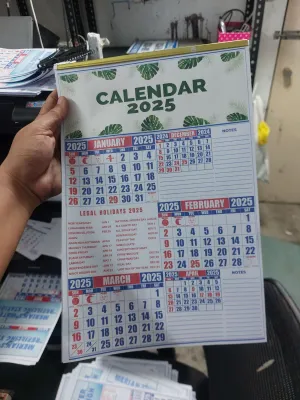
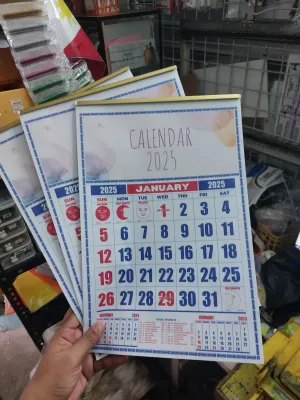
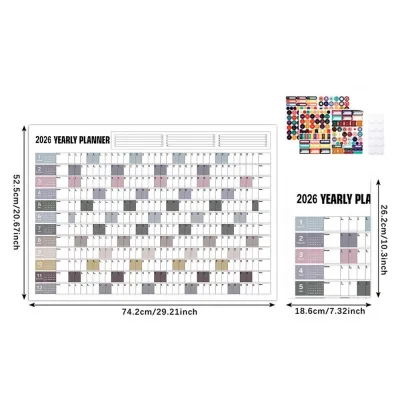
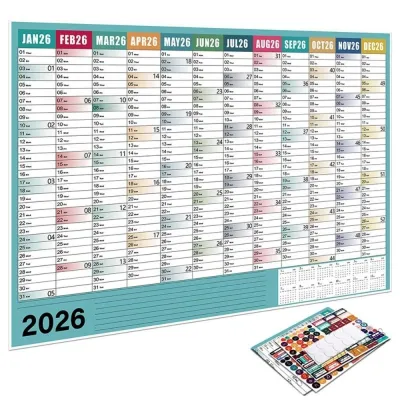
Prices are valid at publication and may change. Please refer to the product page for the latest price.
Monthly vs. Weekly vs. Daily Layouts: Which Fits Your Workflow?
No single planner layout is universally superior. The most effective system is one that aligns with your cognitive processing and organizational habits. By matching the structural layout of your planner to your daily workflow, you reduce the mental energy required to organize your life, allowing you to focus entirely on executing your tasks.

Monthly Layouts for Big-Picture Tracking
A monthly layout presents the entire month of August 2026 across a single or double-page spread. This format is highly effective for tracking macro-level events, such as major project deadlines, travel itineraries, birthdays, and long-term milestones. It allows you to see the entire month at a glance, helping you anticipate busy weeks and plan your recovery time around long weekends.
However, monthly layouts have distinct limitations. The small daily grid boxes cannot accommodate dense daily to-do lists, detailed meeting notes, or hourly appointments. Attempting to squeeze too much information into a monthly calendar leads to cluttered, illegible pages that increase visual anxiety.
This layout is ideal for individuals who manage relatively few daily appointments but need a bird’s-eye view of their commitments. If your primary goal is to remember key dates and coordinate schedules with family members or colleagues, a monthly planner provides the perfect level of overview without unnecessary daily maintenance.
Weekly Layouts for Balanced Task Management
Weekly layouts strike a balance between long-term planning and daily execution. Spanning two pages, a weekly layout allows you to see your entire week at once, making it easy to break down monthly objectives into manageable daily steps. This format is excellent for tracking recurring habits, monitoring weekly progress, and adjusting your workload dynamically as priorities shift.
When choosing a weekly planner, consider the structural variations. Vertical weekly layouts feature columns for each day, which are ideal for time-blocking and visualizing how your time is distributed throughout the day. Horizontal weekly layouts offer open-ended boxes for each day, providing more space for flexible task lists and journaling.
The ideal user for a weekly layout is someone juggling multiple recurring responsibilities, such as a university student balancing classes and extracurriculars, or a professional managing several ongoing projects. It provides enough detail to keep you on track daily while ensuring you never lose sight of upcoming deadlines later in the week.
Daily Layouts for Hour-by-Hour Precision
Daily layouts dedicate an entire page to a single day. This format offers the ultimate level of precision, providing ample space for strict hourly time-blocking, detailed meeting notes, daily gratitude journaling, and high-volume task lists. It allows you to focus entirely on the present day without the distraction of tomorrow’s responsibilities.
Despite its utility, a daily layout carries a high risk of planner fatigue. On low-activity days, such as weekends, holidays, or quiet workdays, large portions of the page may remain entirely blank. For many users, these empty pages create a sense of guilt or a feeling that they are wasting their stationery, which can lead to abandoning the planner altogether.
This layout is best suited for professionals, freelancers, or students with highly rigid, hour-specific schedules that require extensive daily documentation. If your day is a continuous stream of client calls, lectures, and immediate tasks, the daily page provides the structure necessary to keep you grounded.
Signs Your Current Planner Layout Is Not Working
Recognizing when your planner layout is failing you is the first step toward building a more productive routine. Often, we blame ourselves for a lack of discipline when the real culprit is a mismatch between our workflow and our planner’s structure.
Look for clear visual cues on your pages. If your planner is filled with excessive blank spaces week after week, your layout may be too detailed for your actual needs. Conversely, if you find yourself writing in tiny, cramped margins or constantly relying on layers of sticky notes to handle task overflow, your current layout lacks the necessary writing area.
Behavioral cues are equally telling. If you find yourself consistently abandoning your planner by mid-week, avoiding opening it in the morning, or feeling a wave of overwhelm whenever you look at the pages, the system is causing friction.
These issues usually stem from a structural mismatch. For example, using a daily planner to track broad monthly goals often results in lost information scattered across pages, while relying solely on a monthly view for detailed hourly appointments leads to a chaotic, unreadable calendar.
How to Adapt Your Planner for a Mid-Year Transition
If you realize your current layout is not working as you navigate August 2026, you do not need to rush out and buy an entirely new planner. Mid-year transitions can be managed smoothly and cost-effectively with a few simple adaptations.
To supplement a layout that lacks space, try using adhesive dashboard pages, printable inserts, or functional sticky notes. When purchasing these add-ons, always verify the dimensions and standard sizing (such as A5, B6, or Personal size) to ensure a proper paper fit. Check your planner’s binding type—whether it is discbound, spiral, or ring-bound—to guarantee compatibility with any refills or inserts. Spending around ₱150 to ₱300 on functional inserts can completely transform your existing setup without the cost of a brand-new book.
Another highly effective strategy is adopting a hybrid planning system. You can use a digital calendar on your phone or computer for automated reminders, shared family events, and recurring meetings, while keeping a physical weekly or daily planner on your desk for focused, tactile task execution. This keeps your physical planner clean and dedicated solely to immediate, actionable tasks.
However, there are times when adaptation is no longer practical. If you find that you are spending more time drawing layouts, pasting inserts, and managing your planning system than actually executing your tasks, it is time to switch. A mid-year transition to a new, pre-printed planner with the correct layout is entirely justified if it saves you time and reduces daily friction.
Frequently Asked Questions (FAQ)
Can I use a blank or dotted notebook instead of a pre-printed planner layout?
Yes, using a blank or dotted notebook is an excellent alternative to pre-printed planners. The primary advantage is total flexibility; you can design a monthly layout for August, switch to a daily layout for a busy week, and use simple lists for quieter periods, ensuring zero wasted pages. However, this approach requires a significant investment of time and consistent effort to draw your spreads.
Additionally, paper properties like smoothness, bleed resistance, drying speed, and water resistance depend entirely on the exact combination of your paper and ink type (such as gel pens, fountain pens, or highlighters). Since these vary, perform an observable trial on a back page to verify ink compatibility, drying speed, and ghosting before committing to a full layout. To test the workflow itself, try drawing a custom August spread on a single sheet of paper before committing to an entire notebook.
Is it better to use a digital calendar alongside a physical planner?
A hybrid system combining digital and physical tools often provides the most robust scheduling solution. Digital calendars excel at handling automated reminders, color-coded shared events, and location-based alarms that a paper planner simply cannot replicate. Meanwhile, physical planners are superior for daily focus, deep-work planning, and the tactile satisfaction of crossing off completed tasks.
To avoid double-entry fatigue, assign distinct, non-overlapping roles to each medium. For example, use your digital calendar exclusively as your master schedule for appointments and meetings, and use your physical planner solely for your daily to-do lists and priority tasks. This clear division of labor ensures both tools work in harmony without creating redundant work.
Community discussion
Share your experience or ask a question. Comments are reviewed before publication.