
Quick Answer: Which Printing Paper Should You Choose?
Selecting the right paper for printing depends entirely on the specific requirements of your project, your printer type, and your budget. There is no single paper type that excels at every task. Instead, matching the paper’s physical properties to your intended output is the key to achieving professional results while avoiding unnecessary expenses.
For everyday text-heavy documents, standard bond paper is the most practical and cost-effective option. It handles high-volume printing efficiently and dries almost instantly. When your project requires vibrant, high-contrast images, glossy paper or dedicated photo paper is essential to make colors stand out. For professional presentations, resumes, or documents that combine text with color graphics, matte paper offers a clean, non-reflective finish that is easy to read under bright lights.
In tropical climates with high relative humidity, such as the Philippines, paper choice becomes even more critical. Excess moisture in the air can cause uncoated papers to curl or warp and can significantly extend the drying time of coated papers. Understanding the trade-offs between cost, drying speed, color vibrancy, and paper weight will help you make an informed decision and prevent wasted ink and paper.
Products mentioned in this guide
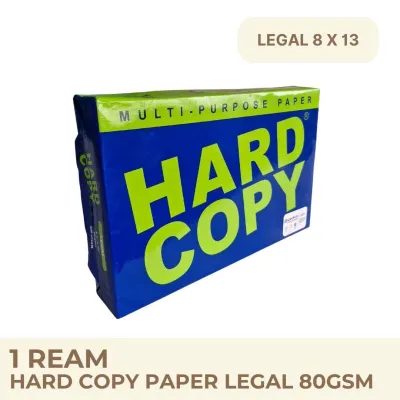
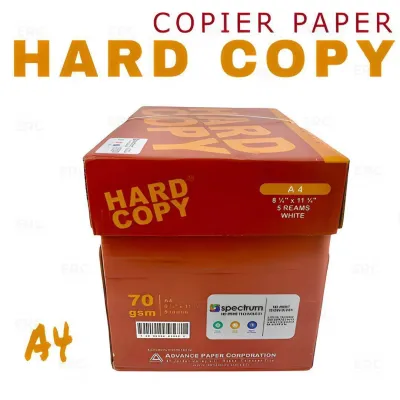
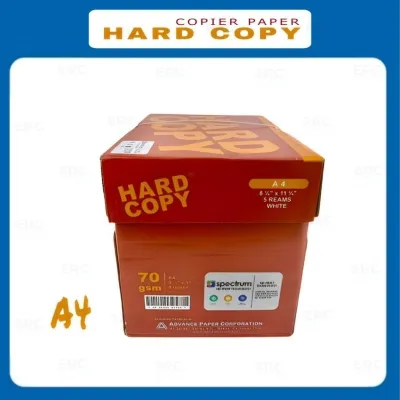
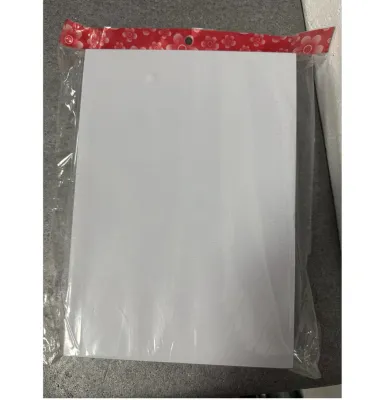
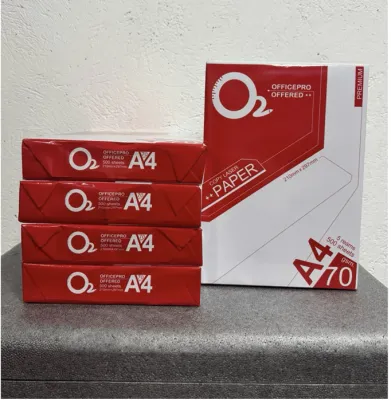
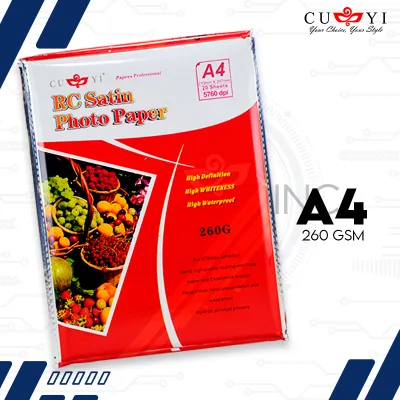
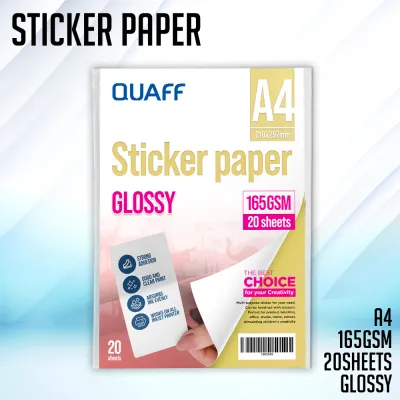
Prices are valid at publication and may change. Please refer to the product page for the latest price.
Core Printing Paper Types Explained
To choose the best paper for printing, you must first understand the structural differences between the four primary paper types available on the market. Each type is engineered with specific coatings, weights, and surface textures that dictate how it interacts with different types of ink and toner.

Bond Paper (Standard / Multipurpose)
Bond paper, often referred to as multipurpose or copier paper, is the standard uncoated paper used in almost every home and office. It is primarily designed for high-volume, everyday printing where text readability is the main priority. Because it is uncoated, the paper fibers are exposed, allowing liquid ink or dry toner to penetrate deep into the sheet.
This absorption capability makes bond paper highly cost-effective and exceptionally fast-drying, which is ideal for double-sided printing and high-speed copying. However, this same porosity is a limitation when it comes to heavy ink coverage. If you attempt to print high-resolution images or large solid blocks of color on standard bond paper, the sheet will absorb too much liquid, leading to paper curling, ink bleeding, and a loss of image detail. Standard bond paper typically ranges from 70 GSM (grams per square meter) to 80 GSM, which is sufficient for text but prone to show-through with heavy graphics.
Glossy Paper
Glossy paper features a specialized, highly reflective chemical coating applied over the paper base. This coating prevents liquid ink from absorbing deep into the paper fibers, keeping the color pigments concentrated on the surface. The result is an exceptionally bright, vibrant print with deep blacks and high color contrast.
While glossy paper is excellent for brochures, flyers, and colorful promotional materials, it comes with distinct trade-offs. The reflective surface is highly susceptible to showing fingerprints, smudges, and scratches, meaning prints must be handled with care. Additionally, the shiny finish can cause significant glare under direct sunlight or bright fluorescent office lighting, making text-heavy documents difficult to read. Glossy paper also requires a longer drying time immediately after printing, particularly when using inkjet printers in humid environments.
Matte Paper (Premium / Presentation)
Matte paper is a coated paper that offers a smooth, non-reflective finish. Unlike glossy paper, the coating on matte paper is formulated to diffuse light rather than reflect it. This creates a soft, elegant appearance that is highly professional and easy on the eyes, making it the preferred choice for documents that require both high readability and clean color graphics.
Because it lacks a shiny outer layer, matte paper is highly resistant to fingerprints and does not suffer from glare issues under bright lights. It provides excellent text sharpness and renders colors with a subtle, sophisticated tone. However, because the surface does not reflect light, matte paper cannot produce the same level of high-gloss vibrancy or ultra-deep black levels as glossy paper. It is an excellent middle ground for premium documents, reports, and portfolio pages.
Photo Paper
Dedicated photo paper is a highly engineered product designed specifically for reproducing professional-grade photographs. It is significantly thicker and heavier than standard paper, often ranging from 180 GSM to over 300 GSM. Photo paper typically features a multi-layered construction, including a resin-coated base that prevents liquid ink from warping or cockling the paper, even under maximum ink saturation.
Photo paper is available in various finishes, including high-gloss, semi-gloss (satin or luster), and premium matte. The specialized micro-porous coatings on photo paper are designed to lock in inkjet dyes or pigments instantly, providing superior color accuracy, sharp details, and long-term fade resistance. Because of its high cost and heavy weight, photo paper is strictly reserved for image printing and is generally incompatible with standard high-speed office printing or document feeding mechanisms.
Comparing Paper Types Across Key Decision Dimensions
When deciding on the right paper for printing, comparing the options across practical performance dimensions will help you select the best match for your specific hardware and project goals.
Color Vibrancy and Contrast
Coated papers (glossy, matte, and photo paper) keep the ink pigments on the surface, resulting in richer colors and sharper contrast. Uncoated bond paper allows the ink to sink into the paper fibers, which dulls the colors and reduces the overall contrast. For maximum visual impact and vivid color reproduction, glossy and photo papers are the clear winners.
Text Sharpness and Readability
For reading long passages of text, glare reduction and crisp letter edges are vital. Uncoated bond paper and matte paper excel in this category. Because they do not reflect light, they minimize eye strain. While matte paper offers sharper text edges than bond paper due to its coating preventing ink bleed, both are far superior to glossy paper for reading comfort.
Ink Drying Time and Smudge Resistance
In high-humidity regions, drying speed is a major operational factor. Uncoated bond paper dries almost instantly because the ink is absorbed directly into the paper fibers. Photo papers with advanced micro-porous coatings also dry relatively quickly. Standard glossy papers, however, can remain wet or tacky for several minutes after printing, requiring careful handling to avoid smudging.
Glare and Viewing Comfort
Glossy finishes reflect light sources directly into the viewer’s eyes, which can obscure details and make reading difficult. Matte and bond papers diffuse light, ensuring the document remains fully legible from any viewing angle, even under harsh overhead office lights.
| Paper Type | Best For | Color Vibrancy | Text Sharpness | Glare Level | Relative Cost |
|---|---|---|---|---|---|
| Bond Paper | Everyday text, drafts, high-volume printing | Low | Moderate to High | None | Low (₱150–₱300 per ream) |
| Glossy Paper | Vibrant photos, flyers, brochures | High | Moderate | High | Moderate (₱200–₱500 per pack) |
| Matte Paper | Presentations, resumes, reports with graphics | Moderate to High | High | None | Moderate to High (₱250–₱600 per pack) |
| Photo Paper | Professional photos, portfolios, gallery prints | Very High | High | High to None (depends on finish) | High (₱400–₱1,000+ per pack) |
Decision Framework: Match the Paper to Your Specific Project
To ensure you do not waste money on unsuitable paper or ruin your prints, use this structured framework to match your specific project to the correct paper type.
For Everyday Documents and Text-Heavy Files
Choose Bond Paper if:
- Your project consists of school essays, office memos, internal drafts, manuals, or high-volume text documents.
- Your primary goals are low cost per page, fast printing speeds, and immediate handling without smudging.
- You are using standard office printers (either inkjet or laser) for double-sided text documents.
Verify first if:
- The document contains heavy color graphics, charts, or full-page color backgrounds. Standard 70 GSM to 80 GSM bond paper will likely warp, curl, or suffer from severe ink bleed-through under heavy ink loads. If your text document contains minor color elements, consider upgrading to a heavier 90 GSM or 100 GSM premium bond paper to maintain document flatlines.
For High-Resolution Photos and Image Prints
Choose Photo Paper (Glossy or Matte) if:
- You are printing family photographs, creative portfolios, art prints, or high-end marketing materials where image quality and color depth are paramount.
- You want the print to resist fading over time and handle high ink saturation without warping.
Choose Glossy Photo Paper if:
- The images feature vibrant colors, high contrast, and deep blacks, and will be displayed in environments with controlled, indirect lighting.
Choose Matte Photo Paper if:
- The prints will be handled frequently (as matte resists fingerprints) or displayed behind glass frames where overhead glare would otherwise block the view.
For Professional Presentations and Portfolios
Choose Premium Matte Paper if:
- You are preparing client-facing slide handouts, business proposals, resumes, or design portfolios that require a sophisticated, high-end feel.
- The document contains a mix of high-resolution text and colorful charts, diagrams, or product images.
Neither may fit if:
- Your presentation requires double-sided printing with heavy ink coverage on both sides. Standard matte papers may still show some light transparency (show-through). In this scenario, always check the paper packaging for its opacity rating and opt for a heavier weight (such as 120 GSM to 160 GSM) specifically rated for double-sided presentation printing.
Printer Compatibility and Paper Weight Verification
Before purchasing any specialty paper, you must verify that it is compatible with your specific printer hardware. Using the wrong paper type can result in poor print quality, ink that never dries, or severe physical damage to your printer.
Inkjet vs. Laser Compatibility
Inkjet and laser printers use entirely different technologies to apply media to paper. Inkjet printers spray liquid ink that must be absorbed and locked in place by the paper’s surface. Laser printers use static electricity and high-heat fuser units to melt dry toner powder onto the page.
Because of this, paper coatings are engineered differently for each technology. You must never use standard inkjet-specific glossy or photo paper in a laser printer. The intense heat of a laser printer’s fuser unit can melt the synthetic plastic coatings used on inkjet papers, causing the coating to stick to the fuser rollers and permanently damaging your printer. Always check the packaging to ensure the paper is explicitly labeled as “Laser Compatible” or “Inkjet Compatible.”
Paper Weight Limits
Every printer has physical limitations regarding the thickness and weight of the paper it can reliably feed through its roller mechanism. Standard office printers are optimized for paper weights between 70 GSM and 100 GSM.
Feeding heavy photo paper (such as 220 GSM or higher) through a standard paper tray can cause frequent paper jams, roller slippage, or damage to the feed mechanism. If you need to print on thick media, check your printer’s user manual to find its maximum supported paper weight. Many printers feature a manual feed slot or a rear paper bypass tray designed specifically to handle heavier cardstock and photo papers along a flatter path.
Test Before Bulk Printing
To avoid wasting expensive specialty paper and ink, always perform a test print with a single sheet before initiating a large print run. This allows you to verify several critical factors:
- Ink Drying Speed: Touch the corner of the print after it exits the printer to ensure the ink is drying correctly and not smudging.
- Color Accuracy: Check if the colors on the paper match your screen expectations, adjusting your printer software settings if necessary.
- Paper Feed Reliability: Ensure the printer feeds the sheet smoothly without slipping, skewing, or jamming.
Frequently Asked Questions (FAQ)
Can I use photo paper in a laser printer?
No, you should never use standard inkjet photo paper in a laser printer. The high-heat fuser unit inside a laser printer can melt the synthetic glossy coating of inkjet paper, which will ruin the printer’s internal rollers. If you are using a laser printer, you must purchase specialty glossy or photo paper that is explicitly labeled as laser-compatible.
What is the difference between matte photo paper and standard matte paper?
Standard matte paper is a thinner, lightweight paper (typically 90 GSM to 120 GSM) designed for printing text documents with basic color graphics, such as presentations and reports. Matte photo paper is much thicker and heavier (usually 180 GSM or higher) and features a specialized, highly absorbent coating designed to handle the heavy liquid ink loads required for high-resolution photographic printing without warping.
Community discussion
Share your experience or ask a question. Comments are reviewed before publication.