
Quick Answer: Which Paper Weight Should You Buy?
Choosing the right paper weight is a balance between print quality, physical performance, and budget. When shopping for a hard copy bond paper a4 ream, you will primarily encounter two standard weights: 70 GSM and 80 GSM. Neither option is universally superior; instead, the ideal choice depends on your specific printing volume, document type, and budget constraints.
For high-volume, everyday internal printing—such as draft documents, basic office forms, and school worksheets—70 GSM paper serves as the highly cost-effective standard. It is lightweight, uses fewer raw materials, and keeps your operational expenses low. Conversely, 80 GSM paper provides superior opacity, greater stiffness, and a more substantial, professional feel. This makes it the preferred selection for client-facing proposals, double-sided (duplex) prints, and documents containing charts or moderate graphics. Understanding these differences ensures you select the exact weight that prevents printing issues while optimizing your spending.
Understanding GSM: Thickness, Stiffness, and Opacity
To make an informed decision, it is essential to understand what GSM actually represents. The acronym stands for “grams per square meter,” which is a metric unit measuring the density and weight of the paper. It is a common misconception that GSM measures thickness alone. While higher GSM papers are often slightly thicker, the measurement primarily reflects the mass of the paper fibers packed into a single square meter of the material.
Products mentioned in this guide
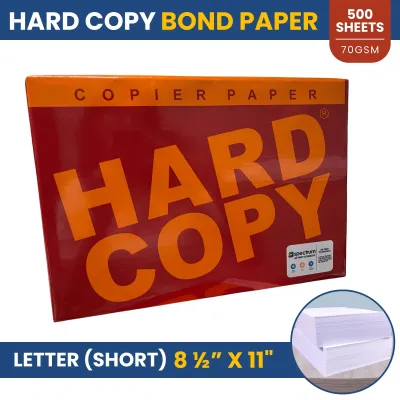
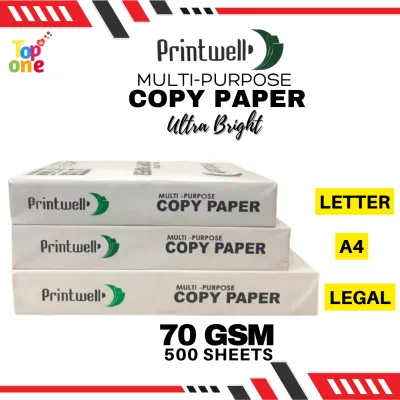
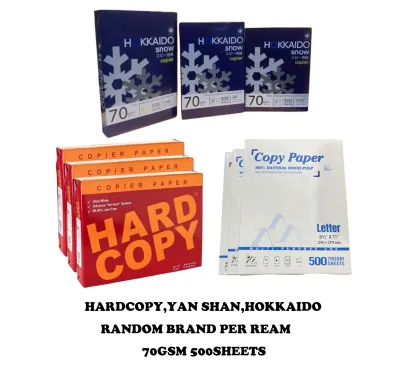
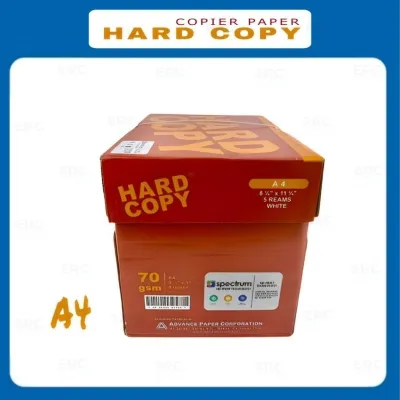
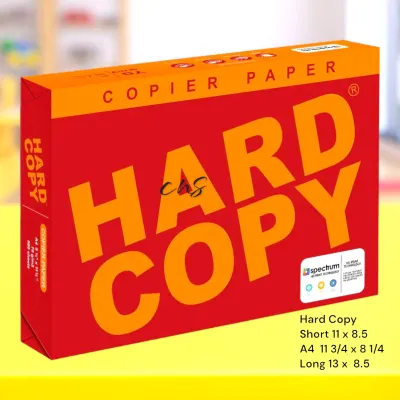
Prices are valid at publication and may change. Please refer to the product page for the latest price.

A 10 GSM difference between 70 GSM and 80 GSM might seem minimal on paper, but it significantly alters the physical properties of the sheet. In paper manufacturing, adding more fiber mass increases the density of the sheet, which directly influences stiffness, opacity, and surface texture. Stiffness refers to the paper’s structural rigidity, which determines how well it resists bending as it travels through a printer’s complex roller system. Opacity determines how much light can pass through the sheet, which directly impacts whether ink printed on one side will show through to the other. Surface texture and density affect how ink or toner is absorbed and set on the page. Both 70 GSM and 80 GSM are categorized as standard multi-purpose bond papers, but this slight variance in density dictates their suitability for different printing tasks.
70 GSM vs 80 GSM: Head-to-Head Performance Comparison
Let’s construct a detailed breakdown of how these two weights compare across key operational dimensions.
| Dimension | 70 GSM Bond Paper | 80 GSM Bond Paper |
|---|---|---|
| Primary Use Case | High-volume internal drafts, school modules, single-sided text | Client-facing reports, double-sided printing, color graphics |
| Opacity | Low to Moderate (visible show-through on reverse) | Moderate to High (minimal show-through) |
| Stiffness & Feedability | Moderate flexibility; suitable for standard office machines | High rigidity; excellent for high-speed or older feeds |
| Ink Absorption | Absorbs quickly; prone to wrinkling with heavy wet ink | Holds ink well; resists "cockling" and heavy toner saturation |
| Relative Cost | Lower (highly economical for bulk purchasing) | Moderate (standard pricing for premium office use) |
Print Quality and Ink Handling
The way paper interacts with printing consumables depends heavily on its density. Standard inkjet printers deposit liquid ink onto the paper surface, which must dry quickly to prevent smudging. Because 70 GSM paper has a lower density, heavy ink application—such as solid color blocks, charts, or bold graphics—can saturate the fibers too deeply. This saturation often leads to cockling, which is the wavy wrinkling of the paper as it dries, and can even cause ink to bleed through to the other side.
In contrast, 80 GSM bond paper features a denser fiber network that handles liquid ink with significantly less distortion. The extra mass absorbs and distributes the moisture of the ink more evenly, keeping the sheet flatter and preserving the sharpness of text and graphics. For laser printers, which use heat and pressure to fuse dry toner powder to the page, both weights perform exceptionally well for standard text. However, when printing detailed diagrams or high-density monochrome layouts, the structural integrity of 80 GSM ensures a smoother, more uniform finish without warping under the fuser’s high temperatures.
Printer Feedability and Jamming Risks
The physical mechanics of your printer play a major role in determining which paper weight to use. Modern office printers and copiers rely on a series of rubber pickup rollers and separation pads to pull a single sheet of paper from the tray. Because 80 GSM paper is stiffer, it maintains its flat shape under the pressure of the pickup rollers, making it highly reliable for high-speed, continuous printing. This extra rigidity is particularly beneficial in older or heavily used printers where the separation rollers may be slightly worn down.
While 70 GSM paper is perfectly compatible with most modern office equipment, its higher flexibility means it can occasionally bend too easily under worn rollers, leading to multi-sheet feeds or misfeeds. Additionally, some compact, portable, or specialized home printers have specific mechanical tolerances. It is highly recommended to consult your printer’s official user manual to verify if there is a minimum or maximum media weight limit. Using paper that falls outside the manufacturer’s specified range can cause persistent jamming and may void your device’s warranty.
Opacity and Double-Sided Printing
Opacity is the measure of light transmission through a sheet of paper, and it is the single most important factor if you plan to utilize duplex (double-sided) printing. Due to its thinner profile and lower fiber density, 70 GSM paper is relatively translucent. When you print text on both sides of a 70 GSM sheet, the text from the reverse side easily shows through, creating a distracting shadow effect that severely compromises readability. Consequently, 70 GSM is best reserved for single-sided documents.
If your goal is to produce professional, clean, and highly readable double-sided documents, 80 GSM is the industry standard. The additional 10 grams of fiber mass per square meter provide the necessary opacity to block light transmission, ensuring that text and images on the back page do not interfere with the front page. Utilizing 80 GSM for double-sided printing not only improves the presentation of your work but can also help reduce overall paper consumption by making double-sided printing a practical, readable option.
Evaluating Cost and Value for Your A4 Bond Paper Reams
When managing office supplies or school budgets, understanding the financial trade-offs between paper weights is crucial. Generally, 80 GSM paper reams carry a higher purchase price compared to 70 GSM reams. This price difference is directly tied to the manufacturing process, as producing 80 GSM paper requires more raw wood pulp and materials per sheet.
To determine the true value for your specific environment, you should calculate the cost-per-sheet rather than simply looking at the price of a single ream. A standard ream of A4 bond paper contains exactly 500 sheets. By dividing the total ream price by 500, you can establish the baseline cost of each printed page. For high-volume environments—such as schools printing thousands of learning modules, or large corporate offices generating daily administrative paperwork—saving even a few centavos per sheet by choosing 70 GSM can accumulate into substantial annual savings.
However, focusing solely on the upfront purchase price can lead to hidden operational costs. If your printer struggles to feed lighter paper, the cost of wasted sheets, lost productivity during printer jams, and the need to reprint smudged or wrinkled documents can quickly wipe out any initial savings. Furthermore, if a document requires a professional appearance—such as a legal contract, a business proposal, or a resume—using a flimsy sheet can negatively impact client perception. For these critical applications, the marginal extra cost of an 80 GSM ream is a worthwhile investment. To optimize your budget, consider a dual-paper strategy: purchase bulk cartons of 70 GSM for everyday internal drafts, and keep a smaller inventory of 80 GSM reams reserved for formal, client-facing, and double-sided documents. When purchasing, always look for bulk or carton discounts from established office supply distributors to lower your average cost per ream.
Preventing Jams: Paper Storage in Humid Conditions
In tropical environments like the Philippines, humidity is one of the most common yet overlooked factors affecting printer performance. Bond paper is highly hygroscopic, meaning it naturally absorbs moisture from the surrounding air. When paper absorbs excess humidity, its fibers expand, causing the edges of the sheets to curl, wave, or stick together. This moisture absorption occurs regardless of whether you are using 70 GSM or 80 GSM paper, and it is a primary cause of multi-sheet feeding and severe printer jams.
While 80 GSM paper’s higher stiffness provides slightly better resistance to minor curling compared to the more flexible 70 GSM, proper storage remains your primary line of defense against humidity-related issues. To maintain the structural integrity of your paper, always keep unused reams sealed in their original moisture-barrier packaging until you are ready to load them into the printer. This packaging is specifically designed to protect the paper from ambient humidity.
Additionally, store your paper reams flat on shelves, cabinets, or pallets, and never place them directly on concrete floors, which can transfer moisture upward. When loading your printer, only place the amount of paper in the tray that you expect to use within a day or two. Leaving a large stack of paper exposed in an open paper tray for extended periods in humid weather will inevitably lead to moisture absorption and subsequent feeding failures. If you notice the paper in the tray has become limp or damp, remove it, fan the sheets gently to separate them, and let them dry in an air-conditioned room, or replace them with fresh sheets from a sealed pack.
Final Decision Framework: Choose 70 GSM or 80 GSM?
To simplify your purchasing decision, use this straightforward checklist to determine which paper weight best fits your immediate printing requirements.
Choose 70 GSM if:
- High-Volume Drafts: You are printing high volumes of internal documents, daily worksheets, or temporary records where presentation is secondary to cost.
- Single-Sided Printing: Your documents are strictly single-sided, meaning opacity and back-page "show-through" are not concerns.
- Strict Budget Limits: You need to maximize the number of printed pages while keeping your upfront supply costs as low as possible.
- School and Home Use: You are printing school modules, personal study guides, or basic recipes where a standard, lightweight sheet is perfectly adequate.
Choose 80 GSM if:
- Client-Facing Materials: You are producing business proposals, corporate reports, legal documents, or resumes that require a crisp, professional presentation.
- Double-Sided Printing: You regularly use duplex printing and require high opacity to prevent distracting show-through.
- Graphics and Color: Your documents contain charts, diagrams, colored text, or moderate graphics that require a denser sheet to prevent wrinkling and ink bleeding.
- High-Speed Office Copiers: You run high-volume, high-speed copiers or older printing equipment that benefits from the extra stiffness and reliable feeding of a heavier sheet.
Verify first if:
- Printer Specifications: Your specific printer model has a strict minimum or maximum paper weight requirement. Always consult the manufacturer's user manual to ensure full compatibility and prevent mechanical wear.
Frequently Asked Questions (FAQ)
Can I use 70 GSM paper for double-sided printing?
While it is physically possible to run 70 GSM paper through a duplex printer, it is generally not recommended for professional or highly readable documents. Because 70 GSM paper is relatively thin and has lower opacity, the ink or toner from one side will easily show through to the other. This creates a distracting shadow effect that makes reading the text difficult. For clean, legible double-sided documents, 80 GSM paper is the preferred choice.
Does 80 GSM paper prevent ink from bleeding through?
Yes, 80 GSM paper significantly reduces both show-through and ink bleed-through compared to 70 GSM paper due to its higher fiber density. The extra mass helps absorb and distribute liquid ink more effectively, keeping the reverse side cleaner. However, keep in mind that extremely heavy ink saturation, high-flow liquid ink pens, or incompatible printer settings can still cause bleeding on any standard bond paper.
How many sheets are in a standard A4 ream of bond paper?
A standard ream of A4 bond paper, whether it is 70 GSM or 80 GSM, contains exactly 500 sheets of paper. When purchasing office supplies, always verify the sheet count printed on the label. Some non-standard, promotional, or budget-friendly packaging may contain fewer sheets, such as 400 or 450 sheets, which can distort your cost-per-sheet calculations.

Community discussion
Share your experience or ask a question. Comments are reviewed before publication.