
For everyday photocopying, choosing between 70 GSM and 80 GSM bond paper depends on your typical document volume, budget, and print requirements. If you primarily print single-sided drafts, school handouts, or high-volume internal office documents, 70 GSM is the most cost-effective and reliable choice. However, if your daily tasks involve double-sided printing, external client presentations, or formal reports, upgrading to 80 GSM is necessary to prevent ink show-through and provide a professional feel.
Selecting the correct weight is crucial because using the wrong paper density can lead to frequent paper jams, poor print quality, and unnecessary wear on your office copier. By understanding how these weights behave under heat and pressure, you can optimize your printing workflow while keeping operational costs low.
Understanding GSM: What Copy One Bond Paper Weight Actually Means
When browsing the stationery aisle or ordering supplies online, you will frequently encounter the acronym GSM. This stands for Grams per Square Meter, which is the universal metric standard used to measure paper density and weight. Specifically, it tells you how much a single square meter of that exact paper would weigh in grams.
Products mentioned in this guide
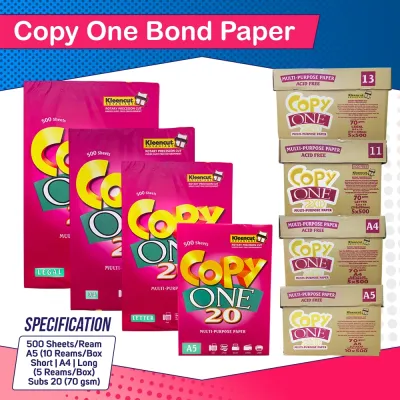
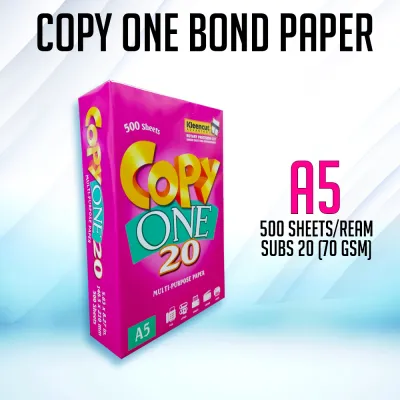
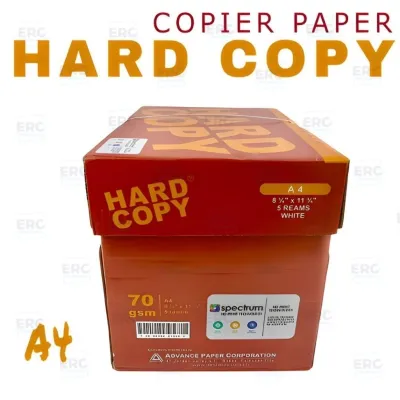
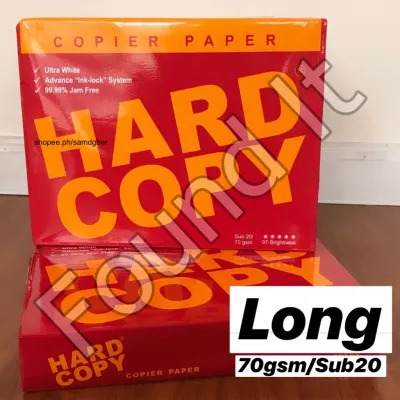
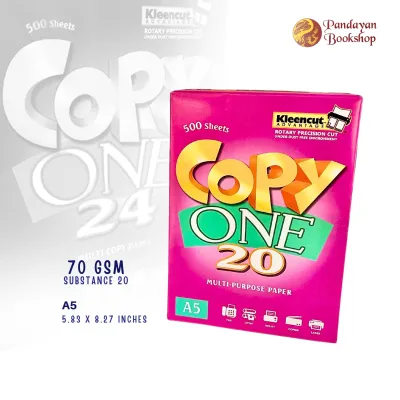
Prices are valid at publication and may change. Please refer to the product page for the latest price.
When you purchase copy one bond paper or other common office brands in the Philippines, the GSM is prominently printed on the ream’s wrapper. This number serves as your primary indicator of how the sheet will behave once it enters the high-heat environment of a photocopying machine.
A common misconception among office administrators and students is that a higher GSM automatically equates to higher quality. In reality, GSM simply measures the physical weight and stiffness of the sheet. A higher number does not make the paper inherently superior; rather, it indicates a thicker, more rigid material designed for specific printing applications.
70 GSM vs 80 GSM: How Weight Affects Your Copier
The physical weight of your paper directly influences how smoothly it travels through the intricate internal rollers of a photocopying machine. Even a minor difference of 10 grams per square meter can significantly alter how a machine feeds, heats, and outputs your documents.

Feed Reliability and Paper Jams
Paper jams are one of the most frustrating disruptions in any school or office setting. The lighter composition of 70 GSM paper makes it highly flexible, allowing it to bend easily around the tight curves and rollers of standard office copiers. This flexibility is particularly advantageous for older, heavily used, or budget-friendly desktop copiers that may lack the robust feeding mechanisms of high-end commercial units.
Conversely, 80 GSM paper is noticeably stiffer and thicker. While this stiffness gives the sheet a premium, substantial feel, it also requires more mechanical effort from the copier’s pickup rollers. If your machine’s rubber rollers are worn down, or if the paper tray guides are not precisely adjusted, 80 GSM sheets are more likely to cause multi-sheet pickups or stubborn jams near the fuser unit.
To avoid costly maintenance and downtime, always consult your copier’s user manual to verify its supported paper weight range before purchasing paper in bulk. Most standard office copiers handle both weights easily, but older or smaller desktop models perform more consistently with lighter stock.
Print Quality and Double-Sided Printing
Paper opacity—the degree to which light is prevented from passing through the sheet—is closely tied to its GSM. Because 70 GSM paper is thinner, it has lower opacity, which makes it highly susceptible to “show-through” or ghosting. If you attempt to print on both sides of a 70 GSM sheet, the text or images from the reverse side will likely bleed through visually, making the document difficult to read.
For double-sided (duplex) printing, 80 GSM paper is the standard. Its increased density provides superior opacity and a smoother surface finish, which minimizes ink and toner show-through. This ensures that charts, bold headings, and detailed diagrams remain crisp and legible on both sides of the page, giving your completed documents a clean, professional appearance.
Choosing the Right GSM for Your Daily Needs
Balancing your operational budget with your presentation standards requires a strategic approach to paper selection. By matching the paper weight to the specific purpose of the document, you can reduce waste and save money.
Best Uses for 70 GSM Bond Paper
For high-volume, everyday tasks, 70 GSM bond paper is the undisputed workhorse of schools and offices. It is the ideal choice for printing temporary drafts, internal memos, high-volume school handouts, and single-sided reference documents.
In the Philippines, where office budgets are carefully managed, the cost-effectiveness of 70 GSM paper makes it highly attractive for bulk photocopying. A standard ream of 70 GSM paper is generally priced lower than its heavier counterpart, allowing schools and businesses to stretch their administrative budgets further without sacrificing basic readability.
Furthermore, because 70 GSM sheets are thinner, they take up less physical space in filing cabinets and binder clips. This makes them highly practical for archival storage of single-sided documents that do not require a premium tactile experience.
Best Uses for 80 GSM Bond Paper
When your documents are intended for external eyes, upgrading to 80 GSM paper is a worthwhile investment. This heavier weight is highly recommended for client proposals, official contracts, resumes, and formal presentations where first impressions matter.
The physical heft of an 80 GSM sheet immediately conveys a sense of professionalism and attention to detail. It resists folding and creasing during handling, ensuring that your documents look polished even after being passed around a meeting room.
To optimize your stationery budget, consider keeping a dual-inventory system. Use 70 GSM paper for your daily drafts and internal printing, and reserve a dedicated tray of 80 GSM paper for final client deliverables and double-sided reports.
Other Paper Specs That Matter Less for Everyday Copying
While GSM is the most critical factor for copier performance, other technical specifications often clutter the packaging of office paper, sometimes leading buyers to overpay for features they do not need.
Paper brightness, often measured as CIE whiteness, is a prime example. While high-brightness paper makes colors pop and text look incredibly sharp, standard brightness levels are perfectly adequate for everyday black-and-white text documents and internal office memos. Unless you are printing high-resolution color marketing materials, paying a premium for maximum brightness is rarely cost-effective.
Additionally, the exact brand of paper you choose often matters less than how you store it. In the hot and highly humid climate of the Philippines, paper fibers act like a sponge, rapidly absorbing moisture from the air. When damp paper is fed into a hot copier, the moisture vaporizes instantly, causing the paper to curl, stick together, and jam.
To prevent this, always store your bond paper in its original, moisture-resistant wrapper until you are ready to load it into the copier. Keep your paper storage area cool, dry, and elevated off concrete floors to maintain the structural integrity of the sheets, ensuring smooth feeding regardless of the brand you purchase.
Frequently Asked Questions (FAQ)
Can I mix 70 GSM and 80 GSM paper in the same copier tray?
You should never mix different paper weights within the same copier tray. Copiers rely on consistent friction and thickness to pull one sheet at a time; mixing 70 GSM and 80 GSM sheets confuses the feed sensors and pickup rollers. This inconsistency often results in double-sheet feeds, crooked prints, and sudden paper jams that can disrupt your entire print job.
Does 80 GSM paper use more ink or toner than 70 GSM?
No, the weight of the paper does not affect the amount of ink or toner your copier consumes. Toner consumption is determined entirely by your printer’s software settings, the complexity of the document, and the percentage of page coverage. An 80 GSM sheet simply provides a denser canvas that prevents the applied ink or toner from showing through to the other side.

Community discussion
Share your experience or ask a question. Comments are reviewed before publication.