
Choosing the right paper weight for your daily printing tasks can save you from unnecessary expenses and frustrating printer jams. When browsing the stationery aisle or ordering supplies online, you will inevitably face the choice between 70 GSM and 80 GSM bond paper. While they might look identical at a casual glance, these two weights perform differently under various printing conditions.
Quick Answer: Which Paper Weight Should You Choose?
If you are looking for a quick decision framework, the choice comes down to your document’s final destination and how it will be printed. Select 70 GSM bond paper if you primarily print high-volume internal drafts, temporary school worksheets, or single-sided text documents where budget efficiency is your main priority. On the other hand, choose 80 GSM bond paper if you need to print double-sided documents, official contracts, client-facing proposals, or pages with heavy ink and toner coverage.
In the Philippines, short bond paper is standardly sized at 8.5 by 11 inches (often referred to as Letter size) and is most commonly packaged in a 1-ream bundle containing 500 sheets. While a 1-ream pack of 70 GSM paper is generally more economical, the optimal choice for your home or office ultimately depends on your specific printer model’s feeding mechanism and the level of professional presentation your documents require.
Products mentioned in this guide
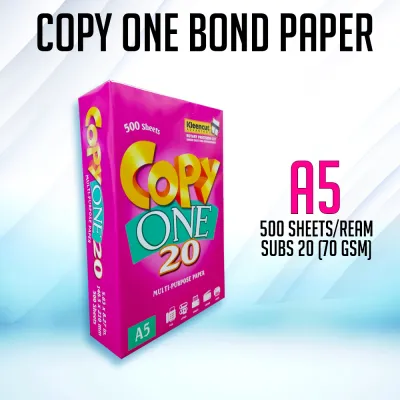
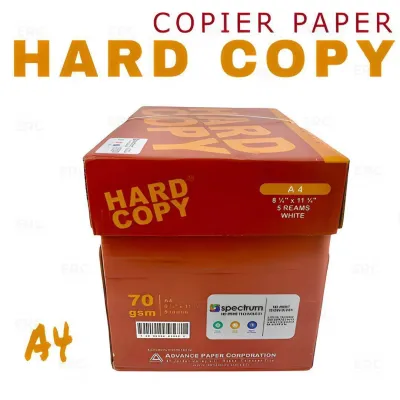
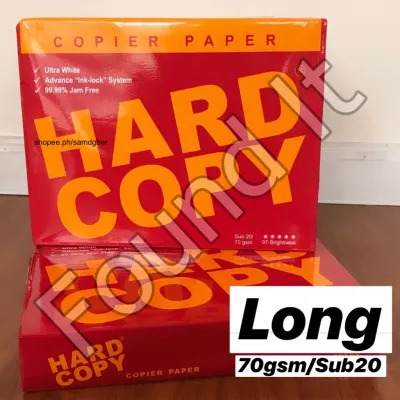
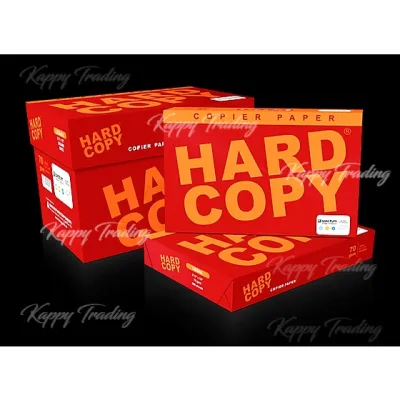
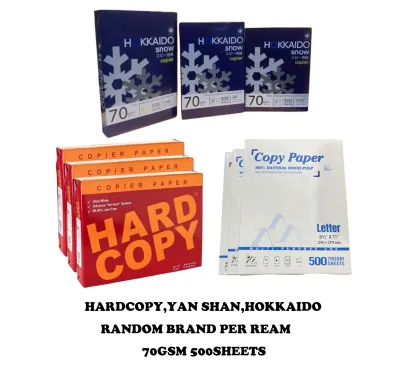
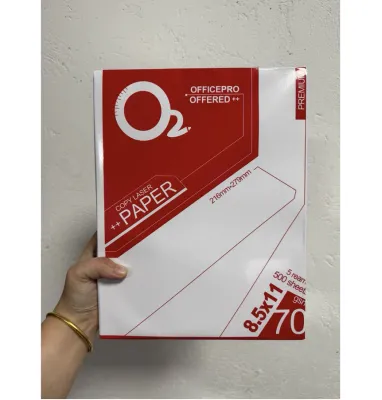
Prices are valid at publication and may change. Please refer to the product page for the latest price.
Core Differences: Thickness, Opacity, and Ink Absorption
To understand why these two paper weights behave differently, it helps to look at what GSM actually means. GSM stands for “grams per square meter,” which measures the metric weight of the paper sheet. A higher GSM directly correlates with a denser, thicker, and stiffer sheet of paper.

Thickness and Stiffness The 10 GSM difference between 70 GSM and 80 GSM paper is highly noticeable to the touch. A single sheet of 70 GSM paper feels noticeably more pliable and lightweight. It bends easily under its own weight, making it highly flexible but also more susceptible to tearing and dog-eared corners during handling. In contrast, 80 GSM paper offers a more substantial, premium feel. The extra fiber density provides structural stiffness, allowing the sheet to remain relatively flat when held by one edge. This added durability makes 80 GSM paper much more resilient to frequent handling, flipping, and filing.
Opacity and Show-Through Opacity refers to how much light can pass through a sheet of paper, which directly affects how visible printed text is from the opposite side. Because 70 GSM paper is thinner, it has lower opacity. If you attempt to print on both sides of a 70 GSM sheet, the text from the back page will easily show through to the front, creating a distracting visual clutter known as “ghosting.” Conversely, 80 GSM paper features a tighter fiber weave that significantly increases opacity. This extra density blocks light more effectively, minimizing show-through and ensuring that double-sided prints remain clean, legible, and professional.
Ink Absorption and Drying The way ink and toner interact with paper fibers depends heavily on the paper’s density. When using an inkjet printer, liquid ink is sprayed onto the page. On a thinner 70 GSM sheet, the liquid ink can saturate the fibers quickly, leading to minor bleeding along the edges of letters and a longer drying time. With 80 GSM paper, the denser fiber structure absorbs the liquid ink more evenly, limiting lateral bleeding and allowing the ink to dry faster without compromising the flat shape of the page. For laser printers, which use heat to fuse dry toner powder to the surface, 80 GSM paper handles the high temperature of the fuser unit with less curling than its lighter counterpart.
Printer Compatibility: Avoiding Jams and Smudges
Your printer’s mechanical design plays a critical role in determining which paper weight you should load into the tray. Using a paper weight that falls outside your printer’s optimal operating range can lead to frequent paper jams, misfeeds, and poor print quality.
Checking the Printer Manual Before purchasing a short bond paper 1 ream pack, always consult your printer’s user manual or the manufacturer’s online specification sheet. Look for the section labeled “Supported Paper Weights” or “Media Specifications.” Most standard home and office printers are designed to handle a wide range of weights, typically from 64 GSM up to 120 GSM or more. Ensuring your chosen paper falls comfortably within these limits is the first step to trouble-free printing.
Paper Feed Mechanisms and Humidity The physical rollers inside your printer rely on friction to pull a single sheet of paper from the tray at a time. In tropical climates like the Philippines, high relative humidity can cause paper fibers to absorb moisture from the air. When 70 GSM paper absorbs moisture, it loses its natural stiffness and becomes limp. This limpness makes it easier for the printer’s pickup rollers to accidentally grab multiple sheets at once, resulting in a multi-sheet feed jam. Because 80 GSM paper is stiffer and denser, it resists moisture absorption better and maintains enough structural integrity to feed smoothly through the rollers, even in humid conditions.
Observable Tests for Your Printer If you are unsure how your printer will handle a specific weight, perform a simple manual test before committing to a large print job. Purchase a single 1-ream pack of your preferred weight and run a test batch of ten pages. Observe whether the printer pulls each sheet individually, if the printed pages lie flat in the output tray, and if the ink or toner smudges when you run your finger firmly across a freshly printed text block. If you observe curling or smudging, you may need to adjust your printer’s paper settings in the print dialog box to match the exact media type.
Matching the Paper Weight to Your Daily Tasks
To get the best value out of your stationery budget, match the paper weight to the specific purpose of the document. Not every print job requires premium paper, just as not every draft can tolerate thin sheets.
High-Volume Internal Use For everyday office operations and school requirements, 70 GSM paper is often the most practical and cost-effective choice. If you are printing temporary internal drafts, proofreading copies, daily checklists, or school worksheets that will only be used once and then recycled, the lighter weight is perfectly adequate. High-volume printing environments can save significant amounts of money over time by utilizing 70 GSM paper for these non-essential, single-sided documents.
Professional and External Use When a document leaves your desk to be read by a client, business partner, or prospective employer, the physical feel of the paper represents your professional standards. For external communications, official contracts, resumes, business proposals, and formal presentations, 80 GSM paper is the industry standard. The heavier weight and stiffness convey a sense of quality and attention to detail that 70 GSM simply cannot match. Furthermore, if your document contains colorful charts or double-sided reports, the superior opacity of 80 GSM ensures that the presentation remains sharp and easy to read.
Archival and Handling Needs Consider how often the printed document will be handled and how long it needs to be preserved. Documents that are frequently flipped through, such as training manuals or standard operating procedures, will quickly wear out, tear, or develop folded corners if printed on 70 GSM paper. For these high-touch items, 80 GSM paper provides the necessary durability to withstand daily wear and tear. Similarly, if you plan to archive documents in filing cabinets for several years, the thicker 80 GSM sheets are less likely to degrade or sag over time under the pressure of storage.
Evaluating Cost and Value When Buying a 1-Ream Pack
When managing a household or office budget, it is easy to default to the cheapest option available. However, a true cost-benefit analysis goes beyond the initial purchase price of a short bond paper 1 ream pack.
Price per Sheet Calculation To determine the actual financial difference between the two weights, calculate the price per sheet. Take the total price of a 1-ream (500 sheets) pack in ₱ and divide it by 500. You will find that the price difference per individual sheet is often just a few centavos. When multiplied across a single ream, the total premium for 80 GSM is usually minimal. If your monthly printing volume is low to moderate, this small price difference is often worth paying to secure the versatility and professional look of the heavier paper.
Hidden Costs of Paper Jams While 70 GSM paper has a lower upfront cost, it can introduce hidden expenses if your printer struggles to feed it smoothly. Every time a paper jam occurs, you lose more than just a sheet of paper. You waste the ink or toner printed on the ruined page, consume electricity during the printer’s cycling process, and lose valuable productive time clearing the jam and restarting the print job. If your printer frequently jams on 70 GSM paper, upgrading to 80 GSM can actually save you money by reducing waste and keeping your workflow uninterrupted.
Bulk Buying and Storage Considerations If you decide to buy paper in bulk, such as cartons containing five or ten reams, proper storage is essential to protect your investment. Look closely at the packaging of the 1-ream packs. High-quality paper brands wrap their reams in moisture-resistant wrapper materials, such as PE-coated paper or plastic film. This protective barrier is crucial in humid environments to prevent the paper from absorbing moisture before it is loaded into the printer. When buying in bulk, keep the unopened reams stored flat in their original carton, off the floor, and away from damp walls or direct sunlight.
Final Decision Checklist for Your Office or School
Before you make your final purchase of a short bond paper 1 ream pack, use this quick checklist to confirm which weight aligns with your immediate needs.
Choose 70 GSM if:
- Your printing consists almost entirely of single-sided text documents.
- You are printing high-volume internal drafts, temporary worksheets, or personal reading materials.
- You are operating on a strict budget and need to minimize the cost per sheet.
- Your printer has a proven track record of feeding lighter paper weights smoothly without jamming.
Choose 80 GSM if:
- You need to print on both sides of the page (double-sided printing) and want to avoid distracting text show-through.
- The documents are intended for external clients, official submissions, contracts, or resumes.
- Your prints contain heavy ink or toner coverage, such as charts, graphics, or bold headings.
- You live in a highly humid environment and your printer frequently jams when using lighter paper.
- The printed documents will be handled frequently or stored in archives for a long period.
Verify first if:
- Your printer manual explicitly supports the GSM weight you plan to buy.
- Your printer's paper tray is clean and the feed rollers are free of dust, which helps prevent misfeeds regardless of the paper weight.
- You have tested a single 1-ream pack in your specific machine before purchasing bulk cartons for your school or office.
Frequently Asked Questions (FAQ)
Can I mix 70 GSM and 80 GSM paper in the same printer tray?
No, you should avoid mixing different paper weights in the same printer tray. Printer feed mechanisms rely on consistent friction and paper stiffness to pull one sheet at a time. When you mix 70 GSM and 80 GSM paper, the variation in thickness and texture can confuse the pickup rollers, leading to multi-page pulls, misfeeds, or immediate paper jams. Always empty the paper tray completely before loading a new batch of a different weight, and ensure the paper guides are adjusted snugly against the edges of the stack.
Does a higher GSM mean the paper is brighter or whiter?
No, GSM only measures the weight and density of the paper, not its brightness or whiteness. Paper brightness is measured on a separate scale (usually from 1 to 100) that indicates how much light reflects off the surface of the sheet. It is entirely possible to find a 70 GSM paper that is brighter and whiter than an 80 GSM paper, or vice versa. When shopping for paper, check the packaging labels for the brightness rating (often listed as ISO or GE brightness) rather than assuming a heavier paper will automatically look whiter.
How should I store an opened 1-ream pack to prevent printer jams?
Once you open a 1-ream pack, the paper is exposed to ambient air and humidity, which can cause the sheets to absorb moisture, swell, and curl. To prevent this, keep the remaining paper inside its original moisture-resistant wrapper and fold the open end closed. Store the pack flat on a shelf or inside a drawer, rather than standing it vertically on its edge, which can cause the sheets to warp. Keep the storage area cool, dry, and away from direct sunlight or air conditioning vents to maintain the paper’s optimal moisture level.

Community discussion
Share your experience or ask a question. Comments are reviewed before publication.