
When choosing between 70gsm and 80gsm A4 paper, the right decision depends on how you plan to use it and the environment where you print. As a general rule, 70gsm paper is a lightweight, cost-effective option best suited for high-volume internal printing, everyday drafts, and basic note-taking. It is highly economical for businesses and students who need to print large quantities of single-sided documents.
Conversely, 80gsm paper is the standard choice for professional presentations, double-sided printing, formal reports, and archival records. Its higher density provides better opacity and a more substantial feel in the hand. However, paper weight is not the sole indicator of performance. Actual print quality, ink absorption, and feed reliability also depend on your specific printer settings, the type of ink used, and the manufacturer’s surface sizing.
Understanding Paper Weight: What GSM Actually Means
To make an informed purchase, it helps to understand what paper specifications actually mean. The term “GSM” stands for grams per square meter. This is a metric measurement of the weight of a single sheet of paper if it were cut to exactly one square meter in size.
Products mentioned in this guide
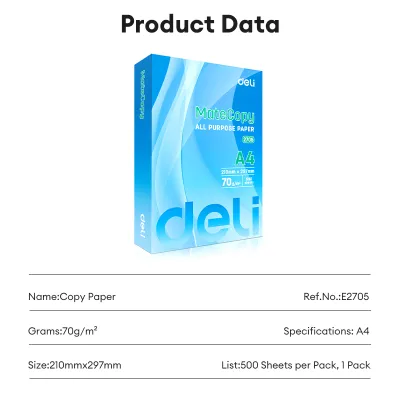
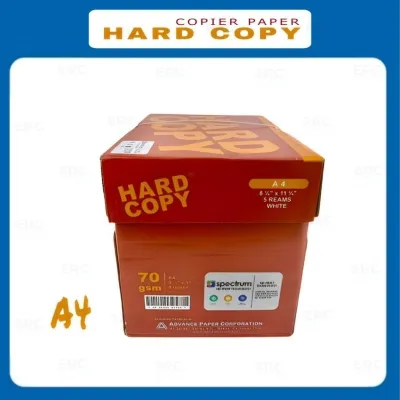
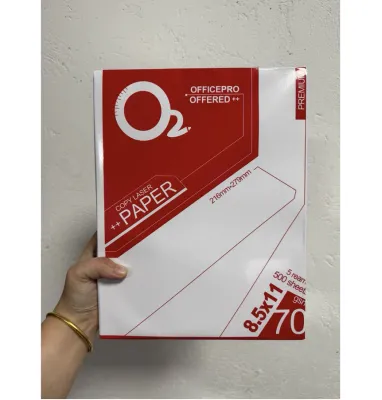
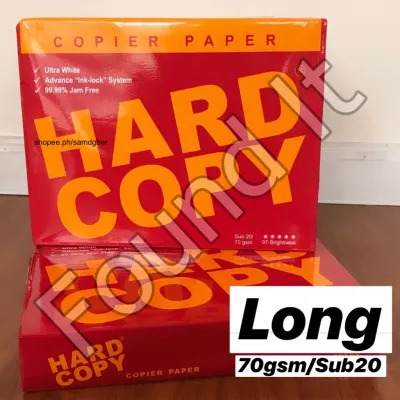
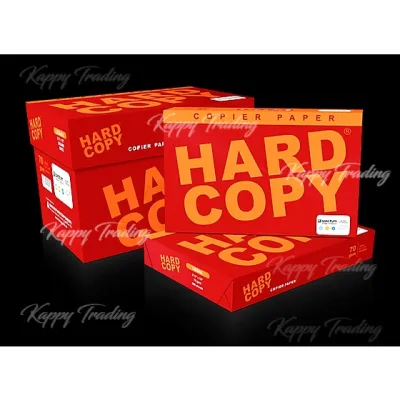
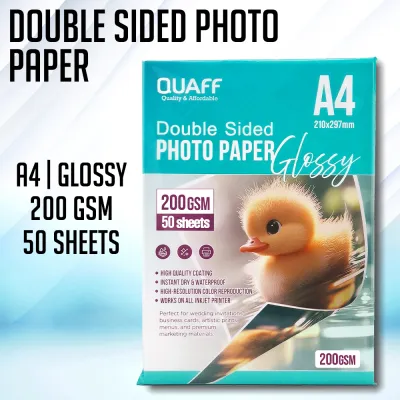
Prices are valid at publication and may change. Please refer to the product page for the latest price.
It is a common misconception that a higher GSM automatically translates to a thicker or stiffer sheet of paper. In reality, GSM measures mass and density rather than physical thickness. The manufacturing process plays a major role in how the paper feels. For example, a highly compressed, premium 70gsm sheet made with dense wood fibers can feel smoother and more rigid than a lower-quality 80gsm sheet made with loose fibers and heavy chemical fillers.
Because of these manufacturing variations, you should look beyond the GSM number on the packaging. When evaluating A4 paper, check the manufacturer’s specifications for other critical quality indicators. These include opacity (how well the paper blocks light), brightness (the reflectivity of the surface), and surface sizing (the chemical treatment applied to control how ink penetrates the fibers).
Comparing 70gsm and 80gsm for Everyday Tasks
Choosing the right paper weight requires looking at how each option handles daily tasks. The differences between 70gsm and 80gsm become apparent when you examine how they interact with ink, how they feel to the touch, and how they behave inside your printer.

By evaluating these core dimensions, you can avoid common office frustrations like ink bleeding through the page, flimsy-feeling documents, or constant paper jams. Let’s look at how these two weights perform under real-world conditions.
Print Quality, Opacity, and Ink Bleed
The density of your paper directly affects how it interacts with liquid. Because 70gsm paper has less fiber mass, it is naturally more translucent. When you print on both sides of a 70gsm sheet, or use heavy ink coverage, you are highly likely to experience “show-through” or “ghosting,” where the text on the reverse side is visible and ruins readability.
To prevent ruined documents and wasted ink, always match your paper to your writing or printing instrument. Gel pens, fountain pens, and heavy highlighters deposit a significant volume of liquid or solvent onto the page. On 70gsm paper, this often leads to feathering—where the ink spreads sideways along the fibers—or bleeding completely through to the next sheet.
If you plan to buy paper in bulk, a practical verification step is to purchase a single ream first. Run a test print using your specific office printer and the exact ink cartridges you use. This trial will show you exactly how much show-through to expect before you commit to a larger purchase.
Durability, Feel, and Professional Presentation
The tactile experience of holding a document influences how the reader perceives its content. An 80gsm sheet feels crisp, substantial, and professional. This makes it the preferred choice for client-facing proposals, resumes, contracts, and official correspondence where first impressions matter.
In contrast, 70gsm paper has a lighter, more flexible feel. While this makes it less ideal for formal presentations, it is excellent for internal notes, scratch pads, and temporary files. The lighter weight also means a stack of 70gsm documents takes up slightly less physical space in filing cabinets and binders.
Stiffness also dictates how well the paper resists wear and tear. Stiffer 80gsm paper holds up better to frequent handling, folding, and mailing. It is less likely to tear at the corners or crease when slid into plastic sleeves. When selecting paper for readability, also check the brightness rating on the packaging; a higher brightness percentage ensures sharp visual contrast, making your text stand out clearly.
Printer Compatibility and Paper Jams
Before loading your printer tray, consult your device’s user manual to verify the officially supported GSM range. While most modern office printers handle a wide variety of weights, some high-speed copiers or specialized feed trays have strict minimum and maximum limits.
Environmental conditions, particularly humidity, play a massive role in printer reliability. In tropical climates like the Philippines, high humidity is a constant challenge for stationery storage. Paper is highly hygroscopic, meaning it readily absorbs moisture from the surrounding air. Thinner 70gsm paper is especially vulnerable to this moisture absorption, which weakens its structural integrity.
When damp 70gsm paper passes through the high-heat fuser rollers of a laser printer, the moisture inside the paper rapidly vaporizes. This sudden steam release causes the paper to curl aggressively, often resulting in misfeeds, double-sheet pulls, or stubborn paper jams. Because 80gsm paper has more structural mass, it tends to resist this heat-induced curling better, making it more reliable in humid office environments. To protect your paper, store unused reams in a cool, dry place, off the floor, and keep them sealed in their original moisture-resistant wrappers until the moment you load them.
Evaluating Cost and Bulk Purchasing Strategies
When managing a budget for a school, home office, or corporate environment, the price difference between paper weights is a key consideration. Generally, 70gsm paper is more economical per ream than 80gsm. When purchasing in bulk—such as by the box or pallet—this price gap can lead to noticeable savings.
However, focusing solely on the upfront purchase price can be a financial trap. To find the true cost, you must calculate the effective cost per usable sheet. If cheap 70gsm paper causes frequent printer jams that waste toner, or if you have to discard double-sided prints because the ink bled through, your actual cost per finished document rises significantly.
A highly effective way to balance your budget and quality needs is to adopt a mixed-inventory strategy. Keep a steady supply of both weights on hand. Allocate the economical 70gsm paper for everyday internal drafts, single-sided worksheets, and temporary notes. Reserve the premium 80gsm paper for final submissions, double-sided reports, and external communications. This approach keeps your operating costs low without compromising on professional presentation.
Decision Framework: Which A4 Paper Should You Buy?
To finalize your purchasing decision, use this practical checklist to match your specific daily needs to the right paper weight.
Choose 70gsm if…
- High-Volume Drafts: You primarily print single-sided internal documents, temporary drafts, or high-volume school worksheets.
- Budget Constraints: You need to minimize upfront stationery expenses for a large office or classroom, where a price difference of several Pesos (₱) per ream adds up quickly.
- Lightweight Mailing: You regularly mail multi-page documents and want to keep the total package weight low to save on postage.
- Dry Ink Writing: Your daily writing is limited to standard ballpoint pens, which use dry ink paste that rarely bleeds through thin paper.
Choose 80gsm if…
- Double-Sided Printing: You frequently use duplex printing and require high opacity to prevent distracting show-through.
- Professional Presentation: You are preparing client-facing proposals, resumes, legal contracts, or formal business letters.
- Wet Ink Writing: You prefer writing with gel pens, rollerballs, fountain pens, or highlighters, which require denser paper to prevent feathering.
- Humid Environments: Your printing area experiences high humidity, making thinner paper prone to curling and jamming in laser printers.
Verify first if…
- Printer Specifications: Your high-speed copier or specialized printer has specific paper weight requirements listed in its manual.
- Archival Needs: You are printing documents that must last for years; check the packaging for acid-free or archival-grade certifications.
- Storage Conditions: Your storage space lacks climate control; you may need to invest in airtight plastic tubs to protect your paper from tropical humidity.
Frequently Asked Questions (FAQ)
Can I use 70gsm paper in a laser printer?
Yes, most modern laser printers can feed and print on 70gsm paper without issue, but you should always verify the minimum supported weight in your printer’s manual. The main challenge with using 70gsm paper in a laser printer is heat-induced curling. Laser printers use hot fuser rollers to bond toner to the paper fibers. If the paper has absorbed moisture from humid air, this heat causes rapid moisture loss and curling, which can lead to jams in the output tray. To prevent this, avoid overfilling the paper tray and keep unused paper sealed in its original wrapper.
Does 80gsm paper prevent highlighter bleed-through?
While 80gsm paper is denser and offers better resistance to ink penetration than 70gsm, it does not completely guarantee against highlighter bleed-through. Bleed-through depends heavily on the paper’s surface sizing and the chemical formulation of the highlighter. Wet, liquid-ink highlighters or those with heavy alcohol-based solvents can still bleed through 80gsm paper if applied with heavy pressure or multiple strokes. For critical documents, always perform a quick test on a scrap piece of the paper to observe how the ink behaves before highlighting important text.

Community discussion
Share your experience or ask a question. Comments are reviewed before publication.