
Choosing the right paper weight for your office or home printer is more than just a matter of cost; it directly impacts the presentation of your work and the lifespan of your office equipment. When comparing 70gsm and 80gsm hard copy bond paper, the ideal choice depends heavily on your specific printing tasks and the capabilities of your machine. Generally, 70gsm bond paper serves as an excellent, cost-effective option for high-volume, everyday internal documents and basic single-sided printing. Conversely, 80gsm paper is often the better choice for double-sided printing, professional client presentations, and any document where a premium, sturdy feel is required. Before committing to a bulk purchase of either weight, always consult your printer’s user manual to verify its maximum supported paper weight and feed specifications.
Understanding Paper Weight: What 70gsm and 80gsm Actually Mean
To make an informed decision, it is essential to understand what these numbers represent. The acronym “gsm” stands for grams per square meter, which is the standard metric unit used globally to measure paper density and weight. This measurement is calculated by weighing a single sheet of paper that measures exactly one square meter. Consequently, a higher gsm rating indicates a heavier, denser, and typically thicker sheet of paper.
While gsm directly measures weight, it also serves as a reliable indicator of physical thickness and stiffness. An 80gsm sheet contains more wood fiber or filler material per square inch than a 70gsm sheet, giving it a more rigid structure. When you hold a sheet of 80gsm paper, it feels noticeably more substantial and resists bending under its own weight compared to the more pliable 70gsm alternative.
Products mentioned in this guide
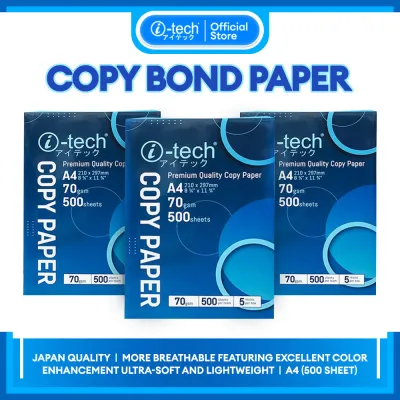
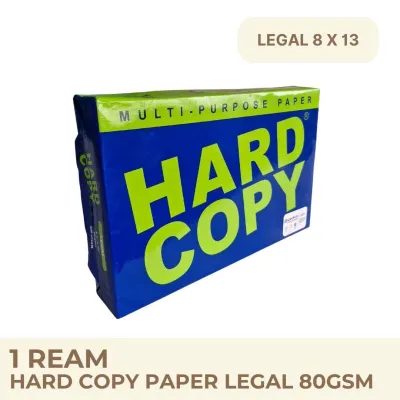
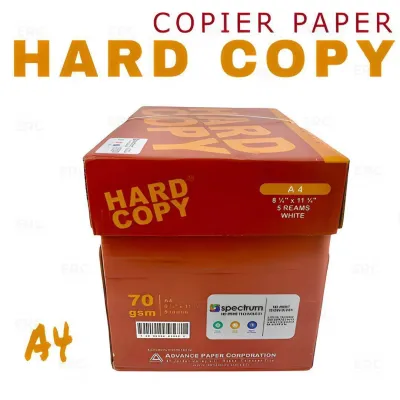
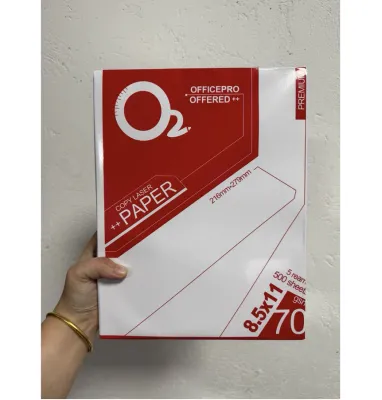
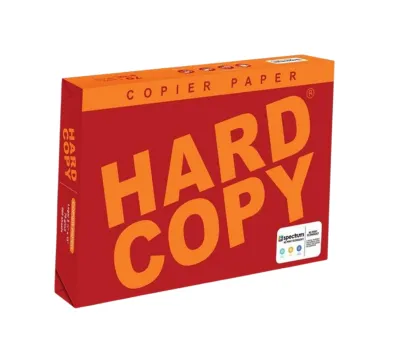
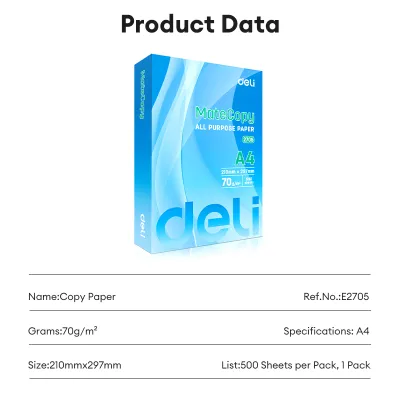
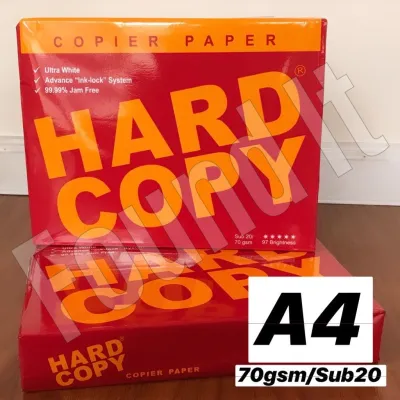
Prices are valid at publication and may change. Please refer to the product page for the latest price.
This difference in density directly affects the paper’s opacity, which is its ability to block light from passing through. Because 70gsm paper is thinner and less dense, it has higher light transmission, meaning text printed on one side is often visible from the reverse side. The increased density of 80gsm paper provides greater opacity, making it much more resistant to show-through and shadow effects.
However, it is important to note that physical thickness and tactile feel can vary slightly between different brands and manufacturing processes. Two different brands of 80gsm paper might feel slightly different due to variations in fiber compression, chemical coatings, or the types of pulp used. For this reason, it is always wise to check the package label for specific manufacturing details or test a single sample ream before purchasing large quantities for your workspace.
Printer Compatibility and Feed Mechanisms
Before loading any new paper into your machine, you must ensure that your printer’s internal mechanisms are designed to handle that specific weight. Every printer, whether a compact home inkjet or a heavy-duty office laser copier, has a designated paper weight compatibility range. You can find this information in your printer’s user manual or on the specification label located on the back or inside of the device.

Inkjet and laser printers utilize different technologies to feed and print on paper, which influences how they interact with different weights. Inkjet printers rely on precise rubber rollers to pull individual sheets from a tray, spraying liquid ink onto the surface. Because 70gsm paper is lighter and more flexible, some budget inkjet rollers may occasionally struggle to grip a single sheet, leading to multiple sheets being pulled at once.
Laser printers, on the other hand, use intense heat and pressure from a fuser unit to melt dry toner powder onto the paper fibers. The high heat of a laser printer can cause thinner 70gsm paper to curl slightly as it exits the machine, especially if the paper has absorbed moisture from the surrounding air. The added stiffness of 80gsm paper helps it maintain its flat shape even when subjected to the high temperatures of a laser fuser.
Using incompatible paper weights can lead to several observable issues that disrupt your workflow. If the paper is too light or too flexible for the printer’s feed path, you may experience frequent paper jams, misfeeds, or multi-sheet feeds where several pages pass through the rollers simultaneously. Additionally, if the paper is too thin for the amount of ink being deposited, you may notice ink smudging, wrinkling, or severe page curling as the wet ink dries.
To minimize these issues, you should always adjust your printer’s software settings to match the exact paper weight you are using. Most print driver menus allow you to select specific media types, such as “Plain Paper,” “Light Paper,” or “Heavy Paper.” Adjusting these settings prompts the printer to calibrate its roller speed, feed tension, and fuser temperature, ensuring a smooth feed and preventing unnecessary wear on the internal hardware.
Matching Paper Weight to Document Purpose
Selecting the right paper weight is also a matter of matching the medium to the message and the printing technology. For everyday, low-stakes printing, 70gsm bond paper is highly practical. It is the go-to choice for printing internal office memos, rough drafts, high-volume student study guides, and temporary reference sheets. Since these documents are typically read once and discarded or filed away, the lighter weight is perfectly adequate and highly economical.
For external communications and formal documents, 80gsm paper is generally the standard expectation. When sending client-facing proposals, resumes, contracts, or official correspondence, the heavier weight conveys a sense of professionalism and attention to quality. Furthermore, if your document requires double-sided printing, 80gsm is highly recommended because its superior opacity prevents the text on the back from distracting the reader looking at the front.
The type of ink or toner your printer uses also plays a significant role in how the final print looks on different paper weights. Liquid-based inks, such as dye or pigment inks commonly used in inkjet printers, require a certain amount of paper density to absorb properly without spreading. On 70gsm paper, heavy ink coverage from graphics or bold text can saturate the thin fibers, leading to feathering, where the ink bleeds outward along the fiber lines.
In contrast, laser toner consists of fine plastic particles that are fused onto the surface of the paper rather than soaking into it. While toner does not cause feathering, a denser 80gsm sheet provides a more stable, flat surface for the toner to adhere to, resulting in sharper text edges and more vibrant solid colors. If you frequently print documents with charts, diagrams, or colored headers, the extra density of 80gsm paper will yield a much cleaner visual output.
Cost, Storage, and Bulk Purchasing Trade-offs
When managing a budget for a school, home office, or corporate environment, the financial differences between paper weights quickly add up. Generally, 70gsm bond paper is priced lower per ream than 80gsm paper, making it the preferred choice for budget-conscious operations. When purchased in bulk boxes or pallets, this price gap can result in significant savings over the course of a fiscal year, allowing you to allocate funds to other essential supplies.
However, purchasing decisions should also take into account the local climate and storage conditions, particularly in tropical regions where high humidity is a constant factor. Paper is highly hygroscopic, meaning it readily absorbs moisture from the surrounding air. Thinner 70gsm paper is particularly vulnerable to humidity; as it absorbs moisture, the edges of the sheets can swell and curl, leading to severe feed issues and frequent jams in your printer.
While 80gsm paper is also susceptible to moisture, its greater thickness and structural rigidity make it slightly more resilient against humidity-induced curling. To protect your investment, regardless of the weight you choose, always store unopened reams in a cool, dry place, preferably off the floor and away from direct sunlight. Once a ream is opened, keep the remaining sheets inside the original wrapper or store them in an airtight plastic container to maintain their dryness.
To balance your budget with your quality requirements, consider establishing a dual-paper system in your workspace. You can use a simple checklist to guide your purchasing: allocate a portion of your budget to 70gsm paper for high-volume draft work, internal filing, and single-sided printing, while keeping a smaller stock of premium 80gsm paper reserved for client presentations, double-sided reports, and official correspondence. This hybrid approach optimizes your spending without compromising on professional presentation when it matters most.
Decision Framework: When to Choose Which Weight
To simplify your final purchasing decision, you can use the following practical guidelines to match your specific printing environment with the correct paper weight.
Choose 70gsm bond paper if:
- Your primary goal is to minimize printing costs for high-volume, everyday tasks.
- You are printing single-sided documents, such as internal drafts, school worksheets, or temporary reference lists.
- Your printer has a highly sensitive feed mechanism that performs reliably with lighter, more flexible media.
- You want to reduce physical storage weight and shipping costs when transporting large volumes of printed materials.
Choose 80gsm bond paper if:
- You are printing double-sided documents and need to prevent distracting text show-through.
- The documents are client-facing, such as business proposals, resumes, official contracts, or marketing materials.
- You are using inkjet printers with heavy ink coverage, requiring a denser sheet to prevent ink bleeding and page wrinkling.
- Your local environment is highly humid, and you require a stiffer paper that resists edge curling during storage and feeding.
Verify first if:
- Your printer is an older model or has worn rollers, as it may require a specific paper weight to feed without jamming.
- You are printing specialized materials, such as high-resolution photos or archival documents, which may require specific coatings or acid-free ratings.
- You are planning to mix different paper types in a single print job, which requires careful adjustment of your printer's tray settings.
Frequently Asked Questions (FAQ)
Can I mix 70gsm and 80gsm paper in the same printer tray? (FAQ)
Mixing different paper weights in a single printer tray is not recommended because printer feed rollers are calibrated to grip and pull sheets of a consistent thickness. When you mix 70gsm and 80gsm sheets, the variation in thickness and surface friction can confuse the feed sensors and roller tension. This often results in multi-feeds, where the printer pulls a thin sheet and a thick sheet simultaneously, leading to immediate paper jams or misaligned prints. To avoid this, always load a single paper weight per tray, or utilize your printer’s manual bypass tray if you need to feed a different weight for a specific page.
Does heavier bond paper always mean better print quality? (FAQ)
A common misconception is that heavier paper automatically guarantees a higher quality print, but paper weight is only one of several factors that determine visual output. While a higher gsm rating provides better opacity and stiffness, the actual sharpness of text and vibrancy of colors depend heavily on the paper’s surface finish and brightness rating. A smoother finish prevents ink from spreading unevenly, while a higher brightness rating provides better contrast against dark inks and toners. When shopping for paper, look for specifications regarding brightness and smoothness alongside the gsm rating to ensure your final prints meet your aesthetic standards.

Community discussion
Share your experience or ask a question. Comments are reviewed before publication.