
Choosing the right receipt pad for your business operations directly impacts transaction speed, record-keeping accuracy, and customer satisfaction. If your daily workflow requires generating duplicate or triplicate copies of transactions instantly without the mess of loose carbon sheets, carbonized (carbonless) receipt pads are generally the most efficient choice. However, if your business operates on a single-copy system or utilizes modern thermal point-of-sale (POS) printers, traditional regular receipt pads offer a highly cost-effective and reliable alternative. Navigating these options requires evaluating your specific printing equipment, manual writing habits, and long-term archival needs.
Understanding the Core Differences
To make an informed decision, it is essential to understand how these two paper types function mechanically. Carbonized receipt pads, often referred to as carbonless or NCR (No Carbon Required) paper, utilize a chemical reaction to duplicate writing. The back of the top sheet is coated with micro-encapsulated dye, while the front of the receiving sheet is coated with a reactive developer clay. When you apply physical pressure with a pen or an impact printer, the micro-capsules rupture, releasing the dye to form a sharp, permanent image on the copy below. This multi-part system allows for clean, instantaneous duplication across two, three, or more sheets (referred to as 2-ply, 3-ply, or 4-ply configurations) without any manual intervention.
In contrast, regular receipt pads consist of standard, untreated paper. These are typically available as single-part pads where only one copy is generated per transaction. If duplication is required with regular pads, you must manually insert a separate sheet of traditional carbon paper between the pages before writing. This physical carbon sheet transfers wax-bound ink to the lower page under pressure. While functional, this traditional method introduces a higher risk of ink smudging on hands, clothing, and documents, and it slows down the checkout process as staff must constantly reposition the carbon sheet.
Products mentioned in this guide
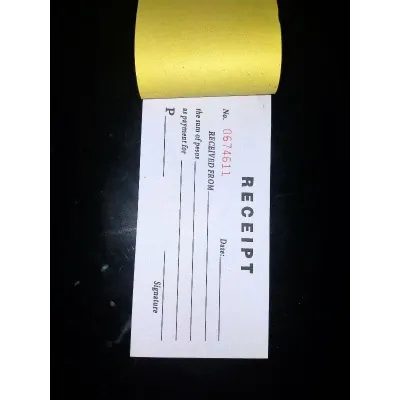
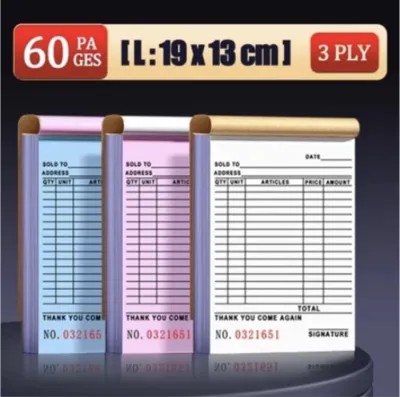
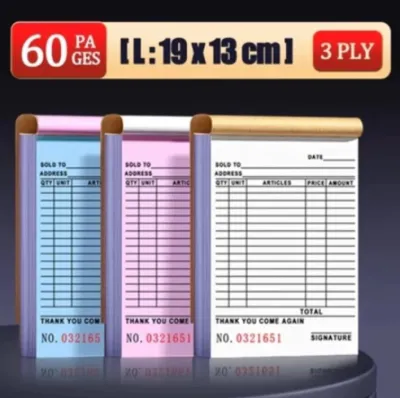
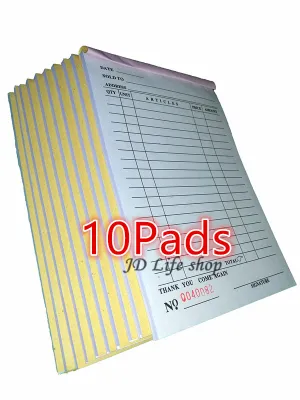
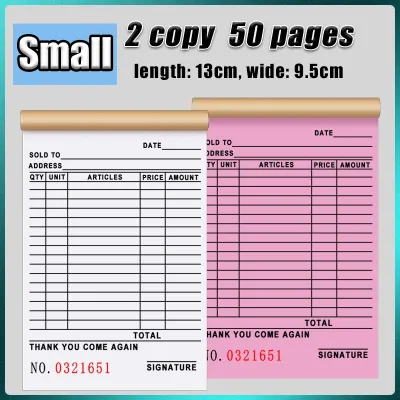
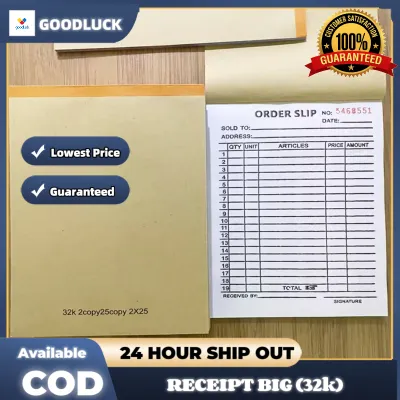
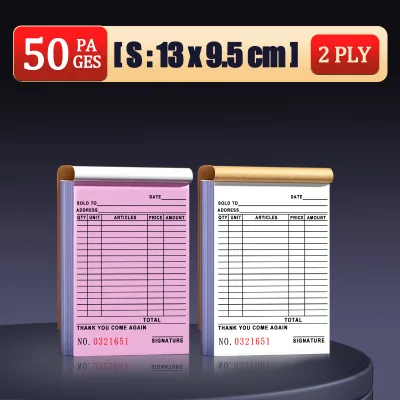
Prices are valid at publication and may change. Please refer to the product page for the latest price.
Key Comparison Dimensions for Your Operations
Selecting the ideal receipt pad involves analyzing how each option performs under real-world business conditions. From the clarity of the duplicated text to hardware compatibility and long-term operational costs, several key dimensions will determine which format keeps your business running smoothly.

Copy Quality and Legibility
The legibility of a duplicate receipt is critical for resolving customer disputes, managing inventory, and filing taxes. Carbonized pads deliver highly precise, sharp copies because the chemical reaction occurs exactly where pressure is applied. However, the clarity of the transfer depends heavily on the writing instrument used. A standard ballpoint pen with a firm, medium tip is ideal because it concentrates physical pressure onto the paper. Gel pens, fountain pens, or soft felt-tip markers often fail to trigger the chemical reaction effectively, resulting in faint or incomplete copies on the lower plies.
Regular pads using traditional carbon paper can produce highly legible copies, but they are prone to smearing if the paper shifts during writing. Furthermore, the longevity of the duplicate image varies significantly between the two types. Carbonless copies are sensitive to environmental factors; exposure to high temperatures, direct sunlight, and certain plasticizers (such as those found in cheap plastic folders) can cause the chemical dye to fade over time. For businesses in tropical climates like the Philippines, where high humidity and heat are common, storing carbonless receipts in cool, dry, and dark environments is necessary to preserve legibility. Traditional carbon paper copies, while messy to produce, often resist fading better under humid conditions because they rely on physical pigment transfer rather than a chemical reaction.
Equipment and Printer Compatibility
Your choice of receipt pad must align with your existing office hardware to prevent mechanical failures and costly downtime. Carbonized paper is specifically designed to work with impact printers, such as dot matrix systems. These printers use physical pins to strike an ink ribbon against the paper, generating the localized pressure required to rupture the micro-capsules and create copies on the lower plies. If your business relies on continuous-feed dot matrix printers for invoicing or delivery receipts, multi-part carbonless pads are the standard industry solution.
However, carbonized paper is entirely incompatible with non-impact printing technologies. Thermal printers, which are widely used in modern POS terminals, rely on heat-sensitive paper and do not apply physical pressure; they cannot activate the chemical transfer of carbonless sheets. Similarly, inkjet and laser printers use heat or liquid ink spray, which will not trigger the duplication mechanism of carbonized paper and may even cause paper jams due to the chemical coatings on the sheets. For these non-impact systems, regular single-part paper rolls or standard paper pads are the only compatible option. Always consult your printer’s user manual to verify the maximum paper thickness (measured in GSM) and ply limits your device can safely feed without jamming.
Cost and Budget Considerations
When evaluating your stationery budget, it is important to look beyond the initial purchase price of the pads. Carbonized receipt pads carry a higher upfront cost per pad compared to regular single-part pads due to the specialized chemical coatings and multi-ply manufacturing process. For a small business in the Philippines, budgeting for office supplies in Philippine Pesos (₱) requires balancing these upfront costs against long-term operational efficiency, especially when sourcing customized forms with printed company logos and tax registration details.
However, regular pads can introduce hidden operational costs that narrow this price gap. If your workflow requires duplicates, using regular pads means purchasing separate carbon paper sheets, which must be replaced regularly as their ink coatings wear out. The time spent by employees manually inserting, aligning, and disposing of carbon sheets also translates into slower transaction times and higher labor costs during peak business hours. When calculating your total cost of ownership, weigh the higher upfront price of carbonized pads against the labor savings, improved customer service speed, and reduced waste they provide.
Decision Framework: Which Pad Fits Your Workflow?
To determine the most efficient documentation tool for your business, consider this practical, condition-based decision framework:
Choose Carbonized (Carbonless) Pads if:
- Your workflow requires immediate, clean, multi-part copies (such as a customer copy, an accounting copy, and a delivery copy) without manual handling.
- You use dot matrix or impact printers for automated billing and invoicing.
- Your staff handles high-volume manual transactions where speed and cleanliness are critical to customer satisfaction.
- You want to eliminate the waste, smudging, and disposal hassle associated with traditional carbon paper sheets.
Choose Regular (Single-Part) Pads if:
- Your business model only requires a single copy of the receipt for the customer, and digital backups are stored electronically.
- You utilize thermal, inkjet, or laser printers at your point of sale.
- You operate a low-volume retail setup or service business where transaction speed is not a primary bottleneck.
- You want to minimize your upfront stationery expenses and avoid the storage requirements of chemically treated paper.
Choose Regular (Carbon-Interleaved) Pads if:
- You operate legacy systems that specifically require traditional carbon paper for compliance or historical workflow reasons.
- Your primary goal is achieving the lowest possible upfront paper cost, and your staff has the operational time to handle manual carbon sheets without impacting customer service.
Before making a final decision, verify whether your local regulatory bodies or tax authorities require specific paper grades or physical signatures on duplicate copies for auditing purposes. Some jurisdictions have strict guidelines regarding the archival life of tax receipts, which may influence whether you choose high-grade carbonless paper or traditional printed forms.
How to Verify and Test Before Bulk Ordering
To avoid wasting capital on incompatible or low-quality stationery, always conduct a thorough verification process before placing a bulk order with an office supplier. Begin by ordering a small sample pack of the specific receipt pad you are considering. This allows you to perform hands-on testing in your actual working environment. Test the pads with the exact pens, styluses, and printers your team uses daily to ensure the duplicate copies are sharp, legible, and do not require excessive writing pressure.
Next, check the physical specifications of the paper. Verify the paper weight, typically measured in grams per square meter (GSM), and ensure it matches the feeding capabilities of your printer. Carbonless paper that is too thin may tear easily during printing, while paper that is too thick or has too many plies can cause frequent paper jams in impact printers. Additionally, inspect the construction of the pad itself. Examine the binding glue along the top or side edges to ensure it holds the sheets securely while allowing for clean, effortless tearing along the perforations. Poorly perforated pads can lead to ripped receipts and frustrated employees, so a clean tear test is a vital step in your quality check.
Frequently Asked Questions (FAQ)
Can I use a carbonized receipt pad with a thermal or inkjet printer?
No, carbonized receipt pads are not compatible with thermal or inkjet printers. Carbonless paper relies on physical impact pressure to rupture the micro-capsules of dye and create a duplicate image. Because thermal and inkjet printers do not use physical striking mechanisms to apply ink, they cannot activate the chemical transfer process. Using coated carbonless paper in these printers can also cause paper jams or damage the print heads due to heat and chemical residue.
How long do the copies on a carbonized receipt pad last before fading?
The lifespan of a carbonless copy depends on the manufacturer’s specifications and storage conditions. Generally, high-quality carbonized receipts can remain legible for several years if stored properly. To maximize their lifespan, keep the copies in a cool, dry, and dark environment, away from direct sunlight, high humidity, and heat. Avoid storing them in direct contact with cheap plastic folders or vinyl sleeves, as the plasticizers can react with the chemical dye and accelerate fading.
What should I do if the carbon transfer is too faint?
If the duplicate copy is too faint, first ensure that you are using a firm writing instrument, such as a medium-point ballpoint pen, and applying steady pressure. If you are using an impact printer, check the printer’s strike force settings or replace the ink ribbon, as a worn ribbon or weak strike setting will fail to rupture the dye capsules. Finally, verify that the paper is oriented correctly; carbonless sheets are coated on specific sides, and inserting a page upside down will prevent the chemical reaction from occurring.

Community discussion
Share your experience or ask a question. Comments are reviewed before publication.