
Choosing the right CASIO big size scientific calculator depends on whether your primary need is physical key size for rapid, error-free data entry or screen real estate for complex mathematical visualizations. For students and professionals in the Philippines preparing for board exams, a standard scientific calculator with oversized keys offers the best balance of speed and compliance. Conversely, engineers, statisticians, and advanced students who require matrix operations or visual plots will benefit more from a large-screen graphing model, provided it meets local institutional guidelines.
Before making a purchase, it is essential to understand how physical dimensions, display technologies, and keypad layouts impact your daily workflow. This guide outlines the critical specifications to verify and compares the primary categories of large CASIO calculators to help you match the right form factor to your calculation needs.
Defining "Big Size": Key Specifications to Verify
When searching for a “big size” calculator, the term can refer to either the physical footprint of the device or the visual capacity of the screen. To find a model that fits your workspace and visual preferences, you must evaluate several distinct physical and functional metrics.
Products mentioned in this guide
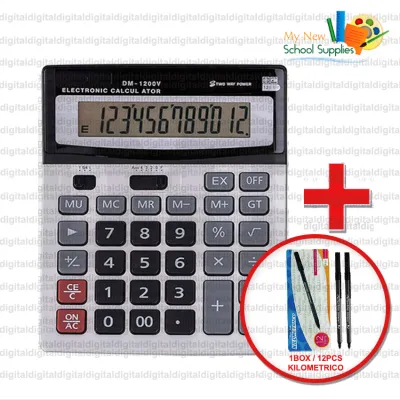
Prices are valid at publication and may change. Please refer to the product page for the latest price.
Display metrics are the first category to check. Look closely at the number of text lines the screen can display simultaneously and the dot-matrix resolution. A higher resolution allows the calculator to display fractions, square roots, and integrals exactly as they appear in textbooks, which reduces reading errors. Additionally, verify if the model features adjustable screen contrast, which is essential for maintaining legibility under the bright, fluorescent lighting of classrooms and exam halls.
Keypad layout is equally important for tactile comfort. Pay attention to the key pitch, which is the distance between the centers of adjacent keys, and the overall key spacing. Larger keys with generous spacing prevent accidental double-presses, a common issue during high-stress, timed examinations. You should also check whether the calculator relies on dedicated keys for common functions or requires navigating multi-tap menus, as dedicated keys significantly speed up data entry.
Finally, consider the physical dimensions, weight, and power requirements of the device. A larger calculator naturally occupies more desk space and adds weight to your bag, so you must balance portability with comfort. For power, dual-power models that combine solar panels with a battery backup are highly reliable, ensuring the calculator remains functional even in dimly lit rooms.
To help you compare different models in-store or online, use the following specification verification checklist:
| Specification Category | Feature to Verify | Your Target Requirement | Model A Notes | Model B Notes |
|---|---|---|---|---|
| Display | Number of text lines / Dot-matrix resolution | |||
| Display | Adjustable contrast levels | |||
| Keypad | Key pitch (distance between key centers) | |||
| Keypad | Dedicated function keys vs. multi-tap menus | |||
| Physical | Overall dimensions (length x width x thickness) | |||
| Physical | Total weight (with batteries and cover) | |||
| Power | Primary power source (Solar, AAA, or Button cell) | |||
| Compliance | Approved for specific board exams (PRC list) |
Comparing CASIO Calculator Categories for Large Displays
The concept of “big size” diverges significantly depending on the category of the calculator. Standard scientific models focus on physical key size and spacing to enhance typing comfort, while advanced graphing models prioritize screen real estate to accommodate complex formulas and visual plots.

Standard Scientific Models with Large Keys
Standard scientific calculators with large keys are designed primarily for high school students, college undergraduates, and professionals preparing for regulated board exams. These models focus on delivering core scientific functions—such as trigonometry, basic statistics, and fraction calculations—through a highly tactile interface. The oversized keys provide clear physical feedback, allowing you to type rapidly without constantly looking down to verify your input.
Exam compliance is a major advantage of this category. Because these calculators lack programmable memory and graphing capabilities, they are widely accepted by educational institutions and professional licensing boards. If you are preparing for a standardized test where calculator models are strictly regulated, a standard large-key scientific calculator is typically the safest and most practical choice.
These models are also built for long-term durability and low maintenance. They usually feature a robust, slide-on hard case that protects both the screen and the keypad from dust, humidity, and physical impacts inside a backpack. Furthermore, because they do not have power-hungry color screens or advanced processors, their battery life is exceptionally long, often lasting several years on a single battery or through dual-power solar cells.
Advanced and Graphing Models with Large Screens
Advanced and graphing calculators utilize their large physical size to house spacious, high-resolution screens. These displays are capable of plotting multiple functions simultaneously, displaying detailed statistical matrices, and showing complex algebraic expressions without truncating the text. This visual capacity is invaluable for engineering students, statisticians, and professionals who need to analyze trends and visualize mathematical relationships.
However, the increased screen real estate and advanced functionality come with a steeper learning curve. Instead of relying solely on dedicated physical keys, you will need to navigate hierarchical menus and on-screen options to access advanced features. Programming capabilities also require some time to master, though they offer immense utility for automating repetitive calculations once understood.
The primary trade-off with these advanced models is exam compliance. Due to their programmable memory, text-storage capabilities, and graphing functions, they are frequently prohibited in standardized exams and professional board tests. Before investing in a large-screen graphing model, you must verify whether your specific academic department or licensing board permits its use.
Ergonomics and Build Quality for Extended Use
When using a calculator for extended study sessions or long workdays, physical comfort and build quality directly impact your productivity. Evaluating the ergonomic features of a calculator before purchasing ensures that the device remains comfortable to use over several hours.
Begin by assessing the key travel and resistance. When you press a key, it should have a distinct, tactile “click” that confirms the entry has been registered. Avoid keypads that feel mushy or require excessive force to press, as these can cause hand fatigue during rapid typing. The keys should bottom out smoothly without requiring you to press down hard on the casing.
Next, examine the screen under different lighting conditions to check for glare and viewing angles. A good calculator display should remain perfectly legible when lying flat on a desk, even under bright overhead lights. If you frequently work in low-light environments, check if the model features a screen backlight, though keep in mind that backlights will increase battery consumption.
Finally, evaluate the overall stability and desk footprint of the device. A large calculator should have sturdy rubber feet on the base to prevent it from sliding around while you type with one hand. The protective cover should slide on and off smoothly, fitting securely without rattling, which indicates precise manufacturing and protects the internal components from environmental factors like humidity.
How to Make Your Final Decision
To choose the right CASIO big size scientific calculator, match your specific academic or professional requirements against the physical and functional characteristics of each category.
Choose a standard large-key model if your primary goals are typing speed, basic to intermediate scientific calculations, and broad compliance with exam regulations. These models are highly reliable, offer excellent battery life, and provide the tactile comfort needed for rapid data entry during timed tests.
Choose a large-screen graphing model if your work involves advanced calculus, matrix algebra, or data visualization, and you are not restricted by strict exam rules. The spacious screen and programming capabilities make these models powerful tools for engineering and statistical analysis, provided you are willing to navigate the steeper learning curve.
Verify first if your university, school, or professional licensing board has specific restrictions regarding calculator models. In the Philippines, the Professional Regulation Commission (PRC) maintains an official list of allowed calculators for board exams, and purchasing a non-compliant model can prevent you from using it during the test.
When you are ready to purchase, visit authorized office supply retailers or official brand stores to compare physical units in person. This allows you to test the key feel and screen legibility firsthand. Prices for standard large-key scientific calculators typically range from ₱800 to ₱2,000, while advanced graphing models with large screens can range from ₱3,000 to over ₱6,000, depending on the specific features and warranty coverage provided.
Frequently Asked Questions (FAQ)
Are big size scientific calculators allowed in Philippine board exams?
Physical size alone does not disqualify a calculator from Philippine board exams, but its internal features do. The Professional Regulation Commission (PRC) strictly regulates the models allowed in licensure exams, generally prohibiting calculators with programmable memory, graphing capabilities, or QWERTY keypads. To ensure compliance, always cross-reference the exact model number with the latest official PRC advisory before purchasing a large calculator for exam use.
How do I clean and maintain a large calculator display and keypad?
To clean a large calculator, use a soft, dry microfiber cloth to gently wipe away dust and fingerprints from the screen and keypad. Avoid using liquid cleaners, aerosol sprays, or harsh solvents, as moisture can easily seep through the gaps around large keys and damage the internal circuitry. For stubborn grime between the keys, a dry, soft-bristled brush or a can of compressed air can safely remove debris without risking liquid damage.

Community discussion
Share your experience or ask a question. Comments are reviewed before publication.