
Choosing between the Casio fx-570ES Plus and the Casio fx-991ES Plus scientific calculators is a common decision for students and professionals alike. Both models are highly regarded in academic circles, particularly for high school and college-level mathematics, science, and engineering courses. Because they share the same core mathematical engine, natural textbook display, and physical layout, they are equally capable of solving complex equations, matrices, and statistical problems. The primary decision factor lies in how they are powered and how much you are willing to spend upfront.
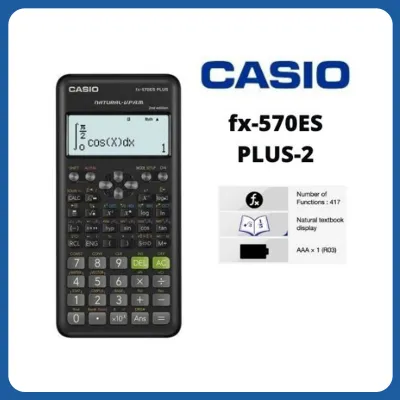
The Casio fx-991ES Plus features a dual-power system that combines solar energy with a backup button battery, making it highly reliable for long study sessions and high-stakes exams. On the other hand, the Casio fx-570ES Plus relies solely on a single AAA battery, offering a more budget-friendly alternative for those who only need a calculator for moderate use. Understanding these differences, along with your specific academic requirements and exam regulations, will help you determine which model is the right fit for your daily routine.
Key Hardware and Design Differences
At first glance, the Casio fx-570ES Plus and the fx-991ES Plus look remarkably similar, sharing the same sleek, dark-colored plastic body and silver-accented faceplate. However, the most prominent physical distinction is located at the top right corner of the display. The fx-991ES Plus features a small, rectangular solar panel integrated into the casing, which allows the device to draw power from ambient light. In contrast, the fx-570ES Plus has a solid plastic casing in this area, reflecting its battery-only design.
Products mentioned in this guide

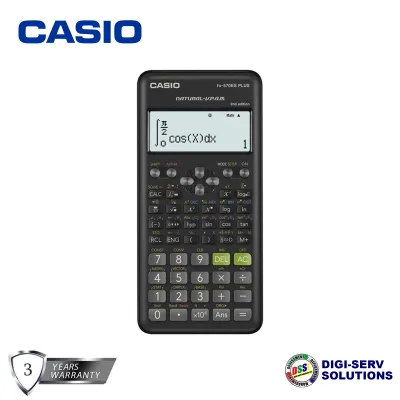
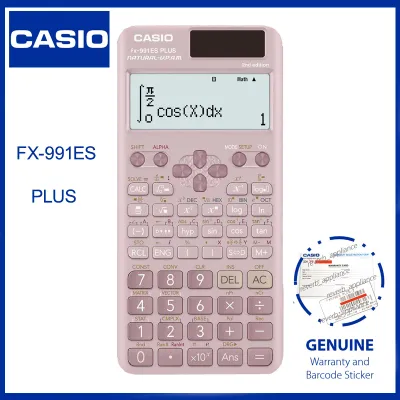
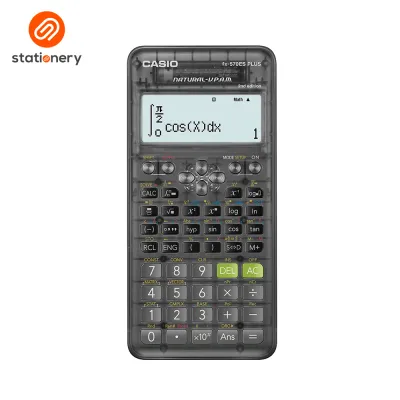
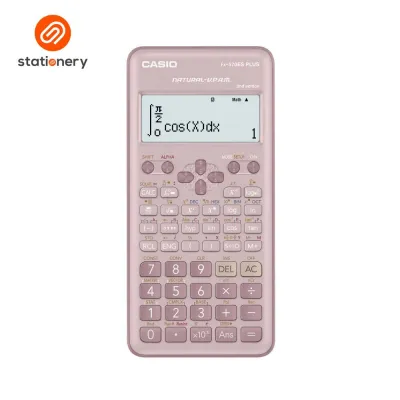
Prices are valid at publication and may change. Please refer to the product page for the latest price.
Despite this difference in power hardware, both models share the same robust build quality. They are designed to withstand the daily rigors of student life, such as being packed into crowded bags or accidentally dropped on classroom desks. Each calculator comes equipped with a hard, slide-on protective cover that shields the screen and the keypad from scratches, dust, and moisture. This cover is particularly useful in tropical climates where humidity and sudden rain showers can pose a risk to electronic school supplies.
The button layout and overall dimensions of the two calculators are identical. The keys are made of durable plastic, offering a tactile, responsive feel that helps prevent input errors during rapid calculations. The spacing between the keys is optimized for comfortable typing, whether you are inputting simple arithmetic or complex algebraic formulas. Both models fit comfortably in one hand, making them highly portable and easy to use during lectures or study groups.
Within the broader Casio scientific calculator lineup, these two models occupy a highly popular mid-tier position. They offer a significant step up from basic scientific calculators without entering the expensive and often restricted territory of graphing or programmable calculators. For most students in secondary and tertiary education, this balance of advanced functionality and physical durability makes either model a highly practical investment.
Comparing Math Features and Display
When it comes to mathematical capabilities, there is no functional difference between the Casio fx-570ES Plus and the fx-991ES Plus. Both models utilize Casio’s Natural V.P.A.M. (Variable Power Algebraic Method) display technology. This feature allows mathematical expressions, such as fractions, square roots, exponents, and logarithms, to be displayed on the screen exactly as they appear in standard textbooks. This visual clarity is incredibly helpful for students, as it reduces the cognitive load of translating formulas into a single-line format and makes it much easier to spot input mistakes.

To ensure you are getting the exact features required for your coursework, it is always wise to verify the built-in functions by checking the official packaging or the manufacturer’s specification sheet. While both models typically offer over 400 built-in functions, minor variations can exist depending on the specific edition or regional release of the calculator. These functions cover a wide range of mathematical disciplines, including algebra, trigonometry, calculus, statistics, and vector calculations, ensuring that either model can support you through advanced academic challenges.
The keypad responsiveness on both calculators is designed to handle fast, repetitive inputs. The keys register presses cleanly, and the internal processor updates the screen instantly, preventing lag during timed exams. The menu structure is highly intuitive, utilizing a “Mode” key that allows you to quickly switch between different computational environments. Whether you need to solve a system of linear equations, perform matrix multiplication, or analyze statistical data, the logical layout ensures that you can access these tools with minimal keystrokes.
Furthermore, both models support multi-replay functionality, which allows you to step back through previous calculations to edit and recalculate formulas. This is particularly useful when working on multi-step engineering or physics problems where a single input error early in the process can ruin the final result. By allowing you to review and correct your work on the fly, the display and interface of these calculators serve as highly effective tools for learning and problem-solving.
Evaluating Power Sources for Daily Use
The choice of power source is the most significant practical difference between these two calculators, and it can greatly impact your daily user experience. The Casio fx-991ES Plus utilizes a dual-power system, often referred to as “Two-Way Power.” This system combines a solar panel with a small button cell battery. Under normal lighting conditions, whether from natural sunlight or indoor fluorescent bulbs, the calculator runs primarily on solar energy. When the light dims, the device seamlessly switches to battery power, ensuring uninterrupted operation.
This dual-power configuration offers excellent reliability, especially during long, stressful examinations where a sudden calculator failure could be disastrous. It also makes the fx-991ES Plus a highly eco-friendly option, as the solar panel significantly extends the lifespan of the internal battery, reducing the frequency of battery disposal. For students who plan to use their calculator heavily over a four-to-five-year degree program, this set-and-forget power system provides immense peace of mind.
In contrast, the Casio fx-570ES Plus relies entirely on a single AAA battery. While this means you do not get the benefit of solar power, the use of a standard AAA battery has its own practical advantages. AAA batteries are incredibly common, inexpensive, and easy to find in local convenience stores or supermarkets. If your calculator runs out of power, you can quickly replace the battery yourself without needing specialized screwdrivers or searching for hard-to-find button cells.
To maintain optimal performance with the fx-570ES Plus, it is important to monitor the screen contrast. If you notice the display fading or dimming during complex calculations, it is a clear sign that the battery is running low and should be replaced soon. Additionally, when preparing for major exams, it is highly recommended to carry a spare AAA battery in your bag just in case. Assessing the typical lighting conditions of your study areas and exam rooms can also help you decide; if you often study in dimly lit environments, the consistent performance of a fresh AAA battery in the fx-570ES Plus is highly dependable.
Weighing Price and Long-Term Value
In the Philippines market, price is often a deciding factor for students and parents purchasing school supplies. The Casio fx-570ES Plus is generally the more affordable option, typically retailing around ₱800 to ₱1,100. The Casio fx-991ES Plus, due to its integrated solar panel and dual-power circuitry, commands a higher price, usually ranging from ₱1,200 to ₱1,500. This price gap of approximately ₱300 to ₱400 is a key consideration when budgeting for the academic year.
When analyzing the cost-benefit trade-off, you must weigh this upfront saving against long-term convenience. Paying the premium for the fx-991ES Plus means you are investing in the convenience of solar power, which virtually eliminates the worry of your calculator dying during a critical test. For many students, especially those in demanding fields like engineering or accountancy, this peace of mind is easily worth the extra cost.
However, if you are on a strict budget, the fx-570ES Plus offers the exact same mathematical performance for less money. The money saved upfront can be allocated to other essential school supplies, such as notebooks, pens, or textbooks. Over a standard four-year college degree, the cost of replacing a AAA battery once or twice is minimal, meaning the fx-570ES Plus remains a highly economical choice in the long run. Ultimately, the decision depends on whether you prefer to pay more upfront for convenience or save money now and handle minor maintenance later.
Which Casio Calculator Should You Buy?
To make your final decision, it is helpful to match the features of each model to your specific student profile and study habits. The Casio fx-991ES Plus is highly recommended for engineering, science, and mathematics majors who require a calculator for heavy daily use. If you frequently study in various environments, take long-duration exams, or simply want the security of a dual-power system that is always ready to perform, the fx-991ES Plus is the ideal investment for your academic journey.
Conversely, the Casio fx-570ES Plus is an excellent choice for high school students, business majors, or anyone on a tighter budget. If you only use a scientific calculator occasionally for general education courses, or if you primarily study in well-lit classrooms where battery life is easy to manage, the fx-570ES Plus provides all the mathematical power you need without the extra cost of solar technology.
Before making any purchase, it is absolutely critical to verify the specific calculator regulations of your school, university department, or professional regulatory board. In the Philippines, certain board exams have strict lists of permitted calculator models to prevent cheating and ensure a level playing field. Always check the official guidelines of your testing authority or consult with your instructors to confirm that your chosen model is fully approved for use in your exams.
Frequently Asked Questions (FAQ)
Are both calculators allowed in standard board exams?
Calculator regulations vary widely depending on the specific exam and the governing organization. In the Philippines, the Professional Regulation Commission (PRC) maintains a strict list of allowed calculator models for various professional licensure examinations, such as those for civil engineering, mechanical engineering, and certified public accountants. Because these lists are updated periodically, you must consult the official PRC guidelines or your university’s academic department to verify if the fx-570ES Plus or fx-991ES Plus is permitted for your specific board exam before purchasing.
Can I use a protective case with either model?
Yes, both calculators are compatible with a wide range of protective cases. While each model comes with a durable slide-on hard cover, you can also purchase zippered carrying cases from local stationery stores or online marketplaces for added protection. When choosing an aftermarket case, verify the physical dimensions of the calculator to ensure a snug fit that prevents the device from sliding around. A good protective case should shield the screen from pressure and prevent the keys from being compressed while inside your bag.
How do I know if the solar panel is working on the fx-991ES Plus?
The fx-991ES Plus is designed to automatically manage its power sources, prioritizing solar energy whenever sufficient light is available. To verify that the solar panel is functioning, you can perform a simple check by using the calculator under a bright light source. If you cover the solar panel completely with your hand in a moderately lit room, the calculator will seamlessly switch to its internal battery, and the screen contrast should remain stable. For detailed diagnostic steps or to troubleshoot power issues, always refer to the official user manual included in the product packaging.

Community discussion
Share your experience or ask a question. Comments are reviewed before publication.