
Choosing between the Casio fx-991 and the Casio fx-570 scientific calculators is a common decision point for students, educators, and professionals. While both series are highly capable tools designed to handle complex mathematical operations, their primary differences lie in their power delivery systems, specific advanced computing features, and how individual generations of these models are structured. Understanding these nuances ensures you select a device that aligns with your academic curriculum, professional requirements, and exam guidelines.
At their core, both the fx-991 and fx-570 series share a vast library of standard scientific functions, making them highly versatile for everyday mathematics. However, the fx-991 is traditionally positioned as the flagship model, featuring a dual-power system that combines solar energy with a battery backup. The fx-570 typically relies solely on battery power. Depending on the specific generation you purchase—such as the classic ES Plus, the high-resolution EX ClassWiz, or the modern CW series—the gap in advanced features like matrix calculations, vector analysis, and equation solvers can vary significantly.
Core Differences Between the fx-991 and fx-570 Series
To make an informed choice, you must first understand the shared foundation of these two calculator lines. Both models easily handle standard scientific operations, including trigonometry, logarithms, exponents, fractions, and basic statistical analysis. If your coursework is limited to general algebra, geometry, or introductory statistics, either calculator will comfortably meet your daily academic needs without requiring you to learn complex menu systems.
Products mentioned in this guide
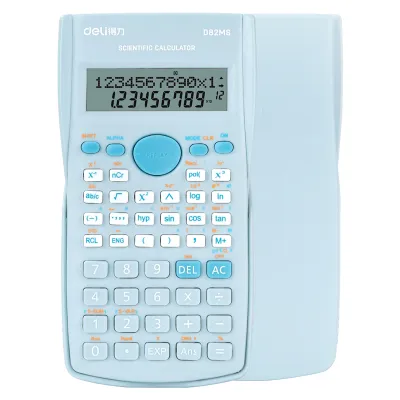
Prices are valid at publication and may change. Please refer to the product page for the latest price.
The divergence becomes apparent when you look at advanced mathematical capabilities. Historically, the fx-991 series has been equipped with built-in equation solvers, numerical integration, differentiation, matrix calculations, and complex number operations. While newer generations of the fx-570 have adopted many of these advanced features, older or more basic versions of the fx-570 may lack them entirely. This makes it critical to look beyond the model number and identify the exact generation of the device.
Calculator technology has evolved through distinct generations, and this classification impacts the user interface and feature set. The older ES Plus series features a traditional natural textbook display with a classic button layout. The EX ClassWiz series introduced a much higher resolution screen, allowing for spreadsheet functions and QR code generation. The latest CW series features a redesigned, simplified key layout and an app-like menu system. Always verify the generation suffix on the physical casing to ensure you are getting the exact interface and feature set you expect.
Feature Comparison Matrix
Because capabilities vary across different versions of these calculators, comparing their general specifications side-by-side helps clarify what each series offers. The table below outlines the typical feature distribution found in the modern iterations of both models.

| Feature Category | Casio fx-991 Series (e.g., CW / EX) | Casio fx-570 Series (e.g., CW / EX) |
|---|---|---|
| Power Source | Dual Power (Solar Panel + Auxiliary Battery) | Battery Only (typically AAA or button cell) |
| Equation Solver | Yes (Simultaneous, Polynomial, and General) | Varies by generation (often included in newer models) |
| Matrix & Vector | Yes (Up to 4×4 matrices in modern versions) | Varies by generation (often included in newer models) |
| Display Type | High-resolution LCD (ClassWiz/CW) | High-resolution LCD (ClassWiz/CW) |
| Calculus Functions | Numerical Integration and Differentiation | Varies by generation (often included in newer models) |
| Base-n Calculations | Binary, Octal, Decimal, Hexadecimal | Varies by generation (often included in newer models) |
Before finalizing your purchase, always verify the exact specifications printed on the product packaging or detailed in the manufacturer’s official user manual. Sub-models and regional variants can introduce slight differences in functional capacity. Take the time to map these specifications against your course syllabus to ensure you do not buy a model that lacks a critical function required for your weekly assignments.
Academic and Exam Compatibility
While having access to advanced mathematical functions is highly beneficial for homework, it can become a liability during formal examinations. Standard high school and college math courses generally permit both the fx-991 and fx-570 series because they are non-programmable. However, standardized testing boards and professional licensing bodies often enforce incredibly strict rules regarding which calculator models are allowed in the examination room.
In many professional board exams, such as those for engineering, architecture, or accountancy in the Philippines, testing authorities publish an explicit whitelist of approved calculator models. Because the fx-991 series features advanced equation-solving and integration capabilities, certain strict exam boards ban it entirely to maintain academic integrity, while permitting the slightly less feature-rich or battery-only fx-570. Conversely, some exam guidelines may ban both, or permit both under specific conditions.
To avoid the stress of having your calculator confiscated at the exam door, follow a proactive verification process. First, download the most recent official calculator guidelines directly from your exam board or university department. Second, compare the exact model number—including all letters and suffixes—against the approved list. Finally, consult your course instructor during the first week of classes to confirm that your chosen device complies with both classroom policies and upcoming exam regulations.
Power Source and Build Considerations
The physical design and power delivery of your calculator directly impact its long-term reliability and daily usability. The dual-power system of the fx-991 series utilizes a solar panel on the faceplate to run the device under sufficient lighting conditions, switching to an internal backup battery only when the light fades. This design ensures that your calculator is highly unlikely to lose power during a critical exam, provided there is adequate classroom lighting.
In contrast, the fx-570 series relies entirely on its internal battery, which is typically a standard AAA battery or a button cell, depending on the specific model. While this means you do not have to worry about solar panel coverage, it does require you to monitor battery health more closely. In tropical climates with high humidity, such as the Philippines, leaving a battery-powered device unused in a school bag for months can occasionally lead to battery leakage and terminal corrosion. Regularly inspecting the battery compartment is a necessary maintenance step for battery-only models.
When evaluating the build quality of either series, look for key durability indicators. High-quality plastic keys with clear, wear-resistant printed labels prevent the markings from fading after years of heavy typing. A sturdy, slide-on hard cover is essential for protecting the delicate LCD screen and keypads from pressure, scratches, and impact damage when the calculator is tossed into a crowded backpack. You can easily verify the power configuration and battery requirements by checking the faceplate markings and the battery door on the back of the device.
How to Choose the Right Model for You
Selecting the right calculator requires balancing your academic path, exam restrictions, and personal preferences. By analyzing your current coursework and future professional goals, you can easily determine which series provides the most practical value for your daily tasks.
Choose the fx-991 if:
- You are pursuing a degree in engineering, physics, chemistry, or advanced mathematics where matrix calculations, vector analysis, and numerical integration are daily requirements.
- You want the peace of mind offered by a dual-power solar system, ensuring your device remains operational during long study sessions and exams.
- Your school curriculum and local exam boards explicitly permit the use of advanced, non-programmable calculators with equation-solving capabilities.
Choose the fx-570 if:
- You are focusing on general science, basic statistics, or high school mathematics that do not require constant access to high-end matrix or vector solvers.
- Your specific exam board or professional licensing authority bans dual-power calculators or models with advanced equation-solving features, but permits the fx-570.
- You prefer a highly capable scientific calculator at a more accessible price point and do not mind occasionally replacing the internal battery.
Verify first if:
- You are unsure about the exact rules of your upcoming standardized tests or professional board exams, as purchasing an unapproved model will require buying a second calculator later.
- You are comparing different generations (ES Plus, EX, or CW), as the user interface and menu navigation differ significantly and can impact how quickly you can input equations during timed tests.
Frequently Asked Questions (FAQ)
Can I upgrade my fx-570 to have fx-991 features?
No, you cannot upgrade an fx-570 to match the features of an fx-991. The mathematical functions, processing capabilities, and power configurations are hardwired into the calculator’s internal microchip and physical motherboard at the factory. There are no official software updates, firmware flashes, or hidden key combinations that can convert a battery-only model into a dual-powered device or unlock advanced equation-solving tools that were not built into the hardware.
Are there counterfeit Casio calculators in the market?
Yes, counterfeit scientific calculators are common, particularly on unverified online marketplaces and from unauthorized street vendors. To verify authenticity, inspect the packaging for high-quality printing, clear branding, and official holographic security stickers. Genuine models feature crisp, perfectly aligned key printing and a responsive screen. Many modern models also include a built-in authenticity check, such as a QR code displayed on the screen when entering the system menu, which links directly to an official verification website. Purchasing exclusively from authorized office supply stores and official brand outlets is the most reliable way to ensure you receive a genuine product.
What is the difference between a basic electric calculator and a scientific one?
A basic electronic calculator is designed for simple arithmetic operations, including addition, subtraction, multiplication, division, and basic percentages, making it ideal for retail, bookkeeping, and general household tasks. A scientific calculator, such as the fx-991 or fx-570, is engineered for advanced mathematics, engineering, and scientific coursework. It includes dedicated keys and algorithms for trigonometry, logarithms, calculus, statistical analysis, coordinate conversions, and complex numbers, which are essential for solving technical academic problems.

Community discussion
Share your experience or ask a question. Comments are reviewed before publication.