
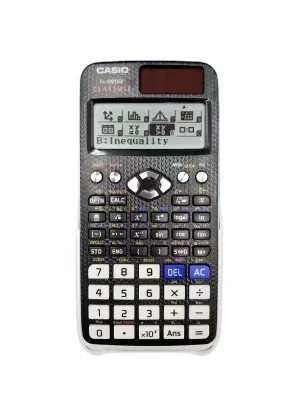
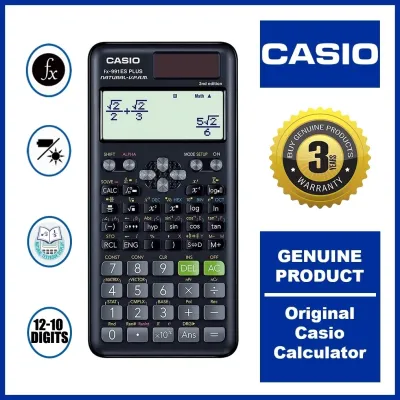
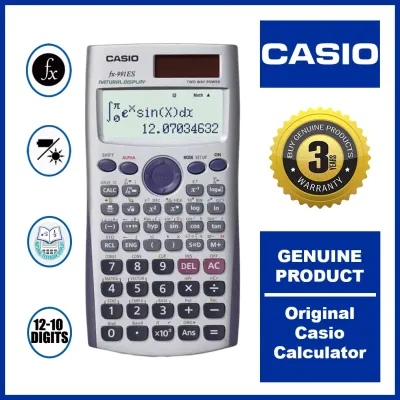
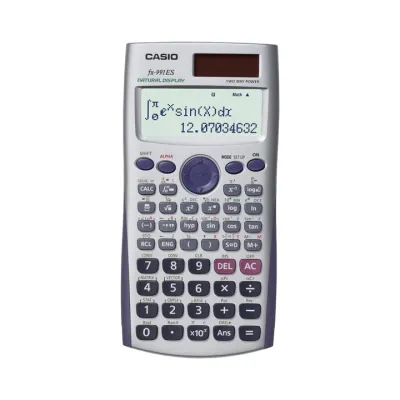
Selecting the right scientific calculator for college is a critical decision that can shape your academic performance, especially in demanding STEM, business, and general science programs. Two of the most prominent options on university campuses are the CASIO fx-991EX and the CASIO fx-570EX. Both models belong to the ClassWiz series, known for high-resolution displays and rapid processing speeds, but they cater to slightly different student profiles and budget constraints.
As a conditional guide, the CASIO fx-991EX generally serves as the more comprehensive option, offering advanced mathematical functions such as differential and integral calculus, matrix calculations, and vector operations that are highly beneficial for engineering, physics, and advanced mathematics majors. On the other hand, the CASIO fx-570EX provides a robust set of features that comfortably covers essential algebraic, trigonometric, and statistical needs, making it an excellent fit for business, accountancy, and foundational science courses.
However, before committing to either model, you must evaluate several critical factors beyond their technical specifications. Your final choice should depend heavily on your specific college syllabus requirements, university department guidelines, national exam regulations, and your personal budget. Understanding these nuances ensures you invest in a tool that is both permitted in your exam room and fully capable of handling your coursework.
Products mentioned in this guide
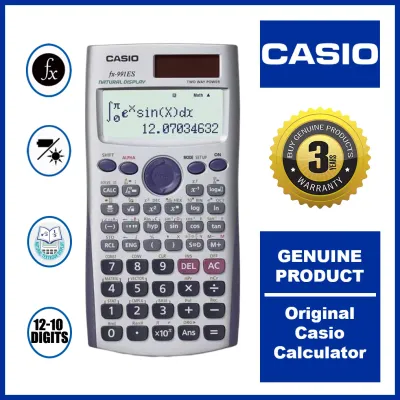
Prices are valid at publication and may change. Please refer to the product page for the latest price.
Comparing Core Functions and Display Features
To determine which calculator aligns with your academic needs, you must first examine their core mathematical capabilities and hardware specifications. While both models share the same high-resolution ClassWiz processor, their built-in function libraries differ. You should consult the official user manuals or manufacturer specification sheets to verify the exact number of functions available on each device. Generally, the fx-991EX includes advanced solver utilities, matrix calculations up to 4×4, vector calculations, and complex number operations that are indispensable for upper-level engineering and physics courses. If your curriculum demands frequent integration, differentiation, or solving systems of linear equations, verifying these specific capabilities on the fx-991EX is highly recommended.
The display technology on both calculators represents a significant upgrade from older generations. Both models utilize a Natural Textbook Display (Natural V.P.A.M.) screen, which renders mathematical expressions exactly as they appear in your textbooks. This means complex fractions, square roots, exponents, and calculus symbols are displayed in a clear, readable format, reducing input errors during high-pressure exams. Additionally, the high-resolution LCD screen allows for the presentation of spreadsheet-like data and basic statistical tables, enabling you to view multiple rows of data simultaneously without constantly scrolling.
One of the most practical differences between these two models lies in their power source configurations, which directly impacts daily campus use and long-term maintenance. The CASIO fx-991EX features a dual-power system, combining a solar panel with a backup button battery. This design ensures that as long as there is sufficient ambient light in your classroom or study area, the calculator runs on solar energy, preserving the internal battery for low-light conditions. In contrast, the CASIO fx-570EX relies solely on a single AAA battery or button cell, depending on the specific regional production run. In tropical environments where high humidity can occasionally affect battery contacts, having a dual-power model like the fx-991EX offers an extra layer of reliability during crucial exam periods.
Checking Course Requirements and Exam Rules
Before purchasing any scientific calculator, your primary step must be to verify the specific rules of your academic institution. Every college department, from engineering to business, maintains its own policy regarding permitted electronic devices. You should carefully review your course syllabus or directly consult your professors during the first week of classes to obtain the official list of approved calculators. Purchasing a highly advanced model is of little use if your instructor bans it from quizzes and midterms due to specific functional capabilities.

A key factor in university and standardized exam regulations is the presence of a Computer Algebra System (CAS). Neither the CASIO fx-991EX nor the fx-570EX features a CAS, meaning they cannot perform symbolic algebra or symbolic integration. This lack of symbolic manipulation makes both models widely accepted in many academic settings compared to graphing calculators. However, some departments still restrict calculators that can perform numerical integration, matrix operations, or formula storage. You must check whether your specific exam board regulates these advanced numerical features, as using an unapproved device can lead to immediate disqualification.
To help guide your decision, you can use a simple verification checklist based on your major. For engineering, physics, and chemistry majors, verify if your courses require numerical integration, complex numbers, and matrix calculations; if yes, the capabilities of the fx-991EX are typically required. For accountancy, business administration, and general sciences, check if your syllabus focuses primarily on financial mathematics, basic statistics, and algebraic equations; if so, the fx-570EX is often more than sufficient. Always cross-reference this checklist with your university’s official handbook to ensure compliance.
Evaluating Price and Value for Your Budget
Budget is a major consideration for college students, and understanding the price dynamics between these two models can help you make a cost-effective choice. You should check the current retail prices in local stationery stores or authorized online flagship stores, keeping in mind that prices typically range from ₱1,000 to ₱1,800 depending on the model and current market conditions. The dual-power fx-991EX generally commands a higher price point due to its solar panel integration and expanded function set, whereas the battery-only fx-570EX serves as a more economical alternative.
When evaluating value, you must weigh the price difference against your actual academic requirements. If your major does not involve advanced calculus, matrix algebra, or vector analysis, paying the premium for the fx-991EX may result in unused features. Conversely, if you are an engineering student, saving a few hundred pesos by choosing the fx-570EX might force you to perform tedious manual calculations for complex numbers or matrices, which can cost you valuable time during exams. Assess your long-term academic path to determine if the extra investment provides genuine utility.
Because of the high demand for these ClassWiz models, the market unfortunately contains counterfeit products that look remarkably similar to genuine CASIO calculators. Counterfeit units often suffer from slow processing speeds, inaccurate calculations, and poor build quality. To protect your investment, always purchase from authorized office supply dealers or official online brand stores. When your package arrives, verify the security features immediately, including the holographic sticker on the packaging, the official warranty card, and the built-in QR code verification system on the calculator’s screen, which allows you to confirm authenticity via the manufacturer’s website.
Final Decision Framework: Which Model Fits Your Major?
To finalize your decision, you can apply a structured framework that matches your academic major, budget, and institutional rules with the appropriate calculator model. This approach ensures you do not overspend on unnecessary features or find yourself under-equipped during a critical exam.
You should choose the CASIO fx-991EX if your academic path is centered on engineering, physics, mathematics, or advanced chemistry. This model is highly suitable when your coursework regularly involves multi-variable calculus, complex number conversions, vector dot and cross products, or solving systems of up to four linear equations. The dual-power solar and battery system also provides peace of mind for long study sessions and multi-hour exams, making the higher price point a worthwhile investment for your entire college journey.
You should choose the CASIO fx-570EX if your major is in business administration, accountancy, humanities, or general sciences where advanced calculus and vector operations are not part of the curriculum. This model offers the same fast processing speed and clear display as its sibling, making it a highly efficient tool for algebra, trigonometry, and basic statistical analysis. It serves as an excellent, budget-friendly option that delivers reliable performance without the added cost of specialized engineering functions.
Regardless of which model seems to fit your profile, your absolute first step must be to verify if your university department or specific professional licensure exam explicitly bans, restricts, or mandates a particular calculator model. Standardized exams often have strict, non-negotiable lists of permitted devices. Confirming these regulations beforehand prevents the costly mistake of purchasing a calculator you cannot use when it matters most.
Frequently Asked Questions (FAQ)
Can I use these calculators for board exams in the Philippines?
While both the CASIO fx-991EX and fx-570EX are standard scientific calculators that do not feature a Computer Algebra System (CAS), their eligibility for professional board exams in the Philippines is subject to strict regulation. The Professional Regulation Commission (PRC) regularly updates its list of allowed calculator models for various licensure examinations, such as those for engineering, accountancy, and forestry. Historically, certain advanced models have been restricted or banned to maintain exam integrity. You must check the latest official PRC resolutions or consult your university’s board exam review center to verify if these specific models are currently permitted for your upcoming exam.
How do I reset the calculator to its default settings before an exam?
Performing a factory reset is a standard requirement before entering many exam rooms to ensure that no custom formulas, variables, or statistical data remain stored in the calculator’s memory. To reset either the CASIO fx-991EX or fx-570EX, you should press the SHIFT key followed by the 9 key (which corresponds to the RESET function printed above the key). From the on-screen menu, select the option to initialize all settings and clear the memory (typically option 3 for ‘All’). Confirm the reset by pressing the = key, and then press AC to return to the normal calculation screen. It is highly recommended to perform this reset the night before your exam to ensure compliance with strict proctoring guidelines.

Community discussion
Share your experience or ask a question. Comments are reviewed before publication.