
Choosing between the Casio fx-991EX ClassWiz and the Casio fx-991ES Plus for college-level mathematics and engineering is a critical decision that impacts your daily study efficiency and exam performance. Both models are highly regarded in academic circles, yet they represent different generations of calculator technology. The fx-991EX offers a modern, high-resolution display and advanced data-processing capabilities, while the fx-991ES Plus remains a reliable, classic workhorse that has supported students for years.
To determine which model most appropriately fits your academic journey, you must evaluate your specific course requirements, visual preferences, and institutional exam policies. While one calculator may seem objectively more advanced, the most appropriate choice is the one that aligns with your syllabus and is fully permitted in your exam halls.
Display and Interface Differences
The visual experience of solving complex, multi-step equations is one of the most noticeable differences between these two scientific calculators. The Casio fx-991EX features a high-resolution LCD screen that displays formulas, fractions, and mathematical symbols with high clarity. This increased pixel density allows the device to present natural textbook display formatting without the blocky, pixelated appearance common in older models. When you are working with large matrices or long algebraic expressions, this sharp resolution helps prevent visual fatigue and reduces the likelihood of misreading subscripts or exponents.
Products mentioned in this guide
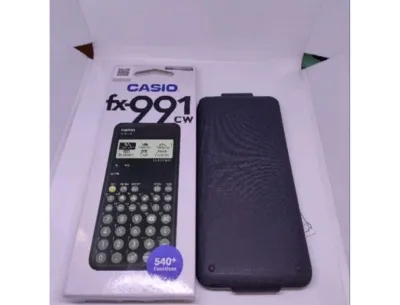
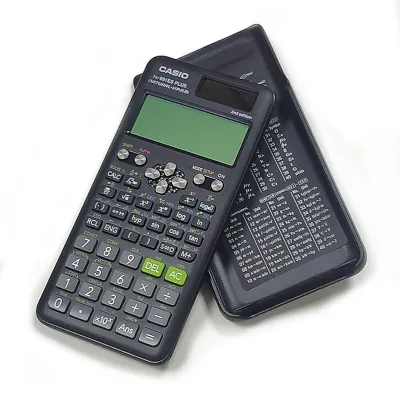


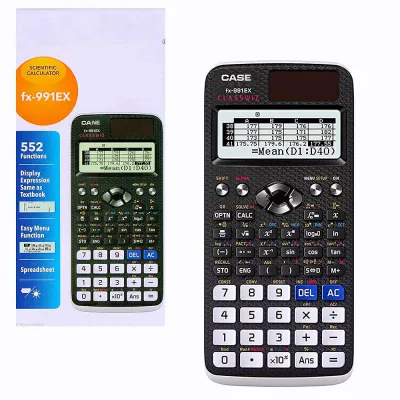
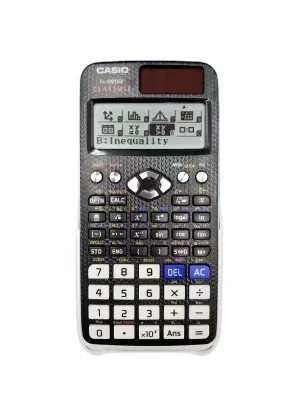
Prices are valid at publication and may change. Please refer to the product page for the latest price.
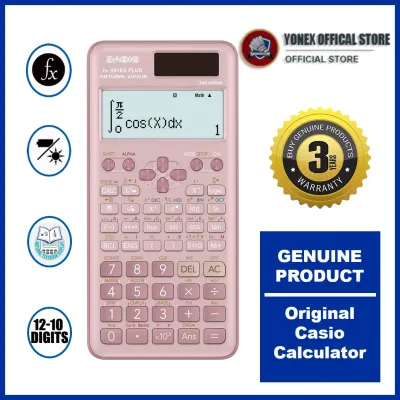
In contrast, the Casio fx-991ES Plus utilizes a traditional dot-matrix display. While it also supports natural textbook display formatting—allowing you to see fractions and integrals as they appear in your textbooks—the lower resolution means characters are visibly pixelated. For standard calculations, this screen is fully functional, but it can feel cramped when you are trying to view complex matrices or multi-variable equations simultaneously.
The user interface design also represents a major generational shift between the two models. The fx-991EX introduces an intuitive, icon-based menu system that allows you to navigate between different calculation modes visually, similar to selecting an app on a smartphone. This design eliminates the need to memorize menu numbers or scroll through endless text lists.
The fx-991ES Plus, on the other hand, relies on a classic text-based menu system. To switch modes or access specific functions, you must press the mode key and navigate through numbered lists across multiple pages. While this interface is highly familiar to students who have used older Casio models, it requires more keystrokes and a brief adjustment period to locate less common functions.
Furthermore, consider how you interact with your calculation history during long study sessions. The high-resolution screen of the fx-991EX typically displays more lines of text and calculation history at once, making it easier to track your steps and verify your work. The fx-991ES Plus also maintains a history log, but the limited screen space means you will find yourself scrolling up and down more frequently to review previous inputs.
Core Math Functions and Spreadsheet Capabilities
When evaluating the computational power of these calculators, it is essential to verify your specific syllabus requirements against the built-in capabilities of each model. You can confirm the exact number of functions and available scientific constants by checking the official manufacturer specification sheets or user manuals. The fx-991EX boasts an expanded set of mathematical tools, most notably a dedicated Spreadsheet application. This built-in spreadsheet allows you to perform basic data entry, apply formulas, and conduct statistical analysis directly on the calculator, which is highly useful for laboratory classes and introductory data science modules.

In addition to the spreadsheet tool, the fx-991EX includes advanced probability distribution calculations. It features built-in solvers for normal, binomial, and Poisson distributions, allowing you to find probability values instantly without consulting physical statistical tables. If your college curriculum includes advanced statistics, probability theory, or quality control engineering, these dedicated solvers can save you significant time during timed exams.
The fx-991ES Plus does not include the spreadsheet application or advanced probability distribution solvers, but it remains a highly capable tool for core mathematics. It reliably handles single-variable calculus, including numerical derivatives and definite integrals, as well as complex number calculations, vector algebra, and matrix operations up to three dimensions. For standard engineering and science courses that do not require advanced statistical modeling, the ES Plus provides all the necessary mathematical functions without the added complexity of navigating advanced data menus.
It is also worth noting that the fx-991EX features a unique QR code generation function. By pressing a specific key combination, the calculator displays a QR code on its high-resolution screen. Scanning this code with a smartphone or tablet allows you to visualize your calculations, generate graphs, and view detailed tables on an external device. This feature is absent on the fx-991ES Plus, which relies entirely on its built-in screen to display numerical results.
Power Source, Build, and Exam Compliance
Both the fx-991EX and the fx-991ES Plus utilize a reliable dual-power system. This design combines a solar panel with a backup button-cell battery, ensuring that the calculator remains fully operational under various lighting conditions. If you are sitting in a dimly lit lecture hall or taking an exam in a room with poor overhead lighting, the battery seamlessly takes over, providing uninterrupted performance when you need it most.
Physical durability and keyboard design are also critical factors for daily campus life, as your calculator will spend a significant amount of time in your backpack. The fx-991EX features textured plastic keys designed to provide positive tactile feedback and prevent your fingers from slipping during rapid data entry. Its body has a modern, textured finish that resists scratches and fingerprints. The fx-991ES Plus features smooth plastic keys with a classic, springy response that many users find highly comfortable, housed in a sturdy, smooth plastic casing. Both models include a hard, protective slide-on cover that shields the screen and keyboard from impact and pressure.
However, the most critical factor to consider before purchasing is institutional exam compliance. Because the fx-991EX possesses advanced processing capabilities, a high-resolution screen, and spreadsheet functions, some academic departments and professional licensing boards strictly prohibit its use in exam halls. Conversely, the fx-991ES Plus is often more widely accepted because of its traditional feature set.
Before making your final decision, you must consult the official, current calculator guidelines issued by your university department, your professors, or the relevant professional regulatory body. Relying on outdated student advice or unofficial online forums is risky, as approved device lists are subject to frequent updates and strict enforcement at the exam door.
How to Decide: A Conditional Selection Guide
To choose the calculator that best fits your academic journey, you can follow a simple, conditional decision framework based on your specific needs and constraints.
First, check your department’s official calculator policy. If your university or professional licensing board explicitly bans the ClassWiz series or calculators with spreadsheet capabilities, the fx-991ES Plus is your default choice. It provides all the essential mathematical power you need for engineering and science without violating exam rules.
Second, assess your course curriculum. If your syllabus includes advanced statistics, data analysis, or laboratory reports that benefit from spreadsheet modeling, the fx-991EX is a highly suitable investment. Its high-resolution screen, fast processing speed, and advanced distribution solvers will significantly enhance your study efficiency.
Third, consider your visual preferences and budget. If you prefer a modern, smartphone-like icon menu and a sharp, easy-to-read screen, the fx-991EX is well worth the investment. However, if you are looking for a highly reliable, cost-effective tool that covers standard calculus and algebra without any unnecessary features, the fx-991ES Plus remains an excellent, budget-friendly option.
Ultimately, both calculators are exceptional instruments designed to support your academic success. By verifying your exam rules and matching the calculator’s features to your course requirements, you can confidently select the tool that will serve you best throughout your college years.
Frequently Asked Questions (FAQ)
Can I use the fx-991EX for professional engineering board exams in the Philippines?
To determine if the Casio fx-991EX is permitted for professional engineering board exams in the Philippines, you must check the latest official resolutions and memorandum circulars issued by the Professional Regulation Commission (PRC). The PRC strictly regulates the specific models of calculators allowed in licensure examinations to prevent academic dishonesty. Because the list of approved calculators is subject to change and strict enforcement, you should always verify the current guidelines directly on the official PRC website or consult your review center before purchasing a calculator for board exam preparation.
Is it difficult to switch from the fx-991ES Plus to the fx-991EX?
Transitioning from the fx-991ES Plus to the fx-991EX is generally straightforward and requires only a brief adjustment period. While the underlying mathematical logic, algebraic entry methods, and syntax remain virtually identical, the menu structure and button layouts differ. You will need to familiarize yourself with the new icon-based home menu and the locations of secondary functions. Spending a few hours practicing standard calculations and reviewing the included quick-start guide will quickly build the muscle memory needed for seamless operation.

Community discussion
Share your experience or ask a question. Comments are reviewed before publication.