
Choosing between the Casio JW-200SC and a scientific calculator depends entirely on your primary daily tasks. The Casio JW-200SC is a stylish, desktop-oriented calculator designed for rapid business arithmetic, tax computations, and retail profit margins. On the other hand, scientific calculators are specialized tools built for complex algebraic equations, trigonometry, calculus, and statistical analysis. Selecting the correct device ensures you have the right functions for your specific workflow, whether you are managing a retail shop in Manila or studying engineering at a local university.
A mismatch in your choice can lead to daily frustration. Using a bulky desktop unit that cannot solve a basic quadratic equation during a university exam is just as impractical as struggling with the tiny, dense keys of a scientific calculator when trying to quickly tally up daily sales invoices. By understanding the fundamental design philosophies and functional capabilities of these two distinct calculator categories, you can make a practical investment that enhances your productivity.
Core Functional Differences: Desktop vs Scientific Calculators
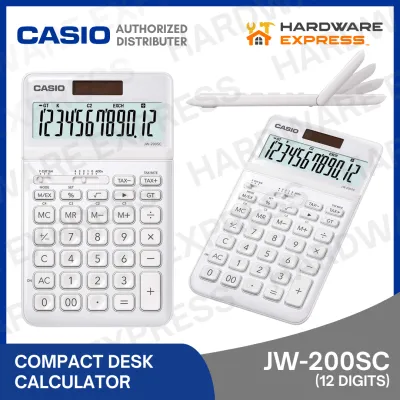
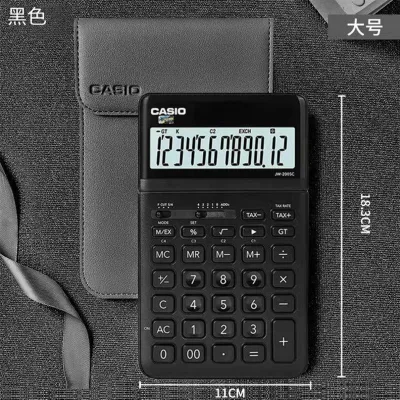
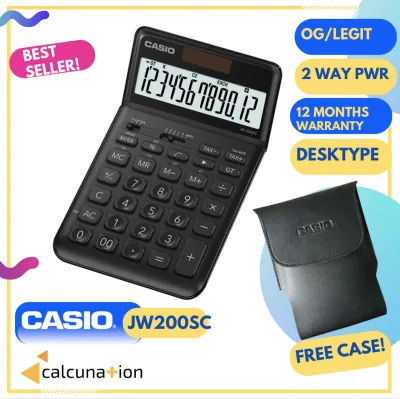
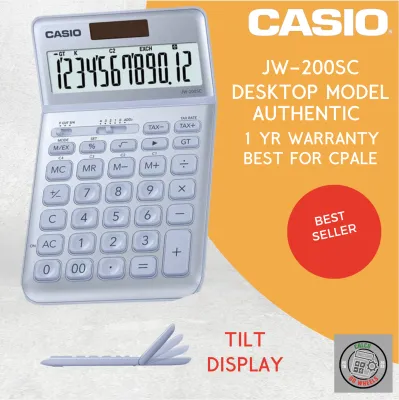
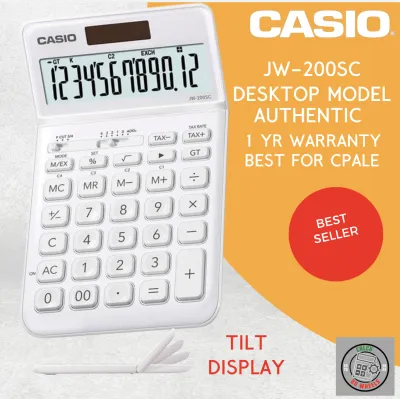
The physical design of these calculators reflects their contrasting environments. The Casio JW-200SC features a spacious layout with large, well-spaced keys designed for rapid touch-typing on a flat desk. It is built with an adjustable or angled display to reduce glare under bright office lighting, allowing you to read figures clearly from various seating positions. In contrast, scientific calculators prioritize portability and function density. They feature smaller, closely packed keys, many of which serve multiple purposes via a shift or alpha key, and they typically come with a hard slide-on cover to protect the screen and keypad inside a backpack.
Products mentioned in this guide

Prices are valid at publication and may change. Please refer to the product page for the latest price.
Their calculation capabilities serve entirely different fields of work. The JW-200SC is optimized for financial and commercial arithmetic, excelling at basic operations, percentage calculations, tax additions or deductions, and cost-sell-margin calculations. Scientific calculators are built for symbolic and numerical mathematics. They handle fractions, trigonometric functions like sine and cosine, logarithms, calculus derivatives, matrix operations, and statistical regressions, which are virtually impossible to perform on a standard desktop model.
Material choices and aesthetic appeal also highlight the divide between these two categories. The JW-200SC is designed with a sleek, brushed metal faceplate and is available in various color options to complement modern office aesthetics. Scientific calculators, however, focus on rugged utility, utilizing durable, matte-finished plastics that resist scratches and withstand the wear and tear of being carried daily in a student’s bag.
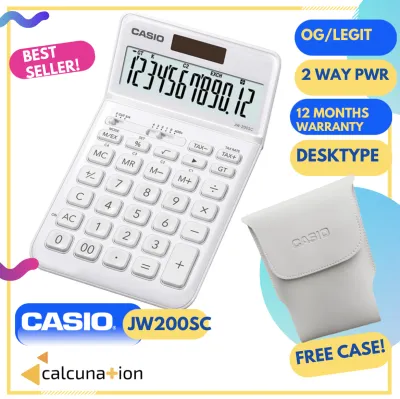
Power management and environmental suitability also differ between the two types. Desktop models like the JW-200SC rely heavily on dual power sources, combining solar panels with a small backup battery to ensure continuous operation on well-lit office desks. Scientific calculators also utilize solar-battery combinations or single AAA batteries, but their high-resolution dot-matrix screens and complex processing engines can draw more power. This makes monitoring battery health a critical factor, especially during long exam sessions or field research where ambient light may be insufficient to power a solar panel.
When the Casio JW-200SC Is the Right Choice
The Casio JW-200SC is highly suited for business owners, accountants, retail staff, and office administrators. If your daily routine involves generating customer invoices, calculating local value-added tax, determining wholesale markups, or balancing daily ledgers, this desktop model offers the exact toolset you need. The dedicated tax keys allow for quick, single-press calculations that save time during busy retail hours, eliminating the need to repeatedly enter tax percentages manually.

One of the standout features of the JW-200SC is its dedicated Cost, Sell, and Margin keys. These keys simplify retail pricing calculations by allowing you to input any two variables to automatically determine the third. For instance, if you know your wholesale cost and your target profit margin, a quick key sequence will display the required selling price, making inventory management and pricing adjustments straightforward for small business owners.
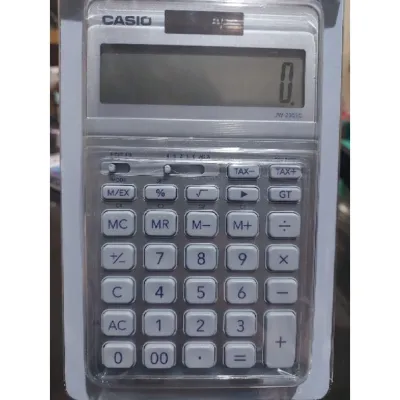
When evaluating the JW-200SC, you can verify several key physical features on the product packaging and the unit itself. Look for its large, multi-line display that clearly shows numbers without straining your eyes, and check the metal faceplate which provides durability against daily wear. The rubber feet on the base are designed to prevent the unit from sliding across your desk during rapid data entry. The keys should have a tactile, springy response that confirms a successful press, allowing you to type numbers quickly without constantly looking down to verify the screen.
However, it is important to recognize the operational limitations of this desktop model. The JW-200SC does not support algebraic syntax, meaning you cannot input complex equations with parentheses in the same way you would write them on paper. It lacks trigonometric functions, scientific constants, and graphing capabilities. Attempting to use it for advanced high school or college algebra will quickly reveal its functional boundaries, as it is strictly designed for commercial arithmetic rather than academic mathematics.
When You Need a Casio Scientific Calculator Instead
A scientific calculator is an indispensable tool for students, academic researchers, engineers, and data analysts. If your coursework or professional projects involve physics formulas, statistical distributions, or structural engineering calculations, a scientific model is mandatory. These devices are engineered to process multi-step formulas, allowing you to input variables and constants that are essential for scientific problem-solving.
As students transition from basic high school math to advanced university courses like calculus, physics, or chemistry, the need for a scientific calculator becomes non-negotiable. These courses require tools that can handle complex numbers, polar-to-rectangular conversions, and statistical regressions. A standard desktop calculator simply cannot process these operations, making a scientific model a fundamental requirement for academic progression.
Before purchasing, check the packaging or product specifications for critical features that match your academic or professional requirements. Look for multi-line natural textbook displays that show fractions, square roots, and formulas exactly as they appear in your textbooks. Ensure the model supports equation solvers, matrix and vector calculations, complex number calculations, and statistical regression analysis. These features are vital for solving complex problems efficiently without having to perform tedious manual derivations.
One of the most critical reasons to choose a scientific calculator over a desktop model is academic policy. Standardized testing boards, college departments, and professional licensure exams have strict rules regarding permitted devices. Desktop calculators like the JW-200SC are universally prohibited in these exams due to their non-standard layouts and lack of academic functionality. Conversely, specific scientific models are officially approved, though you must always verify the exact allowed model list provided by your school or testing authority before stepping into the exam room.
Pre-Purchase Specification Checklist
To help you make an informed decision when browsing local stationery shops or online marketplaces in the Philippines, use this structured checklist. Comparing these verifiable specifications will ensure you select a genuine unit that matches your daily operational needs.
| Specification / Feature | Casio JW-200SC (Desktop) | Casio Scientific Calculators |
|---|---|---|
| Primary Use Case | Business, retail, basic office bookkeeping | Academic math, engineering, science courses |
| Key Layout & Size | Large, spaced-out keys for rapid desk typing | Compact, multi-function keys with Shift/Alpha |
| Display Type | Large, adjustable tilt LCD (typically 12 digits) | Multi-line dot-matrix (Natural Textbook Display) |
| Power Source | Two-way power (Solar + Battery) | Solar + Battery or dedicated AAA/AA battery |
| Specialized Keys | Dedicated TAX+, TAX-, and Cost/Sell/Margin keys | Trigonometric, logarithmic, and fraction keys |
| Exam Approval | Generally prohibited in academic exams | Approved models vary by exam board |
When purchasing, pay close attention to the exact model suffix to ensure you get the color and regional variant you prefer. Always verify the warranty terms on the packaging; genuine units distributed in the Philippines typically come with a manufacturer’s warranty card or holographic security sticker. Compare prices in ₱ across authorized office supply retailers to avoid counterfeit products, which are common on unauthorized online marketplaces and often suffer from poor solar panel efficiency or unresponsive keys.
Frequently Asked Questions (FAQ)
Can I use the Casio JW-200SC for college math exams?
No, the Casio JW-200SC is generally not permitted in college math exams or standardized academic tests. Exam boards and university departments require calculators that can handle advanced algebraic, trigonometric, and statistical functions. Furthermore, the large desktop form factor and business-specific keys do not comply with standard exam guidelines. Always consult your course syllabus or the official testing board’s list of approved calculators before purchasing a device for academic use.
How do I set or change the tax rate on the JW-200SC?
To set or change the tax rate on the JW-200SC, you typically use a specific key sequence designed for Casio business calculators. Start by pressing the percentage key or holding down the dedicated tax set key until the display flashes. Input your local tax rate (for example, 12 for the standard value-added tax in the Philippines) and press the tax set key again to store the value. Because exact button combinations can vary slightly depending on the production batch or regional model variant, always consult the quick-start guide or the manufacturer’s instruction manual included in the box to verify the precise steps for your specific unit.

Community discussion
Share your experience or ask a question. Comments are reviewed before publication.