
Selecting a CASIO scientific calculator for business and accounting tasks requires understanding the boundary between general mathematical processing and specialized financial computation. While a scientific calculator excels at handling complex algebraic equations, statistical distributions, and multi-step formulas, it does not feature dedicated, single-press keys for specialized financial operations like amortization, net present value (NPV), or internal rate of return (IRR). For professionals and students in the Philippines, choosing the right tool depends on whether your daily workflow relies on manual formula entry or requires rapid, automated financial shortcuts. By evaluating your specific ledger, tax, and statistical needs, you can determine if a scientific model is a practical fit or if your tasks demand a dedicated financial or desktop calculator.
Clarifying Calculator Categories: Scientific vs. Financial vs. Desktop
To make an informed decision, you must first distinguish between the three primary categories of calculators offered by CASIO. Each category is engineered with a distinct logical framework and keyboard layout designed to optimize specific professional tasks.
Scientific calculators are built primarily for general mathematics, engineering, and statistical analysis. They utilize algebraic input systems, allowing you to enter long, multi-variable equations exactly as they appear in textbooks. In a business context, these devices are highly capable of performing basic arithmetic, standard percentage calculations, markup or markdown ratios, and advanced statistical regressions. If your business tasks involve analyzing sales trends using linear regression or calculating basic compound interest using manual algebraic formulas, a scientific model provides excellent utility.
Products mentioned in this guide
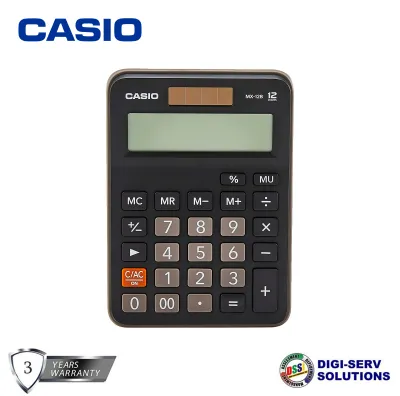

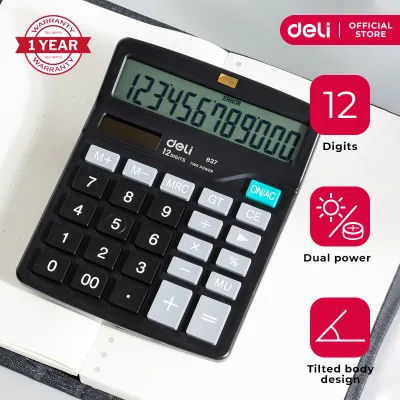
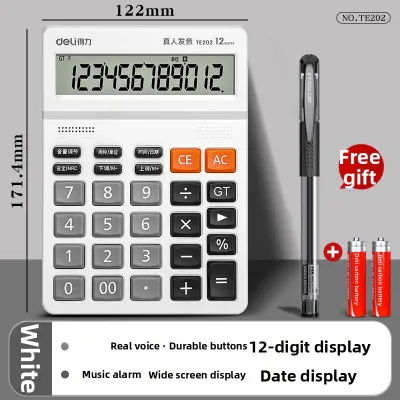


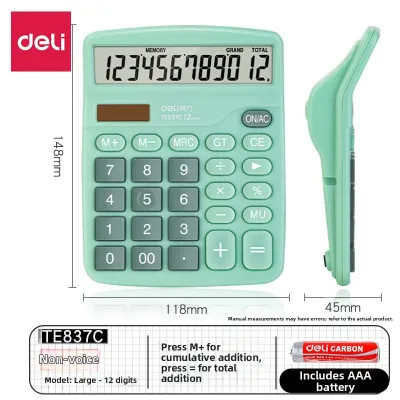
Prices are valid at publication and may change. Please refer to the product page for the latest price.
Financial calculators, by contrast, are specialized instruments equipped with dedicated keys for time-value-of-money (TVM) calculations. These keys allow you to input variables such as interest rate, number of periods, present value, and future value with a single keystroke. Financial models natively handle complex accounting procedures, including cash flow analysis, bond calculations, depreciation schedules, and loan amortization. These tasks are highly tedious to program manually on a scientific calculator, making financial models the standard choice for investment banking, real estate valuation, and advanced corporate finance.
Desktop and printing calculators serve a completely different workflow centered on high-speed data entry and physical record-keeping. These devices feature large, widely spaced keys designed for touch-typing and rapid ledger entry. They often include dedicated tax keys, cost-sell-margin keys, and a physical paper roll or digital audit trail to verify long columns of figures. While they lack the advanced algebraic and statistical capabilities of scientific models, they are indispensable for daily bookkeeping, retail invoicing, and rapid tax calculations in local business offices.
Essential Specifications to Verify for Financial Math
When evaluating a scientific calculator for business use, you must carefully inspect the technical specifications to ensure the device can handle the scale and complexity of your financial data.

First, verify the display capacity and digit limits of the screen. Financial calculations in the Philippines often involve large figures, sometimes reaching into millions or billions of pesos. A calculator with a limited display may truncate these numbers or force them into scientific notation (such as 1.5 x 10^7), which can lead to reading errors during rapid ledger checks. Look for a model that offers at least a 10-digit or 12-digit mantissa display alongside a multi-line screen, which allows you to view both the input formula and the final result simultaneously.
Second, examine the memory functions and variable storage slots. Multi-step business calculations, such as computing the total cost of goods sold across multiple departments or applying varying tax rates to different product categories, require temporary storage of intermediate values. Ensure the calculator has multiple independent memory variables (typically labeled A through F, along with X, Y, and M). This allows you to store specific values, such as a standard 12% value-added tax (VAT) rate or a recurring interest rate, and recall them instantly without re-typing.
Third, assess the physical build, key layout, and power reliability of the device. For extended office use, plastic keys with clear, wear-resistant labeling are generally more reliable than soft rubber keys, as they provide distinct tactile feedback and prevent double-entry errors. Additionally, consider the environmental conditions of your workspace. In tropical climates with high humidity, battery contacts can occasionally corrode over time. Opting for a dual-power model that combines solar cells with a backup battery ensures the calculator remains operational under any lighting conditions and minimizes the risk of sudden power failure during critical financial reporting.
Decision Framework: Matching the Calculator to Your Workflow
Choosing the right CASIO calculator requires matching the device’s core capabilities to your daily professional or academic responsibilities.
You should choose a CASIO scientific calculator if your primary tasks revolve around general mathematics, statistical analysis, and basic business calculations. This option is highly suitable for business administration students, market researchers, and analysts who frequently work with statistical datasets, variance, and standard deviations. The scientific model offers a cost-effective and versatile solution for those who do not mind entering financial formulas manually using standard algebraic notation.
You should choose a CASIO financial calculator if your daily workflow is dominated by corporate finance, investment analysis, real estate transactions, or advanced accounting. If you regularly calculate loan amortization schedules, evaluate investment portfolios using NPV and IRR, or determine bond yields, the dedicated financial keys will save you hours of manual calculation. This category is the standard requirement for professional financial planners, mortgage brokers, and students pursuing specialized finance degrees.
You should choose a CASIO desktop or printing calculator if your primary responsibility is high-volume bookkeeping, retail cash management, or tax preparation. If your work involves entering long columns of figures, calculating daily sales totals, or applying standard tax rates to invoices, the large key layout and rapid tax functions of a desktop model are unmatched. The physical or digital audit trail provided by these models is also essential for traditional accounting environments where manual verification of entries is required.
Pre-Purchase Checks and Operational Boundaries
Before finalizing your purchase of a calculator for business, perform a few essential checks to ensure the device complies with your specific operational and regulatory requirements.
Always review the manufacturer’s specification sheet or product packaging to confirm the exact number of memory slots, digit capacity, and built-in formulas. If you plan to use the calculator for professional licensing examinations, such as the Certified Public Accountant (CPA) board exams in the Philippines, verify the list of allowed calculator models issued by the Professional Regulation Commission (PRC). Many advanced scientific and financial calculators are subject to strict exam guidelines, and using an unauthorized model can lead to disqualification.
Verify the power source requirements and battery replacement procedures. Some models require specific button-cell batteries that may be difficult to find in local retail shops, while others use standard AAA batteries. Ensure you understand how to open the battery compartment without damaging the casing, and keep a spare battery on hand to prevent interruptions during critical business hours.
Finally, recognize the operational limits of your chosen device. If a specific advanced financial formula or accounting method is not explicitly listed in the calculator’s user manual, do not attempt to force the calculation using unsupported shortcuts. Stop and consult the official user guide or seek guidance from a qualified financial professional to ensure your manual formula entry is mathematically sound and compliant with standard accounting principles.
Frequently Asked Questions (FAQ)
Can a CASIO scientific calculator compute compound interest and loan amortization?
Yes, a CASIO scientific calculator can compute compound interest and loan amortization, but it requires you to enter the mathematical formulas manually. For example, to calculate compound interest, you must manually input the standard formula using the algebraic keys and variable memory slots. This process is slower and more prone to input errors than using a dedicated financial calculator, which features single-touch keys specifically programmed for variables like interest rate, principal, and payment periods.
What is the difference between dedicated TAX keys and standard percentage keys?
Dedicated TAX+ and TAX- keys, commonly found on desktop and financial calculators, allow you to store a specific local tax rate (such as the 12% VAT) in the calculator’s memory. Once stored, you can add or subtract the tax from any entered amount with a single keystroke. Standard percentage keys on scientific calculators, however, require you to manually multiply the base amount by the tax percentage for each individual transaction, unless you manually program the rate into one of the device’s variable memory slots.

Community discussion
Share your experience or ask a question. Comments are reviewed before publication.