
To choose the right carbon paper for your receipt books, you must match the physical dimensions of your forms, select a paper weight that withstands your writing pressure, and choose an ink transfer intensity that ensures legible duplicate copies. In the Philippines, where high relative humidity can soften paper fibers and cause wax-based inks to smudge, selecting the correct specifications is essential for maintaining clean, professional business records. By evaluating your specific receipt book format, writing instruments, and environmental conditions, you can avoid wasted supplies and ensure every transaction is documented with absolute clarity.
Understanding Receipt Book Formats and Carbon Paper Sizes
Before purchasing carbon paper, you must determine the exact physical dimensions of your receipt book’s active writing area. Receipt books come in a wide variety of formats, ranging from small pocket-sized duplicate pads to large, multi-column ledger sheets. To find the correct size, use a standard ruler to measure the width and length of the duplicate sheets inside your book. Do not measure the outer cardboard cover, as it is often slightly larger than the actual paper pages to protect the edges. If your receipt book features a perforated top sheet, measure only the area below the perforation line to ensure your carbon paper does not stick out or interfere with the tearing mechanism.
In the Philippines, office and business papers generally follow standard regional dimensions, but receipt books often utilize unique cuts. While you will easily find carbon paper sized for standard Letter (8.5 x 11 inches), A4 (8.27 x 11.69 inches), and the traditional “long” Legal size (8.5 x 13 inches), many handwritten receipt books are much smaller, such as A5 (5.83 x 8.27 inches) or custom pocket dimensions like 4 x 6 inches. If your receipt book uses a non-standard size, you must decide between purchasing pre-cut carbon sheets or buying larger sheets and trimming them manually.
Products mentioned in this guide
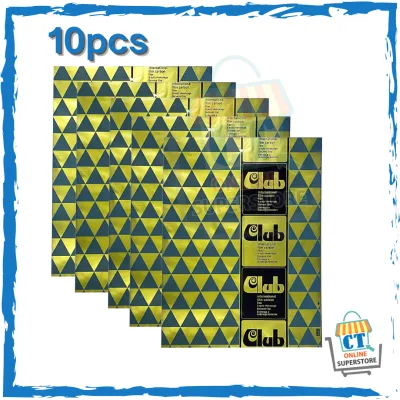
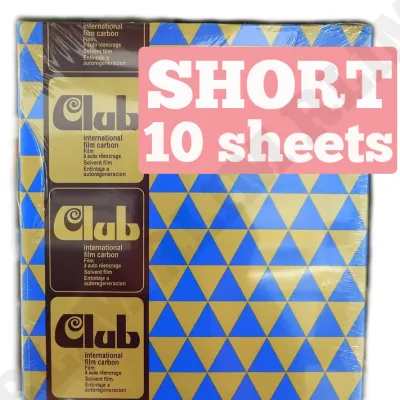
![[DKI ENTERPRISES] 10Pcs Club Carbon Paper (SHORT)](https://img.lazcdn.com/g/p/332957c86b4830403dc7c951ef9637a1.jpg_400x400q80.jpg_.webp)
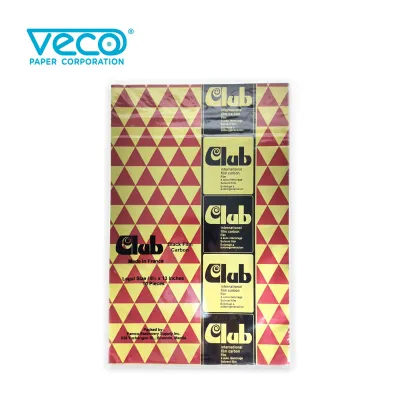
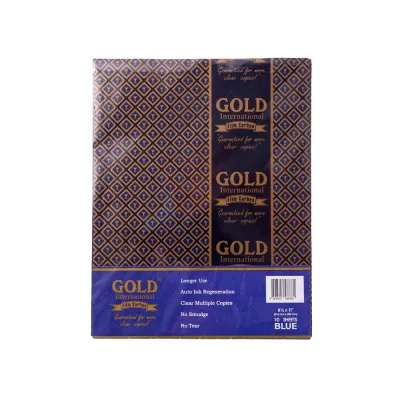
Prices are valid at publication and may change. Please refer to the product page for the latest price.
Pre-cut carbon sheets offer the greatest convenience and ensure clean, straight edges that fit perfectly into your receipt book without slipping. They save valuable administrative time, especially in fast-paced retail or food service environments where receipts must be written quickly. On the other hand, purchasing full-size sheets—such as legal or A4 sizes—and trimming them with a paper cutter can be highly cost-effective. This manual approach allows you to customize the carbon paper to any non-standard receipt book format, saving you a significant amount of money over time. However, you must ensure that the trimmed edges are clean and free of loose paper fibers, which can catch on the pages and cause alignment issues.
Evaluating Paper Weight and Coating Thickness
The physical build of carbon paper is determined by its base paper weight and the thickness of its ink coating. Carbon paper is designed to be thin and lightweight, typically ranging from 16 gsm to 20 gsm, allowing the physical pressure of your writing instrument to transfer the ink to the sheet below. When evaluating manufacturer specifications, look for the base paper weight. If the paper is too thin, it will wrinkle, tear, or curl easily under the high humidity levels common in tropical climates. Conversely, if the base paper is too thick, it will absorb too much of the writing pressure, resulting in faint, illegible duplicate copies.

The ink coating on the carbon paper is usually a mixture of wax, pigments, and solvents. The thickness and hardness of this coating must align with your primary writing tool. If you use a standard ballpoint pen with a medium or fine tip, the concentrated pressure is ideal for transferring ink through multiple plies. If you use a mechanical stylus or a dot-matrix impact printer, the physical strike of the metal pins requires a highly durable carbon sheet with a hard wax coating that can withstand rapid, repetitive impacts without tearing. Gel pens and fountain pens are generally unsuitable for use with carbon paper, as they do not exert enough physical pressure and their liquid inks can bleed on the thin paper surface.
Balancing these trade-offs is key to selecting the right specification. Ultra-thin carbon paper is excellent for creating three or four copies simultaneously because it allows the writing pressure to pass through multiple layers of paper. However, these thin sheets are fragile and can easily tear if handled with damp hands or stored in humid environments. Heavier carbon paper stock is much more durable, resists curling, and is easier to slide between pages, but it is generally limited to producing only one or two duplicate copies. For most standard business transactions in the Philippines, a medium-weight carbon paper provides the best balance of durability and transfer legibility.
Selecting Color Intensity and Number of Copies
The legibility of your duplicate receipts depends heavily on the color intensity and pigment strength of the carbon paper. Traditional carbon paper is available in two primary colors: blue and black. Blue carbon paper is highly popular for handwritten receipts because the bright blue transfer provides excellent contrast against white, yellow, or pink duplicate sheets. This high contrast makes the duplicate copy easy to read, even in low-light environments. Black carbon paper, on the other hand, is the standard choice for typed documents, official accounting ledgers, and receipts that need to be photocopied or digitally scanned. Black ink provides superior contrast for optical character recognition (OCR) software and digital sensors.
The number of copies your business workflow requires will dictate the number of plies you need to produce. A standard duplicate system (two plies) requires only one sheet of carbon paper placed between the original receipt and the duplicate copy. A triplicate system (three plies) requires two sheets of carbon paper, while a quadruplicate system (four plies) requires three. As you add more plies, the writing pressure must travel through more layers of paper, meaning you will need a carbon paper with a highly sensitive, high-intensity ink coating to ensure the bottom-most copy remains legible.
Because carbon paper transfers ink physically, the coating will gradually deplete with repeated use. You can observe this depletion as the transferred text becomes progressively lighter and less defined. To maintain professional and legally compliant records, you must establish a practical replacement threshold. For high-quality carbon sheets, you can typically expect 15 to 20 clean transfers before the sheet must be discarded. If you notice the duplicate text fading or becoming patchy, replace the carbon sheet immediately to prevent disputes with customers or tax authorities over illegible receipts.
Building Your Carbon Paper Purchasing Checklist
To ensure you purchase the correct carbon paper without wasting business capital, you should compile a practical checklist based on your specific operational needs. First, verify the physical compatibility of the carbon paper with your receipt book’s binding. If your receipt book has a glued top edge or a stitched spine, you will need loose, individual carbon sheets that can be easily inserted and removed. If you use continuous-feed forms for a dot-matrix printer, ensure the carbon paper is designed for continuous feeding and matches the pin-feed alignment of your equipment.
Next, calculate your average monthly receipt consumption to determine the most cost-effective purchasing volume. For small businesses, market stalls, or independent service providers issuing only a few receipts a day, smaller retail packs of 10 to 25 sheets are highly practical and prevent the paper from degrading due to long-term exposure to tropical humidity. For larger retail operations, wholesale offices, or busy distribution centers, purchasing bulk cartons of 100 to 500 sheets can save you a significant amount of money, reducing your cost per sheet and helping you save ₱100 to ₱200 per bulk carton compared to buying individual packs.
Finally, always request sample sheets or purchase a small trial pack before committing to a large bulk order. Use this trial period to conduct simple, observable tests on your receipt book paper. Write a sample receipt using your standard business pen and check the duplicate copy for smudging by rubbing your thumb firmly across the transferred text. Drop a tiny splash of water on the duplicate copy to verify its water resistance, as wax-based carbon transfers should resist bleeding when exposed to moisture. If the text remains sharp, clear, and smudge-free, you can confidently proceed with a larger purchase.
Frequently Asked Questions (FAQ)
What is the difference between traditional carbon paper and NCR paper?
Traditional carbon paper requires a separate, ink-coated sheet that you must manually insert between the original and duplicate pages of your receipt book to transfer the writing. This sheet is reusable multiple times but requires manual handling and can leave ink stains on your fingers. In contrast, NCR (No Carbon Required) paper, also known as carbonless paper, has micro-encapsulated dye coated directly onto the back of the top sheet and a reactive clay coating on the front of the bottom sheet. The physical pressure of writing breaks these micro-capsules, causing a chemical reaction that creates the duplicate image without the need for a separate carbon insert. Before purchasing traditional carbon paper, check your receipt book; if the pages are already treated with carbonless coatings, adding a carbon sheet is unnecessary and will prevent the chemical reaction from occurring.
Can I use carbon paper with thermal receipt printers?
No, you cannot use carbon paper with thermal receipt printers. Thermal printers operate by using a heated print head that selectively applies heat to specialized, heat-sensitive thermal paper, causing the paper to turn black and form text or images. Because thermal printers do not use physical impact, ink ribbons, or pressure, carbon paper will not transfer any ink inside a thermal printer. Furthermore, attempting to run carbon paper through a thermal printer is highly risky; the intense heat generated by the print head can melt the wax-based ink coating of the carbon paper directly onto the sensitive print head. This can cause permanent physical damage to the printer, clog the feeding mechanism, and void your equipment’s manufacturer warranty. Always check your printer’s user manual to confirm whether it is an impact (dot-matrix) model or a thermal model before purchasing any paper supplies.

Community discussion
Share your experience or ask a question. Comments are reviewed before publication.